

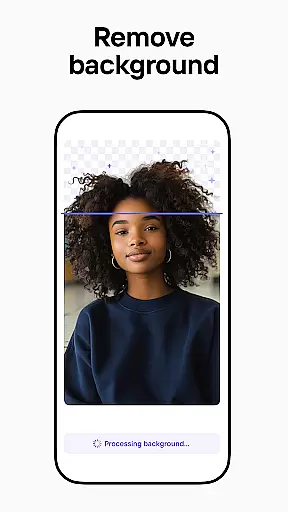
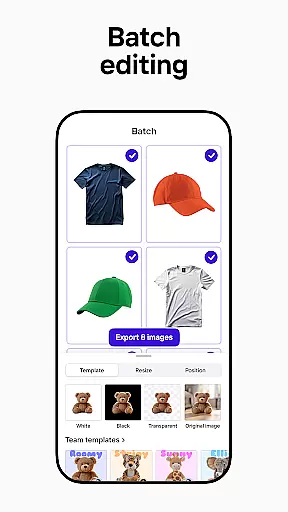

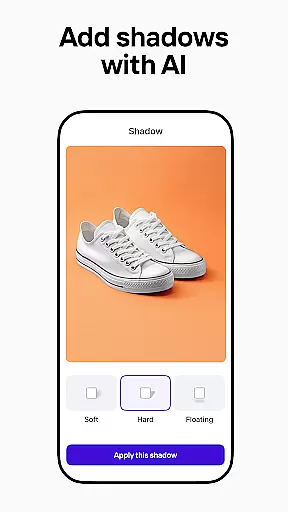
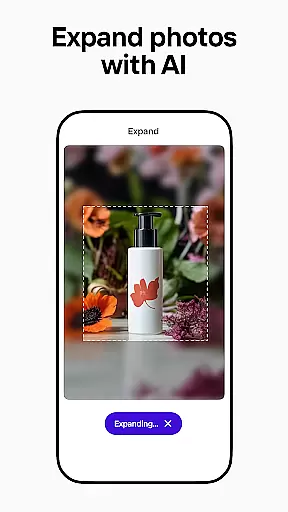
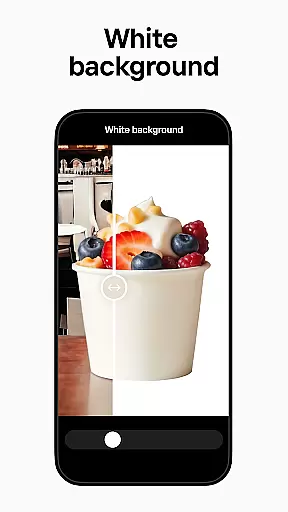
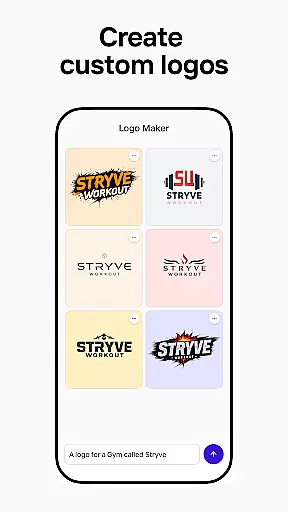
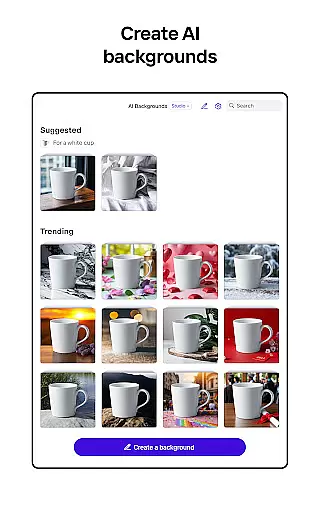
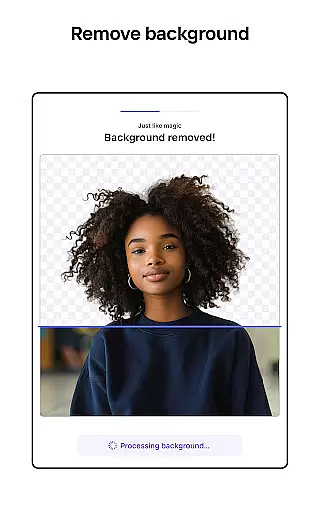
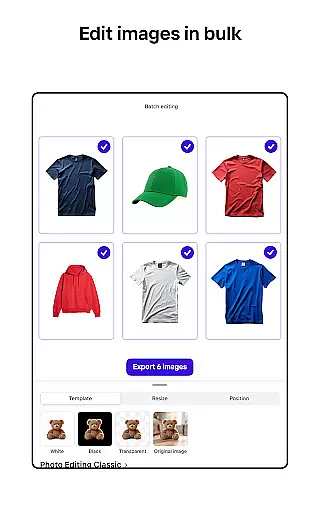

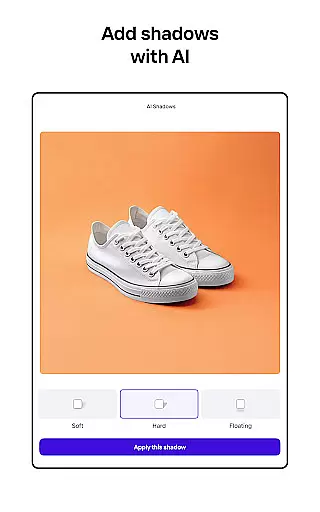
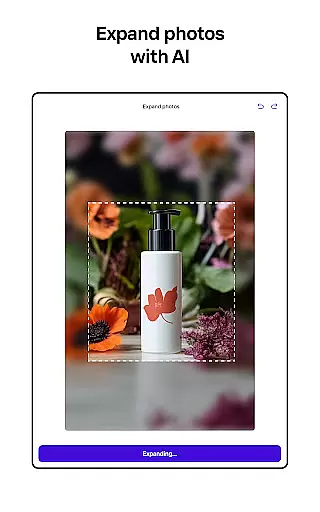
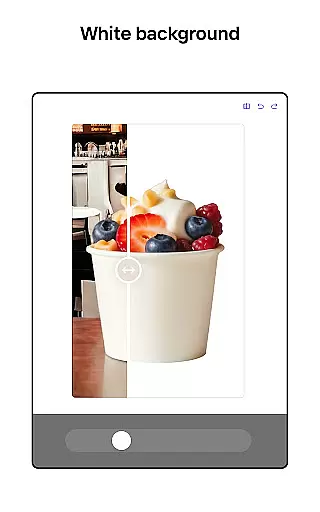
Photoroom AI Photo Editor is a powerful photography app designed to help users create professional-quality images with ease. Using advanced AI technology, the app allows you to design, edit, erase, and replace backgrounds in photos effortlessly. Whether you're an e-commerce seller, content creator, or social media manager, Photoroom provides tools that elevate your brand and boost engagement.
The app's standout feature is its AI-powered design capabilities, which enable users to generate high-quality visuals without any prior design experience. With functionalities like background removal, object erasure, and batch editing, Photoroom ensures your images are polished and ready for platforms like Instagram, Facebook, Amazon, and more. Its intuitive interface makes it accessible to everyone while delivering pro-level results.
Photoroom offers a comprehensive suite of features tailored for both amateur and professional photographers. One of its key highlights is the AI-powered background removal and replacement tool, which allows users to erase unwanted objects and enhance product photos seamlessly. This feature is particularly beneficial for e-commerce sellers who need to create visually appealing listings quickly.
In addition to background editing, Photoroom provides enhanced photo editing tools such as lighting adjustments, shadow control, and sharpness optimization. Users can also take advantage of the Product Beautifier and virtual model integration to showcase items in realistic settings. The app supports batch editing, making it efficient for handling multiple images simultaneously, and includes customizable templates for various occasions, ensuring consistent branding across all visuals.
Real-time capture and preview functionality is essential for ensuring that every photo taken meets professional standards. With Photoroom AI Photo Editor, users can instantly see the results of their edits as they make them, providing immediate feedback on changes to backgrounds or object removals.
The app's advanced AI technology processes images swiftly, allowing users to experiment with different design elements without delay. This real-time interaction enhances the creative process, enabling photographers and designers to fine-tune their work efficiently.
For e-commerce sellers and content creators, this feature ensures that product photos and social media posts are optimized before publishing. The ability to preview edits in real time saves valuable time and resources, reducing the need for reshoots or extensive post-production work.
Ultimately, real-time capture and preview empower users to produce high-quality visuals confidently. By delivering instant results, Photoroom supports professionals in creating engaging content that aligns with their brand identity and meets market demands.
AI beauty and enhancement features are crucial for achieving natural-looking improvements in photos. Photoroom AI Photo Editor leverages sophisticated algorithms to enhance images while maintaining authenticity. Users can erase imperfections, adjust lighting, and refine details without compromising the original essence of the photograph.
This balance between enhancement and realism is particularly beneficial for portrait and product photography. The AI intelligently identifies areas for improvement, ensuring that edits appear seamless and true to life. Whether smoothing skin tones or enhancing fabric textures, the results look genuine and professional.
For businesses, this means creating compelling marketing materials that resonate with audiences. Enhanced images can significantly boost engagement and conversion rates by presenting products or services in the best possible light. Moreover, the ease of use allows even those without technical expertise to achieve outstanding outcomes.
By prioritizing naturalness in AI enhancements, Photoroom helps users build trust and credibility through visually appealing content. This approach not only elevates individual projects but also strengthens overall brand perception across various platforms.
User-friendly interface
Advanced AI tools
Batch editing support
Wide platform compatibility
Real-time collaboration
Premium features locked
Subscription required
Limited free exports
Occasional glitches
Learning curve for new users

Photo editor: face & body editor, beauty cam, filters and quality enhancer.
 4.00
4.00
Safe & smart flight with Go Fly drone controller for 40+ drone camera, zone map
4.50
Professional video recording application with manual controls for filmmakers!
2.80
Photo prints, cards, & gifts at Walgreens. Easy ordering & fast local pickup !
4.80
The #1 app for B&W film developing featuring an advanced darkroom timer.
4.10
Movie camera, supports pro recording settings for filming. Try it and be amazed!
4.50
Your personal guide to the sun and moon. Plan ahead, visualize and predict!
4.70
Discover & download millions of art for The Frame TV or Hisense CanvasTV
4.60
Try an anime version, cartoon yourself, and generate AI hug or aging videos!
3.70
Enhance, upscale, and transform your images — on your device, without limits
4.70
Viewfinder, Light meter, Reciprocity failure time, DOF & Bellows Extension
4.60
Photo Exif Editor allows to view, add and modify EXIF data of multiple photos
4.50
AI portrait generator and polaroid AI selfie, fun AI generated AI photo creator!
4.30
What celebrity do you look like? Celebs will find your celebrity match!
4.10
All-in-One Editor & AI Photo Enhancer, Collage, Cartoonify, Funny Stickers & BGS
4.10
How old age camera Gender Swap App Face Shape Hairstyle App Hair Styler App fun!
4.00
Pet Camera
3.70
Add a dreamy vibe to your selfies and videos with soft style filters
4.1
Snap photos remotely using your Garmin watch as the camera trigger
4.3


User Reviews