
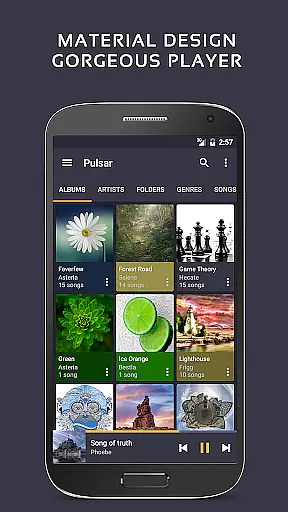
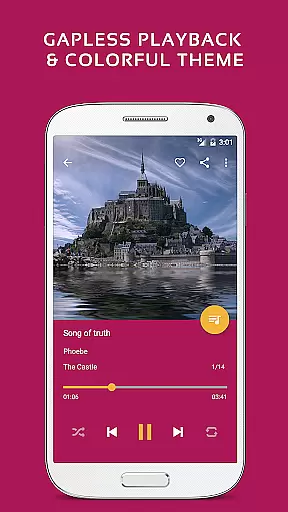
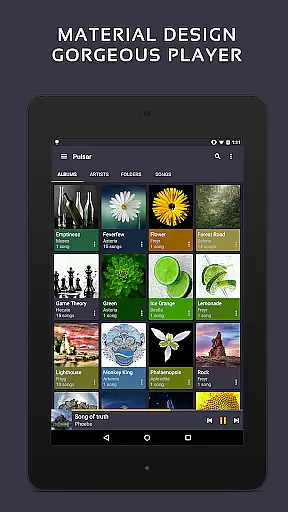
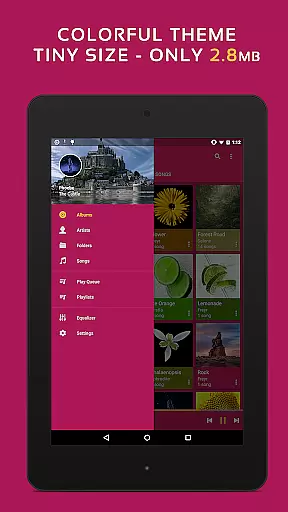
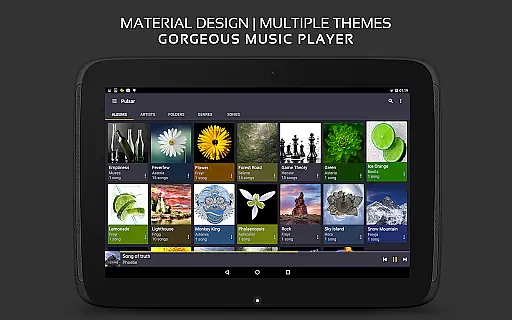
Pulsar Music Player Pro is a premium offline audio player designed for Android users who appreciate high-quality music playback without advertisements. The app adheres to material design guidelines, offering a visually appealing interface with smooth animations.
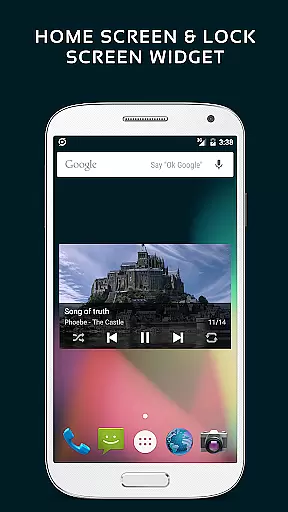
Key features include gapless playback, lyrics display, crossfade support, and play speed adjustment. It also offers advanced functionalities like tag editing, last.fm scrobbling, Chromecast support, and an equalizer with bass boost and reverb effects. With smart playlists, automatic image syncing, and fast search capabilities, Pulsar ensures a seamless music management experience.
Ideal for audiophiles, the app supports various file formats including mp3, aac, flac, ogg, and wav. Its comprehensive feature set makes it the ultimate choice for managing and enjoying your music library on Android devices.
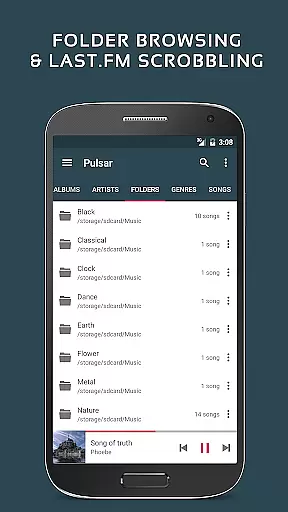
Pulsar Music Player Pro stands out with its extensive range of features tailored for music enthusiasts. The app provides a rich user interface with material design animations, ensuring a delightful user experience. It allows music management by album, artist, folder, and genre, with smart playlists that include most played, recently played, and newly added tracks.
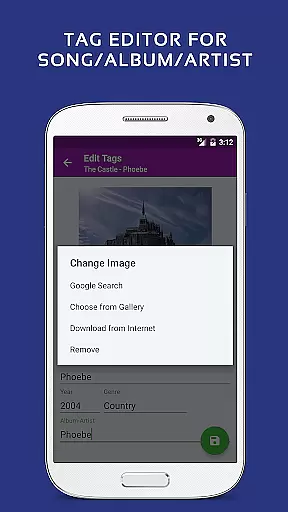
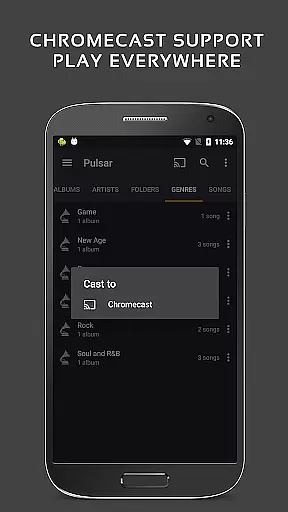
Advanced audio controls such as gapless playback, crossfade, and ReplayGain ensure superior sound quality. Users can adjust play speed, balance audio, and utilize the built-in metadata tag editor for mp3 files. The app also supports lyrics display, music visualizer rendering, and integration with external services like Chromecast, Android Auto, and last.fm scrobbling.
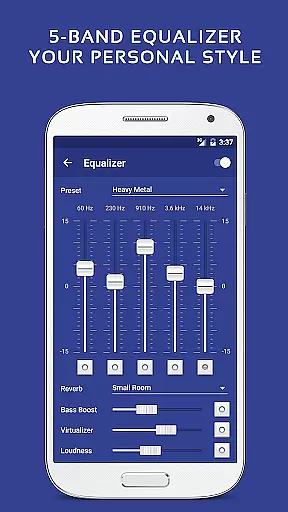
Exclusive to the Pro version are 16 additional themes, theme customization options, a 5-band equalizer with 9 presets, and enhanced sound effects. These features provide users with the tools needed to personalize their music experience while enjoying professional-grade audio performance.
Pulsar Music Player Pro offers an extensive music library that supports a wide range of audio file formats including MP3, AAC, FLAC, OGG, and WAV. This ensures users have the freedom to import and enjoy their personal music collections without format restrictions.
The application emphasizes copyright authenticity by allowing users to manage and play their legally acquired music files. It provides tools for editing metadata tags directly within the app, ensuring accurate artist and album information is maintained.
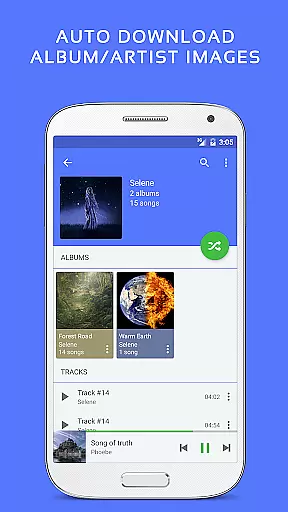
With features like automatic syncing of missing album or artist images and fast search capabilities across albums, artists, and songs, Pulsar enhances the user's ability to organize and access their music library efficiently.
By focusing on legal music management and high-quality playback, Pulsar Music Player Pro delivers a reliable and authentic music experience that respects both the artists and the listeners.
Pulsar Music Player Pro stands out with its advanced audio quality options designed for audiophiles. The built-in 5-band equalizer controller allows users to fine-tune their listening experience with nine pre-built equalizer presets, including settings for bass boost and reverb.
In addition to standard playback features, Pulsar supports gapless playback and ReplayGain volume normalization. These functionalities ensure a seamless transition between tracks and maintain consistent volume levels, providing an uninterrupted and balanced audio experience.
The app also includes a music visualizer rendering feature, which not only enhances the aesthetic appeal but can help users understand audio dynamics in real-time. Furthermore, the play speed adjustment option caters to those who prefer listening at different speeds without affecting pitch.
Overall, Pulsar Music Player Pro combines high-fidelity audio playback with customizable sound settings, making it a top choice for users seeking superior audio quality options in their music player application.
Ad-free experience
Gapless playback
Customizable themes
Advanced equalizer
Wide format support
Paid version only
No cloud integration
Limited playlist options
Occasional bugs
Heavy on resources

Pay Once, no monthly payment
 4.60
4.60
DJ Music Mixer - DJ Remix: remix songs, make beat music & record mix of DJ.
4.40
Listen to live FM radio stations, sports, music and news on global radios online
4.70
Brian Eno and Peter Chilvers’ acclaimed music app Bloom, radically reinvented.
4.80
Bass Booster Pro takes auto-equalizing to the next level!
4.30
Super Sound Editor, Song Maker & Mixer, Vocal Remover, Voice Recorder & Changer!
4.60
Offline Music Player & MP3 Player.Powerful equalizer, Lyrics, Themes, Tag Editor
4.80
Responsive piano with great sounds, graphics, and songs
4.80
Be a true music maker: create beats, mix and make music like a real DJ!
4.30
Voice recorder - Audio recorder. Best recorder for recording
4.90
Walkout Song DJ is the most intuitive app to manage your sports music.
4.70
Save hundreds of dollars for a physical strobe tuner and instead use this app.
4.50
Visualize the guitar fretboard, master scales & play through changes like a pro!
4.50
DJ Music Mixer Pro is a real DJ controllers and DJ Music Studio to remix DJ.
4.40
The Music Journey in Your Hands
4.30
Learn to play the piano using falling notes!
3.80
Simple mp3 and mp4 player with advanced features.
3.40
MilkDrop for Android TV
3.00
Music Streaming suite for Ampache, Nextcloud Music and compatible backends.
4.4


User Reviews