
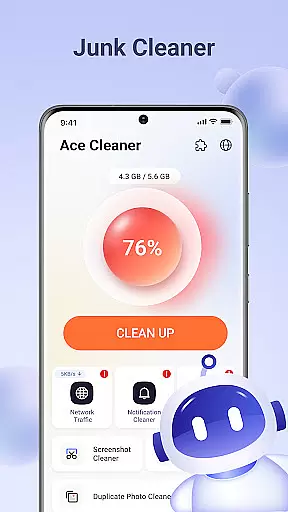
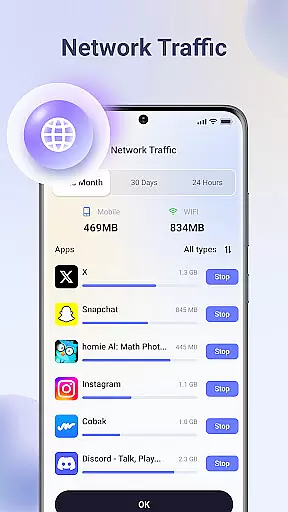
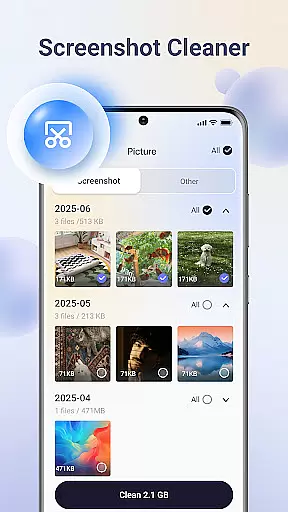
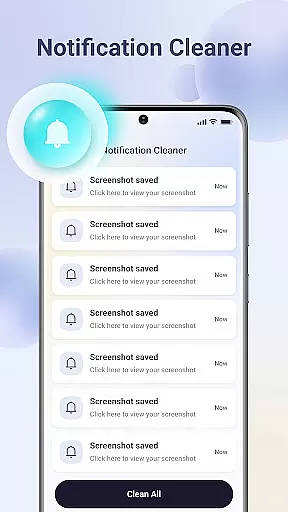

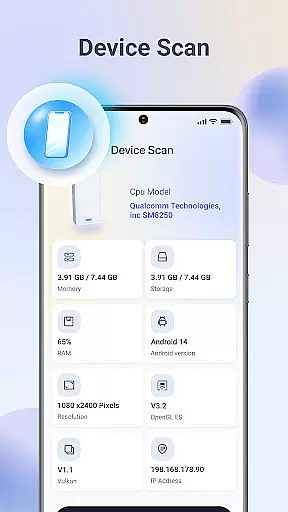
Ace Cleaner is a comprehensive file management and device optimization tool designed to help users efficiently manage their storage space. The app focuses on cleaning junk files, organizing apps, and tidying up media files while ensuring complete privacy protection.
Key features include junk file cleaning, app management, photo and video organization, and large file identification. All operations are performed locally on the device, safeguarding user privacy. Ace Cleaner's intuitive interface makes it easy for anyone to optimize their device's performance and reclaim valuable storage space.
Ideal for users who want to maintain an organized device without compromising their personal data, Ace Cleaner provides transparent actions and clear choices for managing storage effectively.
Ace Cleaner stands out with its robust set of features tailored for efficient device management. The app scans for temporary files, cached data, and other unnecessary items, allowing users to review and remove them safely. This helps free up significant storage space for more important content like apps, photos, and videos.
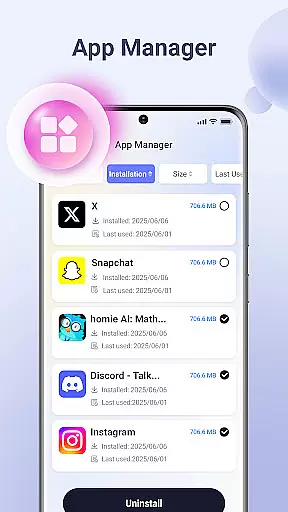
The App Organizer functionality provides detailed insights into installed applications. Users can view all installed apps, check individual storage usage, and uninstall unwanted apps. Additionally, the Photo & Video Tidy-Up feature helps users declutter their gallery by identifying duplicates, old screenshots, and large media files.
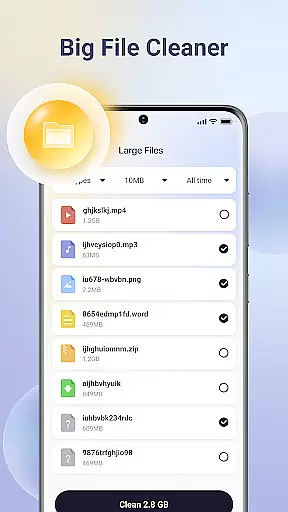
Ace Cleaner also includes a Large File Finder to locate and manage bulky files that occupy substantial storage space. With its on-device privacy protection, all activities are conducted locally, ensuring no personal data is uploaded or shared. This combination of powerful tools makes Ace Cleaner an essential utility for maintaining an optimized and secure device.
Ace Cleaner excels in providing accurate and effective core functions that address the essential needs of device storage management. The app performs thorough scans to identify junk files, cache data, and temporary items that accumulate over time, ensuring that users can safely review and remove them. This precision in detecting unnecessary files helps free up valuable space without compromising important data.
The App Organizer feature offers clear insights into storage and data usage for each installed application. Users can easily view all their apps, assess their impact on device storage, and choose to uninstall those no longer needed. This functionality is executed with transparency, giving users control over their device's resources while maintaining optimal performance.
With its Large File Finder, Ace Cleaner accurately pinpoints sizable files that may be occupying significant space. By identifying these large files, users are empowered to make informed decisions about keeping or deleting them. This targeted approach ensures efficient use of available storage, enhancing overall device efficiency.
Ace Cleaner boasts an intuitive interface designed for simplicity and ease of use, making file management accessible even for non-technical users. The layout is crafted to guide users effortlessly through various features such as junk cleaning, app organization, and photo tidying. Clear choices and transparent actions ensure that users understand each step they take within the app.
The app consolidates multiple tools into one cohesive platform, streamlining the process of managing device storage. Whether it's cleaning junk files, organizing apps, or tidying up media, Ace Cleaner provides a seamless experience by integrating these functions under a single, easy-to-navigate interface. This consolidation reduces complexity and enhances user engagement.
Privacy protection is embedded directly into the design, reinforcing trust with on-device processing. All scanning, cleaning, and file management activities occur locally, safeguarding personal information from being uploaded or shared. This commitment to privacy, combined with straightforward controls, ensures users feel secure while maintaining full control over their data.
User-friendly interface
Comprehensive cleaning options
On-device privacy protection
Efficient app management
Photo and video organization
Limited advanced features
No cloud backup option
Basic design aesthetics
Occasional slow performance
Few customization settings

Quickly switch to an encrypted DNS server on Android TV
 4.50
4.50
Unit and currency converter with easy and simple UI.
4.80
Small and simple app to Verify Root Access and BusyBox Install!
4.70
PC precision for mobile gaming: dominate with keyboard and mouse!
4.30
Quickly check the frequency of the Earth
4.30
Play your X-Box games remotely in 1080p with any controller and zero latency
4.60
The Ultimate Flex Drivers Utility App - Convenient Tapping & Block Filters
4.70
NFC Tools can read and write NFC tags.
4.70
Mobile Security with Scam Protection | Malware & Virus Cleaner | Safe Browser
4.70
HD Video player and downloader for all formats, fast & smooth 4K video playback.
4.60
Keep track of your Palia friendships, tasks, and inventory with Palia Notebook
4.60
Mirror your screen to Chromecast and Android TV - Super fast and simple
4.60
Planner and Tracker for Stardew Valley
4.60
Mirror your screen to Fire TV - Super fast and simple
4.40
A simple app to back up and restore SMS & MMS messages and call logs.
4.10
Detect hidden spy camera with advanced scanning {{ Premium version }}
4.00
A powerful, easy-to-use flight computer on your phone or tablet!
3.80
Smart and comfortable browsing experience.
3.80
Undelete and recover your lost or deleted files with DiskDigger!
3.40


User Reviews