
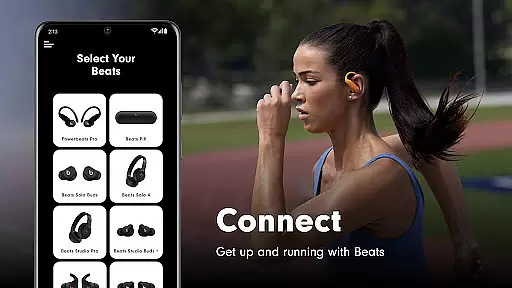
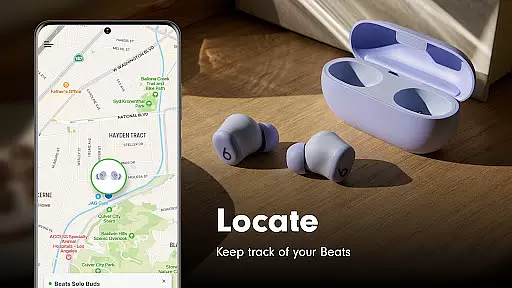
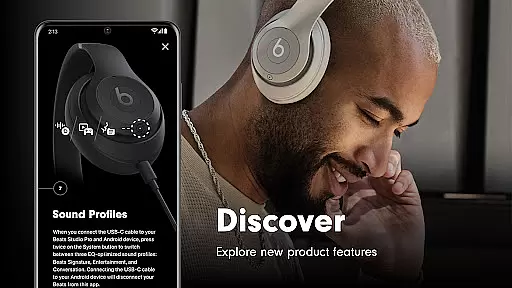
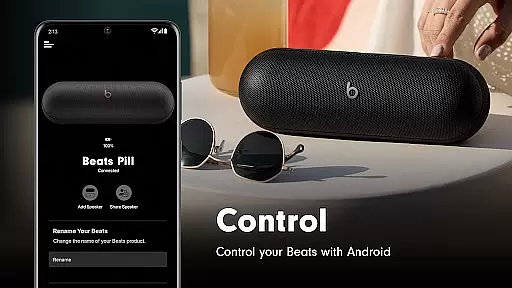
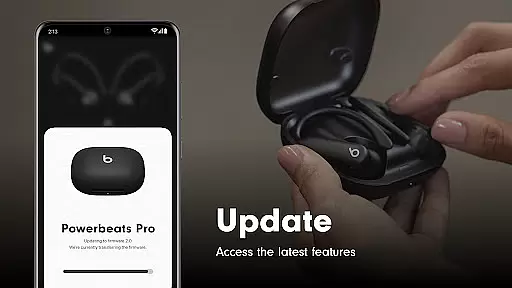
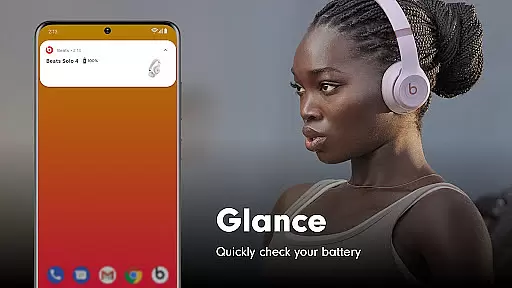
Beats is a comprehensive management tool designed specifically for Beats product users. The app offers seamless one-touch pairing functionality, allowing users to quickly connect their devices and access essential information such as battery status and settings. Additionally, it provides the ability to create custom Android widgets and locate misplaced devices on a map, provided location access is enabled. With firmware update capabilities, the app ensures that your headphones and speakers are always up-to-date, delivering an optimal Beats experience.
The app supports a wide range of Beats products including Powerbeats Fit, Beats Solo Buds, Beats Pill, and many others. Whether you're using the latest Powerbeats Fit or a classic model like Beats Studio3 Wireless, the Beats app caters to all your device management needs. Its intuitive interface and robust feature set make it an indispensable tool for enhancing your audio experience.
One of the standout features of the Beats app is its simple one-touch pairing capability, which streamlines the connection process between your devices. This feature not only saves time but also enhances user convenience by eliminating complex setup procedures. Furthermore, the app allows users to monitor battery levels and customize settings, ensuring that your Beats products are always performing at their best.
For those who frequently misplace their devices, the Beats app offers a unique map-based locating feature. By enabling location access, users can track their Beats products on a map, making it easier to find them when lost. Additionally, the app includes firmware update functionalities that keep your devices running smoothly with the latest software enhancements. These updates ensure compatibility and improve overall performance, providing a seamless user experience.
The Beats app excels in providing accurate and effective core functionalities that enhance the user experience with Beats products. The app ensures precise Bluetooth connectivity, enabling seamless pairing with devices like headphones and speakers. This accuracy in connection is crucial for maintaining an uninterrupted audio experience.
One of the standout features is the simple one-touch pairing option, which simplifies the setup process significantly. Users can quickly access essential information such as battery status and firmware updates, ensuring their devices are always up-to-date and functioning optimally. These capabilities highlight the app's commitment to delivering reliable performance.
Additionally, the Beats app offers unique Android widgets tailored for individual Beats products. This customization allows users to monitor and control their devices effectively, enhancing both convenience and functionality. Such precision in offering personalized solutions demonstrates the app's dedication to accuracy and user satisfaction.
A key strength of the Beats app lies in its simple and intuitive interface, designed to make navigation effortless for users. The layout is clean and uncluttered, allowing users to easily locate important features such as battery status, firmware updates, and settings without any hassle.
The app provides clear instructions for one-touch pairing, making it accessible even for those who may not be tech-savvy. By minimizing complex procedures, the Beats app ensures that users can focus on enjoying their music rather than struggling with complicated setups. This emphasis on ease-of-use enhances overall user engagement.
Moreover, optional notifications about low battery or available updates further exemplify the appu2019s user-centric design. These intuitive alerts keep users informed without overwhelming them, striking a perfect balance between functionality and simplicity. Overall, the Beats app delivers an interface that is both straightforward and highly effective.
User-friendly interface
Wide device compatibility
Efficient one-touch pairing
Comprehensive battery monitoring
Regular firmware updates
Location access required
Limited without optional permissions
No advanced equalizer settings
Occasional connectivity issues
Firmware updates may take time

 4.50
4.50
Just one-tap to easy translate in any language after calls within seconds.
4.20
PDF Reader - Document Viewer: Read, Manage & Organize Your Documents
3.10
Head tracking for PC sim games such as MSFS 2024 or Elite:Dangerous. No headset!
4.50
Universal TV remote control all TVs, Roku, LG, Samsung, Fire, Vizio, Sony, TCL.
4.40
Quickly & easily calculate the spacing of handrail balusters
4.20
A non-root local ADB shell client. READ BELOW!
3.40
Unleash gamepad precision for ultimate mobile gaming dominance.
3.90
Signal Strength, Mobile, Wifi, Speed Test, Bad Signals, Cellular, 5G, LTE, 4G
4.20
Extremely fast, secure, and protects your privacy
4.80
Learn the vast amount of system information about device and monitor it's state
4.70
Creation, Learning, Entertainment & More — The All-in-One AI Search Engine
4.70
Connect instantly to a fast, encrypted VPN with one tap
4.60
HD Video player and downloader for all formats, fast & smooth 4K video playback.
4.60
Canon PRINT is a companion app for your Canon printer.
4.60
Play your X-Box games remotely in 1080p with any controller and zero latency
4.60
Just swipe the edge to do something!
4.40
Quickly check the frequency of the Earth
4.30
An open-source APK explorer for Android!
4.10


User Reviews