
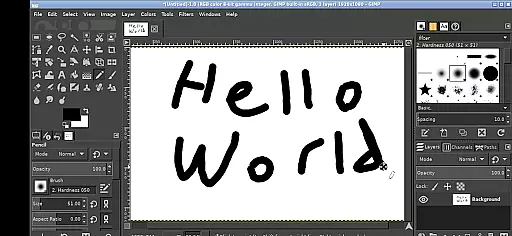
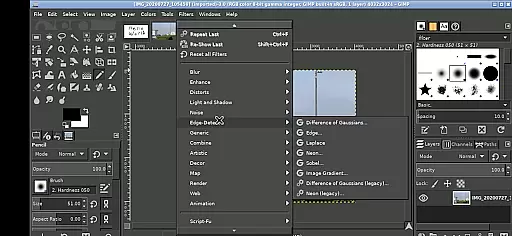
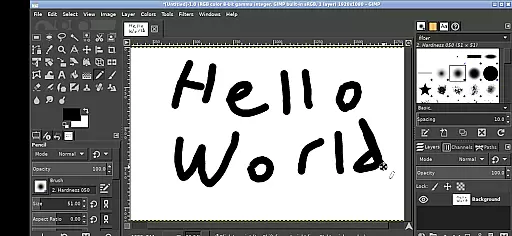
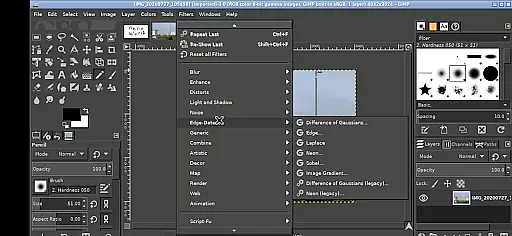
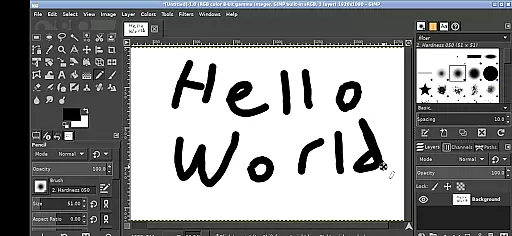
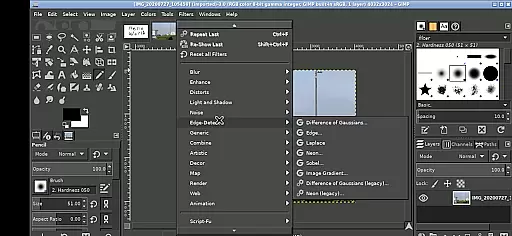
GIMP, the GNU Image Manipulation Program, brings professional-grade image editing to your mobile device. This full-featured application supports a wide array of photo retouching, image composition, and image authoring tasks.
Designed for both creative professionals and hobbyists, GIMP offers advanced tools like layers, filters, and customizable brushes. The Android version maintains the desktop's robust functionality while adapting to touch-based interactions, making it suitable for detailed image work on the go.
Whether you're editing photos, creating digital art, or preparing images for web and print, GIMP provides a professional solution that works seamlessly with your Android device's file system and hardware capabilities.
GIMP stands out with its comprehensive set of image editing tools specifically adapted for Android devices. The application supports complex operations including non-destructive editing through layers, advanced color correction tools, and precise selection instruments.
The Android version implements intuitive touch controls: users can zoom using pinch gestures, pan with press-and-hold movements, and access different mouse functions through various tap combinations. A virtual keyboard can be summoned via on-screen icons, while right-click functions are accessible through two-finger taps.
Notably, GIMP integrates seamlessly with Android's file system, providing direct access to Documents and Pictures folders. The application runs in a Linux environment on Android, maintaining compatibility with the desktop version's plugins and scripts while offering the flexibility of open-source software under GPLv3 licensing.
In the realm of digital art and design, having a comprehensive set of tools is paramount. GIMP, the GNU Image Manipulation Program, offers an extensive array of features that cater to both amateur enthusiasts and professional designers. With capabilities ranging from basic drawing and painting to advanced photo retouching and image authoring, this application ensures that all your creative needs are covered.
GIMP's functionality extends beyond simple edits; it provides sophisticated tools for layers, paths, filters, and even supports various plugins to expand its utility further. The inclusion of these professional-grade instruments means users can execute complex projects with precision and ease. Whether you're touching up photographs or creating intricate digital artwork, GIMP equips you with everything necessary for high-quality output.
Moreover, the adaptability of GIMP on Android devices enhances its appeal. Despite being feature-heavy, it maintains an intuitive interface that allows for gestures such as pinching to zoom and tapping with one finger to left-click. This seamless integration into mobile platforms ensures that artists have access to their studio anytime, anywhere without compromising on tool availability or performance quality.
Flexibility in canvas size and format options is crucial for accommodating diverse artistic visions and project requirements. GIMP stands out by providing unparalleled adaptability when it comes to working with different image dimensions and file formats. Users can start projects from scratch with custom canvas sizes tailored specifically to their needs or import existing files without worrying about compatibility issues.
The program supports a wide range of file types including JPEG, PNG, GIF, BMP, TIFF, among othersu2014ensuring that no matter what kind of graphic material youu2019re dealing with, GIMP has got you covered. Additionally, its ability to handle large images efficiently makes it suitable not only for detailed illustrations but also for editing high-resolution photos intended for print or web publication.
Furthermore, GIMPu2019s integration within the Android environment adds another layer of convenience through direct access to folders like Documents and Pictures via useful links in the home directory. This setup eliminates tedious importing/exporting processes while promoting streamlined workflows across devices. Such versatility empowers creators to focus more on unleashing their creativity rather than getting bogged down by technical limitations.
Professional-grade tools
Open-source flexibility
Direct file access
Touch optimization
Layer support
Steep learning curve
Complex interface
High system requirements
Limited mobile features
No cloud integration

Vidu is an AI video generator made for creators and aspiring makers.
 3.30
3.30
AI generated images & photos, turn your words into drawing, painting & pictures.
4.30
Stylish letters, Stylish Keyboard, Symbols, Emojis, Cool nickname
4.40
Logo Generator powered by AI: Create stunning logos effortlessly!
4.70
Create stunning video, photo & magic from text with FlixAI GPT video generator.
3.10
Design unique, funny and adorable cat stickers that reflect your own style!
3.80
Draw Trace image sketch by, AR art projector app, Easy to trace any image.
4.50
Your homescreen as an elegant glass with customized blur, lighting, and visuals.
3.70
Create amazing pictures and unleash your creative genius with AR Drawing Sketch
4.40
Create stunning art with AI.
4.80
Draw beautiful mandala's very easily
4.60
Create color palette from Image, RGB & RYB Color wheel harmonies, Color Scheme
4.50
Everything you need to create hand drawn animation, anywhere you go!
4.40
Beauty Camera - Selfie Camera is the ultimate beauty camera and selfie app
4.30
Digital Drawing: Draw & Paint
4.10
AR Anime Drawing: How to draw anime with AR drawing & sketching apps!
4.00
Art of Combination Wear OS Watch faces (for Wear OS 5+ devices)
3.00
Download now for a stylish and functional timepiece
4.1
Art of Combination Wear OS Watch faces
4.5


User Reviews