
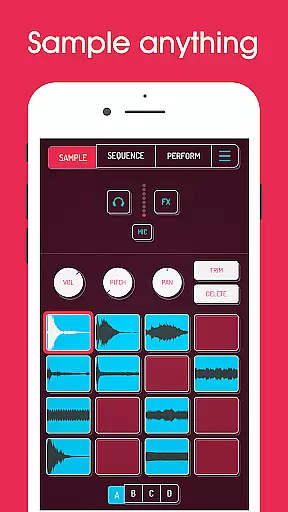
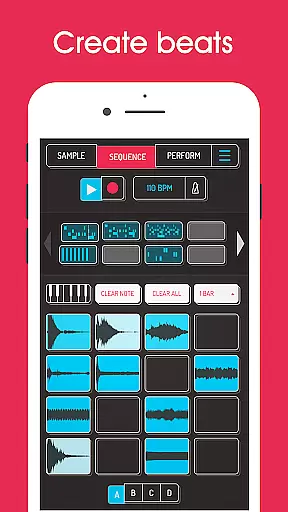
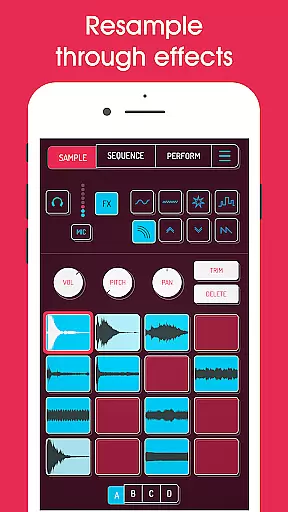
Koala Sampler is a pocket-sized music creation tool designed for both amateur enthusiasts and professional musicians. This app allows users to record sounds through their phone's microphone or import pre-existing samples, transforming them into beats with built-in effects. Its intuitive interface ensures quick track creation without the need for extensive parameter adjustments.
With features like AI-powered sample separation, high-resolution sequencing, and 16 professional effects, Koala Sampler supports diverse creative workflows. Whether you're crafting drum loops, experimenting with vocal modulation, or arranging full tracks, this app keeps the music-making process engaging and fun. The ability to resample outputs and export studio-quality WAV files makes it an indispensable tool for modern music production.
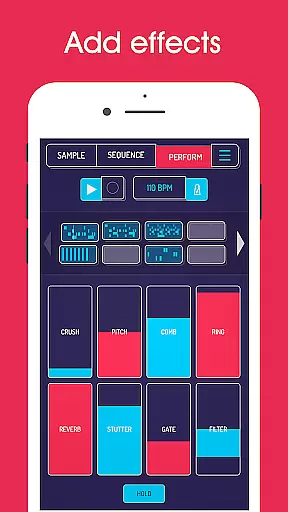
Koala Sampler offers a comprehensive suite of tools for beat-making and sound design. Users can record up to 64 unique samples and manipulate them using 16 built-in effects such as reverb, fuzz, and synthesizer overlays. Advanced functionalities include AI-driven sample separation into individual instruments, MIDI compatibility for external controllers, and quantization options to refine rhythmic precision.
The app also includes a professional-grade time-stretch feature (available via in-app purchase), tempo-synced delay, and various playback modes like reverse and loop. With its seamless drag-and-drop sequence editing and mute/solo controls, Koala Sampler empowers creators to experiment freely while maintaining workflow efficiency. These robust capabilities make it ideal for producing polished tracks on the go.
When it comes to music creation apps like Koala Sampler, the size and variety of the music library play a crucial role in user experience. Koala Sampler offers an extensive collection of built-in effects and sound samples that cater to a wide range of musical genres and styles.
The app allows users to record up to 64 different samples using their phone's microphone. These samples can be transformed with 16 superb built-in effects, ensuring that creators have all the tools they need to produce unique tracks. Additionally, the option to import your own samples further expands the creative possibilities.
Copyright authenticity is also a key consideration for musicians who want to share or monetize their creations. Koala Sampler ensures that all its built-in sounds and effects are free from copyright restrictions, allowing users to safely use these resources in their projects without legal concerns.
With features like AI-driven sample separation into individual instruments and professional-quality WAV file exports, Koala Sampler not only provides a vast library but also guarantees that users can confidently create original content that respects intellectual property rights.
Audio quality is paramount when producing music, and Koala Sampler excels in providing various options to ensure top-notch sound output. The app supports high-resolution sequencing and professional-quality WAV file exports, which are essential for maintaining clarity and fidelity in your tracks.
Each sample within Koala Sampler can be finely adjusted with attack, release, and tone settings. This level of control allows producers to tailor the audio characteristics precisely as per their requirements, ensuring each element blends seamlessly into the mix.
In addition to basic adjustments, Koala Sampler includes 16 DJ Mix FX such as bit-crusher, pitch-shift, reverb, and more. These effects add depth and texture to the audio, enabling users to craft complex soundscapes while retaining high-quality standards.
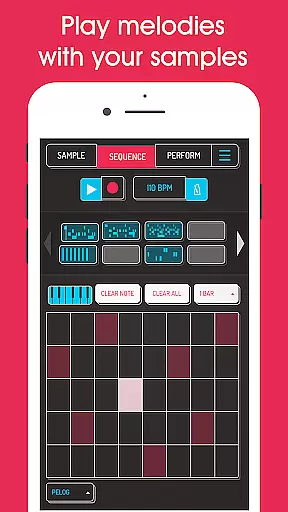
For those seeking even more advanced capabilities, the SAMURAI In-App Purchase unlocks pro-quality timestretching and a piano roll editor. These features provide additional layers of refinement, making sure every note and beat aligns perfectly with the artistu2019s vision, resulting in polished and professional-grade audio production.
Intuitive user interface
Extensive effect library
AI-powered sample separation
High-quality export options
MIDI controller support
Some features require in-app purchases
Microphone input issues reported
Steep learning curve for beginners
Limited free sound packs
Occasional performance lags

Fun & Easy Voice Changer – Record, Edit & Add Hilarious Effects!
 4.50
4.50
Simply convert wav to mp3. Clear. Reliable. Safe.
4.2
Equalizer, Bass Booster and Volume Booster (Eq & Bass) improve sound quality
4.30
DJ Music Mixer Pro is a real DJ controllers and DJ Music Studio to remix DJ.
4.40
Background pads for your band
3.80
Next generation modular control surface
4.10
AI Music Maker: Generate And Compose AI Tunes & AI Songs & AI Music & AI Melody!
4.60
Enjoy singing any song, no matter how high or low it is
4.30
A complete sound package for the sound engineer or enthusiast
4.60
Most Advanced AI Song Generator and Music Creator. Rap, Pop, Rock, Gospel & more
4.70
Walkout Song DJ is the most intuitive app to manage your sports music.
4.70
10-Band Audio Equalizer, Sound / Bass Booster for Spotify Users & Music Players
4.40
Play KORG’s revolutionary touch-based instrument on a variety of devices.
4.40
Full featured mp3 and audio player with Chromecast and Android Auto support.
4.40
Time Guru will strengthen your internal sense of musical time via random muting.
4.30
A High-Precision Audio Spectrum Analysis App
4.20
Network/Cloud Streaming, Visualization, Graphic Equalizer and Sound Effects.
4.20
Versatile MP3 recorder with auto-backup to Dropbox and Google Drive
4.10
The Skullcandy App Experience
3.20


User Reviews