
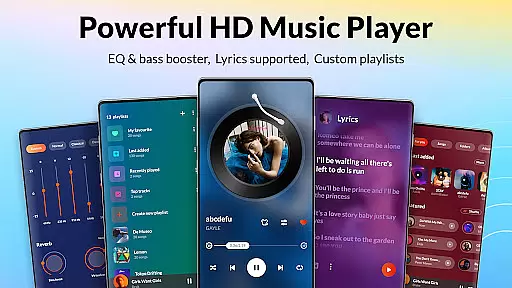
DDMusic is a feature-rich offline music player designed for Android users who demand high-quality audio playback and advanced music management capabilities. Developed by a professional team, this app supports all major audio formats including MP3, WAV, FLAC, AAC, 3GP, and OGC, ensuring compatibility across thousands of devices.
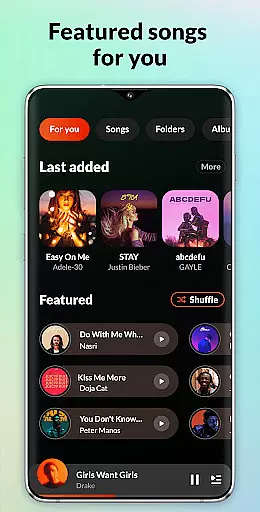
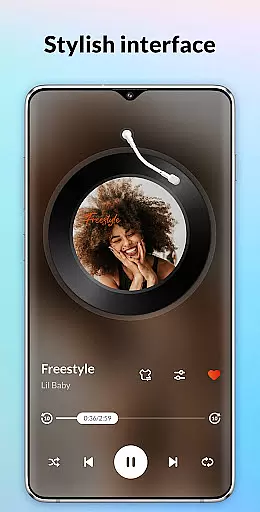
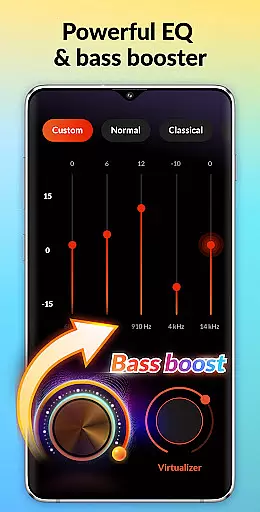
The app distinguishes itself with a powerful built-in equalizer that offers various presets like classical, folk, jazz, and rock, along with bass boosting and reverb effects. Its personalized music library smartly tracks listening habits through auto-generated playlists such as Recently Played, Most Played, and Featured. The stylish and clean user interface enhances the overall music experience, making it both visually appealing and highly functional.
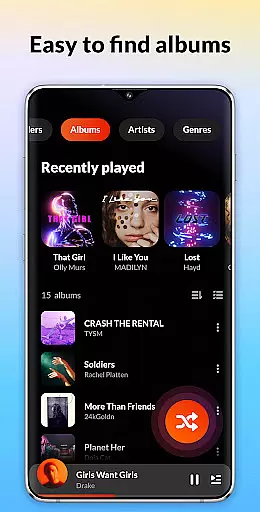
DDMusic stands out with its comprehensive feature set tailored for audiophiles and casual listeners alike. The app's deep scan capability automatically refreshes the music library while providing advanced filters for music duration and size. Users can browse and manage their music collection through multiple organizational options including playlists, folders, albums, artists, and genres.
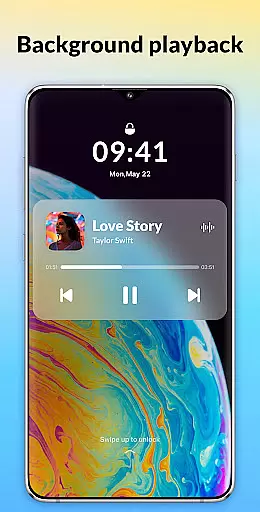
One of the key highlights is the powerful built-in equalizer with customizable bass boost and reverb effects, allowing users to fine-tune their listening experience. Additional features include smart sleep timer functionality, tag editing for modifying song details, and seamless integration with Bluetooth or wired headphones. The app also supports lock screen controls and background playback, ensuring uninterrupted music enjoyment.
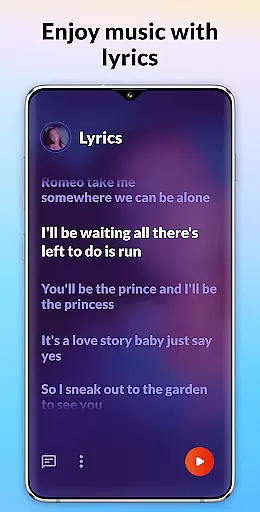
With functionalities like backup and restore for playlists, quick search across various categories, and support for lyrics display, DDMusic delivers a complete package for managing and enjoying your music collection.
When it comes to music players, the size and variety of the music library are crucial factors for users. DDMusic offers an extensive music library that supports all popular audio formats including MP3, WAV, FLAC, AAC, 3GP, and OGC. This ensures that users can play virtually any music file they own without compatibility issues.
The application also emphasizes copyright authenticity by allowing users to manage their legally acquired music files efficiently. With features like deep scan and auto-refresh, users can be confident that their music library is always up-to-date and reflective of their personal collection.
Moreover, DDMusic provides tools such as a tag editor and album cover changer, which enhance the management of one's music library. These features not only allow for personalization but also help maintain the integrity and authenticity of the music metadata.
Audio quality is paramount when selecting a music player, and DDMusic excels in this area with its powerful built-in equalizer. Users can choose from a variety of presets tailored to different music genres such as classical, folk, jazz, and rock, enhancing their listening experience with just one click.
In addition to genre-specific presets, the equalizer offers advanced settings like bass boosting and various reverb effects. These options cater to audiophiles who demand precise control over their sound output, ensuring that every note is heard as the artist intended.
Furthermore, DDMusic supports high-quality audio formats, preserving the nuances of studio-quality recordings. Whether through wired headphones or Bluetooth devices, users can enjoy crystal-clear playback that brings out the best in their music collection.
User-friendly interface
Wide format support
Advanced equalizer
Smart playlists
Offline functionality
No cloud integration
Limited social features
Heavy on storage
Occasional bugs
Ads in free version

Your HD audio recorder on the go for music, meetings, ambience, animal sounds…
 4.30
4.30
The Skullcandy App Experience
3.20
Background pads for your band
3.80
Your song collections with lyrics and chords on Android smartphones and tablets.
4.80
Network/Cloud Streaming, Visualization, Graphic Equalizer and Sound Effects.
4.20
Bass Booster Pro takes auto-equalizing to the next level!
4.30
Unleash your creativity! Turn simple prompts into full fledged songs.
4.70
Ringtone Maker is free app create ringtone from music files or your recording.
4.40
Responsive piano with great sounds, graphics, and songs
4.80
Brian Eno and Peter Chilvers’ acclaimed music app Bloom, radically reinvented.
4.80
Over 100 million tracks available for high quality streaming and download
4.60
Save hundreds of dollars for a physical strobe tuner and instead use this app.
4.50
Manage your Sonos system directly from your home-screen!
4.40
Equalizer, Bass Booster and Volume Booster (Eq & Bass) improve sound quality
4.30
Time Trainer: accurate metronome w tools to help you develop your internal time!
4.20
A High-Precision Audio Spectrum Analysis App
4.20
No wifi music app. Mp3 offline. Tuner radio, young radio music. Music downloader
4.20
PowerAudio is a powerful offline music player.
4.20
The Minimalistic Premium Music Player. Handmade with passion for music
2.20


User Reviews