
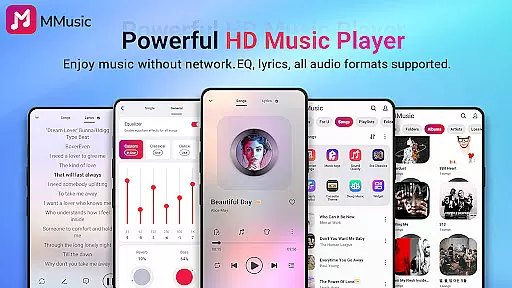
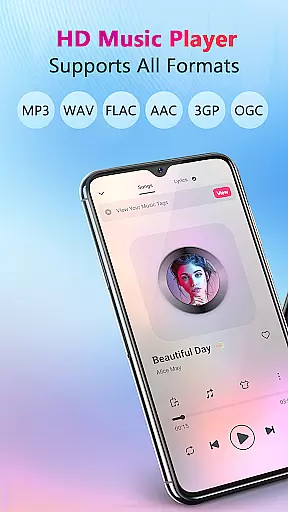
MMusic is a versatile offline music player for Android, offering high-definition sound quality and full format compatibility. Developed by a professional team, this app supports MP3, FLAC, WAV, MIDI, AAC, APE, and more, ensuring every song is presented optimally. Its powerful equalizer with presets for various genres enhances the listening experience significantly.
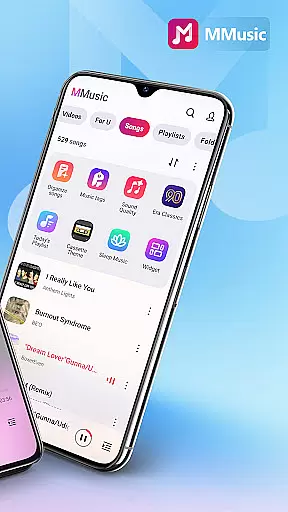
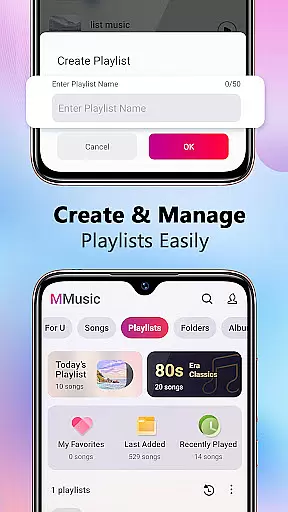
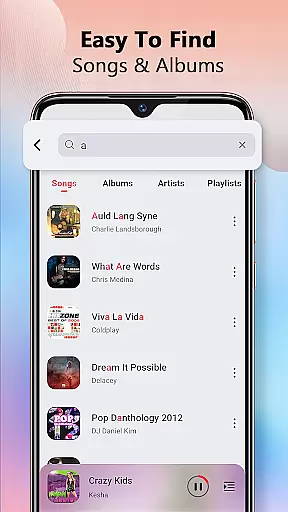
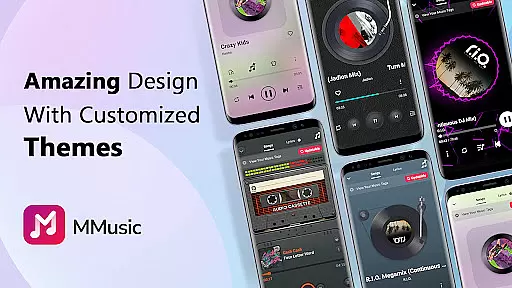
The app features an intuitive user interface with retro tape and vinyl record styles, alongside modern minimalist designs. With intelligent music management, MMusic automatically scans and classifies audio files, making it easy to create and manage playlists. Whether you're at home or on the go, MMusic provides an immersive music experience without needing Wi-Fi, allowing you to enjoy your favorite tracks anytime, anywhere.
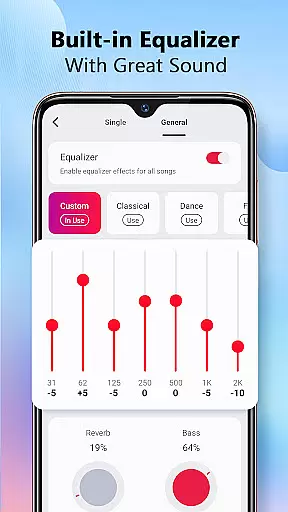
MMusic stands out with its exceptional sound quality and robust feature set. The built-in equalizer offers presets for classical, dance, folk, rock, and more, enabling users to customize their audio experience with bass boosting and reverb effects. This level of customization ensures that each listening session can be tailored to individual preferences, providing a rich and dynamic sound experience.
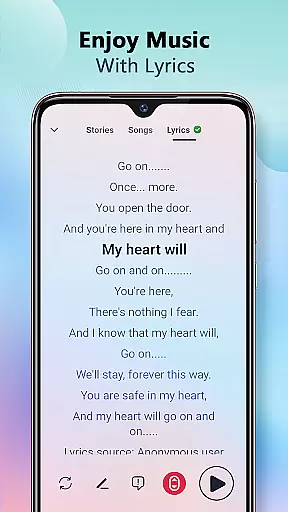
In addition to its audio capabilities, MMusic supports diverse themes such as retro tape and vinyl record styles, enhancing the visual appeal. The app's intelligent music management system automatically organizes audio files by artist, album, and folder, streamlining playlist creation and library navigation. With background playback support, Bluetooth compatibility, and lyrics display, MMusic combines functionality with aesthetics to deliver a comprehensive music player solution.
When it comes to digital music players, the size and authenticity of the music library are crucial factors for users. MMusic offers an extensive collection of tracks across various genres, ensuring that users have access to a wide range of music without worrying about copyright issues. The app supports all mainstream audio formats including MP3, FLAC, WAV, MIDI, AAC, APE, and more, which guarantees full compatibility with users' personal music files.
The developers of MMusic have taken extra steps to ensure that every song is presented in the best state possible. With deep scanning capabilities, the app automatically refreshes and categorizes your music library, making sure that all your tracks are up-to-date and properly organized. This intelligent management system not only enhances user experience but also respects the intellectual property rights of artists by encouraging users to manage their legally acquired music files.
By providing high-definition sound quality and supporting lossless audio formats, MMusic ensures that users can enjoy their favorite tracks exactly as the artists intended. Whether you're listening to classical symphonies or modern pop hits, the app's commitment to exceptional sound quality means that every note is reproduced with precision and clarity.
Audio quality is at the heart of any music player application, and MMusic excels in delivering an unparalleled listening experience. The app is equipped with advanced audio technology that elevates the music experience to new heights. Every song played through MMusic benefits from high-definition sound quality, ensuring that listeners can hear every detail as if they were at a live performance.
One of the standout features of MMusic is its powerful built-in equalizer. With presets designed for different music genres such as classical, dance, folk, and rock, users can customize their listening experience with just one click. The equalizer allows for bass boosting, adding various reverb effects, and employing a music virtualizer, all tailored to individual preferences. This level of customization empowers users to fine-tune the audio output according to their mood or the specific requirements of each track.
In addition to the equalizer, MMusic supports multiple audio quality options, giving users control over their listening experience. Whether using Bluetooth or wired headphones, the app maintains consistent sound quality across devices. Background playback support further enhances convenience, allowing users to enjoy their music library without interruptions, regardless of what other tasks they might be performing on their device.
User-friendly interface
High-definition sound
Full format support
Intelligent music management
Customizable equalizer
Limited social features
No cloud integration
Heavy on storage
Occasional bugs
Ads in free version

Formerly known as Spotistats! View your top tracks, artists, albums and more!
 4.40
4.40
Time Trainer: accurate metronome w tools to help you develop your internal time!
4.20
The ultimate media player for Android devices
3.90
Recording studio w/ 10k beats, pro vocal FX and a network of 20M rappers & fans!
4.60
Slow music down without changing pitch.
3.70
Sheet music reader, piano & music note player. Play music score & learn to read.
3.90
Master Salsa Rhythm quickly and with a lot of fun!
4.30
Reverse your voice & songs instantly! Fun singing challenge with cool effects.
4.60
Be a true music maker: create beats, mix and make music like a real DJ!
4.30
Tune in to the greatest hits on UK Radio | The home of Capital, Smooth & Heart.
4.90
JBL PartyBox APP works with 110/310/710/120/320/520/Encore/Encore 2/Encore Ess 2
4.80
SqueezePlayer turns your Android phone or tablet into a SqueezeBox on its own!
4.60
The best music and audio player, with beautiful UI, music search and equalizer.
4.60
DJ Music Mixer Pro is a real DJ controllers and DJ Music Studio to remix DJ.
4.40
DJ Music Mixer - DJ Remix: remix songs, make beat music & record mix of DJ.
4.40
Your HD audio recorder on the go for music, meetings, ambience, animal sounds…
4.30
Learn and play 2M+ music tabs & chords on guitar, ukulele, bass, and more
4.30
Offline and always ad-free - stream in the highest quality available.
4.10
USB audio recording and playback finally possible on Android 3.1 or higher!
3.90


User Reviews