
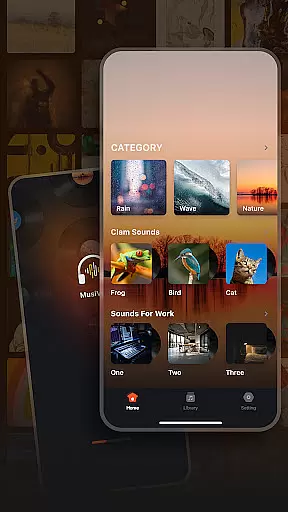
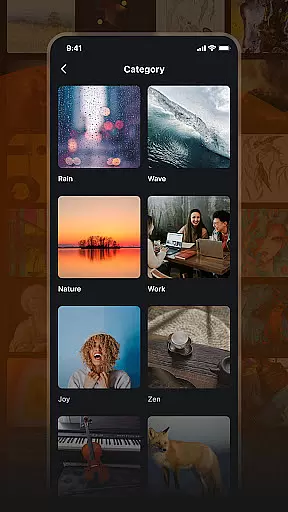
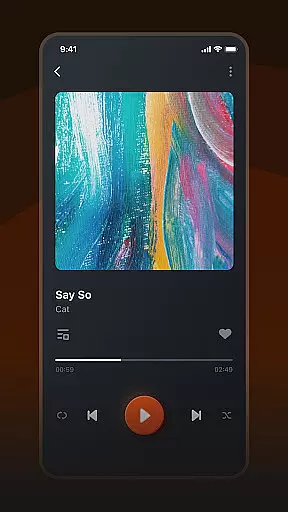
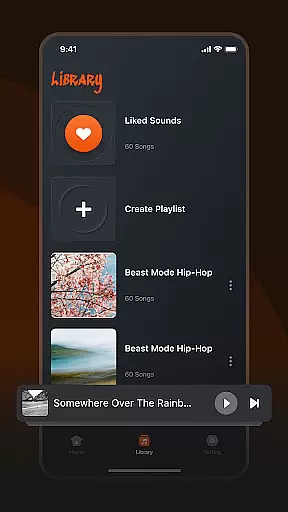
Musivibe is a feature-rich offline music player designed to enhance your listening experience. It offers an intuitive interface that categorizes music and sounds into distinct themes such as Rain, Ocean Waves, and Nature, making it easy to find the perfect soundtrack for any moment. Whether you're working, relaxing, or need an energy boost, Musivibe provides a personalized experience with customizable playlists.
The app's powerful functionality extends to organizing your music library with ease. You can create, edit, and share playlists effortlessly while enjoying a sleek and user-friendly design. With its offline capabilities, Musivibe ensures you can enjoy your favorite tunes anytime, anywhere without needing an internet connection. This makes it an ideal choice for those who want high-quality audio on the go.
Musivibe stands out with its diverse sound categories, ranging from ambient noises like Rain and Ocean Waves to thematic selections such as Work and Cheerful. These categories help users quickly locate the type of audio that suits their current activity or mood. Additionally, the app allows for seamless playlist management, enabling users to organize their music library according to personal preferences.
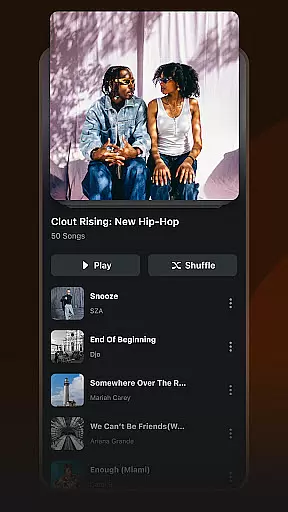
One of the key highlights is the ability to create and customize playlists. Users can tailor their listening experience by arranging tracks in a way that matches their unique tastes. The app also supports streaming and sharing of these custom playlists, allowing users to connect with friends and family through music. Its user-friendly UI design ensures smooth navigation, making it accessible even for those new to digital music players.
Another notable feature is the app's offline functionality. By downloading songs and playlists, users can enjoy uninterrupted playback without worrying about data usage or connectivity issues. This makes Musivibe particularly useful during travel or in areas with poor network coverage. Overall, the combination of categorized content, robust playlist tools, and offline access creates a comprehensive music solution.
When it comes to music applications, the size and authenticity of the music library are crucial factors. Musivibe offers a vast collection of categorized songs and sounds, ranging from Rain, Ocean Waves to Instruments and Animals.
This extensive library ensures that users have access to a wide variety of music genres without any copyright infringement issues. The app takes care to provide only legitimate content, giving users peace of mind while enjoying their favorite tunes.
With this comprehensive music selection, listeners can enjoy an uninterrupted music experience anytime, anywhere, making Musivibe a reliable choice for music enthusiasts.
Audio quality is a significant aspect that defines the listening experience of any music player. Musivibe places a strong emphasis on delivering high-quality audio options, ensuring every note and sound is crisp and clear.
The app supports various audio formats and quality settings, allowing users to choose according to their preferences and device capabilities. Whether you're using high-end headphones or standard speakers, Musivibe adjusts to deliver optimal sound performance.
This flexibility in audio quality options enhances user satisfaction, providing a tailored and premium listening experience that caters to audiophiles and casual listeners alike.
User-friendly interface
Customizable playlists
Offline playback support
Diverse sound categories
Seamless sharing options
Limited advanced equalizer
No lyrics display feature
Occasional bugs reported
Ads in free version
Heavy storage usage

Control your MIDI USB or Bluetooth devices in app and avoid some trampling
 3.30
3.30
Time Trainer: accurate metronome w tools to help you develop your internal time!
4.20
Gorgeous UI, Powerful music Search and Equalizer, the great choice for you!
4.70
Most Advanced AI Song Generator and Music Creator. Rap, Pop, Rock, Gospel & more
4.70
Enhance the sound quality of your devices, listen to what you want
4.50
USB audio recording and playback finally possible on Android 3.1 or higher!
3.90
Super Sound Editor, Song Maker & Mixer, Vocal Remover, Voice Recorder & Changer!
4.60
Play KORG’s revolutionary touch-based instrument on a variety of devices.
4.40
Offline Tunes, Unlimited Vibes
3.90
Play your hearts out on TouchTunes jukeboxes & connect with fellow music lovers.
4.80
Music, News & Sports Radio Tuner App. Tune in Live FM & AM Radio Stations.
4.80
Performance-Synthesizer & Multi-Track-Sequencer, polyphonic + multi timbral!
4.70
Reverse your voice & songs instantly! Fun singing challenge with cool effects.
4.60
Fun & Easy Voice Changer – Record, Edit & Add Hilarious Effects!
4.50
Formerly known as Spotistats! View your top tracks, artists, albums and more!
4.40
DJ Music Mixer Pro is a real DJ controllers and DJ Music Studio to remix DJ.
4.40
Powerful 10-Band equalizer pro with sound booster improves Android audio quality
4.30
The only true audiophile music player with Hi-Fi audio rendering and DSP engine
3.90
Music Streaming suite for Ampache, Nextcloud Music and compatible backends.
4.5


User Reviews