
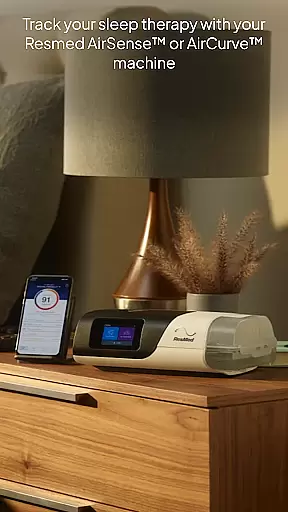
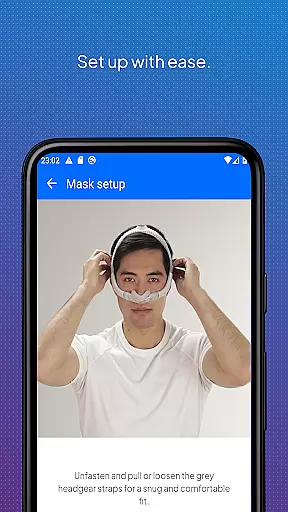
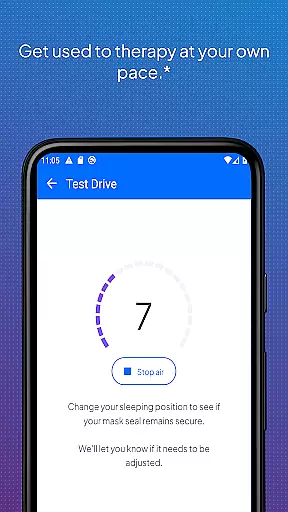
myAir by Resmed is an innovative app designed exclusively for users of Resmed AirSense and AirCurve machines, helping them take control of their sleep therapy. The app offers a comprehensive guided setup process that includes interactive voice-guided instructions through the Personal Therapy Assistant feature, ensuring users can confidently set up their equipment at home or in person. Additionally, the Test Drive feature allows users to acclimate to therapy by adjusting air pressure levels, while a library of videos and guides provides further assistance.
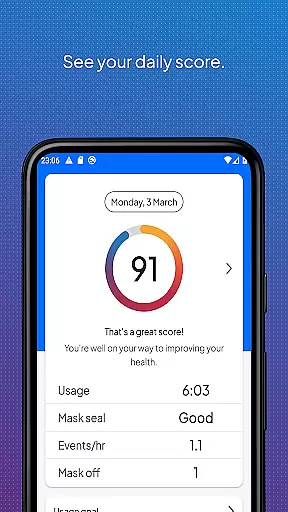
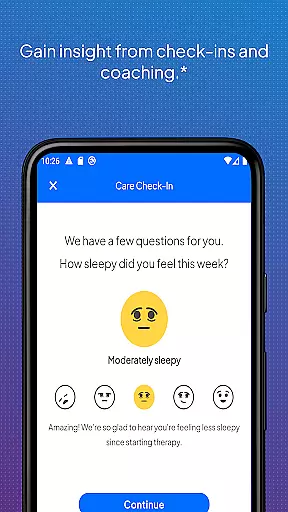
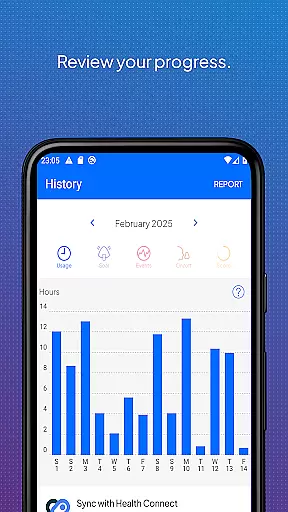
Beyond setup, myAir delivers personalized support by acting as a virtual sleep coach. It provides tailored coaching, tips, and educational content to enhance comfort and therapy success. Users receive proactive email and push notifications with regular check-ins, offering encouragement and problem-solving advice. With user consent, therapy insights are shared with healthcare teams, fostering better-connected care. The app also tracks daily sleep therapy data, presenting a nightly myAir score and detailed metrics for monitoring progress over time.
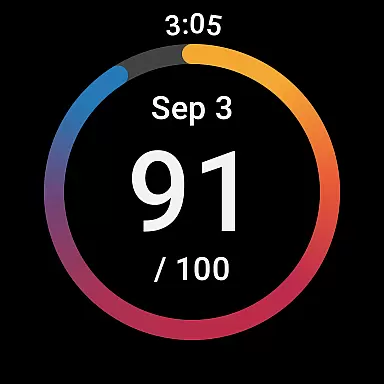
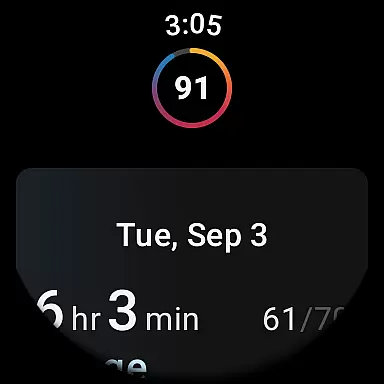
Integration with Apple Health and Health Connect enhances the user experience by displaying tracked health data alongside therapy metrics. Available features include steps, active calories, exercise, weight, sleep, heart rate variability, oxygen saturation, and resting heart rate. For added convenience, the myAir Wear OS smartwatch app extends access to therapy data on compatible Samsung Galaxy Watches, making it easier than ever to stay informed about your sleep therapy journey.
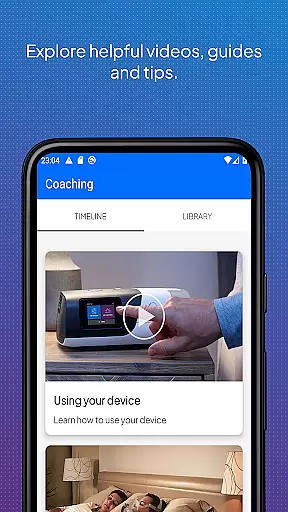
myAir stands out with its robust feature set tailored specifically for sleep therapy management. One of its key highlights is the guided setup process, which includes the Personal Therapy Assistant and Test Drive features. These tools provide step-by-step, interactive guidance to help users set up their AirSense or AirCurve machines with ease, ensuring proper mask fitting and comfort with adjustable air pressure settings. The app's extensive library of instructional videos and guides further supports users in understanding their equipment.
Another significant aspect is the personalized support system. myAir functions as a personal sleep coach, delivering customized tips and videos based on individual therapy needs. If issues arise, such as problems with mask seals, the app offers specific advice to address these challenges. Regular check-ins via email and push notifications keep users engaged and motivated, while the option to share therapy insights with healthcare providers ensures coordinated care.
For those interested in tracking their therapy progress, myAir provides detailed sleep therapy data, including a nightly myAir score and various metrics like usage hours and mask seal quality. Integration with Apple Health and Health Connect allows users to view their overall health data alongside therapy information, creating a holistic view of their well-being. Furthermore, the availability of the myAir Wear OS smartwatch app extends this functionality to compatible smartwatches, offering convenient access to critical therapy data anytime, anywhere.
Companion app integration is crucial for users who want a seamless experience between their Resmed AirSense or AirCurve machines and the myAir app. This feature ensures that data from your therapy sessions are automatically synced with the app, providing real-time insights into your sleep therapy progress.
The myAir app by Resmed offers an integrated solution where users can effortlessly view their nightly sleep scores, detailed metrics, and access personalized coaching tips. By syncing with compatible devices like the AirSense 11, it provides tailored support based on individual therapy data, enhancing user comfort and success.
With this integration, users benefit from regular check-ins and proactive prompts about their therapy performance. Additionally, with prior consent, therapy insights can be shared with healthcare teams, ensuring they remain connected to the user's ongoing care and can provide timely support when needed.
Wear OS and device compatibility is essential for users who wish to extend the functionality of the myAir app to their smartwatches. The myAir Wear OS smartwatch app allows users with compatible Samsung Galaxy Watches to conveniently access their sleep therapy data directly from their wrists.
This compatibility enhances accessibility and convenience, enabling users to stay informed about their therapy progress without needing to reach for their phones. Available features include viewing nightly sleep scores and other critical metrics, which help maintain consistent monitoring and motivation throughout the day.
By supporting Wear OS devices, myAir ensures that users have continuous access to vital information, promoting better engagement with their sleep therapy routines. This compatibility underscores Resmed's commitment to leveraging technology for improved health outcomes and user satisfaction.
User-friendly interface
Comprehensive guided setup
Personalized therapy coaching
Detailed sleep tracking metrics
Health app integration
Limited to Resmed devices
Some features require AirSense 11
Dependent on wireless connectivity
No offline functionality
Premium features may need subscription

Diet tracker for weight loss - track calories, food and macros. Simple and easy!
 4.70
4.70
Christmas - Festive - Christmas Village - Winter - Christmas lights
5.00
Precision analog watch face with 7 complications and style options
4.3
Elegant animated Christmas tree with multiple customization options
4.20
Digital watch face with big numbers and many customization for Wear OS devices
4.40
Minimalistic design modern digital watch face.
4.2
Want to take charge of your health? Let Google Fit help you reach your goals.
3.50
Fitbit is dedicated to helping people lead healthier, more active lives.
4.10
Spam call blocker and caller ID for automatic call protection!
4.40
Christmas Theme Watch Face for Wear Os
5.00
The Chevron App allows you to pay for fuel from the comfort of your car!
4.80
Real-time weather radar with temperatures, warnings, hurricanes, and widgets
4.80
WTW M17 is a premium and luxurious hybrid watch face
4.70
A white realistic classic analog watch face with many customization options.
4.40
Your music, your playlists, and more—offline and unlimited.
4.20
"PER27 Galaxy Digital" is a digital Wear OS watch face designed by PERSONA
4.10
sleep, alarm, snoring, stress, healing, focus, sound therapy, circadian rhythm
4.10
Hyper-Realistic Airplane Dashboard Watch Face With 10 Skins and Custom AOD
4.00
A watch face that fuses motorsport precision with contemporary smartwatch design
4.5


User Reviews