
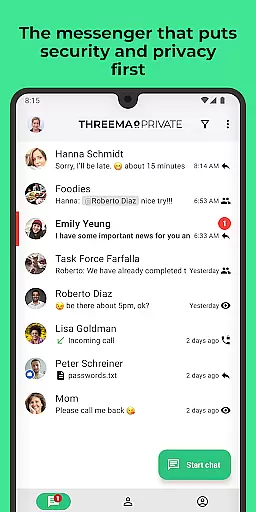
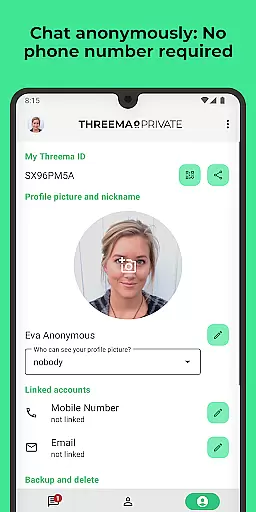
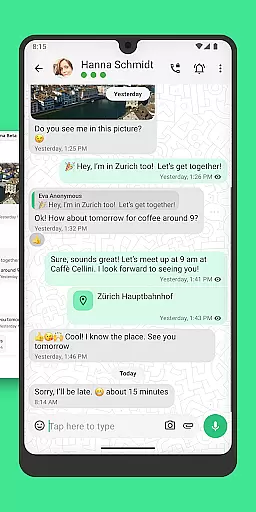
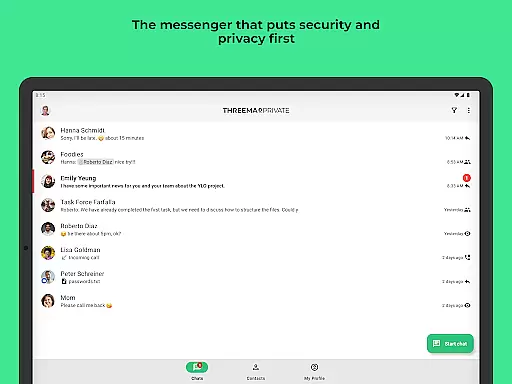
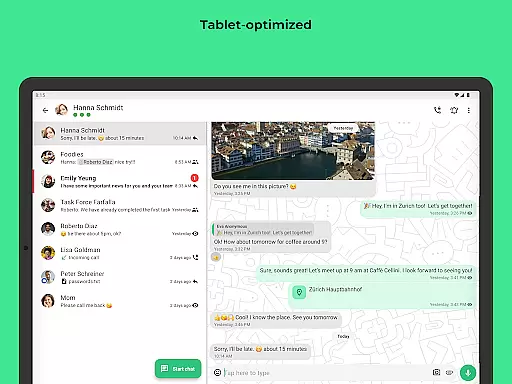
Threema is a secure messaging application designed with privacy and data protection as its core principles. Developed in Switzerland, this communication tool ensures end-to-end encryption for all chats, calls, and file transfers, making it a reliable choice for over 12 million users across 175 countries. Unlike conventional messengers, Threema uses a randomly generated ID instead of phone numbers or email addresses, ensuring anonymity and security.
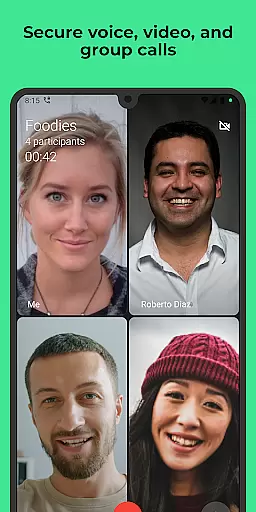
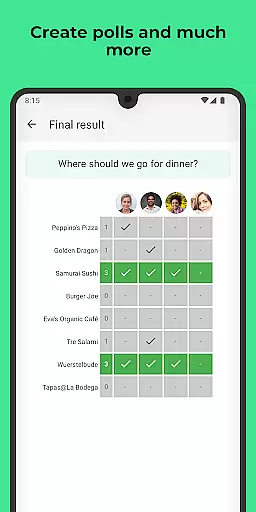
The app offers a comprehensive suite of features including text and voice messages, multimedia file sharing, location sharing, and the ability to edit or delete sent messages. It also supports encrypted voice and video calls, group chats, and polls. With additional functionalities such as light and dark mode, a desktop app, and web client integration, Threema provides a versatile and user-friendly experience while maintaining a strict no-ads, no-trackers policy.
Threema's commitment to privacy extends to its server operations based in Switzerland and regular open-source audits. The absence of a data trail and immediate deletion of delivered messages from servers ensure that user information remains confidential. This makes Threema an ideal solution for individuals and organizations prioritizing secure and private digital communications.
Threema stands out due to its robust feature set tailored for secure communications. One of its key highlights is end-to-end encryption, which applies to all forms of communication including text messages, voice notes, files, and even location data. This ensures that only the sender and recipient can access the content, providing peace of mind for privacy-conscious users.
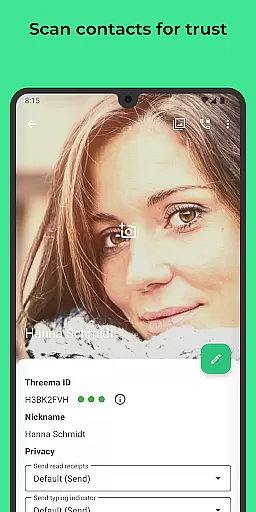
In addition to encryption, Threema offers unique capabilities such as anonymous usage without requiring a phone number or email address. Users can verify contact identities through QR code scanning, adding another layer of security. The app also allows editing or deleting sent messages, giving users control over their shared content. Furthermore, Threema supports multimedia file sharing in various formats like PDF, GIF, MP3, and ZIP, catering to diverse communication needs.
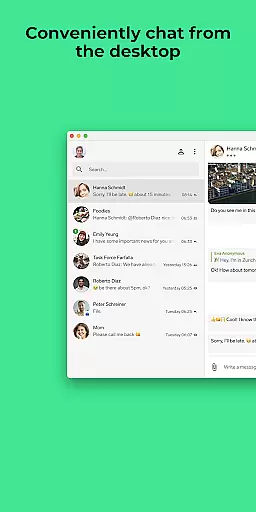
For convenience, Threema includes a desktop app and web client, enabling seamless chatting on PCs. Group creation, polls, and encrypted voice/video calls enhance collaborative interactions. With options like light or dark mode and a strict no-ads policy, Threema combines functionality with user comfort, making it a top choice for secure and efficient communication.
Real-time messaging speed and reliability are crucial for any communication app, and Threema excels in these aspects. As a secure messenger used by over 12 million people worldwide, it ensures that messages are delivered instantly while maintaining end-to-end encryption.
The app's infrastructure is designed to offer minimal latency in message delivery. This means users can expect their text and voice messages, including emoji reactions, to appear almost instantaneously on the recipient's device. Such performance is vital for maintaining seamless communication flow.
Moreover, Threemau2019s servers located in Switzerland contribute to its reliable service. The Swiss servers not only enhance data protection but also ensure consistent uptime and fast response times. Users can trust that their communications will be transmitted without delays or interruptions.
In situations where timing is critical, such as coordinating with team members or staying in touch with family, the speed and reliability of Threema's real-time messaging become particularly valuable. It provides peace of mind knowing your messages are delivered promptly and securely every time.
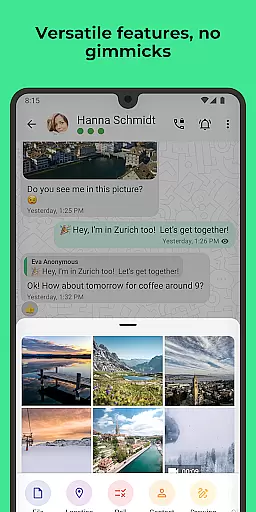
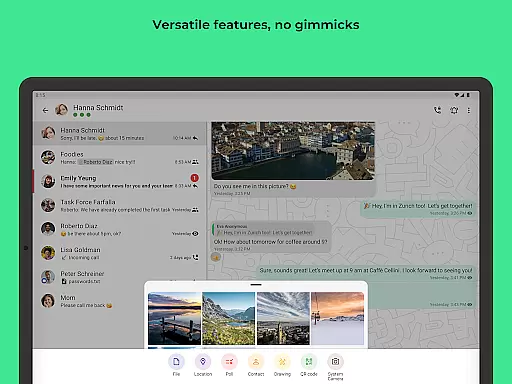
Media sharing support is an essential feature for modern messaging apps, allowing users to exchange various types of content seamlessly. Threema stands out by enabling the sending of files in all formats, including PDFs, GIFs, MP3s, ZIP archives, and more.
This versatility ensures that whether you need to share documents for work or send entertaining media to friends, Threema handles it effortlessly. The ability to edit sent messages and delete them for chat partners adds another layer of convenience and control over shared media.
Furthermore, Threemau2019s commitment to privacy extends to media sharing. All shared content is end-to-end encrypted, ensuring that your files remain confidential between sender and recipient. This level of security makes it ideal for both personal and professional use.
With additional features like location sharing and identity verification through QR code scanning, Threema offers comprehensive media sharing capabilities while prioritizing user privacy and data protection. These attributes make it a robust choice for individuals seeking secure yet flexible communication options.
End-to-end encryption
No phone number required
Anonymous usage
Regular security audits
Immediate message deletion
Limited free version
Paid subscription model
Fewer users compared to mainstream apps
No built-in social media integration
Requires internet connection

Secure Messaging App to Enhance Messenger Texting Experience and Organize SMS.
 3.50
3.50
Official NDI app: turn your phone into a professional live-streaming IP camera.
3.20
Chill zone on your phone: relax with fun reels & hype shorts!
4.20
Fun, free app that lets kids video call and message family and close friends.
3.80
Comprehensive and powerful scan tool app with enhanced functions
3.00
Watchgram for Telegram: Experience seamless Telegram messaging on your watch
1.80
Stay in touch with the people who matter most.
4.60
Build your web browser around you with private search, and more.
4.60
Talk & text free with a second phone number plus unlimited 5G data, no fees.
4.50
Useful. Social. Expressive.
4.70
Welcome to the future of phone service.
4.60
Experience real private browsing without tracking, surveillance, or censorship.
4.50
Group Chat That’s Fun & Games
4.30
Send SMS and chat messages easily with a fast text messaging app for Android.
4.10
Federated instant messaging for your mobile device (Jabber, XMPP, Snikket)
4.10
Fast Dialer & Contact Manager with Caller ID and Spam Protection
4.00
Quickly and easily identify and block unknown callers
3.70
TeamSpeak - Secure Chat for Gaming & Business
3.10
An app dedicated solely to marriage, not dating, and supported by a rigorous verification mechanism to ensure seriousness.
4.3


User Reviews