
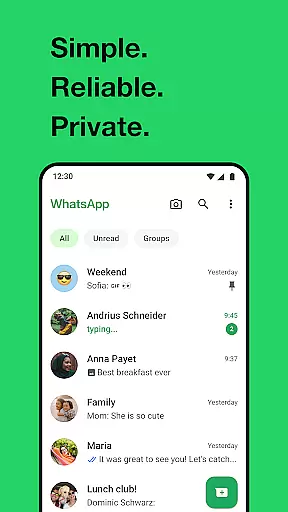
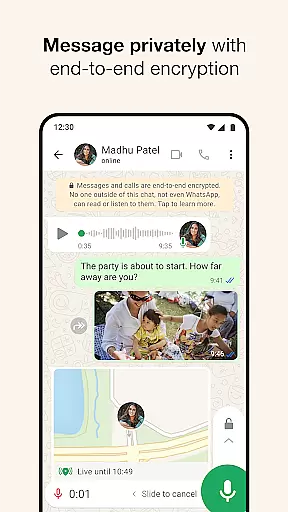
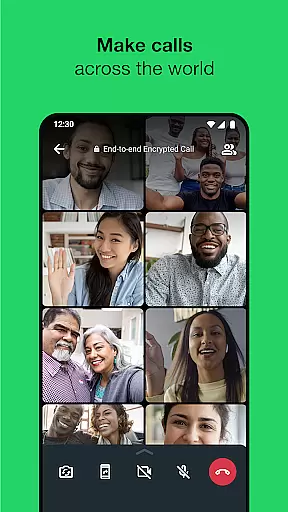
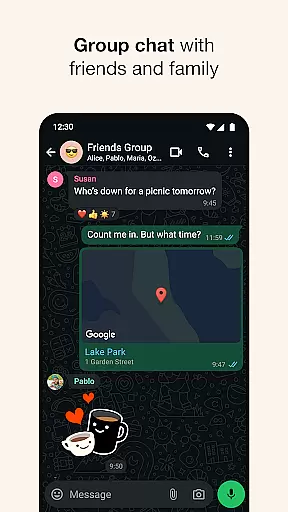


WhatsApp Messenger is a leading communication app that allows users to send messages, make voice and video calls, and share media across mobile and desktop platforms. Its core functionality lies in providing secure, end-to-end encrypted conversations, ensuring privacy for personal and group chats.
Apart from basic messaging, WhatsApp supports features like Status updates, real-time location sharing, and high-quality group calls with up to 32 participants. It works seamlessly even on slower internet connections, making it accessible worldwide. With over 2 billion users globally, it's an essential tool for staying connected with friends and family while maintaining security.
WhatsApp stands out with its robust feature set tailored for seamless communication. The app offers end-to-end encryption for all messages and calls, ensuring complete privacy. Users can create group chats for up to 256 members, facilitating both casual and professional interactions.
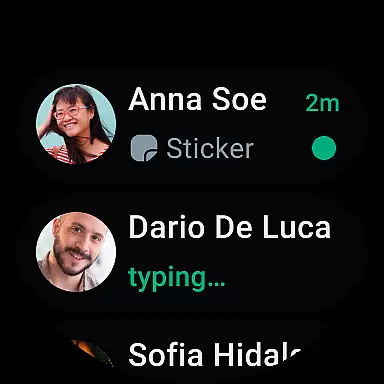
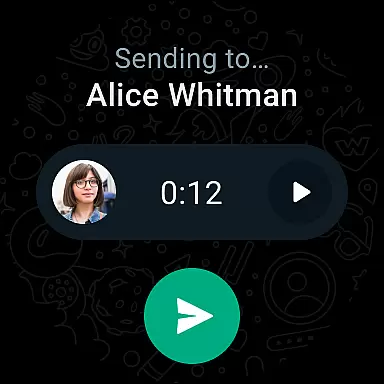
Additional capabilities include Status updates that disappear after 24 hours, voice note recording, and the ability to share files such as documents, photos, and videos. WhatsApp also integrates with Wear OS, enabling smartwatch notifications and quick replies directly from the wrist, enhancing convenience without compromising usability.
Companion app integration is essential for a seamless user experience across multiple devices. WhatsApp Messenger excels in this area by allowing users to synchronize their conversations between mobile and desktop effortlessly. This ensures that you never miss an important message, regardless of the device you are using.
The integration works by linking your phone's WhatsApp account with your computer or tablet. Once connected, you can send and receive messages directly from your desktop, making it convenient for users who spend a significant amount of time on their computers. The desktop version mirrors the mobile app's interface, ensuring familiarity and ease of use.
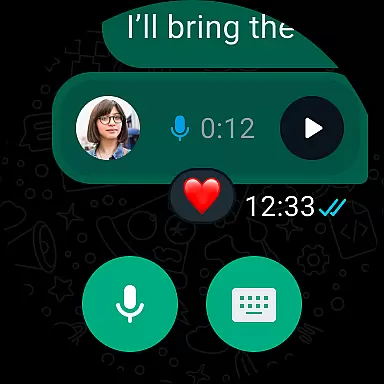
WhatsApp also supports Wear OS, enabling users to continue conversations, reply to messages, and take calls directly from their smartwatches. This level of integration enhances accessibility and convenience, allowing users to stay connected without needing to reach for their phones constantly.
By leveraging companion app integration, WhatsApp provides a cohesive ecosystem where users can transition smoothly between devices while maintaining the privacy and security of their communications. This feature is particularly beneficial for those who value productivity and connectivity in their daily lives.
Wear OS/device compatibility is crucial for users who want to maximize the functionality of their smartwatches. WhatsApp Messenger offers robust support for Wear OS, ensuring that users can access their messages and make calls directly from their wrists. This compatibility enhances the overall user experience by providing quick and easy access to essential features.
With Wear OS compatibility, WhatsApp allows users to receive notifications, view messages, and respond using voice commands or pre-set responses. This means you can stay connected even when your phone is not immediately accessible. Additionally, the app supports tiles and complications, which provide shortcuts to frequently used features, further streamlining the interaction process.
WhatsApp's commitment to Wear OS compatibility ensures that users benefit from a wide range of functionalities tailored specifically for wearable devices. These include the ability to send voice messages and manage chats efficiently, all while maintaining end-to-end encryption for privacy and security.
Overall, WhatsApp's Wear OS/device compatibility highlights its dedication to offering versatile and user-friendly solutions. By integrating these capabilities, WhatsApp ensures that users can enjoy a consistent and secure messaging experience across all their devices, enhancing both convenience and productivity.
End-to-end encryption
User-friendly interface
Free voice and video calls
Cross-platform support
Wide user base
Limited customization options
No built-in GIF search
Heavy battery usage
Requires constant internet
Status ads introduction

an Analog Watch Face for winter season with freeze winter background for Wear OS
 4.2
4.2
Artistic Digital Watchface
4.1
Digital, flexibly customizable watch face. For Wear OS 5.0, API 34+ and later.
5.00
Structured watch face with seven complications and modular UI elements
3.90
Find EV charging stations
4.30
Professional weather radar and more
3.90
Real-time weather radar with temperatures, warnings, hurricanes, and widgets
4.80
A modern hybrid informative watch face for Wear OS designed by BALLOZI
4.80
Fitbit is dedicated to helping people lead healthier, more active lives.
4.10
Be an elegant and classy secret agent, with this carefully detailed watch face
4.70
Embrace the holiday spirit with this magical animated watch face!
4.40
Current temperature, weather hourly, weather radar by the weather forecast app
4.40
Digital watch face. For Wear OS devices.
4.40
A white realistic classic analog watch face with many customization options.
4.40
The ultimate destination for kids ages 3-8 to explore the Marvel Universe!
4.30
A full-featured Amazon Alexa voice assistant that can show you things.
3.70
Simple Analog-Digital Watchface For Wear OS 3.0 and Up Smartwatches
4.3
Fitness interactive virtual pet super fighter boy watch face
4.2
Minimalistic design modern digital watch face.
4.2


User Reviews