Google Translate is a versatile translation tool that supports text translation between 108 languages. The app offers multiple ways to translate, including typing, voice input, and camera-based translation. With features like offline translation for 59 languages and instant camera translation for 94 languages, it ensures usability even without an internet connection.
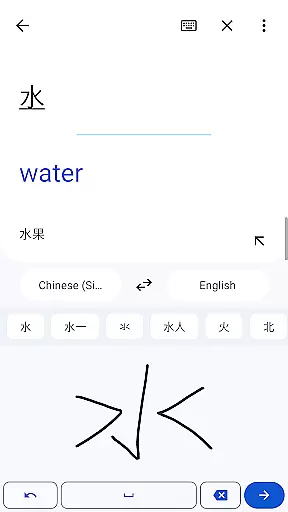
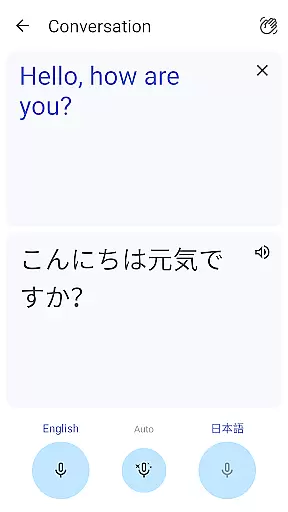
The application also includes bilingual conversation mode for real-time dialogue translation in 70 languages, handwriting recognition for 96 languages, and a phrasebook to save frequently used translations. Its cross-device syncing allows users to access their saved phrases across different platforms. Additionally, the Transcribe feature provides near real-time continuous translation for spoken content in 8 languages.
Whether you're traveling, studying, or communicating with international colleagues, Google Translate serves as an essential companion. It bridges language barriers by providing quick and accurate translations through various input methods, making global communication more accessible than ever.
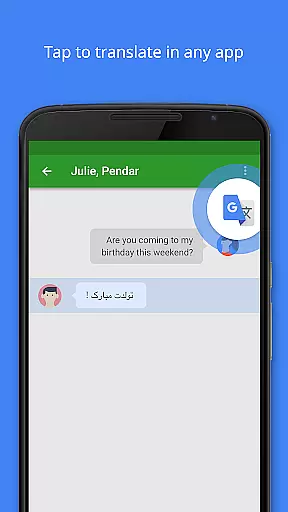
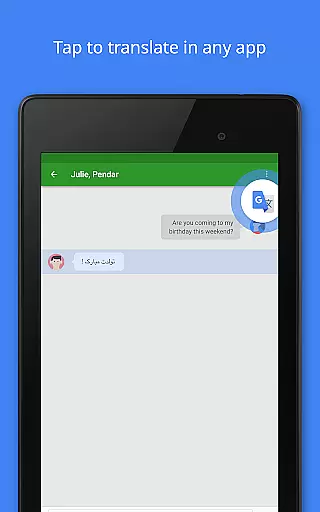
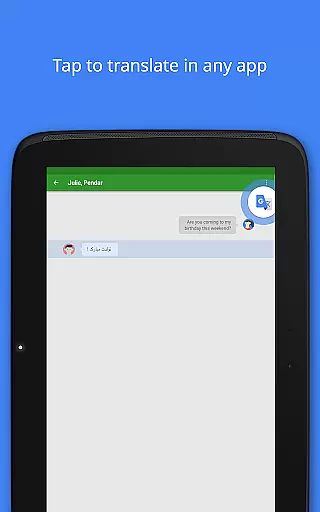
Google Translate stands out with its comprehensive feature set tailored for diverse translation needs. The app's Tap to Translate functionality allows users to copy text in any app and instantly get translations without switching screens. Offline translation packs can be downloaded for 59 languages, ensuring translation capabilities even without internet connectivity.
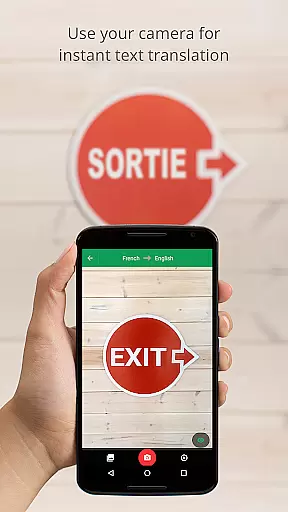
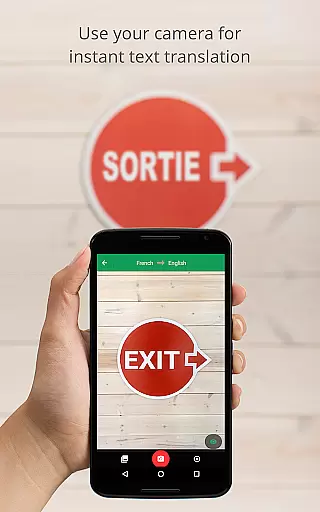
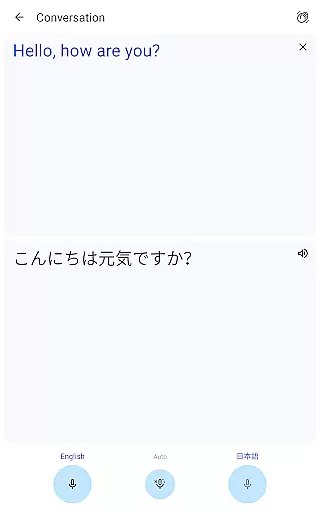
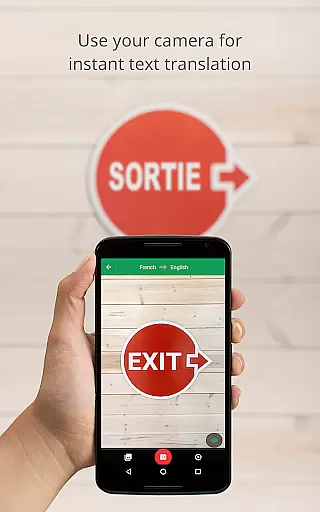
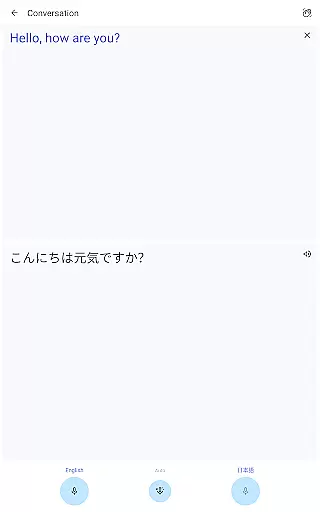
One of the most innovative features is the instant camera translation, which translates text from images in 94 languages simply by pointing the camera. For higher quality results, users can take or import photos for translation in 90 languages. The app also supports bilingual conversations in 70 languages, enabling real-time spoken dialogue translation.
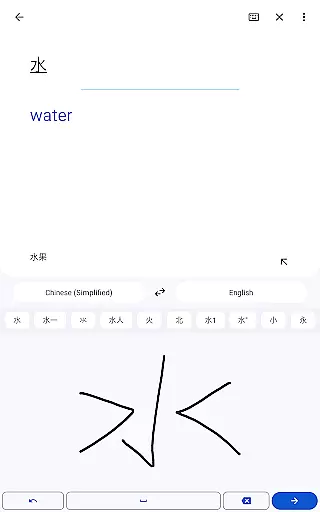
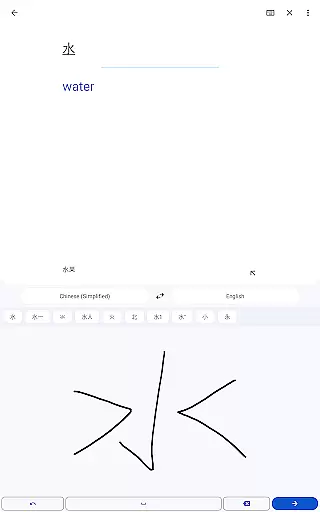
Additional notable features include handwriting recognition for drawing characters instead of typing, a phrasebook for saving favorite translations, and cross-device syncing for seamless experience across platforms. The Transcribe feature adds another layer of utility by providing continuous translation of spoken content in 8 languages, making it invaluable for lectures, meetings, and interviews.
Google Translate's core functionality lies in its ability to provide accurate translations across multiple languages and mediums. The app supports text translation between 108 languages, ensuring users can communicate effectively regardless of linguistic barriers. Its sophisticated algorithms deliver reliable results whether translating typed text, spoken words, or even handwritten characters.
The application goes beyond basic text translation by offering specialized features like Tap to Translate, which allows users to translate copied text from any app instantly. With support for 94 languages through the instant camera translation feature, users can point their device's camera at text to receive immediate translations. This versatility demonstrates the app's commitment to delivering effective solutions for various translation needs.
For travelers and professionals working in areas with limited connectivity, Google Translate offers offline translation capabilities in 59 languages. This ensures users maintain access to essential translation services without requiring an internet connection. The app's comprehensive approach to translation accuracy extends to its conversation mode, which facilitates real-time bilingual communication in 70 languages.
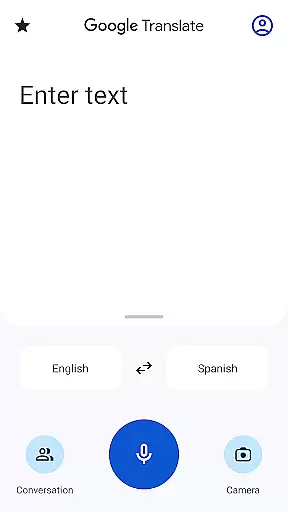
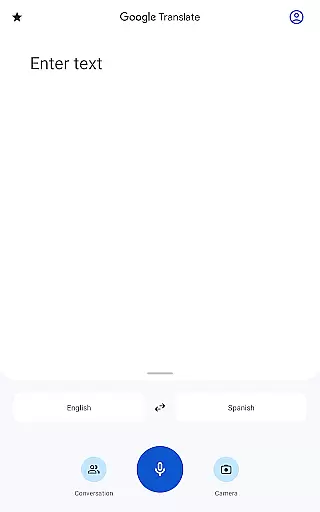
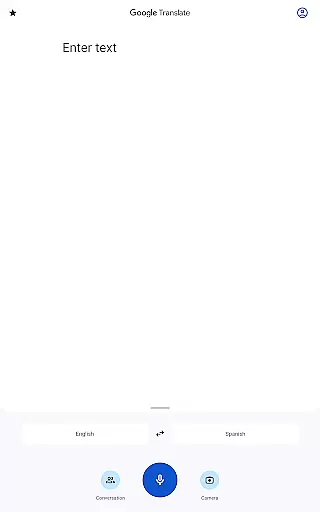
Google Translate excels in providing an intuitive user interface that makes translation accessible to users of all technical backgrounds. The app's clean design prioritizes functionality, presenting users with clear options for different translation methods. Whether typing text, speaking into the microphone, or using the camera for visual translation, each feature is easily accessible from the main screen.
The application's thoughtful design extends to its specialized features, including the Phrasebook function, which allows users to save frequently used translations for quick reference. This feature maintains a simple interface while adding significant value for regular users. Additionally, the cross-device syncing capability enables seamless integration between mobile and desktop environments, enhancing the overall user experience.
Google Translate's interface adapts to various use cases without compromising simplicity. The app provides advanced features like transcription translation in 8 languages while maintaining an uncluttered layout. Users can switch between different translation modes effortlessly, making the app suitable for both casual and professional translation needs.
Wide language support
Offline functionality
Instant camera translation
Real-time conversation mode
Cross-device syncing
Limited offline languages
Voice translation errors
Complex UI for beginners
Occasional inaccurate translations
Requires storage space

 4.10
4.10
HD Camera captures every special moment.
4.60
Clean the junk files on your device
3.40
Family Locator, Share location, StayConnect with your family in real time
3.90
Optimize your WiFi network, turn your phone into Wifi Analyzer
4.70
App to pay for FUTO Keyboard
4.60
VESC Tool can monitor and configure VESC-compatible devices over BLE and Wifi
4.20
Excellent scientific calculator with symbolic algebra, integrals, derivatives
4.80
Play your X-Box games remotely in 1080p with any controller and zero latency
4.60
Support Fossify apps with a warm thank you!
5.00
Navigate with Ease and Style
4.90
Creation, Learning, Entertainment & More — The All-in-One AI Search Engine
4.70
Planner and Tracker for Stardew Valley
4.60
Screen Mirroring for Roku Sticks, Roku TCL TV and Roku Hisense TV
4.50
Use your phone as a webcam on your computer over WiFi or USB.
4.40
Fluid navigation gestures for all of us!
4.30
Carry a FTP server in your pocket and avoid USB cables for file transfer
4.20
A recovery soft,it features photo recovery, video recovery, file recovery.
3.40
Unlock your Essential Key. Create custom shortcuts to your favorite apps!
4.4


User Reviews