

Photo Recovery, All Restore is a powerful data recovery tool designed to help users retrieve lost or deleted files from their devices. Whether you've accidentally erased cherished family photos, important work documents, or personal videos, this app provides a complete solution for recovering your valuable data.
The application supports multiple file formats including JPG, PNG, MP4, PDF, DOCX, and ZIP, making it versatile for various recovery needs. With its advanced Deep Scan technology, the app ensures high-quality recovery even for files deleted long ago. Its user-friendly interface and fast scanning capabilities make it accessible for both casual users and professionals alike.
Perfect for photographers, content creators, students, and business professionals, Photo Recovery, All Restore ensures that no matter what type of data you've lost, you can recover it quickly and securely. The app also emphasizes privacy protection, ensuring your restored files remain safe during and after the recovery process.
Photo Recovery, All Restore offers an array of robust features tailored to meet diverse data recovery needs. One of its standout capabilities is the Photo Recovery feature, which allows users to restore deleted or lost images in high resolution. This is particularly beneficial for photographers and travelers who wish to retrieve precious memories without compromising on quality.
In addition to photo recovery, the app excels in restoring deleted videos with their original quality intact. Content creators, vloggers, and event organizers will find this feature invaluable for retrieving personal or professional video clips. The app's support for multiple file formats extends beyond media files, enabling users to recover documents, music, ZIP files, and more through its All-in-One Recovery functionality.
Equipped with Deep Scan technology, Photo Recovery, All Restore thoroughly scans every corner of your device to locate lost files. This ensures accurate results even for data deleted long ago. The app's commitment to speed, ease of use, and privacy protection further enhances its appeal, making it a reliable choice for anyone seeking to recover their digital assets efficiently and securely.
At the heart of Photo Recovery, All Restore lies its ability to accurately and effectively recover lost files. This app employs advanced scanning technology that meticulously combs through every sector of your device to locate deleted or lost photos, videos, and documents. The precision with which it operates ensures that users can retrieve their files in high resolution and original quality.
The app supports a multitude of file formats including JPG, PNG, MP4, PDF, DOCX, ZIP, among others. This versatility makes it an indispensable tool for photographers, content creators, students, and professionals alike who need to restore various types of digital content. Whether it's cherished family photos or critical work documents, this application provides comprehensive data recovery solutions tailored to meet diverse needs.
Users benefit from the app's Deep Scan feature which is capable of finding files that were deleted long ago. With fast processing speeds and reliable results, individuals no longer have to worry about permanently losing valuable information due to accidental deletion or device malfunction. The peace of mind offered by such a robust safety net is invaluable for anyone reliant on digital storage.
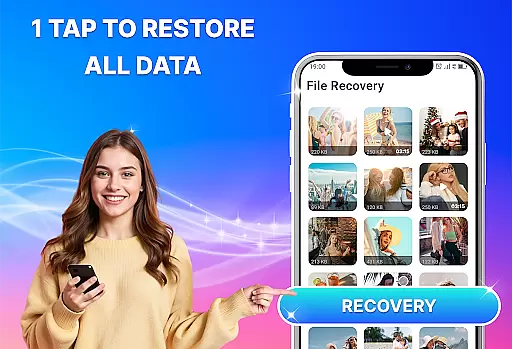
Photo Recovery, All Restore boasts a user-friendly interface designed to make file recovery accessible even to those with limited technical expertise. Its straightforward design eliminates the learning curve typically associated with specialized software, allowing users to initiate scans and recover files with just a few taps. This ease-of-use ensures that anyone can retrieve their lost data without frustration or confusion.
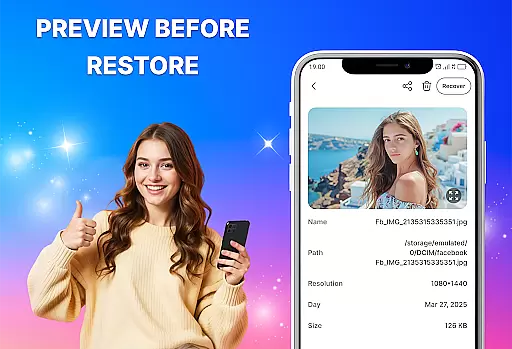
The intuitive layout guides users through each step of the recovery process, from selecting the type of files they wish to restore to previewing recoverable items before finalizing the operation. Clear indicators and progress bars keep users informed about the status of their recovery tasks, enhancing transparency and control over the procedure. Such thoughtful design elements contribute significantly to a stress-free experience.
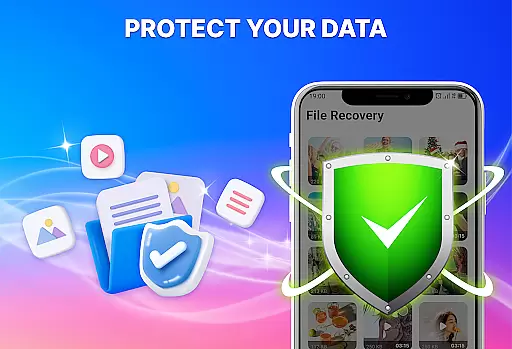
Moreover, maintaining privacy during data restoration is crucial, and this app assures users that their information remains secure throughout the process. By prioritizing both functionality and security within an uncomplicated framework, Photo Recovery, All Restore delivers an efficient yet safe solution for all your data retrieval needs.
User-Friendly Interface
Fast File Recovery
Multiple Format Support
Deep Scan Technology
Privacy Protection
Limited Free Usage
Occasional Slow Scans
Ads in Free Version
Premium Feature Costs
Device Compatibility Issues

1-Click close all background apps on Android TV
 3.90
3.90
Universal TV remote control all TVs, Roku, LG, Samsung, Fire, Vizio, Sony, TCL.
4.40
Making emulation easy for everyone!
4.30
With videos, electrical calculators, and built-in ebook, Ugly’s has your answer.
4.50
Create your own custom widget with endless possibilities
3.90
Pro Emulator is an easy to use game console emulator for a range of consoles.
4.40
Introducing Smart Printer, your ultimate destination for printing solutions!
4.00
Fun lie-detection pranks for friends and parties.
3.80
Screen recorder with audio to record high-quality videos and take screenshots.
4.40
Connect wirelessly to your computer to watch movies, browse the web, play games
5.00
Extremely fast, secure, and protects your privacy
4.80
WiFi Signal Strength Meter help you detect WiFi Signal Strength in real time.
4.80
HD Video player and downloader for all formats, fast & smooth 4K video playback.
4.60
Canon PRINT is a companion app for your Canon printer.
4.60 4.50
4.50
An easy-to-use calculator designed to save time calculating and bending conduit
4.30
VESC Tool can monitor and configure VESC-compatible devices over BLE and Wifi
4.20
Screen Mirroring with sound for Samsung TV, LG TV, Sony TV, Smart TV and Browser
4.20
A convenient photo, video, and file recovery tool.
4.00


User Reviews