
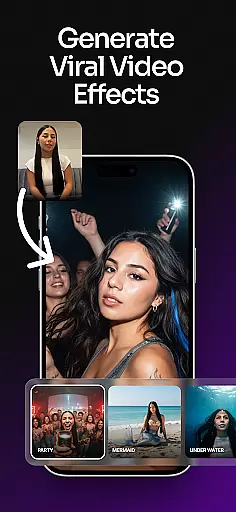
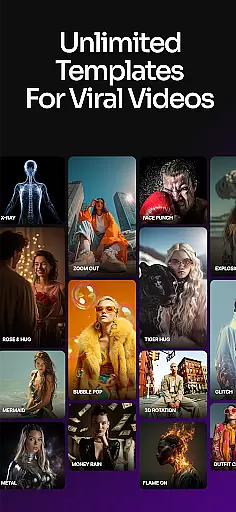
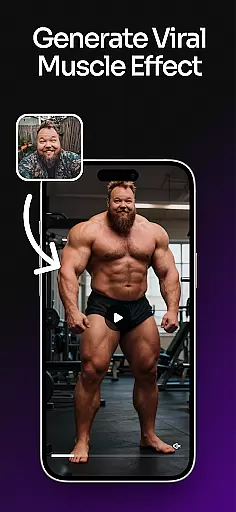
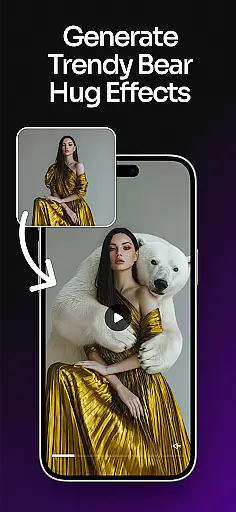
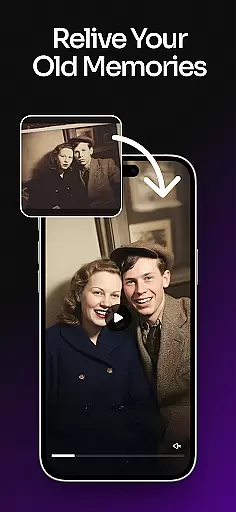
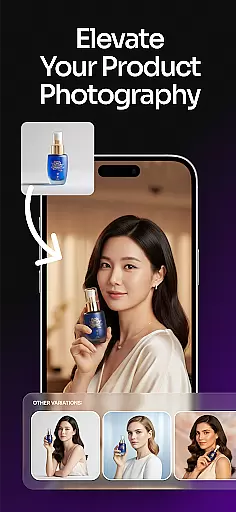
ImagineArt is an all-in-one AI art design studio that empowers users to create stunning visuals across multiple categories. With its powerful Generative AI capabilities, the app allows anyone to design images, logos, posters, flyers, stickers, and more with ease. Whether for business or personal use, ImagineArt offers professional-grade tools to generate realistic and creative content in seconds.
The app supports over 100 categories of AI templates tailored for various needs, including social media posts, custom logos, event flyers, and personalized merchandise designs. Its intuitive interface enables users to customize styles, sizes, colors, and effects effortlessly. ImagineArt also features advanced editing tools like text editing, generative fill, image resizing, and upscaling to 4K or 8K quality, making it a versatile solution for designers of all skill levels.
ImagineArt stands out with its robust set of AI-powered design tools that cater to both beginners and professionals. The AI Image Generator and AI Art Generator allow users to bring their ideas to life by typing simple prompts, generating multiple results instantly. These tools are perfect for creating logos, portraits, stickers, banners, wallpapers, t-shirt designs, memes, and more.
One of the key highlights is the ability to edit designs dynamically using AI. Users can replace objects, adjust layouts, add text fonts, apply filters, and make endless modifications without hassle. Additionally, the app provides specialized tools such as flyer maker, poster maker, and AI photo editor, ensuring every project meets high-quality standards. With export options available, sharing creations on platforms like Instagram, TikTok, and Facebook becomes seamless.
In the realm of digital art and design, having a comprehensive suite of creative tools is paramount. ImagineArt positions itself as an all-encompassing AI Art Design Studio, offering over 100 categories of AI templates tailored to various needs. These include event materials like flyers and posters, personalized items such as stickers and t-shirts, and professional assets like business logos and social media posts.
The application's strength lies in its powerful AI-powered tools that allow users to transform and personalize their designs effortlessly. With features like Text Editing, Generative Fill, Image Resize, and Upscale Images, creators can adjust layouts, add or remove objects seamlessly, and enhance their designs up to 8K quality without losing detail. This ensures that every project maintains professional-grade resolution and clarity.
ImagineArt also includes specialized tools such as a Cartoon Photo Maker and Anime AI Art Maker, which cater to niche artistic styles. Users can apply photo lab effects, AI magic, and endless edits instantly, making it possible to execute complex design tasks with ease. The inclusion of these diverse functionalities underscores ImagineArt's commitment to providing a complete creative toolkit.
Ultimately, the robustness of ImagineArt's feature set empowers users to bring their creative ideas to life efficiently. Whether designing for personal satisfaction or professional requirements, the app's extensive range of capabilities ensures that artists and designers have everything they need at their fingertips, enhancing both productivity and creative freedom.
Flexibility in canvas and format options is crucial for accommodating diverse design needs. ImagineArt excels in this area by enabling users to resize images to fit various formats such as banners, wallpapers, or social media posts. This adaptability ensures that whether you're creating content for Instagram, TikTok, Facebook, or professional presentations, your designs will always meet the required specifications.
The app's ability to upscale images to 4K or 8K quality without losing details is particularly noteworthy. This feature allows designers to future-proof their work, ensuring high-resolution outputs suitable for both digital and print media. Additionally, the option to incorporate text fonts, shapes, and stickers into designs provides further customization possibilities, allowing users to create unique compositions tailored to specific projects.
ImagineArt's AI Photo Editor enhances flexibility by offering filters, effects, adjustments, and cropping tools. These functionalities enable users to refine visuals precisely, achieving desired aesthetic outcomes. Moreover, the app's generative fill capability permits seamless insertion or removal of objects within a design, granting unparalleled control over the creative process.
By prioritizing canvas and format flexibility, ImagineArt ensures that users can tackle any design challenge confidently. From crafting detailed illustrations for books and albums to generating eye-catching promotional materials, the app's versatile formatting options empower creators to produce high-quality work across different mediums and platforms.
User-friendly interface
Extensive template library
High-quality image generation
Versatile design tools
Instant customization options
Limited free features
Premium subscription required
Occasional rendering delays
Advanced tools may overwhelm beginners
Export quality varies with tier

Discover Cartoon Dream : Unleash Your Creativity with CuttingEdge AI
 4.50
4.50
Premium version of Shimeji-ee app with no ads & no limit active shimeji
4.5
Art of Combination Wear OS Watch faces
4.0
Design your dream room with AI. Get decor ideas & plan home interiors
3.90
Easy 3D drawing design maker & creator. Model designing, Sculpting. Create&paint
4.00
Draw Trace image sketch by, AR art projector app, Easy to trace any image.
4.50
Your AI soulmate — meaningful chats, and unique emotional moments
4.70
Art of Combination Wear OS Watch faces (for Wear OS 5+ devices)
3.90
Draw, fidget, and spin glow art! Relax and express your creativity with a finger
4.60
Castle is social media for creating and playing games!
4.60
Turn your drawings into flipbook-style animations with simple creative tools
4.60
Image resizer to resize, crop, rotate, flip, change dpi photo or picture in bulk
4.60
The perfect place to start sketching! Use Sketchbook to draw and paint sketches.
4.50
AI Tattoo Generator: Create Tattoo Designs & Get Ideas! Ink & Stencil Maker
4.50
OneUI 8.5 icons ✨ Smooth, modern & based on the latest Play Store design ??
4.10
Turning simple sketches into captivating tales filled with life and motion
3.90
Create sweet, cool and unique couple avatars easily, in just a few steps!
3.40
Inky runs Inkscape on Android devices and Chromebooks
2.90
Download now for a stylish and functional timepiece
4.4


User Reviews