
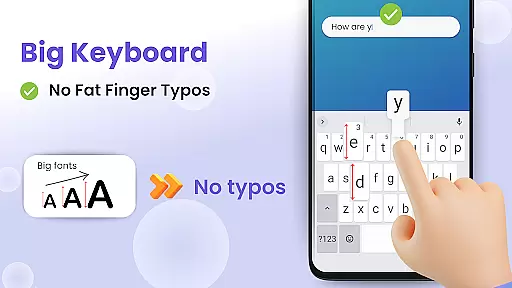
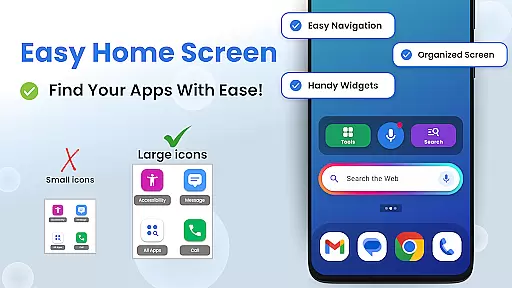
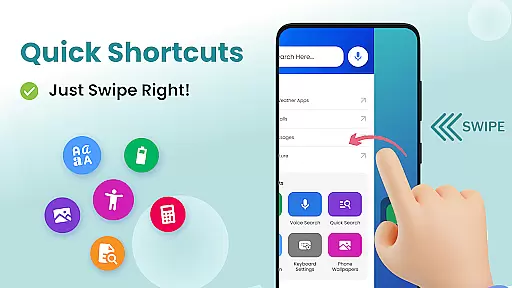

Big Keyboard: Easy Homescreen is a personalization app designed to simplify and enhance your smartphone experience. It features an intuitive home screen layout with quick-swipe shortcuts, making essential functions easily accessible. The standout feature is the enlarged keyboard, which can be up to 70% larger than standard keyboards, significantly reducing typos and improving typing efficiency.
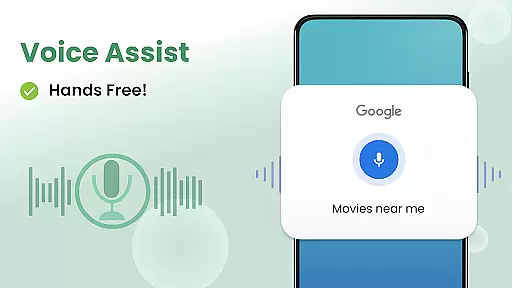
In addition to its core functionality, the app offers practical tools like a magnifier for reading small text, a voice assistant for hands-free search, and customizable wallpapers for personalization. These features collectively create a more comfortable and tailored user experience, particularly beneficial for those who struggle with small interface elements on their devices.
The Big Keyboard app distinguishes itself through several key features that improve overall smartphone usability. Its redesigned home screen provides quick access to frequently used functions through simple swipe gestures. The enlarged keyboard is highly customizable, allowing users to adjust its size during setup or afterward to perfectly match their typing preferences.
Another notable feature is the integrated voice assistant, powered by Yahoo, which enables hands-free searching through simple voice commands. The app also includes practical utilities such as a magnifier with flashlight functionality for reading in low-light conditions, a calculator, and various other helpful tools. These features are complemented by free wallpaper options and easy access to accessibility settings, creating a comprehensive solution for users seeking both functionality and personalization in their mobile experience.
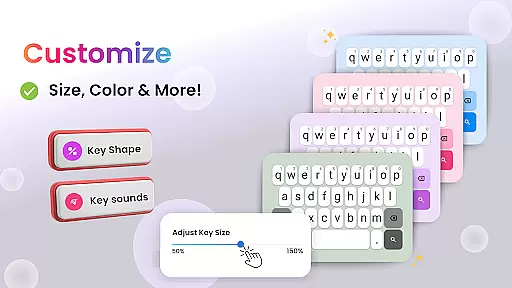
Customization is at the heart of Big Keyboard's design philosophy. The app offers a range of customization options that allow users to tailor their smartphone experience according to their preferences and needs. With features like an intuitive home screen layout, quick-swipe shortcuts, and a magnifier tool, users can personalize their interaction with their device.
The standout feature is the ability to adjust the keyboard size up to 70% larger than the default, ensuring comfortable typing without the fear of typos. This flexibility in customizing the keyboard caters to those who struggle with smaller keys or have accessibility needs. Additionally, users can choose from built-in free wallpaper options to give their phone a personal touch.
Big Keyboard also provides easy access to display and accessibility settings, making it simple for users to modify their phone's appearance and functionality. Whether it's adjusting the font size or changing the background, these customization options empower users to create a more personalized and accessible smartphone experience.
By offering such a variety of customization options, Big Keyboard ensures that users of all ages and technical abilities can enjoy a smartphone interface that feels familiar and is tailored to their individual requirements, enhancing overall satisfaction and usability.
Theme compatibility is crucial for users who wish to maintain a consistent look and feel across their smartphone applications. Big Keyboard understands this need and offers seamless integration with various themes, allowing users to apply their favorite aesthetics without compromising functionality.
With Big Keyboard, users can select from different visual themes while still benefiting from the app's core features, such as the enlarged keyboard and voice assistant tool. This means that whether you prefer a dark mode for nighttime use or vibrant colors to brighten your day, the app maintains its performance and ease of use.
In addition to aesthetic themes, Big Keyboard supports functional themes that enhance usability. For example, the high-contrast theme improves visibility for users with visual impairments, aligning with the app's commitment to accessibility. Users can switch between themes effortlessly, ensuring that their chosen theme does not interfere with the app's performance.
Ultimately, Big Keyboard's dedication to theme compatibility demonstrates its focus on delivering a personalized yet cohesive user experience. By enabling users to customize the appearance of their keyboard and home screen while preserving essential functions, the app strikes a balance between form and function, catering to a diverse user base seeking both style and substance.
Intuitive interface design
Highly customizable keyboard size
Useful built-in utilities
Voice assistant functionality
Free personalization options
Limited advanced customization
Potential performance impact
Basic widget selection
Occasional compatibility issues
Ads in free version

Ultra realistic gold analog watch face with lots of customization options.
 4.50
4.50
Customizable flower power digital watch face for Wear OS watches.
4.00
Over 28,000 high quality icons to bring color & homogeneity to your phone.
4.60
Customizable screen pets that play, climb, and keep you company.
4.50
Romantic Kiss Stickers App. Start romantic messaging now!
4.30
App Icon Changer & Shortcut Creator. Customize your icons without any watermarks
4.30 4.50
4.50
Launcher OS™ Pro without ads help make your phone simple and pretty
4.30
300+ widgets inspired by Material You and Material 3 expressive design.
4.60
Customizable Glass widgets. Over 360+ stunning widgets and more!
4.70
Classic analogue watch face. For wear os devices.
4.60
Unique Android Launcher
4.60
Beautiful realistic hybrid watch face with numerous customization options.
4.50
Vibrant Adaptive Icons with Material You and Enhanced Monet Colors.
4.50
Adult video chat, dating, making friends, random matching
4.20
Unique Fonts, typefaces and stylish text. Fonts for Instagram, Whatsapp & others
4.20
Unleash Your Creativity and Connect with Loved Ones with Lockscreen Drawing!
4.20
Create unique, fun emojis with Funny Emoji Maker! Unlimited creativity!
4.00
Struggling to find apps? Use this app to locate and open any app on your phone!
2.20


User Reviews