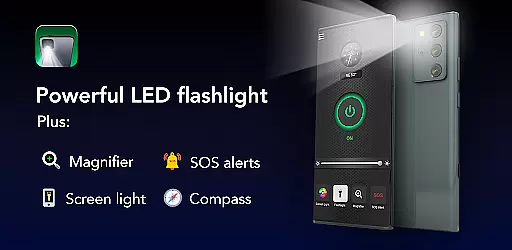
Brightest Flashlight Launcher is a versatile tool that transforms your smartphone into a multifunctional device, featuring a high-powered flashlight, magnifying glass, and essential safety tools. Designed for both everyday convenience and emergency situations, this app provides quick access to critical utilities such as a compass, SOS alerts, and screen light.
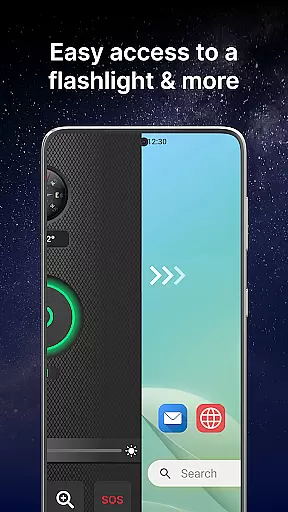
Whether you're navigating dark environments, reading small print, or signaling for help, the app ensures reliable performance. Its intuitive home screen integration allows users to swipe right for instant access to all features, making it an indispensable companion for various scenarios.
The app's practicality extends beyond lighting; it offers customizable wallpapers, widgets displaying time and weather, and multi-touchpoint search capabilities. These features collectively enhance user experience while maintaining ease of use, proving valuable in outdoor adventures, power outages, or personal safety situations.
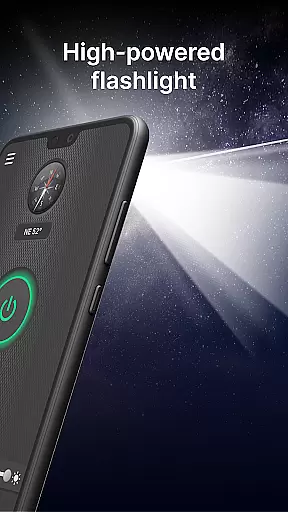
Brightest Flashlight Launcher stands out with its comprehensive feature set tailored for utility and convenience. The app's brightest flashlight function activates with a single tap, providing maximum illumination for navigation or search tasks in dark environments.
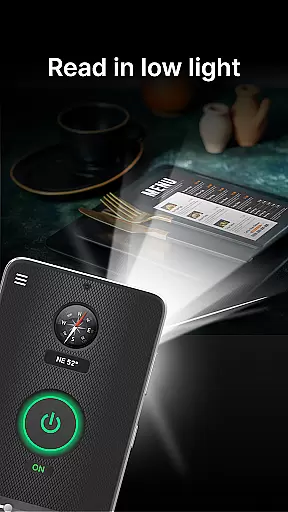
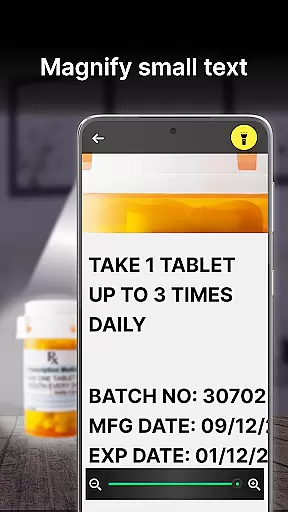
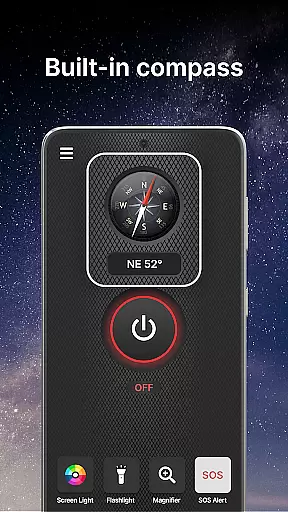
In addition to the flashlight, the built-in magnifier with adjustable zoom and lighting options makes reading fine print or examining objects effortless, even in low-light conditions. The integrated compass ensures accurate direction-finding during outdoor activities, while the SOS alert system serves as a crucial safety feature in emergencies.
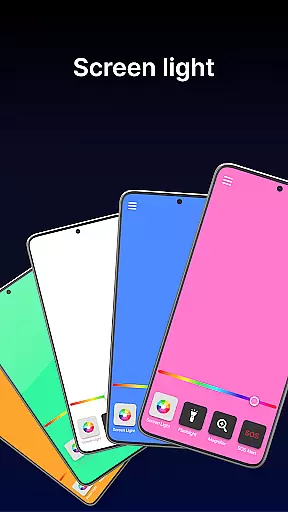
Users can also utilize the screen light function to brighten their display for better visibility. Customizable home screen widgets, wallpapers, and shortcuts further enhance accessibility and personalization, offering both functional and aesthetic benefits that cater to diverse user needs.
Flashlight Launcher excels in delivering core functionalities with remarkable accuracy and effectiveness. The app transforms your smartphone into a versatile tool, offering a super bright flashlight, magnifier, compass, SOS alerts, and screen light. Each feature is designed to provide optimal performance.
The flashlight functionality is powered by the device's LED, ensuring maximum brightness for various scenarios like navigating dark areas or finding lost items. The magnifier tool incorporates both zoom and illumination features, making it easy to read fine print or examine objects closely even in low-light conditions. This dual capability enhances its practicality for everyday use.
In addition to lighting features, the built-in compass delivers reliable navigation assistance. Whether you're hiking or exploring unfamiliar territories, this tool ensures you maintain the right direction. The SOS alerts act as a crucial safety feature, emitting a visible distress signal that can be invaluable in emergencies.
Finally, the screen light functionality cleverly utilizes the phone's display to enhance visibility in dim environments. This feature proves especially useful when you need soft, diffused lighting without carrying additional devices. Overall, Flashlight Launcher combines multiple practical tools, each implemented with precision to ensure users get dependable assistance whenever needed.
Flashlight Launcher stands out for its interface simplicity and intuitive design, ensuring users can easily access essential tools without hassle. The app's layout is thoughtfully crafted to provide one-swipe access to critical features like the flashlight, magnifier, and safety tools, enhancing user convenience significantly.
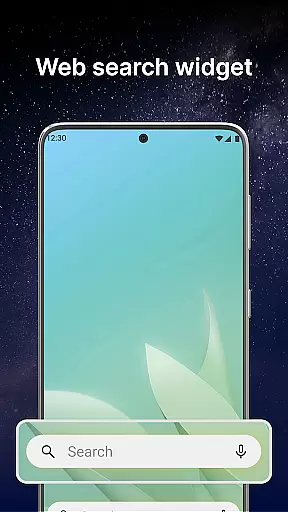
Upon installation, users will notice an organized home screen widget displaying time, weather, and quick links to vital functions. This thoughtful arrangement minimizes the steps required to activate necessary tools, streamlining daily tasks efficiently. Additionally, customizable wallpapers allow personalization while maintaining ease of navigation.
Home screen shortcuts further simplify access to frequently used features. With just a tap, users can activate the flashlight or magnifier, reducing the effort needed during urgent situations. Multi-touchpoint search capabilities add another layer of usability by enabling swift searches for apps or web content directly from various access points.
Overall, Flashlight Launcher's commitment to simplicity and intuitiveness makes it an indispensable utility app. By prioritizing user-friendly interactions and straightforward navigation paths, it ensures that individuals of all tech-savviness levels can utilize its powerful features effortlessly, enhancing both convenience and safety in everyday scenarios.
Instant access to tools
User-friendly interface
Customizable features
Reliable in emergencies
Multi-functional utility
Home screen layout changes
Requires permissions
May drain battery
Limited design options
Potential app relocation

HD Camera captures every special moment.
 4.60
4.60
Just swipe the edge to do something!
4.40
Fluid navigation gestures for all of us!
4.30
Quickly & easily calculate the spacing of handrail balusters
4.20
The Ultimate Bluetooth Keyboard & Mouse. Securely control your PC, Mac, and more
4.50
Connect wirelessly to your computer to watch movies, browse the web, play games
5.00
Screen Mirroring with sound for Samsung TV, LG TV, Sony TV, Smart TV and Browser
4.20
Automate everything from settings to photos, SMS to speech. ADC2 prize winner.
4.10
Protect your device with antivirus, storage cleanup, and system monitoring
4.70
Extremely fast, secure, and protects your privacy
4.80
Remote Play with FSR upscaling, low latency & full controller support
4.80
FV File Manager Pro, Fast and powerful file manager for Android
4.60
Screen Mirroring for Roku Sticks, Roku TCL TV and Roku Hisense TV
4.50
Complete kernel toolbox with features to manage and tweak your rooted device
4.30
App that Recover your pictures, videos or files after you delete them.
4.20
VESC Tool can monitor and configure VESC-compatible devices over BLE and Wifi
4.20
Create your own custom widget with endless possibilities
3.90
This app unlocks the Pro features of the Central for DayZ app
3.60
Download any file easily and quickly with Downloader
4.1


User Reviews