
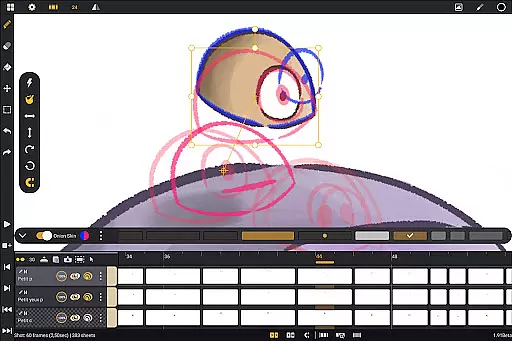
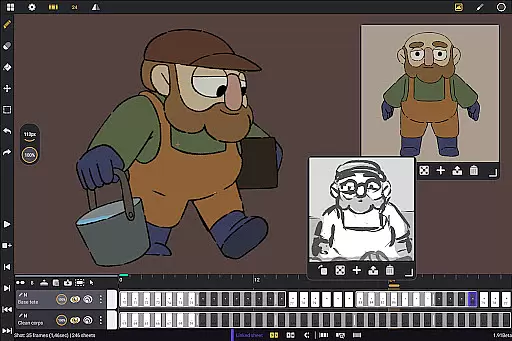
Callipeg is a professional-grade 2D hand-drawn animation app designed for Android tablets, offering all the essential tools of a full-featured animation studio. It caters to both professional animators and beginners, providing an intuitive interface with advanced features like adjustable frame rates up to 60 fps, canvas sizes up to 4K, and unlimited layer support. The app supports pressure-sensitive styluses, making it ideal for creating high-quality animations on the go.
The application's studio-like organization allows users to arrange shots by dragging and dropping them into scenes and folders, while color tags and filters help manage assets effectively. With comprehensive drawing tools, onion skinning, customizable workspaces, and flexible import/export options, Callipeg ensures a seamless animation workflow. Whether you're working on storyboards, keyframe animations, or complete shots, this app provides the necessary tools to bring your creative vision to life.
Callipeg stands out with its robust feature set tailored for professional animators. One of its core strengths is the studio-like organization system, enabling users to structure their projects efficiently through drag-and-drop functionality, scene management, and asset tagging. This organizational clarity is further enhanced by the integrated search function, which helps quickly locate specific shots or elements within complex projects.
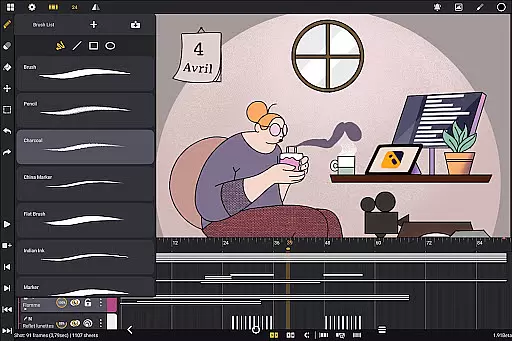
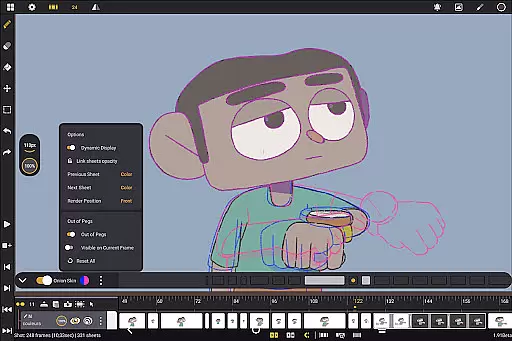
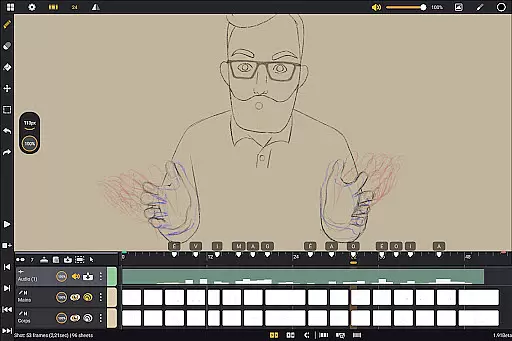
The app also excels in its drawing and animation tools. Users can access a versatile brush set including pencil, charcoal, and ink options, each customizable for smoothing, tip shape, and texture. Onion skinning displays up to eight frames before and after the current frame, with adjustable opacity and color settings, allowing precise control over animation timing. Additionally, the app supports importing various file formats such as images, video clips, and audio files, facilitating techniques like rotoscoping and lip-syncing. These features collectively ensure that animators can achieve professional results without compromising on quality or flexibility.
Callipeg provides a comprehensive suite of creative tools that cater to both professional animators and beginners. The app includes essential features such as studio-like organization, allowing users to arrange shots, organize them into scenes, and apply color tags for efficient asset management.
In addition to organizational tools, Callipeg offers adjustable frame rates and supports canvas sizes up to 4K, ensuring that animations meet professional standards. With unlimited layer support, animators can add various types of layers including drawing, video, transformation, audio, or group layers, enabling complex animations and compositions.
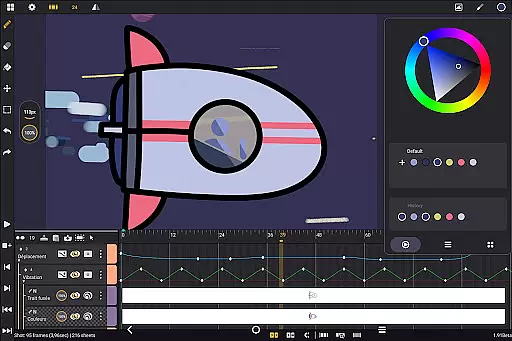
The app also boasts a versatile brush set with options like pencil, charcoal, and ink, which can be customized in terms of smoothing, tip shape, and texture. This flexibility empowers artists to create unique styles and optimize their coloring process using the built-in color wheel, sliders, and palettes.
One of Callipeg's standout features is its canvas and format flexibility, designed to adapt to different animation needs. Users can work with canvas sizes up to 4K resolution, providing ample space and clarity for detailed animations while maintaining professional quality.
Callipeg supports multiple import and export formats, including .mp4, .gif, .png, .tga, .psd, and .peg, making it easy to integrate projects into various workflows. Additionally, project files can be imported and exported in industry-standard formats like .json, .xdts, and .oca, preserving timing and layer structures across different software platforms.
The app also allows for customizable workspace configurations, enabling users to switch between right- and left-handed interfaces and position sidebars according to their preferences. This adaptability ensures that animators can tailor their workspace to suit individual working styles, enhancing productivity and comfort.
Professional-grade tools
No subscription model
Unlimited layer support
Customizable workspace
Active community support
Steep learning curve
High system requirements
Limited mobile optimization
Frequent updates needed
Premium price point

AI Assistant, powered by ChatGPT GPT-4 & GPT-4o. Your intelligent companion.
 3.50
3.50
Art of Combination Wear OS Watch faces
4.2
Castle is social media for creating and playing games!
4.60
Create stunning video, photo & magic from text with FlixAI GPT video generator.
3.10
Design unique, funny and adorable cat stickers that reflect your own style!
3.80
Painting, drawing, & sketching
4.50
A luxurious gold watch face for an elegant and refined look.
4.0
Art of Combination Wear OS Watch faces (for Wear OS 5+ devices)
3.90
Sketch and paint on your device with the feel and freedom of drawing on paper
4.00
Mobile pixel art editor. Simple. Fast. Portable.
4.80
Convert image to JPG PNG HEIC PDF, support almost all kinds of image formats
4.70
Digital, Abstract, Classic - all types of color wheels in one app!
4.60
Draw anime & manga drawing, art with templates to create stunning picture!
4.50
Create color palette from Image, RGB & RYB Color wheel harmonies, Color Scheme
4.50
Share the joy of painting with ibis Paint! Drawing anime and manga art.
4.50
Draw, make movies & animate cartoons easily with our 2D animation maker app
4.40
Custom Character Creator & PFP Maker!
4.20
Vidu is an AI video generator made for creators and aspiring makers.
3.30
Draw anime easily with AR guidance, sketch templates & trace tools!
3.10


User Reviews