

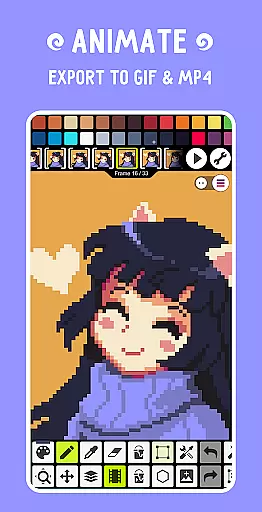
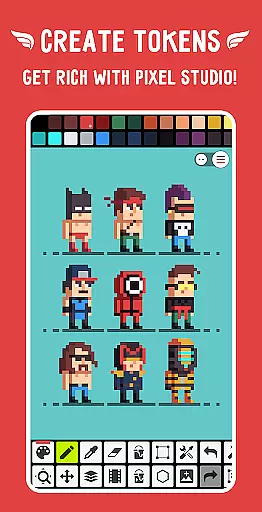
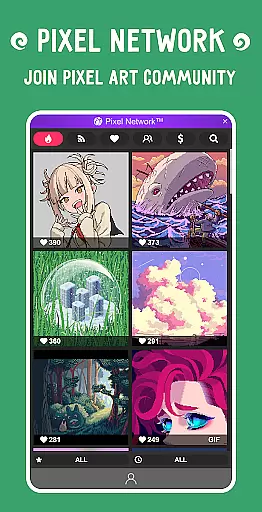
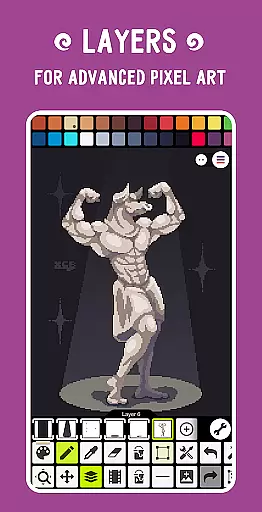
Pixel Studio PRO is a premier pixel art editor tailored for both budding artists and seasoned game developers. This special edition comes without ads or in-app purchases, offering all PRO features unlocked. With support for layers, animations, and an extensive suite of tools, users can create stunning pixel art anytime, anywhere. The app allows exporting animations with music to MP4, syncing work across devices via Google Drive, and joining Pixel Network™, a vibrant pixel art community. With over 5 million downloads globally and availability in more than 25 languages, it stands as a comprehensive pixel art solution.
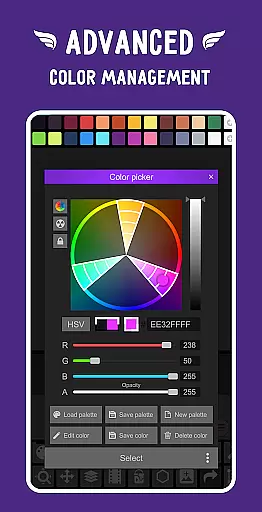
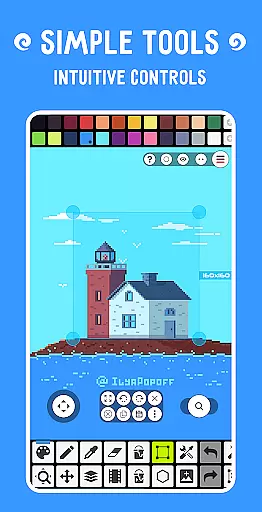
The application's versatility extends to its compatibility with various devices and platforms, ensuring a seamless experience whether on mobile or tablet. Its intuitive interface supports advanced functionalities like custom palettes, an advanced color picker, and customizable toolbars. Additionally, the support for hardware like Samsung S-Pen and formats such as PNG, JPG, GIF, BMP, TGA, PSP, PSD, and EXR makes it indispensable for diverse creative projects.
Pixel Studio PRO boasts an array of sophisticated features designed to enhance the pixel art creation process. Users can employ the Shape Tool for primitives, Gradient Tool, and built-in/custom brushes to refine their artwork. The application facilitates precise drawing with Dot Pen, text additions with different fonts, and dithering for shadows and flares. Advanced options include pixel art rotation using Fast RotSprite algorithm, scaling with Scale2x/AdvMAME2x, and onion skinning for animations.
Further augmenting its utility, the app provides unlimited canvas size, canvas resizing and rotation, and customizable grid settings. It supports JASC Palette (PAL) format and Aseprite files (import only), alongside multithreaded image processing for efficiency. PRO users benefit from exclusive features like Google Drive sync, dark theme, 256-color palettes, and extended storage in Pixel Network, making it a robust choice for professional-grade pixel art development.
Pixel Studio PRO offers an extensive suite of creative tools that cater to both beginners and professional artists. The application supports layers, animations, and a variety of useful instruments for creating pixel art projects.
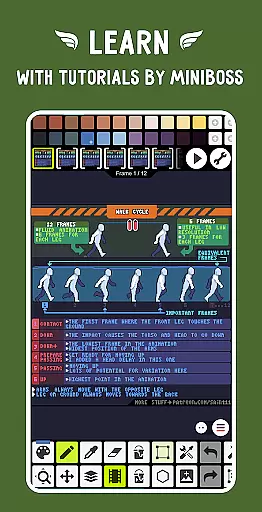
Users can enjoy features such as frame-by-frame animation creation, saving animations to GIF or sprite sheets, and even adding music to animations while exporting videos to MP4. With support for all popular formats including PNG, JPG, GIF, BMP, TGA, PSP, PSD, and EXR, the app ensures compatibility across different platforms.
The inclusion of advanced tools like the Shape Tool, Gradient Tool, built-in and custom brushes, and the Text Tool with different fonts provides users with everything they need to create detailed and complex artwork. Additionally, specialized features such as Symmetry Drawing, Dithering Pen, and Pixel Art Scaler enhance the creative process.
PRO features unlock even more potential by offering extended functionalities like Google Drive sync, 256-color palettes, tile mode for seamless textures, and extra format support, making it a complete package for pixel artists and game developers.
Flexibility in canvas and format options is a hallmark of Pixel Studio PRO, allowing artists to customize their workspace to fit their unique needs. Users can work with an unlimited canvas size, and take advantage of customizable background colors and grids to suit their artistic style.
The application supports canvas resizing and rotation, providing the ability to adjust the working area dynamically. This feature is crucial for artists who need to alter their canvas dimensions or orientation during the creative process without losing quality or project integrity.
Pixel Studio PRO also boasts multithreaded image processing and compatibility with a wide range of file formats, ensuring smooth performance and versatility. Artists can import Aseprite files and work with JASC Palette (PAL) format, among others, which broadens the scope of projects they can undertake.
With PRO features, users gain access to even more format support, including AI, EPS, HEIC, PDF, SVG, WEBP, and advanced PSD cloud read/write capabilities. These options provide professionals with the assurance that they can handle any project requirement with ease and precision.
User-friendly interface
Extensive format support
Advanced animation tools
Vibrant community network
Sync across devices
High system requirements
No iOS version
Complex for beginners
Limited free features
Occasional bugs

Discover Cartoon Dream : Unleash Your Creativity with CuttingEdge AI
 4.50
4.50
Stylish letters, Stylish Keyboard, Symbols, Emojis, Cool nickname
4.40
Apply cartoon, caricature, and portrait effects to make your photos stand out!
3.60
Create stunning art with AI.
4.80
Image resizer to resize, crop, rotate, flip, change dpi photo or picture in bulk
4.60
Art of Combination Wear OS Watch Faces
3.30
Unleash the artist in you with our AR drawing and tracing tool for photo drawing
4.10
Inky runs Inkscape on Android devices and Chromebooks
2.90
How to draw anime step by step for beginner easily by AR drawing sketch & paint.
3.60
See Color, Paint Color
4.90
Digital illustration drawing & painting pad app to paint Anime and Manga art
4.50
Create neon drawing with magic doodle and fun doodle art effects!
4.50
The perfect place to start sketching! Use Sketchbook to draw and paint sketches.
4.50
Image/ Text to Video Generator
4.40
Photo blender app to create overlay photos & double exposure.
4.40
Bring One UI 8.5 Icons to life -elegant dark icons with a modern, premium touch.
4.30
Create stylish invitation cards using templates for weddings, birthdays & RSVP.
4.20
Digital Drawing: Draw & Paint
4.10
Turning simple sketches into captivating tales filled with life and motion
3.90


User Reviews