
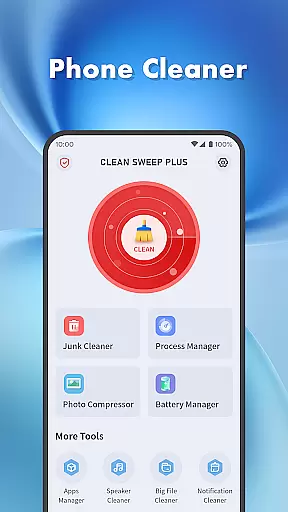
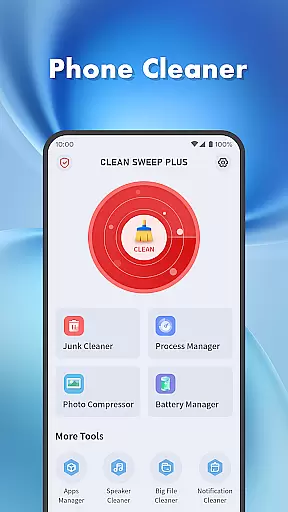
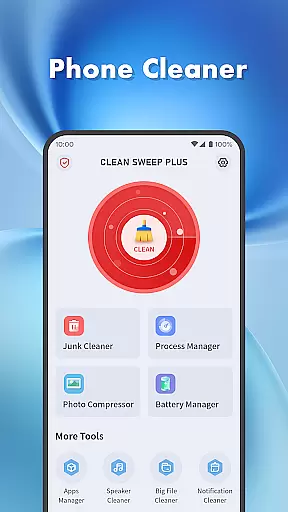
Clean Sweep Plus is a comprehensive phone management tool designed to optimize device performance and simplify daily maintenance tasks. The app offers a suite of practical features including junk file cleaning, large file management, photo compression, and notification clearing. It also provides robust app and process management capabilities, allowing users to uninstall unused apps and monitor background processes.
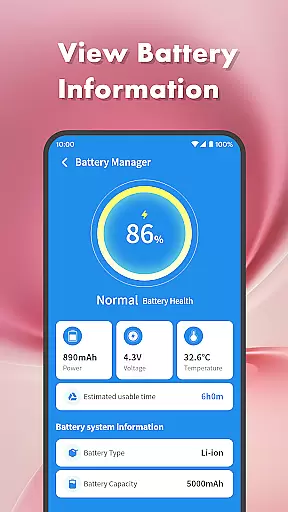
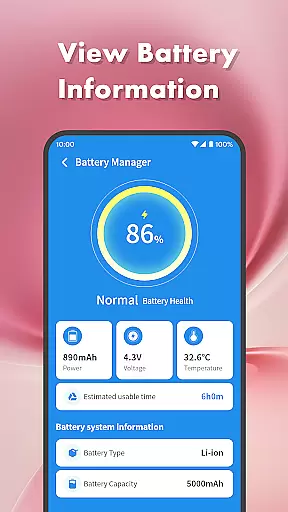
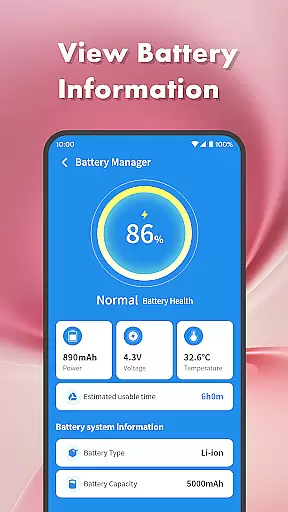
One of the standout features is its battery management center, which displays detailed battery information such as power level and estimated usage time. Additional tools like the speaker cleaner provide unique functionality for hardware maintenance. With an intuitive interface and straightforward navigation, Clean Sweep Plus makes phone management accessible to all users, helping them maintain optimal device performance.
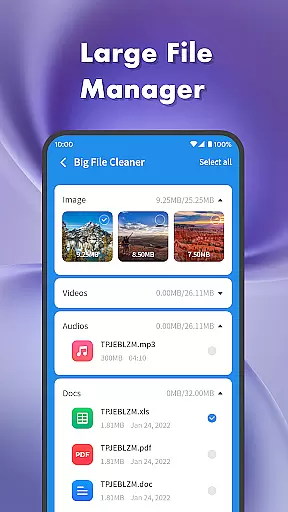
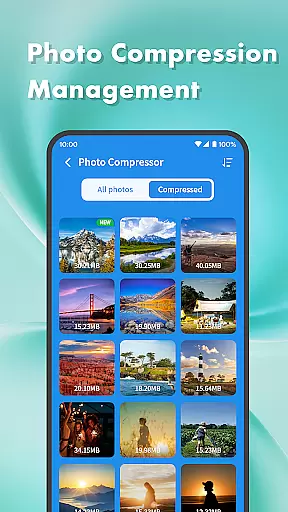
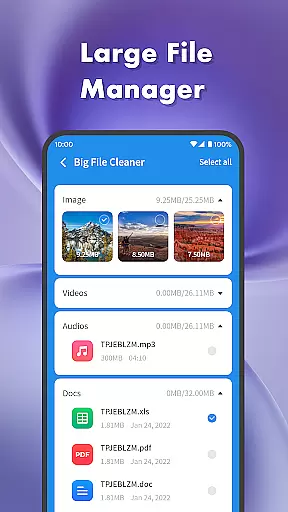
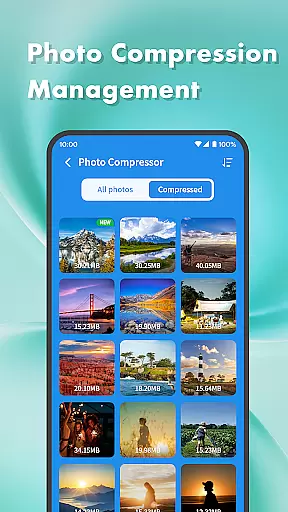
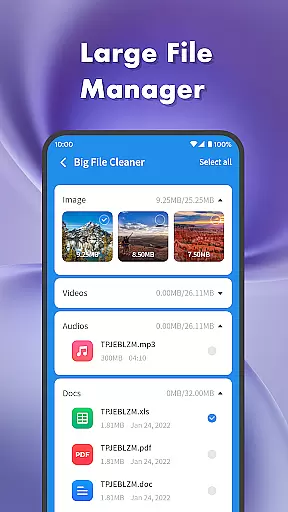
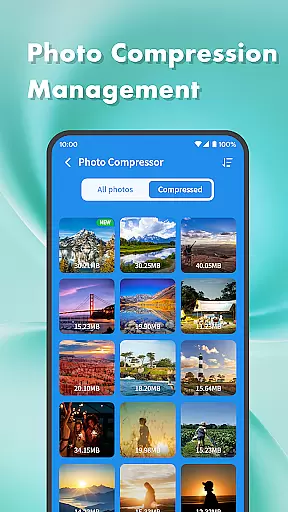
Clean Sweep Plus stands out with its diverse range of practical tools tailored for everyday phone management. The junk cleaner efficiently scans and removes unnecessary files, while the large file manager helps users locate and manage bulky media files. Its photo compression feature allows users to reduce image sizes without compromising quality, making it ideal for saving storage space.
The app's management capabilities extend to installed applications and system processes. Through the app manager, users can easily view and uninstall infrequently used apps. Meanwhile, the process manager provides insights into background app activity, enabling better control over system resources. The battery management center offers detailed analytics on power consumption, giving users a clear understanding of their device's energy usage patterns.
When it comes to mobile device management tools, the accuracy and effectiveness of core functions are paramount. Clean Sweep Plus excels in this area by offering a comprehensive suite of features that address common phone management challenges.
The app's Junk Cleaner precisely identifies unnecessary files, while the Large File Manager efficiently locates space-consuming media. The Battery Management Center provides reliable estimates of remaining usage time, and the App Manager displays installed applications with clear uninstallation options.
These carefully designed tools work together seamlessly, ensuring users can maintain optimal device performance. Each feature is engineered to deliver immediate and measurable results, making daily phone maintenance both effective and effortless.
A tool's value is significantly enhanced by an intuitive and user-friendly interface, and Clean Sweep Plus demonstrates excellence in this aspect. The app's layout is thoughtfully organized, allowing users to quickly locate and utilize its various functions without confusion or frustration.
From the clear categorization of tools to the straightforward presentation of information, every element is designed for ease of use. The Battery Management Center, for example, presents crucial data in a digestible format, while the App Manager offers simple one-tap uninstallation.
This commitment to interface simplicity ensures that users of all technical backgrounds can confidently manage their devices, focusing on what matters most - maintaining optimal phone performance without unnecessary complexity.
User-friendly interface
Comprehensive toolset
Effective junk cleaning
Intuitive navigation
Practical battery insights
Limited advanced features
No cloud backup option
Basic photo editing
Occasional ads
Modest design

Optimize your WiFi network, turn your phone into Wifi Analyzer
 4.70
4.70
eXtended Permission Manager - a small app to manage permissions and AppOps
4.50
VESC Tool can monitor and configure VESC-compatible devices over BLE and Wifi
4.20
Detect hidden spy camera with advanced scanning {{ Premium version }}
4.00
View detailed information about your Nissan Leaf the dealer never shows you.
4.10
Screen Mirroring with sound for Samsung TV, LG TV, Sony TV, Smart TV and Browser
4.20
Automate everything from settings to photos, SMS to speech. ADC2 prize winner.
4.10
Fun lie-detection pranks for friends and parties.
3.80
Your personal health butler
3.60
Bedrock Together: Join any bedrock server on Xbox/PS
4.80
Easily install aab(Android App Bundle) files on your Android device with our app
4.80
NFC Tools can read and write NFC tags.
4.70
FV File Manager Pro, Fast and powerful file manager for Android
4.60
With videos, electrical calculators, and built-in ebook, Ugly’s has your answer.
4.50
Pro Emulator is an easy to use game console emulator for a range of consoles.
4.40 4.10
4.10
1-Click close all background apps on Android TV
3.90
Family Locator, Share location, StayConnect with your family in real time
3.90
A non-root local ADB shell client. READ BELOW!
3.40


User Reviews