
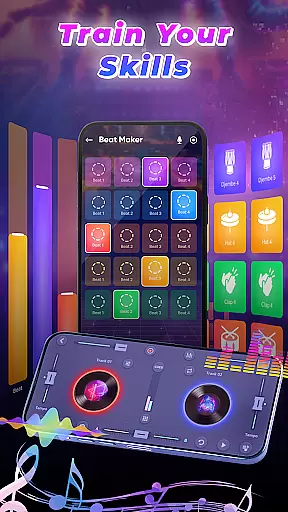
DJ Music Mixer - Beat Maker is a comprehensive music creation tool designed for both amateur and professional DJs. This app provides an all-in-one solution for mixing tracks, creating beats, and applying various sound effects. With features like Equalizer and Bass Booster, users can customize their audio experience while enjoying high-quality mixing tools.
The app stands out with its professional beat maker functionality, offering multiple drum kits that range from classic to modern styles. Whether you're looking to remix songs or perform live DJ sessions, DJ Music Mixer - Beat Maker supports your creative process with intuitive controls and reliable performance.
Perfect for live performances or casual music creation, this app allows users to record mixes in HD quality. Its versatility makes it suitable for events, parties, or personal enjoyment, ensuring that every user can produce amazing DJ mixes anytime, anywhere.
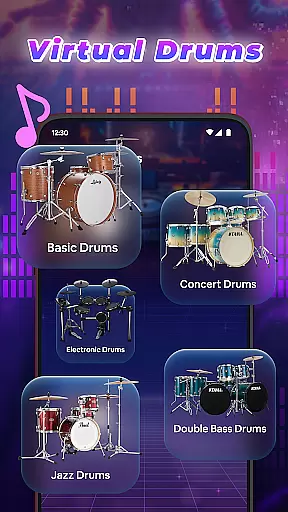
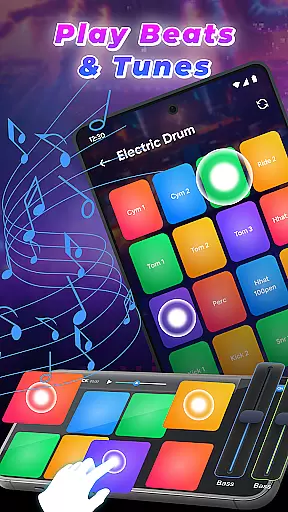
DJ Music Mixer - Beat Maker boasts a rich feature set tailored for music enthusiasts. One of its key highlights is the advanced beat maker system, which lets users create and mix beats professionally using only their mobile device. The app includes a variety of drum kits such as Ludwig, Electronic, Jazz, and African drums, catering to different musical tastes and styles.
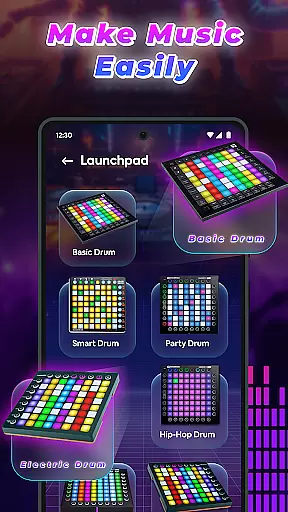
In addition to its beat-making capabilities, the app offers a robust DJ mixer with built-in launchpad samples. These include Party Drum, Acoustic Drums, and Hip-hop Drum sounds, available in both horizontal and vertical user interfaces. Users can experiment with these samples to add unique vibrations and colors to their original music.
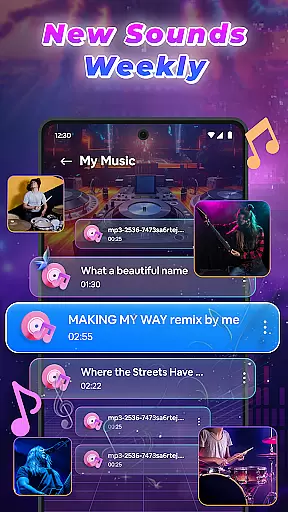
The app also provides access to a full music library, allowing seamless integration of tracks, artists, albums, and folders into playlists. Real-time effects and optimized beat detection ensure smooth transitions between songs, making DJ Music Mixer - Beat Maker an essential tool for any aspiring or professional DJ.
In the realm of digital music creation, having access to an extensive music library is crucial for unleashing creativity. DJ Music Mixer - Beat Maker offers a vast array of tracks, artists, albums, and folders at your fingertips, ensuring that your creative process is not hindered by limited resources. This extensive library allows you to experiment with different genres and styles, from classic to modern beats, providing endless possibilities for your mixes.
Copyright authenticity is another cornerstone of DJ Music Mixer - Beat Maker. The app provides legitimate access to its music library, ensuring that all tracks are properly licensed and legal to use. This commitment to copyright compliance gives users peace of mind, knowing they can create and share their music without infringing on intellectual property rights. By prioritizing copyright authenticity, DJ Music Mixer - Beat Maker fosters a safe and responsible environment for music creation.
The integration of various drum kits such as Ludwig, Electronic, Jazz, and African beats further enriches the music library. These kits allow users to explore multiple drumming styles, adding depth and diversity to their creations. Whether crafting intricate rhythms or layering beats, the app's comprehensive sound palette empowers DJs to produce high-quality, original content.
Audio quality is paramount when producing professional-grade music, and DJ Music Mixer - Beat Maker excels in delivering pristine sound output. The app supports HD audio recording, enabling users to capture their mixes with exceptional clarity and fidelity. This feature ensures that every nuance of your mix is preserved, from subtle basslines to crisp high hats, resulting in polished final products ready for any platform.
Beyond just recording quality, DJ Music Mixer - Beat Maker also offers advanced equalizer settings and bass boosters. These tools allow precise control over audio frequencies, letting users tailor the sound to their exact specifications. Whether enhancing the low-end punch or fine-tuning mid-range tones, these features ensure that your tracks sound balanced and dynamic across all playback systems.
Furthermore, the app facilitates saving mixes in suitable formats that maintain high audio standards. Users can export their creations in formats that best suit their needs, whether for streaming services, live performances, or personal archives. With DJ Music Mixer - Beat Maker, superior audio quality options empower both budding and seasoned DJs to achieve studio-level results directly from their mobile devices.
User-friendly interface
Wide range of drum kits
Real-time sound effects
HD recording capability
Comprehensive music library
Limited free features
Occasional bugs
Ads in free version
High learning curve
Subscription costs

Simply convert wav to mp3. Clear. Reliable. Safe.
 4.2
4.2
Ultimate Sonos Controller
4.70
Learn to play the piano using falling notes!
3.80
Help you quickly get started with Shokz headphones
4.40
The official Sonos app
4.10
Slow music down without changing pitch.
3.70
Sheet music reader, piano & music note player. Play music score & learn to read.
3.90
Ringtone Maker is free app create ringtone from music files or your recording.
4.40
Turn Every Moment into Music
3.60
Music, News & Sports Radio Tuner App. Tune in Live FM & AM Radio Stations.
4.80
A synth that really lets you shape your sounds!
4.50
Visualize the guitar fretboard, master scales & play through changes like a pro!
4.50
10-Band Audio Equalizer, Sound / Bass Booster for Spotify Users & Music Players
4.40
DJ Music Mixer Pro is a real DJ controllers and DJ Music Studio to remix DJ.
4.40
Manage your Sonos system directly from your home-screen!
4.40
Your HD audio recorder on the go for music, meetings, ambience, animal sounds…
4.30
Master Salsa Rhythm quickly and with a lot of fun!
4.30
Sing, record, and create music together — enhanced by smart voice tools.
4.00
MilkDrop for Android TV
3.00


User Reviews