
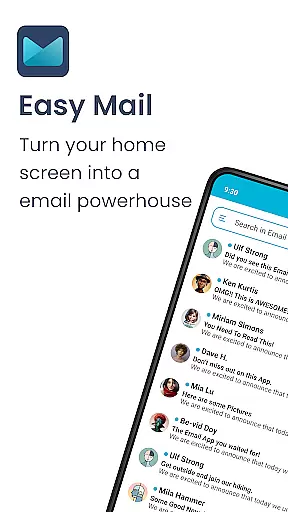
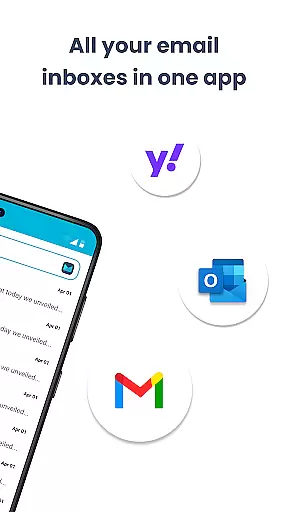
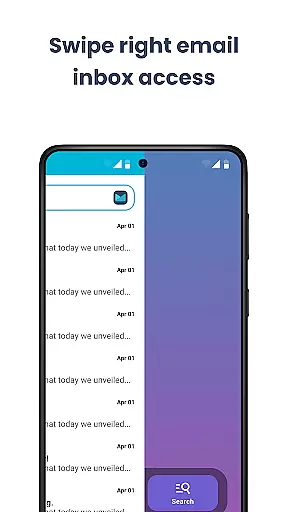
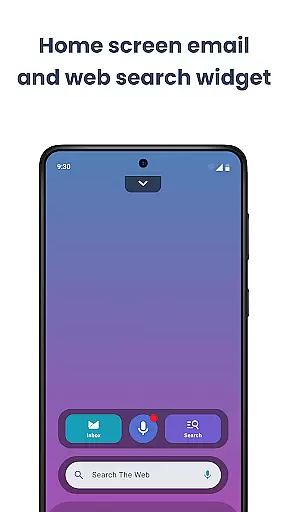
Easy Mail is a productivity-focused email launcher that simplifies your daily communication by bringing emails directly to your homescreen. With its clutter-free design, the app eliminates unnecessary distractions, allowing you to focus on what matters most. The app supports unlimited email accounts from providers like Gmail, Outlook, and Yahoo, consolidating them into one unified inbox or letting you toggle between accounts effortlessly.
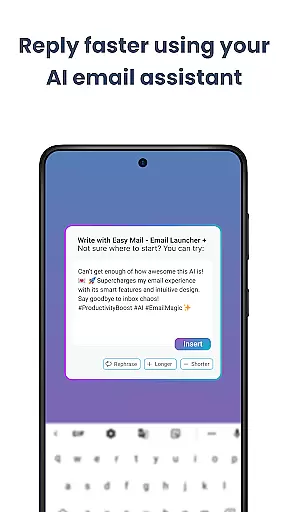
One of Easy Mail's standout features is its AI Email Assistance, which helps users write emails more effectively by rephrasing, shortening, or polishing text while maintaining a natural tone. Additionally, it offers privacy-first functionality, ensuring that all email data remains local and secure. Designed for both simplicity and efficiency, Easy Mail also includes easy web search capabilities powered by Yahoo Search, making it a comprehensive tool for managing not just your emails but also quick information retrieval.
Easy Mail provides an array of robust features designed to enhance your email management experience. Its Easy Homescreen feature creates a clean interface focused solely on productivity, removing any unnecessary clutter. The app allows you to add unlimited email accounts, whether they're from Gmail, Outlook, Yahoo, or other providers, and manage them through a unified inbox or separate views with just a tap.
The AI Email Assistance feature is particularly innovative, offering real-time help in composing emails. It can rephrase sentences, shorten lengthy texts, or refine your writing while preserving your personal tone. Privacy is another cornerstone of Easy Mail; the app ensures that your email data never leaves your device, providing peace of mind. Moreover, the Launcher Essentials feature combines an organized homescreen, quick access to apps, widget support, and trending content, creating a seamless user experience that extends beyond just email management.
Customization is at the heart of Easy Mail, offering users a versatile way to tailor their email experience. The app provides a clean homescreen built specifically around mail and productivity, ensuring that your most important tasks are always front and center.
With support for unlimited email accounts from providers like Gmail, Outlook, and Yahoo, users can choose to view their emails in a unified inbox or keep them separate. This flexibility allows for a personalized workflow that adapts to individual preferences and needs.
Moreover, Easy Mail enhances customization through features such as AI Email Assistance, which helps users rephrase, shorten, or polish their emails while maintaining their natural tone. This ensures that every message you send is crafted exactly how you want it, reflecting your personal style.
The inclusion of an organized app drawer, widget support, and easy access to a content feed further enriches the user's ability to customize their homescreen. These options ensure that managing emails doesn't come at the expense of other functionalities, making Easy Mail a truly adaptable tool for daily use.
Easy Mail stands out with its commitment to theme compatibility, allowing users to enjoy a visually consistent experience across their devices. The launcher is designed not just for functionality but also for aesthetic harmony, fitting seamlessly into any digital environment.
Users can expect the app to maintain its performance and appearance regardless of the device's current theme. Whether using a light or dark mode, Easy Mail ensures that text readability and visual clarity are preserved, providing a comfortable viewing experience at all times.
In addition to supporting various themes, Easy Mail integrates effortlessly with existing systems. Its design respects the native look and feel of Android devices, ensuring that users don't have to compromise on style when they prioritize productivity.
This dedication to theme compatibility extends to the appu2019s additional features, such as the content feed and web search powered by Yahoo Search. By blending these elements smoothly into the overall interface, Easy Mail guarantees that every aspect of the application remains cohesive and user-friendly, no matter the chosen theme.
User-friendly interface
Unified inbox view
AI-powered assistance
Privacy-focused design
Integrated web search
Limited customization
No offline mode
Few integrations
Occasional bugs
Premium cost

Customizable flower power digital watch face for Wear OS watches.
 4.00
4.00
Bring adorable pets to life on your screen. Playful, interactive and full of fun
4.60
Gun Chase - Let the chase begin.
4.80
Choose your keyboard with RGB colors effect, themes, fonts, emojis.
4.60
Crystal-clear, square icon provides a sleek and sophisticated visual upgrade
4.00
300+ Stunning and well-designed widgets inspired by NOTHING.
4.70
300+ Beautifully crafted widgets inspired by OneUI.
4.60
300+ widgets inspired by Material You and Material 3 expressive design.
4.60
Transform your phone with stunning video wallpapers and a unique, personal touch
3.80
Glass style colourful icons with a One UI look and feel
4.60
Make your phone look simple & luxury, like iDevice
4.60
Customizable screen pets that play, climb, and keep you company.
4.50 4.50
4.50 4.50
4.50
Art & Emoji Keyboard with Cool Fonts, Cute Themes and Custom Designs.
4.40
Themes - Widget & Wallpaper: Customize home screen, icon changer w unique themes
4.30
Unique Fonts, typefaces and stylish text. Fonts for Instagram, Whatsapp & others
4.20
Organize and manage your photos and videos effortlessly with Photo Gallery
4.20
Magic fluids wallpaper 4D: Relax with stunning fluid simulation wallpaper app
4.20


User Reviews