

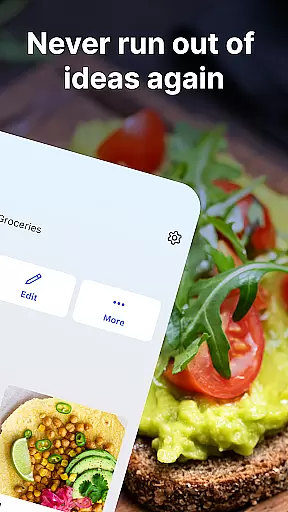

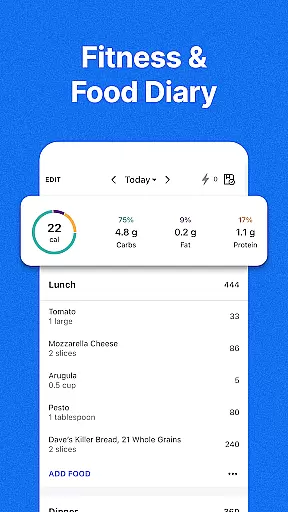
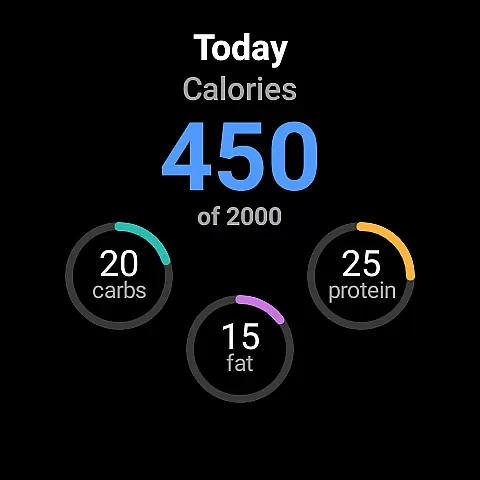
MyFitnessPal is a comprehensive health and fitness app designed for Android Wear, helping users achieve their nutrition, calorie, and fitness goals. The app offers an extensive suite of tools including a food tracker with over 20 million foods, a macro calculator, and a hydration monitor. It also features integrated fitness tracking capabilities that allow users to log workouts, steps, and monitor their overall progress directly from their smartwatch.
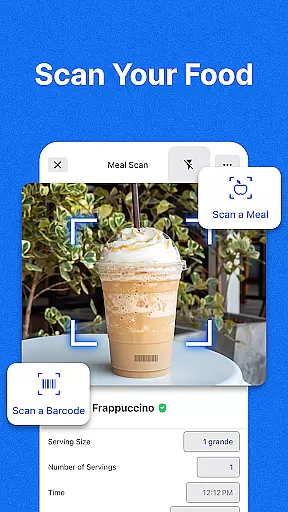
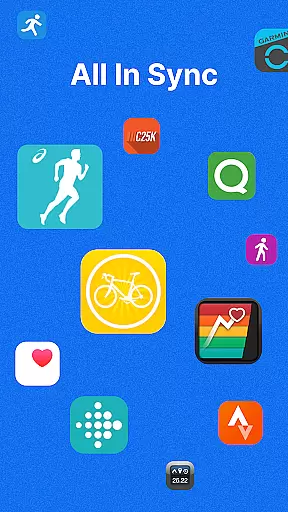
Beyond basic tracking, MyFitnessPal provides personalized dashboards and tailored meal plans to simplify diet management. Users can connect various apps and devices, follow easy meal planners, and even scan barcodes for effortless logging. With its Premium and Premium Plus offerings, the app delivers advanced functionalities like custom goal setting, ad-free experiences, and personalized meal planning with grocery delivery integration. Whether you're looking to lose weight, maintain your current status, or simply stay fit, MyFitnessPal equips you with everything needed to succeed.
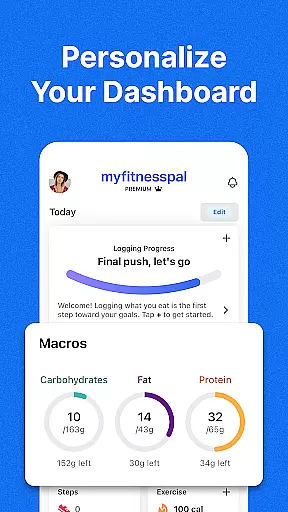
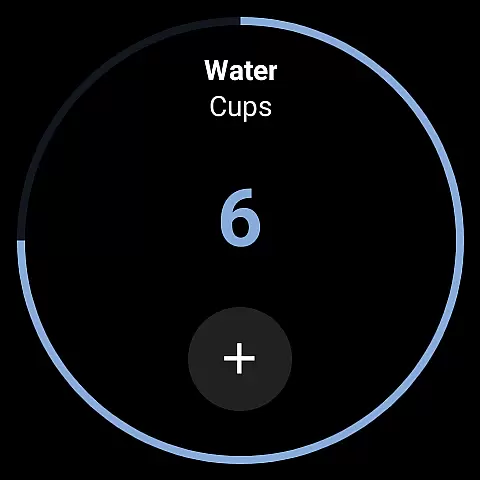
MyFitnessPal stands out in the Android Wear category due to its robust feature set tailored for health-conscious individuals. One of its key features is the extensive food database which allows users to track calories and macros effortlessly. This includes a macro tracker that breaks down carbs, fats, and proteins, eliminating the need for separate apps. Additionally, the water tracker ensures users remain hydrated throughout the day.
The app's fitness tracking capabilities are equally impressive. Users can log workouts and steps using the built-in activity tracker. Progress tracking is simplified with at-a-glance analytics and detailed insights into diet and macros. For those who prefer wearable tech, MyFitnessPal supports Wear OS, enabling users to track nutrients directly on their smartwatches. Furthermore, the app fosters community engagement through active forums where users can find motivation and support.
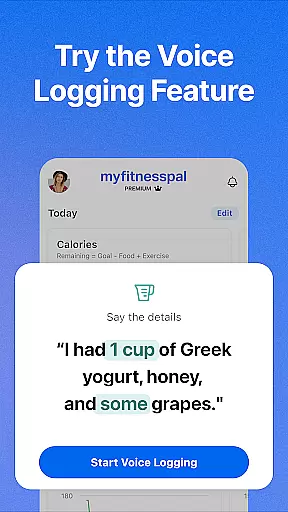
Customization is another strong suit of MyFitnessPal. Users can tailor their health and fitness goals according to personal needs such as weight loss, maintenance, or gain. Personalized dashboards display all relevant stats in one place, making it easier to monitor progress. Integration with over 40 apps and devices enhances functionality, while features like barcode scanning, meal scanning, and voice logging streamline the user experience. These innovations ensure that MyFitnessPal remains a top choice for anyone serious about managing their health and fitness effectively.
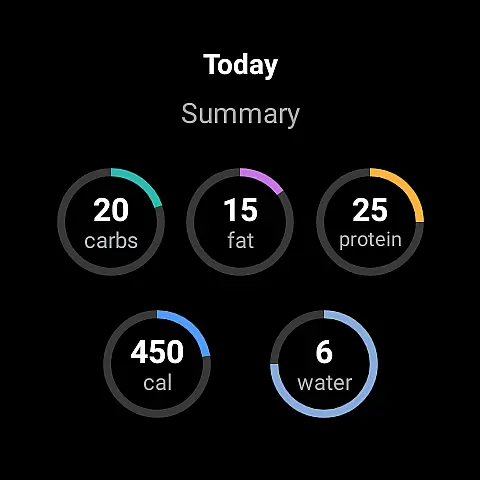
Companion app integration is a crucial feature for wearable devices as it ensures seamless synchronization between the main application and its wearable counterpart. MyFitnessPal excels in this area by offering users the ability to track their calories, macros, and hydration directly from their Wear OS devices.
The integration allows users to add complications to their Wear OS home screen, enabling faster logging of nutrients and providing at-a-glance tracking of different nutritional metrics. This means that whether you're counting steps, logging meals, or monitoring your macro intake, the process is streamlined and accessible right from your wrist.
For users, this translates into convenience and efficiency. You can quickly log meals using voice commands or scan barcodes while on the go, ensuring that your dietary tracking does not miss a beat. The synchronized data provides a comprehensive view of your fitness journey, making it easier to stay committed to your goals.
Ultimately, MyFitnessPal's robust companion app integration empowers users with real-time insights and control over their health metrics, enhancing the overall utility of both the smartphone and wearable versions of the app.
Wear OS and device compatibility are essential for any app designed to work across multiple platforms, including smartphones and smartwatches. MyFitnessPal offers extensive compatibility with Wear OS, ensuring that users can access key features regardless of their device.
This compatibility extends to various functionalities such as step tracking, workout logging, and even detailed nutrient tracking. Users can sync data effortlessly between their mobile devices and Wear OS watches, allowing them to maintain an uninterrupted flow of information about their daily activities and nutritional intake.
By supporting a wide range of devices, MyFitnessPal enhances user accessibility and convenience. Whether you're using a smartwatch during workouts or checking your progress on your phone, the transition between devices is smooth and reliable. This flexibility encourages consistent usage, which is vital for achieving long-term health and fitness objectives.
In summary, MyFitnessPal's commitment to broad Wear OS and device compatibility ensures that users have a cohesive and integrated experience, maximizing the app's potential to support their wellness journeys.
User-friendly interface
Comprehensive food database
Integrated fitness tracking
Personalized meal plans
Active community support
Premium subscription required
Occasional syncing issues
Limited free features
Ads in free version
Complex settings for beginners

A full-featured Amazon Alexa voice assistant that can show you things.
 3.70
3.70
MyNISSAN® lets you remotely control your car from your phone.*
4.50
A heartwarming Christmas scene featuring a cute image of Santa and Rudolf
4.0
Simple Analog-Digital Watchface For Wear OS 3.0 and Up Smartwatches
4.0
Digital watch face. For Wear OS devices.
4.40
The #1 source of faces for your smartwatch!
4.00
Reliable phone calls with spam protection, caller ID and more helpful features
4.40
The Chevron App allows you to pay for fuel from the comfort of your car!
4.80
Daily Weather forecast with 15 weather images for Day & Night plus Big Bold time
4.10
Real-time weather radar with temperatures, warnings, hurricanes, and widgets
4.80
Diet tracker for weight loss - track calories, food and macros. Simple and easy!
4.70
Hybrid watch face for Wear OS with customizable complications by Matteo Dini MD
4.70
Christmas watch face. For Wear OS devices.
4.30
Bold, Modern Hybrid Watch Face for Wear OS. 10 Colors, Rich Info Display.
4.30
Snowflake Rose Gold Watch Face - Digital, modern, & sleek with GYRO effect.
4.10
A digital watch face that celebrates Christmas.
4.00
Wear Os Watch Face - Animated Snow - Sesonal for Christmas & Winter
4.5
A watch face that fuses motorsport precision with contemporary smartwatch design
4.2
Stunning modern digital watch face with 7 complications and strong contrast
4.3


User Reviews