
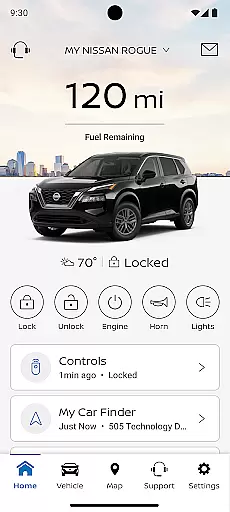
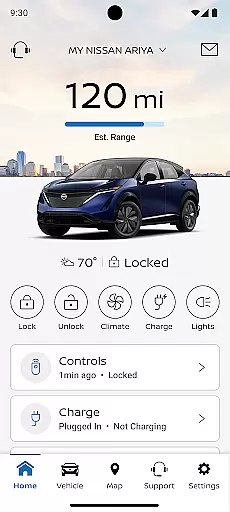
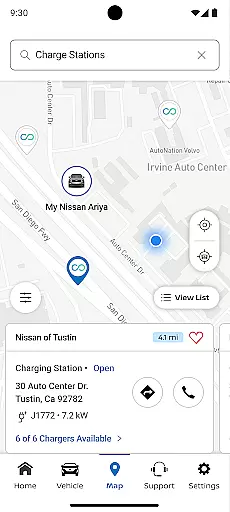
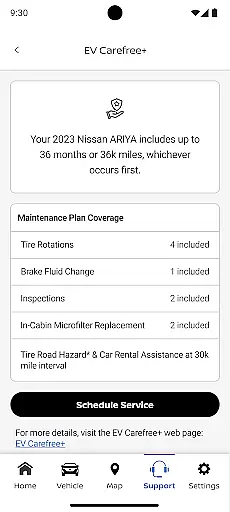
The MyNISSAN App is a comprehensive vehicle management solution designed to enhance the ownership experience for Nissan drivers. This application brings essential features such as remote access, security controls, personalization options, and maintenance tracking directly to compatible Android devices and Wear OS smartwatches.
While all Nissan owners can benefit from core functionalities like service scheduling and recall notifications, users with model year 2014 and newer vehicles enjoy an optimized experience. Those with 2018 and newer models featuring an active NissanConnect® Services Premium package gain access to advanced capabilities including remote start, boundary alerts, and real-time vehicle status monitoring.
This app particularly shines in its ability to integrate vehicle control with daily life, allowing owners to manage their vehicles remotely while on the go. The inclusion of Google built-in features for select trims adds extra convenience through climate adjustment and maintenance alerts, making it an indispensable tool for modern Nissan owners seeking to maximize their driving experience.
The MyNISSAN App distinguishes itself through a robust set of features catering to various aspects of vehicle ownership. At its core, the application provides essential tools for account management, service scheduling, and recall notifications, ensuring owners stay informed about their vehicle's maintenance needs.
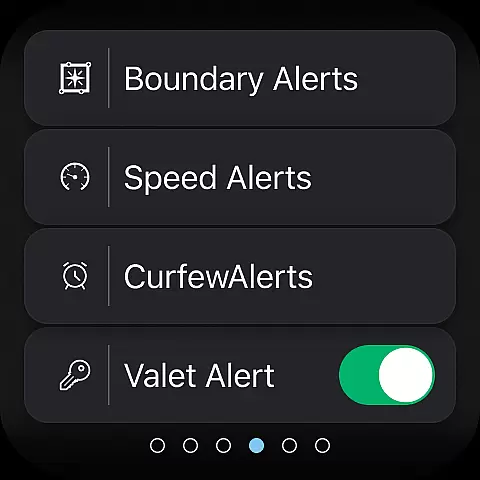
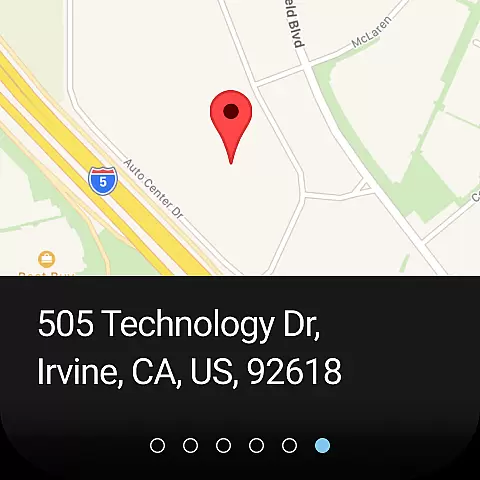
For compatible vehicles, the app expands its capabilities significantly. Users can remotely control their vehicle's climate, engine, doors, and even receive security alerts. The integration of location services and customizable alerts for speed, boundaries, and curfews demonstrates the app's commitment to both convenience and safety. These features are particularly valuable for fleet managers or parents monitoring young drivers.
What sets MyNISSAN apart is its seamless integration with Google services in supported vehicles. This includes advanced route planning, real-time repair shop communication, and multi-driver account management. The app's ability to provide detailed vehicle diagnostics - from tire pressure to oil levels - showcases its technical sophistication, while the remote locking and unlocking feature offers practical peace of mind for everyday use.
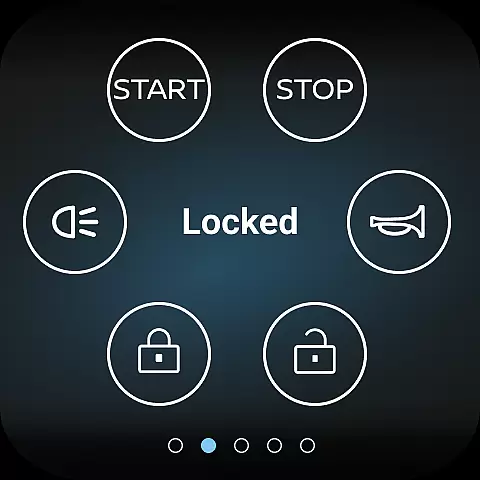
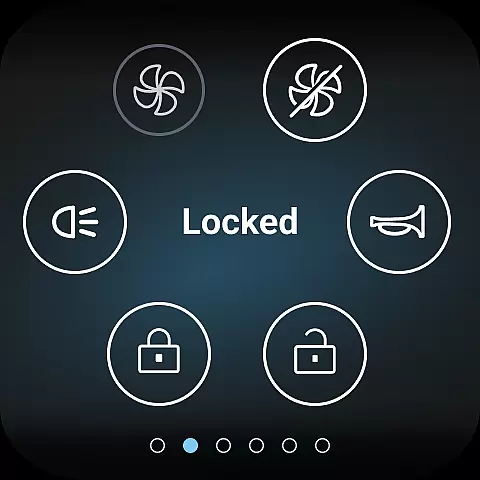
Companion app integration is essential for users who want seamless connectivity between their Nissan vehicle and Android devices. The MyNISSAN App excels in this area by offering a comprehensive suite of features that sync directly with your car. This includes remote access functionalities such as starting or stopping the engine, locking and unlocking doors, and even activating the horn and lights from your smartphone.
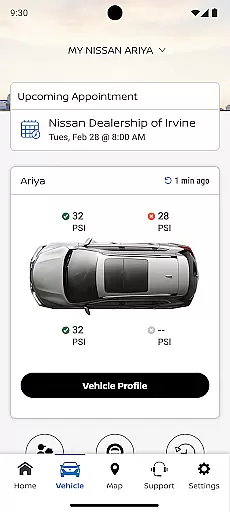
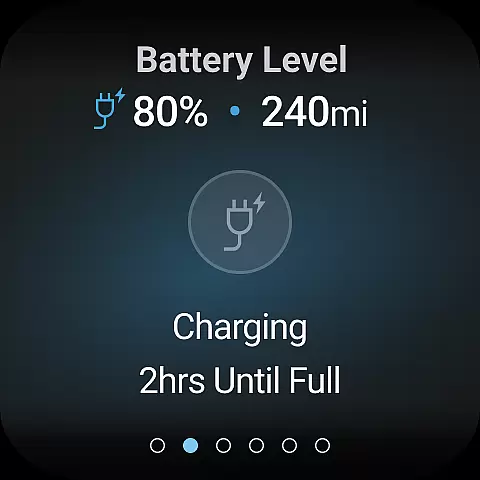
The app also allows you to search for points of interest and send them directly to your vehicle's navigation system. This ensures that whether you're planning a road trip or heading to a new destination, your vehicle is always updated with the latest routes and locations. Additionally, the app provides real-time vehicle status updates, including mileage, remaining fuel range, tire pressure, and more, ensuring that you are always informed about your vehicle's condition.
For vehicles equipped with Google built-in features, the app offers enhanced accessibility options like remote climate adjustment and engine start. These features not only add convenience but also enhance comfort by allowing you to adjust settings before you even enter the vehicle. With these integrations, the MyNISSAN App ensures that your driving experience is both connected and personalized.
Wear OS/device compatibility is crucial for users who want to extend the functionality of their Nissan vehicle to their smartwatches. The MyNISSAN App supports Wear OS, enabling users to receive important notifications and control certain vehicle functions directly from their wrist. This includes alerts for unlocked doors, cracked windows, and other critical vehicle statuses, ensuring that you are always aware of your vehicle's security.
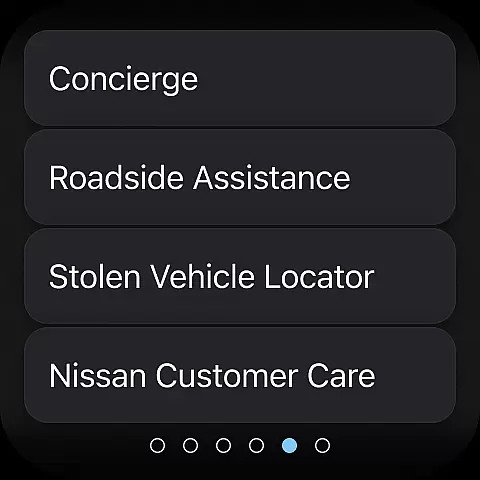
In addition to security alerts, the app provides convenient access to roadside assistance and maintenance reminders. By receiving these notifications on your Wear OS device, you can quickly respond to any issues without needing to pull out your phone. This seamless integration enhances both safety and convenience, making it easier to manage your vehicle on the go.
The MyNISSAN App also simplifies trip planning by offering data-based route suggestions and real-time updates from your automotive repair shop. These features ensure that you are always prepared for your journey, with optimized routes and timely service notifications. By supporting Wear OS, the app extends its utility beyond smartphones, providing a truly integrated and versatile user experience.
User-friendly interface
Comprehensive vehicle monitoring
Remote control functionality
Google services integration
Multi-driver support
Limited older vehicle support
Subscription fees apply
Network dependency issues
Feature availability varies
Device compatibility restrictions

"PER27 Galaxy Digital" is a digital Wear OS watch face designed by PERSONA
 4.10
4.10
Gym Log & Workout Tracker | Fitness Journal, Training & Weight Lifting Planner
4.90
Diet tracker for weight loss - track calories, food and macros. Simple and easy!
4.70
A watch face that fuses motorsport precision with contemporary smartwatch design
4.4
Artistic Digital Watchface
4.4
Watch face for Wear OS.
4.20
Structured watch face with seven complications and modular UI elements
3.90
Gym & home workout plans with strength training, exercise tracking, HIIT & more.
4.60
Fast and smart typing with Emojis, GIFs, and more
4.50
Beautiful, colorful and practical watch face. For Wear OS devices.
5.00
Hyperlocal rain alerts by MyRadar using patent-pending technology, radar & more
4.80
A modern premium sporty hybrid watch face for Wear OS by Ballozi
4.70
The most customizable hybrid watch face. For Wear OS 5.0, API 34+ and later
4.70
Monitor health with the stress test and pulse checker in the heart rate app.
4.60
Stylish, Energizing and Modern Watch Face crafted by Dominus Mathias.
4.50
Digital watch face with big numbers and many customization for Wear OS devices
4.40
Christmas watch face. For Wear OS devices.
4.30
Watch face designed for Thanksgiving Day. 7 Background Styles included.
3.20
an Analog Watch Face for winter season with freeze winter background for Wear OS
4.3


User Reviews