
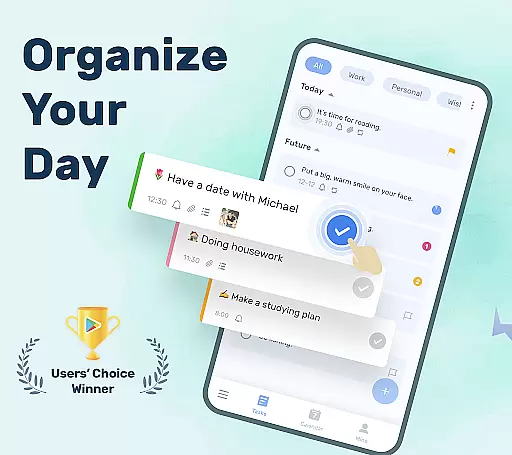
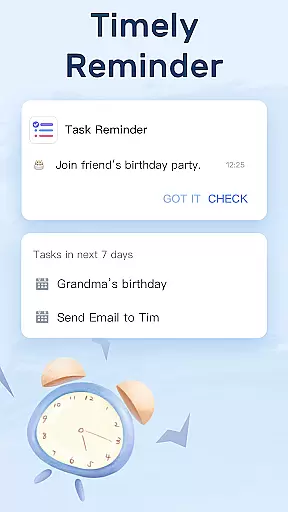
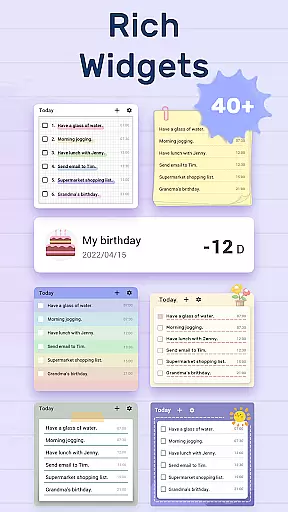
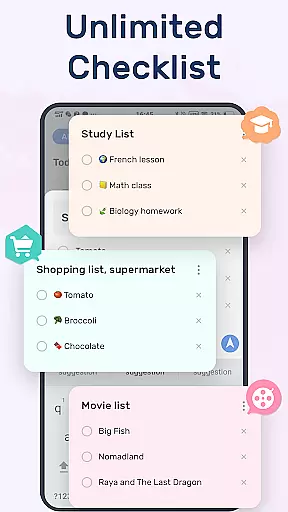
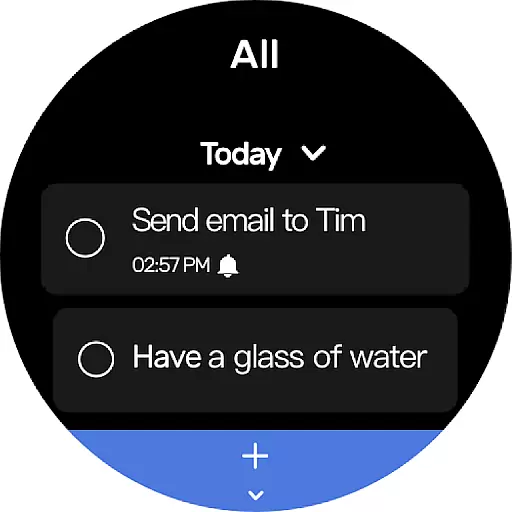
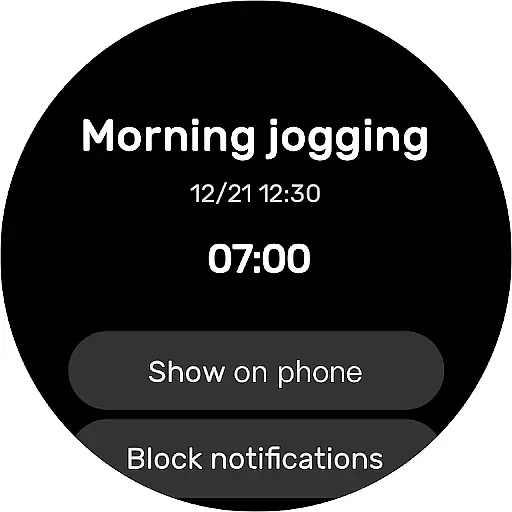
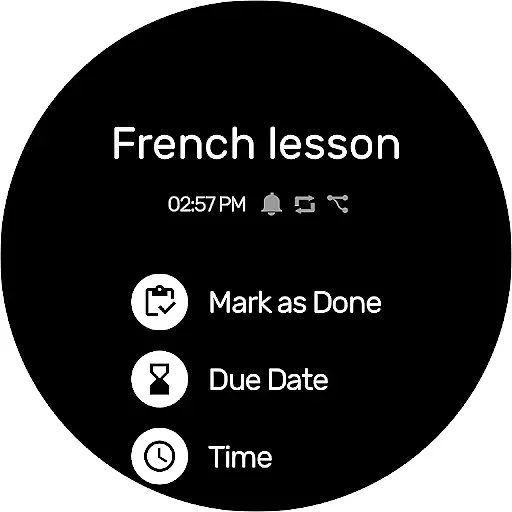
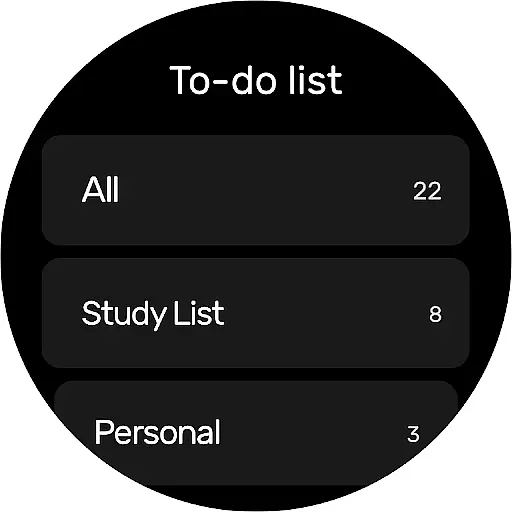
To-Do List is a comprehensive task management app designed for Android Wear, helping users organize their personal and professional lives efficiently. This free app allows you to create multiple task lists, set reminders with alarms, and categorize tasks effectively.
With features like calendar view, cloud sync, and daily widgets, the app ensures that you never miss an important deadline or event. Whether it's managing work projects, planning travel itineraries, or remembering special occasions, To-Do List provides all the tools necessary to keep your schedule in check.
The app's user-friendly interface and customizable themes make task management not only efficient but also enjoyable. Its ability to sync across devices via Google Drive means your data is always safe and accessible wherever you go.
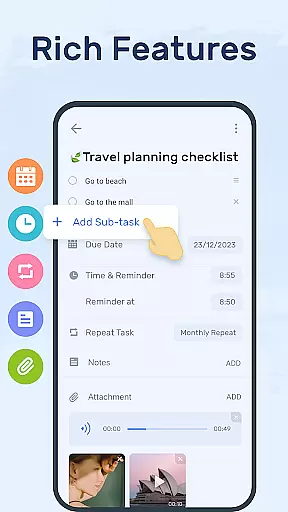
To-Do List offers a robust set of features tailored for productivity enthusiasts. The app supports creating multiple task lists with just two steps, allowing quick setup and organization. Users can choose from various theme colors to personalize their experience, making task tracking visually appealing.
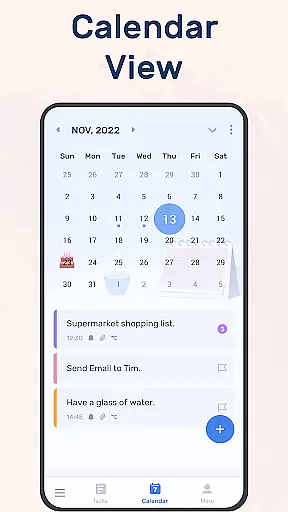
A standout feature is the ability to set reminders with alarms for crucial tasks, ensuring you never overlook important deadlines. The app also supports recurring reminders, simplifying the management of routine tasks. Additionally, the calendar view provides a broader perspective on your schedule, displaying daily, weekly, and monthly planners.
For those who value accessibility, To-Do List includes Wear OS support and desktop widgets for quick access. These widgets allow users to mark tasks as complete directly from their home screen, streamlining the task management process even further.
Companion app integration is essential for Android Wear applications as it ensures seamless synchronization between the wearable and mobile device. To-Do List - Schedule Planner & To Do List Task Manager offers a robust companion app that allows users to manage their tasks efficiently across devices.
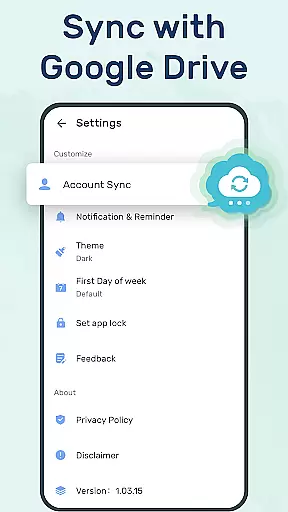
This application provides users with the ability to sync their to-do lists or daily schedule planners to the cloud via Google Drive, ensuring that all information is up-to-date on both the smartphone and wearable devices. This means whether you're at home or on the go, your schedules are accessible wherever you are.
Checking things to do, tracking daily planners, or receiving task reminders can be effortlessly done on different devices. The support for Wear OS watches guarantees that users have access to their important notifications and reminders right from their wrists, making multitasking more convenient than ever.
The companion app's design focuses on user experience by providing features such as adding a to-do list widget to the phoneu2019s desktop for quick access. With this integration, marking tasks as complete becomes a breeze, enhancing productivity without being tied down to a single device.
Wear OS/device compatibility is a critical aspect of any Android Wear application, ensuring that the software functions correctly across various smartwatch models. To-Do List - Schedule Planner & To Do List Task Manager excels in this area by offering broad compatibility with Wear OS-powered devices.
Users of the To-Do List app can expect a consistent experience when using the application on their Wear OS watches. The app has been optimized to work smoothly within the constraints of a smartwatch interface, allowing for easy navigation and interaction with daily planners and reminders directly from the wrist.
With its intuitive design tailored for smaller screens, setting daily to-do list reminders with alarms becomes straightforward, ensuring users never miss important tasks. Moreover, the app supports managing to-do lists and daily schedule planners even in a Night dark theme, which is easier on the eyes during nighttime use.
By focusing on compatibility and optimization for Wear OS, To-Do List ensures that whether you're checking your agenda or getting reminded of an upcoming event, the experience remains fluid and reliable across all supported devices.
User-friendly interface
Customizable themes
Cloud sync via Google Drive
Recurring task reminders
Wear OS compatibility
Limited advanced features
No built-in analytics
Basic free version
Occasional sync issues
Fewer integrations

Gym Log & Workout Tracker | Fitness Journal, Training & Weight Lifting Planner
 4.90
4.90
A Wintery Snow Globe on Your Wrist; now celebrating Christmas!
4.1
A full-featured Amazon Alexa voice assistant that can show you things.
3.70
Beautiful, colorful and practical watch face. For Wear OS devices.
5.00
3 Complications. All shadow on/off. 30 Themes color palette...
4.5
Find EV charging stations
4.30
Professional weather radar and more
3.90
Retro digital watch face with customizable colors and a unique lighting effect
4.60
Control your Samsung Smart TVs, appliances, and SmartThings-compatible devices
4.60
The Chevron App allows you to pay for fuel from the comfort of your car!
4.80
Be an elegant and classy secret agent, with this carefully detailed watch face
4.70
Walking app for weight loss: walk & step tracker, pedometer, indoor treadmill
4.60
Simple, helpful messaging by Google
4.60
MyNISSAN® lets you remotely control your car from your phone.*
4.50
Connect to your Bluelink equipped Hyundai vehicle from your smartphone.
4.50
Christmas watch face. For Wear OS devices.
4.30
Snowflake Rose Gold Watch Face - Digital, modern, & sleek with GYRO effect.
4.10
Wear Os Watch Face - Animated Snow Effect & Magic Spark - 6 Scenes
4.10
Fitness interactive virtual pet super fighter boy watch face
4.2


User Reviews