
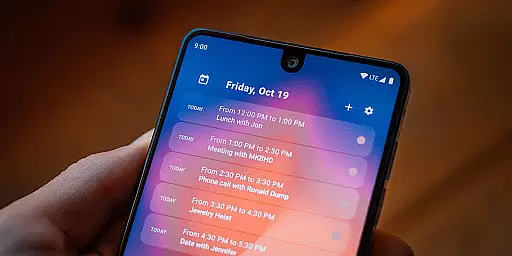
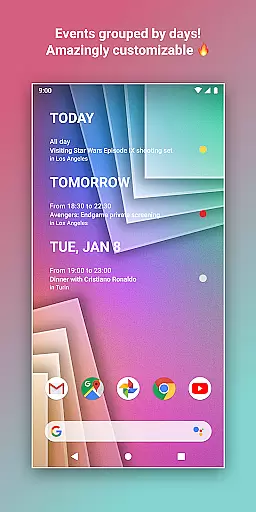
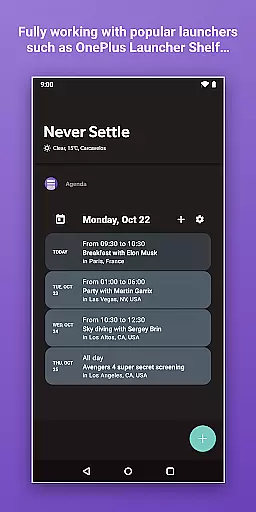
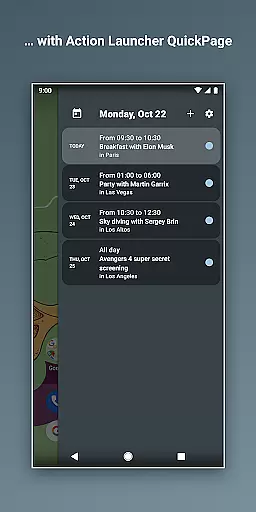
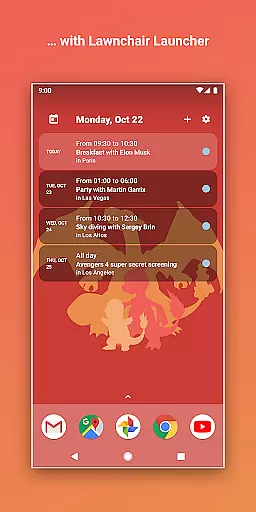
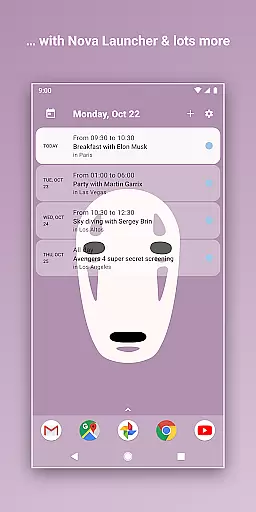
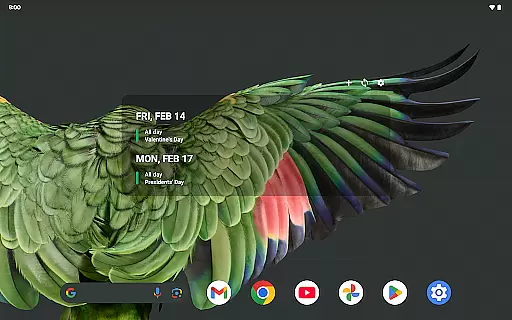
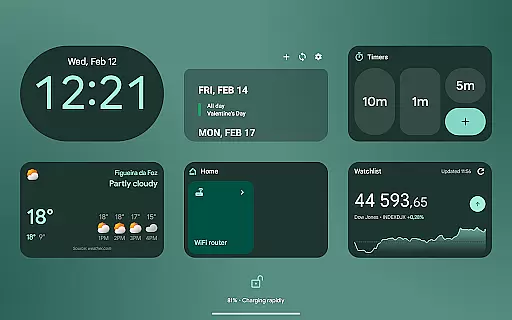
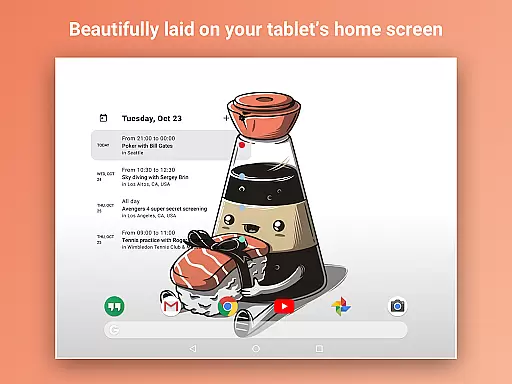
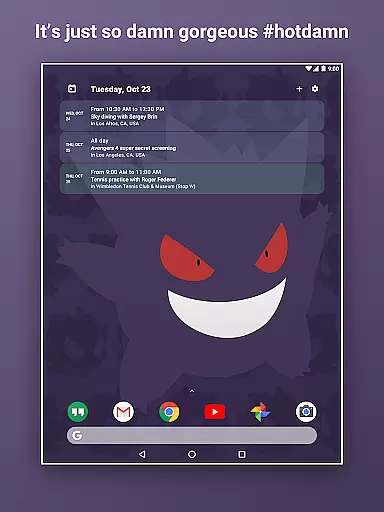
Home Agenda is a versatile productivity tool designed to streamline your daily planning and organization. This customizable calendar widget, agenda, and planner for Android offers seamless integration with popular calendar services like Google Calendar and Outlook. With its instant sync capabilities, users can effortlessly manage their events and stay on top of their schedules.
The app stands out with its custom design options, allowing users to personalize widget sizes and themes to match their preferences. Its easy-to-use interface enables quick viewing, adding, and editing of events, making daily planning more efficient. Additionally, Home Agenda is optimized for performance, ensuring minimal battery impact while providing real-time notifications to keep users updated.
Whether you need a functional planner or a visually appealing home screen widget, Home Agenda adapts to your needs without compromising privacy. The app operates 100% locally, ensuring that your data remains private and secure.
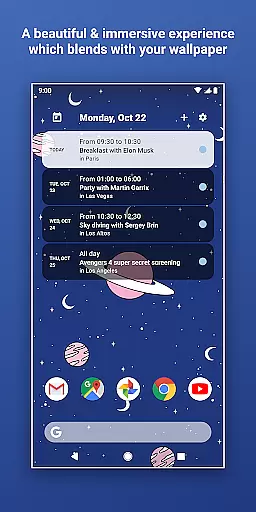
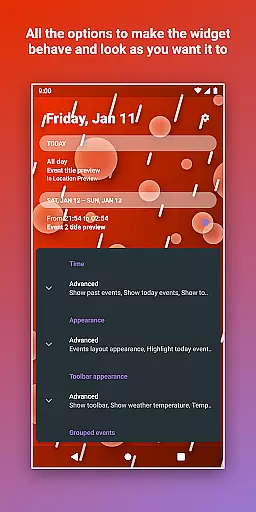
Home Agenda offers an impressive array of features that enhance productivity and personalization. One of its key strengths is the custom design functionality, which allows users to create unique themes and adjust widget sizes to fit their home screen perfectly. This level of customization ensures that each user's experience is tailored to their specific aesthetic and functional requirements.
The app's instant sync feature connects seamlessly with multiple calendar services, including Google Calendar and Outlook. This integration enables users to automatically sync their events across platforms, ensuring that all important dates and appointments are always up to date. The easy planning capability allows for quick addition and modification of events, streamlining the scheduling process.
Another notable feature is the app's optimization for performance. Home Agenda is designed to have low battery impact, making it suitable for daily use without draining device resources. Furthermore, the app provides real-time notifications, keeping users informed about upcoming events and deadlines. These features collectively contribute to a more organized and efficient planning experience.
Home Agenda excels in core task management by offering a seamless experience for organizing your daily schedule. The app allows users to effortlessly sync events from multiple calendar services, including Google Calendar and Outlook.
With instant access to your events, the app ensures that you can quickly view, add, and edit tasks as needed. This functionality is crucial for maintaining an organized lifestyle and staying on top of your commitments.
The customizable widget sizes and themes enable users to tailor the interface to their preferences, making task management not only efficient but also visually appealing. This personalization enhances user engagement and productivity.
By providing real-time notifications and hassle-free integration with favorite calendars, Home Agenda ensures that users never miss an important event. This reliability helps users maintain control over their schedules while optimizing their daily routines.
Cross-device synchronization is a standout feature of Home Agenda, ensuring that your data remains consistent across all your devices. By connecting with popular calendar services like Google Calendar and Outlook, the app provides reliable and automatic updates.
This synchronization process is optimized for performance, minimizing battery impact while maximizing efficiency. Users can trust that their events and tasks will be up-to-date, regardless of the device they use to access the app.
Home Agenda's commitment to privacy further enhances its synchronization capabilities. Since the app operates 100% locally without tracking user data or showing ads, you can be confident that your information remains secure and private.
With real-time notifications and a clean, modern interface, Home Agenda transforms your home screen into a dynamic planning hub. This ensures that you stay informed and organized, no matter where you are or which device you're using.
User-friendly interface
Highly customizable
Instant synchronization
Privacy-focused design
Optimized performance
Limited reminder support
No public API access
Premium features locked
Occasional sync delays
Design complexity

A Revolutionary All-in-One Artificial Intelligence Tools
 3.80
3.80
A customizable calendar for your Wear OS watch
4.20
The Pro Version of Android's tiniest Notepad app. Just 0.3MB but feature-packed!
4.60
aCalendar+ makes your day, week and month
4.70
CalenGoo is a very flexible and feature-rich calendar app
4.40
Tally and goal counter for Wear OS & mobile
4.50
* block pre-roll ads, pop-up and forced redirect ads * Samsung certification app
4.00
Best Tool for the professionals Electrician, Electrical contractors, etc.
4.90
Intelligent AI Assistant
4.10
Calendar 2023 widget for Android. Appointment scheduler, planner, and reminder
4.60
Docker, Kubernetes management over Portainer Mobile
4.40
A Pixel Art watchface inspired by other iconic 90s designs for Wear OS devices!
4.40
Enjoy classic gameplay with customizable features and retro-style graphics.
4.30
Access, manage and transfer files on Android, PC, Mac, NAS and cloud storages.
4.30
Easily read and manage all your PDF files
4.10
Todo reminder
4.10
Unlock AutoNotification
4.00
Ultimate Virtual AI Character for immersive Roleplay Chat. Perfect Companion
3.90
Easiest event planning, volunteer signups & parent teacher conference scheduling
2.20


User Reviews