

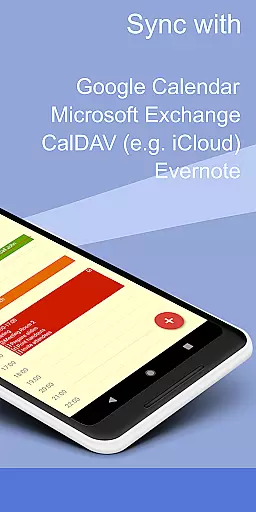
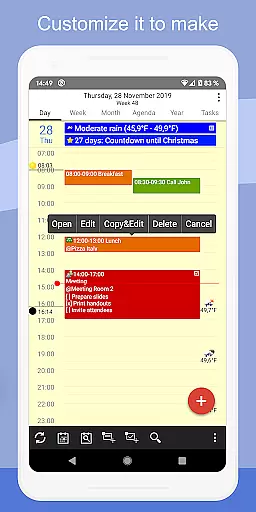
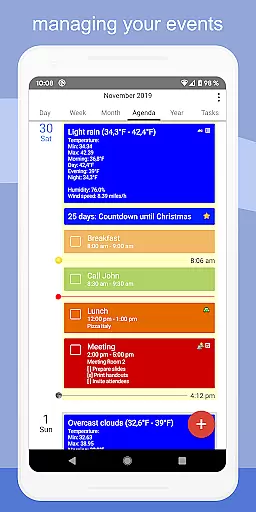
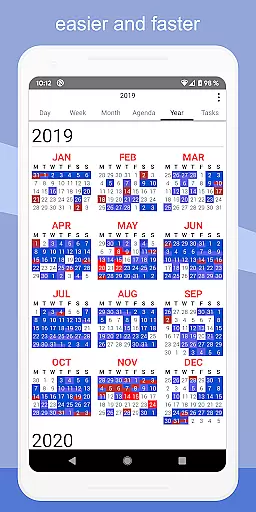
CalenGoo is a comprehensive productivity app designed to help users efficiently manage their events and tasks. With seamless integration capabilities, it syncs with multiple calendar services such as Google Calendar, Exchange, CalDAV, and iCloud, ensuring all your past and future events are organized in one place. The app offers extensive customization options, allowing users to tailor the interface and functionality to suit their preferences.
One of the standout features of CalenGoo is its ability to attach photos, files, and even Evernote notes to events, enhancing the detail and context of each entry. Additionally, users can benefit from practical tools like weather forecasts, event icons, and various reminder functions. Whether you need day, week, month, agenda, or year views, CalenGoo provides diverse calendar layouts and agenda styles to optimize your scheduling experience.
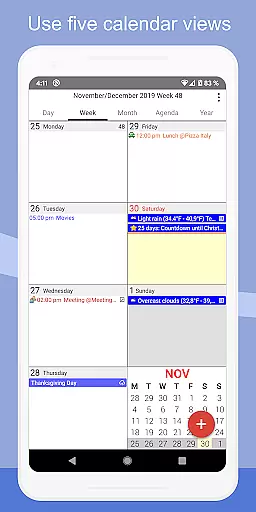
CalenGoo boasts an array of powerful features that cater to both personal and professional productivity needs. The app supports five types of calendar views including day, week, month, agenda, and year, along with four distinct styles of agenda views. This flexibility allows users to visualize their schedules in the most convenient way possible. Moreover, the drag-and-drop functionality simplifies the process of moving or copying events across different time slots.
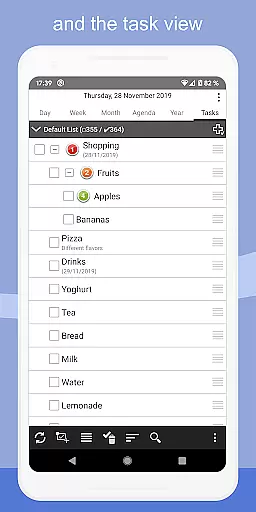
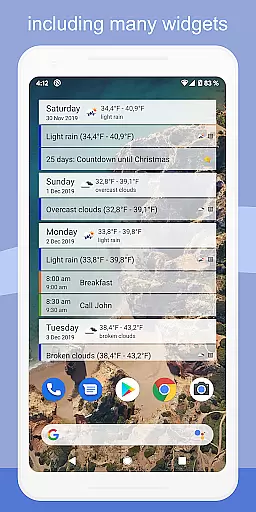
For those who prefer quick access to their schedules, CalenGoo offers multiple widgets such as day, week, month, agenda, year, and task widgets that can be placed directly on the home screen. Users also have the option to categorize events using keywords, which can change the color or icons of events for better organization. With support for Exchange categories, sharing calendars, and advanced reminder functions, CalenGoo ensures that no important event or task is overlooked.
CalenGoo offers a comprehensive suite of tools for managing tasks and events, ensuring users can organize their schedules with precision. The app syncs seamlessly with multiple calendar services such as Google Calendar, Exchange, CalDAV, and iCloud, providing a unified platform for all scheduling needs.
With features like drag-and-drop event management, five distinct calendar views, and four styles of agenda views, users have the flexibility to customize their experience according to personal preferences. Additionally, the ability to attach photos, files, and Evernote notes to events enhances the depth of information that can be managed within each task or appointment.
The inclusion of widgets allows for quick access to daily, weekly, monthly, agenda, and yearly views right from the home screen, keeping important dates always visible. Moreover, the support for Exchange categories and various reminder functions ensures users never miss an important deadline or meeting.
One of CalenGoo's standout features is its robust cross-device synchronization capabilities. By integrating directly with Google Calendar, Exchange, CalDAV, and iCloud, it ensures that every change made on one device is reliably reflected across all others. This seamless syncing extends to tasks as well, maintaining consistency in your workflow no matter where you are.
The app also supports sharing calendars with others through Google Calendar, making collaborative work environments more efficient. Users benefit from real-time updates, ensuring everyone involved has access to the most current schedule information at all times.
Furthermore, the availability of a dark theme and light theme, along with numerous configuration options under 'Settings > Display and Use', allows users to tailor the interface for optimal visibility and comfort across different devices and lighting conditions. This attention to detail underscores CalenGoou2019s commitment to delivering a dependable and user-friendly synchronization experience.
User-friendly interface
Extensive customization options
Seamless multi-platform syncing
Versatile calendar views
Comprehensive reminder system
Paid application
Complex setup for beginners
Limited free trial period
Occasional sync issues
Requires stable internet connection

Take control of your clipboard with Clipper!
 3.90
3.90
Native client for Forgejo and Gitea
5.00
Total remote control for your Android device, PC and cloud services (IFTTT)!
4.20
Android Wallet Password Manager
4.80
Easiest event planning, volunteer signups & parent teacher conference scheduling
2.20
Find and delete junk files & block unwanted notifications & manage files
3.70
Calendar 2023 widget for Android. Appointment scheduler, planner, and reminder
4.60
Experience and share your SolidWorks designs on your Android® phone and tablet.
2.50
AT&T Internet customers can use this app to personalize their Wi-Fi network.
4.40
Best Tool for the professionals Electrician, Electrical contractors, etc.
4.90
Functional QR scanner and barcode reader that requires little storage space.
4.60
Client for Nextcloud Deck
4.60
AI Chatbot and AI writing assistant powered by ChatGPT.
4.60
Professional calendar app for Google Calendar, MS Outlook & Exchange
4.20
All in One PDF Reader: Manage, Read and Edit your Documents
4.20
Customizable calendar widget for seamless event sync, planning & scheduling.
4.00
⏰ Finally a timer app which can run multiple timers simultaneously on your watch
3.90
Ultimate Virtual AI Character for immersive Roleplay Chat. Perfect Companion
3.90
Simple and reliable communication between inmates, friends and family
3.20


User Reviews