

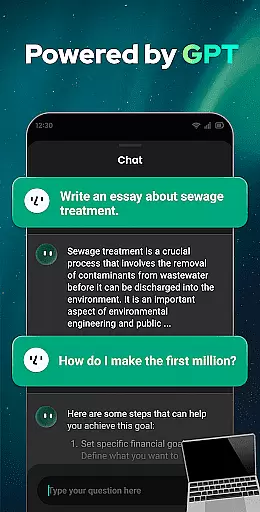


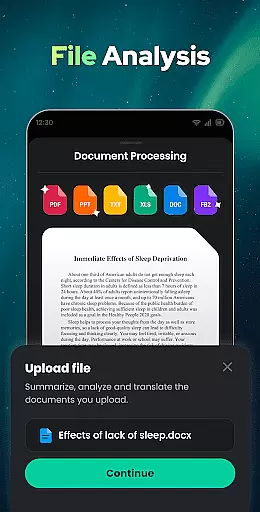

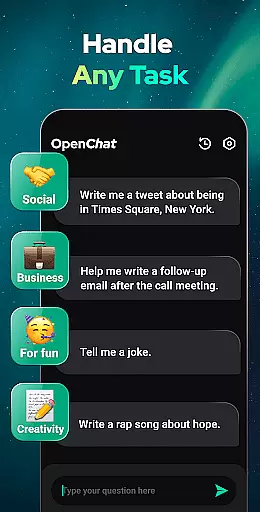
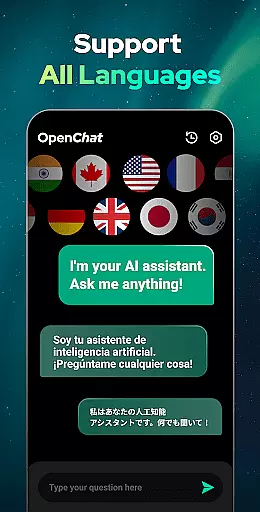
Open Chat is a cutting-edge AI chatbot application designed to revolutionize the way users interact with artificial intelligence. Powered by the latest ChatGPT technology, this app offers human-like text responses and versatile writing assistance in any language. Whether you need help with essays, stories, or professional content, Open Chat delivers accurate and creative results.
The app's core strength lies in its ability to handle continuous dialogue while remembering chat history, making interactions feel natural and fluid. With features like night mode, grammar checking, and multilingual support, it serves as a reliable AI partner for both personal and professional use. Users can seamlessly translate text, practice languages, or seek creative inspiration through conversational AI.
Open Chat is particularly valuable for professionals, students, and creatives who require efficient communication tools. Its ability to assist with tasks ranging from travel planning to role-playing scenarios ensures that users have a personalized and adaptable assistant at their fingertips.
Open Chat stands out with its robust feature set tailored for productivity and seamless user experiences. One of its key highlights is the integration of GPT-4 technology, enabling the app to provide instant, accurate, and context-aware responses across various topics such as social issues, health advice, work-related queries, and entertainment recommendations.
In addition to answering questions, Open Chat excels as an AI writing assistant capable of crafting essays, lyrics, stories, and more. The inclusion of advanced grammar-checking capabilities ensures error-free outputs, while continuous dialogue functionality allows users to pick up conversations where they left off. This creates a personalized interaction experience that improves over time based on user preferences.
Another standout feature is multilingual support, which empowers global users to communicate in their preferred language. Combined with chat history storage and night mode for comfortable usage, Open Chat provides a comprehensive suite of tools designed to enhance efficiency and creativity in everyday tasks.
Effective task management is essential for productivity applications, serving as the backbone for organizing and executing tasks efficiently. Open Chat excels in this area by offering users a versatile platform to manage various types of tasks.
The app leverages advanced AI technology powered by ChatGPT to assist with task creation, planning, and execution. Whether it's drafting essays, creating social media content, or organizing personal schedules, Open Chat provides comprehensive support.
Users benefit from continuous dialogue features that allow seamless interaction with the AI, ensuring that tasks can be updated, modified, or completed with contextual understanding over time. This creates a personalized and adaptive task management experience.
By integrating multilingual support and maintaining chat history, Open Chat ensures that users can manage tasks across different languages and review past interactions for better continuity and efficiency in their workflow.
Cross-device synchronization is crucial for users who operate across multiple devices and need consistent access to their data and tasks. Open Chat addresses this need by providing reliable synchronization capabilities.
The application ensures that all user interactions, including chat histories and task updates, are synchronized in real-time across devices. This means whether you're switching from a phone to a tablet or a computer, your data remains up-to-date and accessible.
Open Chat employs robust cloud-based infrastructure to maintain synchronization integrity. This guarantees that users experience minimal latency and high reliability when accessing their information on any device.
With features like night mode and an elegant UI, Open Chat not only synchronizes data but also ensures a consistent and comfortable user experience across devices, enhancing overall productivity.
User-friendly interface
Multilingual support
Continuous dialogue memory
Advanced grammar checker
Versatile writing assistant
Limited offline functionality
Dependent on internet connection
Premium features may require payment
Occasional response delays
Not affiliated with OpenAI

A customizable calendar for your Wear OS watch
 4.20
4.20
Native client for Forgejo and Gitea
5.00
Professional calendar app for Google Calendar, MS Outlook & Exchange
4.20
Translate text/voice/photos in 150+ languages. Offline & fast translator app.
4.50
Best Tool for the professionals Electrician, Electrical contractors, etc.
4.90
Intelligent AI Assistant
4.10
Lightweight PDF, Word, Excel reader.
4.60
2026 USPS Alpha/Color coded calendar Sunday/Rotating day off schedules
4.3
Discover Acode - a sleek, powerful IDE and code editor for Android.
4.30
Understand anything with a personalized AI research assistant
4.80
QuickBooks Workforce lets teams view pay info and track time in one place.
4.70
Functional QR scanner and barcode reader that requires little storage space.
4.60
A lightweight JSON & XML files creator, editor and viewer (Premium Version)
4.40
Access, manage and transfer files on Android, PC, Mac, NAS and cloud storages.
4.30
Easily read and manage all your PDF files
4.10
Activate Two Factor Authentication (2FA or Multi OTP), Password manager and more
4.10
Access your phone's notifications, calls, apps, photos & texts on your PC
3.90
Find and delete junk files & block unwanted notifications & manage files
3.70
Make your handwriting beautiful, even more than pen on paper.
3.60


User Reviews