
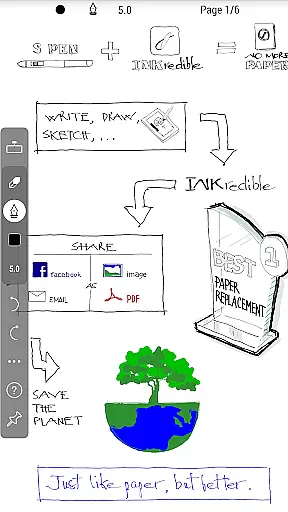
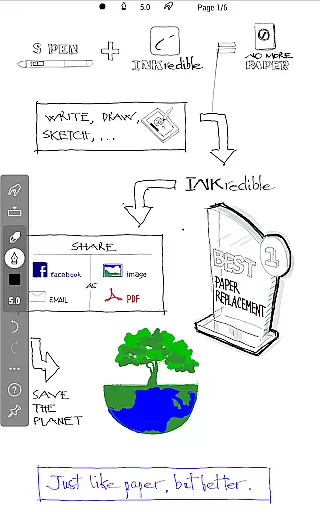
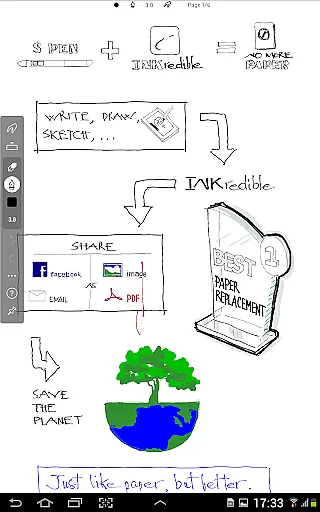
INKredible PRO is a premium productivity app designed to deliver an exceptional writing experience on tablets. Priced at $9, it includes all in-app purchase features of the standard INKredible version along with free future updates. The app inherits the best inking technology from the popular Notes Plus app and introduces automatic palm and wrist rejection, making digital writing feel as natural as using pen and paper. Whether you're taking notes, sketching, or drafting documents, INKredible PRO ensures your handwriting looks more beautiful than ever before.
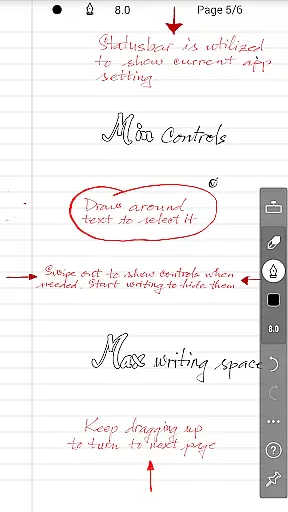
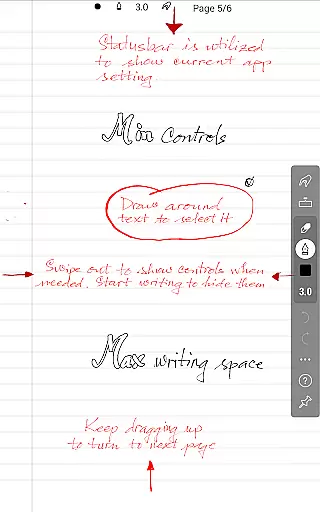
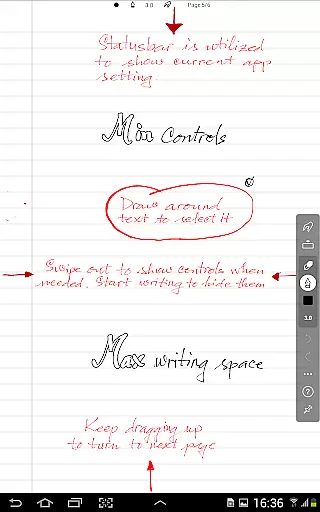
The app's core strength lies in its simplicity and focus on providing a distraction-free environment. Most UI controls are hidden, offering users a clean slate to write on. Additionally, its advanced vector-graphics inking technology manipulates Bezier curves to enhance handwriting aesthetics, ensuring that notes look stunning at any resolution—perfect for both printing and digital display. This makes INKredible PRO an ideal tool for students, professionals, and creatives who demand high-quality digital writing tools.
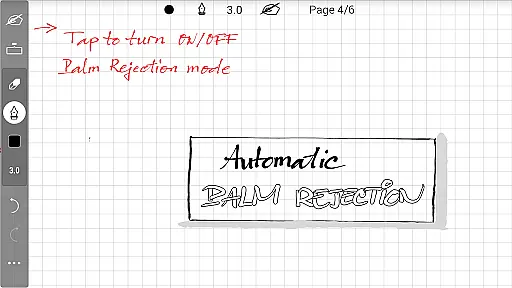
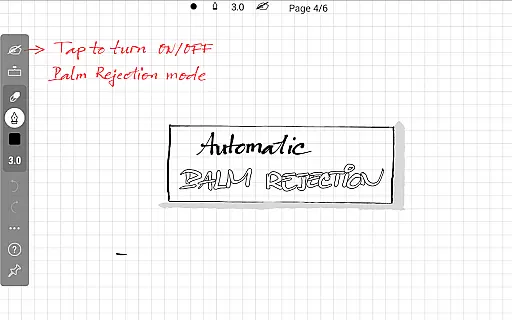
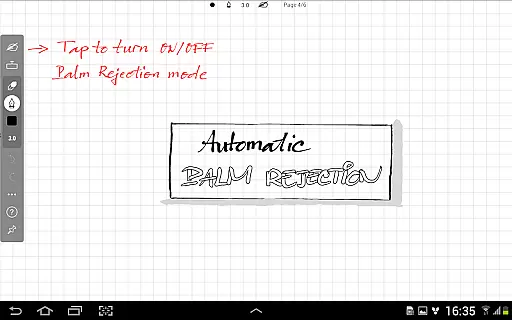
INKredible PRO stands out with its advanced technological features tailored for superior handwriting experiences. One of its key innovations is the automatic palm and wrist rejection, which allows users to rest their hand on the screen without interfering with the writing process—a feature inherited from the acclaimed Notes Plus app. This ensures a seamless and natural writing experience that closely mimics traditional pen-and-paper methods.
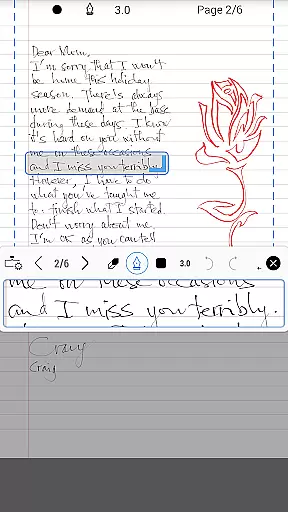
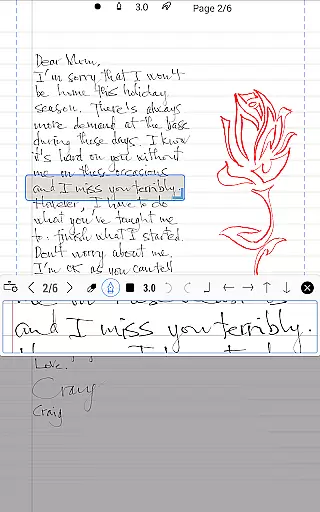
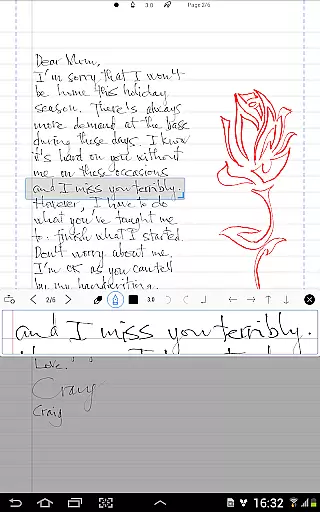
Another highlight is its sophisticated vector-graphics inking technology, developed over three years of R&D. By manipulating Bezier curves, the app enhances the beauty of your handwriting, making it appear more polished than on physical paper. Furthermore, the app supports infinite zoom, allowing users to appreciate the fine details of their writing. These features collectively make INKredible PRO not just a writing app but a powerful productivity tool that caters to various professional and creative needs.
INKredible PRO excels in core task management by focusing on providing an unparalleled writing experience on tablets. The app strips away unnecessary distractions, offering users a clean slate to work on, free from intrusive UI elements. This singular focus ensures that users can concentrate fully on their tasks without any digital noise.
The app's dedication to simplicity is evident in its design philosophy. By removing all extraneous controls and buttons, INKredible PRO creates an environment where the user's thoughts and ideas can flow as smoothly as they would on paper. This minimalist approach not only enhances concentration but also makes the app accessible to users of all tech-savviness levels.
For those who appreciate a seamless workflow, INKredible PRO delivers by allowing users to dive straight into their work. The absence of cluttered interfaces means that task management becomes an intuitive process, akin to picking up a pen and jotting down notes. This straightforward functionality is what makes INKredible PRO a powerful tool for anyone looking to manage their tasks efficiently.
Cross-device synchronization is a critical feature for users managing tasks across multiple devices, and INKredible PRO does not disappoint. While the app's primary allure is its superior writing experience, it also ensures that your valuable content is reliably synced across all your devices. This means you can start a note on your tablet and continue editing it on another device without missing a beat.
Reliability in synchronization is achieved through robust cloud integration, which guarantees that every stroke and edit is preserved and updated in real time. Users can rest assured that their work is safely stored and always up-to-date, regardless of which device they choose to use at any given moment.
Moreover, this reliable cross-device sync capability ensures that whether you're working from home, commuting, or traveling, your notes and documents are always at your fingertips. With INKredible PRO, staying productive has never been easier or more dependable, making it an essential tool for efficient task management on the go.
Superior inking technology
Automatic palm rejection
Beautiful handwriting rendering
Distraction-free interface
Free future updates
Higher price point
Limited additional features
No cross-platform support
Requires premium purchase
Few customization options

AI Video AI Image Private LLM AI Browser Llama Gemma Ollama Connect LLM Studio
 4.1
4.1
All in one sketching tool. Technical and General drawing. Online Maps support.
3.70
The upgraded version of Name Wheel with AI and the power to add your own wheels.
4.1
The Pro Version of Android's tiniest Notepad app. Just 0.3MB but feature-packed!
4.60
⏰ Finally a timer app which can run multiple timers simultaneously on your watch
3.90
Make apps & sites with natural language prompts
4.10
Quickly and easily keep track of your work shifts
4.70
Access your phone's notifications, calls, apps, photos & texts on your PC
3.90
Set up, print, and get support—in one place
4.20
aCalendar+ makes your day, week and month
4.70
AI Chatbot and AI writing assistant powered by ChatGPT.
4.60
A customizable calendar for your Wear OS watch
4.20
Pwnagotchi companion app
4.20
Device's storage information in a simple and clear graphical form (infographics)
4.10
Todo reminder
4.10
Take control of your clipboard with Clipper!
3.90
Smart PDF reader & editor to view, organize and manage PDF documents easily.
3.70
Easiest event planning, volunteer signups & parent teacher conference scheduling
2.20
A comprehensive suite of tools designed specifically for Lactation Consultants
4.3


User Reviews