
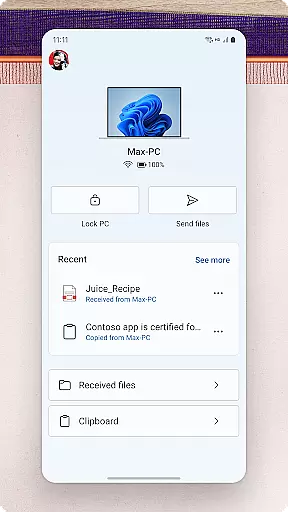
Link to Windows is a productivity-focused application that bridges the gap between your Android phone and Windows PC. This app allows users to seamlessly interact with their mobile device directly from their computer, offering features such as making and receiving calls, managing notifications, and accessing mobile apps. With its integration into select Microsoft Duo, Samsung, and HONOR phones, Link to Windows provides an enhanced experience through exclusive functionalities like cross-device copy and paste, file drag-and-drop, and more.
The app's core value lies in its ability to streamline workflows by enabling users to share photos, text messages, and even app content between devices without the need for manual transfers. Whether you're looking to reply to SMS messages from your desktop or leverage your PC's larger screen and input peripherals to control your phone, Link to Windows delivers a unified ecosystem that maximizes efficiency.
Designed for professionals and everyday users alike, this tool transforms how you interact with your smartphone by bringing its functionality to the more user-friendly interface of a PC. From dragging files across devices to instantly accessing phone photos, Link to Windows ensures that your digital life remains connected no matter which device you're using.
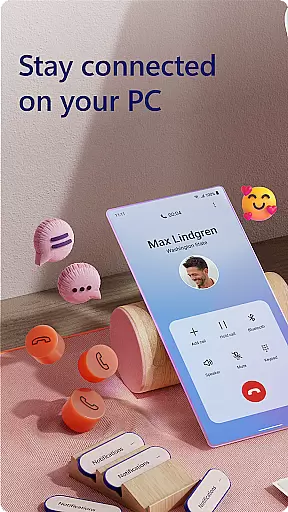
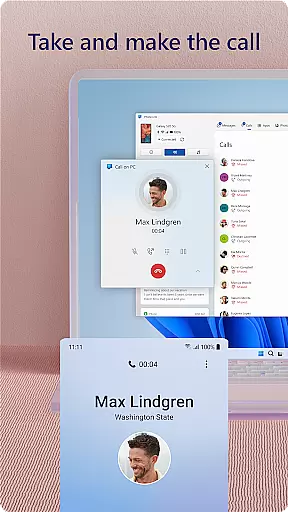
Link to Windows offers a comprehensive suite of features designed to enhance productivity by connecting your Android phone to your Windows PC. One of its standout capabilities is the ability to make and receive calls directly from your computer, provided your PC has Bluetooth capability. This feature eliminates the need to switch between devices constantly, allowing for uninterrupted workflow.
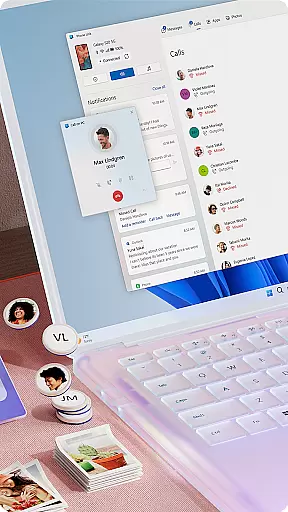
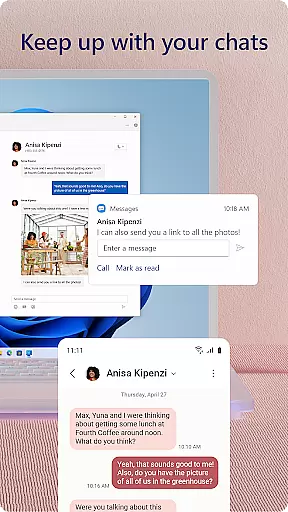
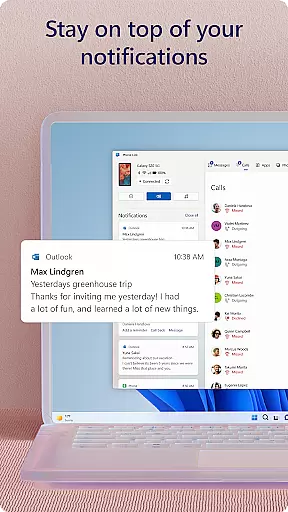
In addition to call management, the app enables users to view and manage Android notifications on their PCs, ensuring they never miss important updates. The integrated experience also supports reading and replying to text messages, dragging and dropping files, and copying-pasting content between devices. For compatible phones, advanced functionalities such as Phone Screen and multiple app views further extend usability.
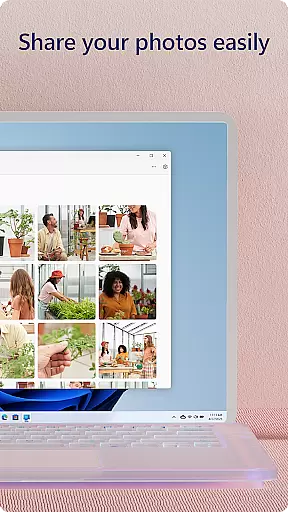
Another key highlight is the seamless photo sharing feature, which lets users transfer images between their phone and PC effortlessly. With support for touch screens, keyboards, and mice, Link to Windows creates a versatile environment where users can operate their mobile device entirely from their PC. These robust features collectively contribute to a highly efficient cross-device ecosystem.
Task management is a cornerstone of productivity applications, and Link to Windows excels in this area by integrating your Android phone's tasks directly into your PC workflow. This seamless connection allows users to handle calls, text messages, and notifications without ever needing to pick up their phone.
The app enables you to make and receive calls from your PC, provided your computer has Bluetooth capability. You can also manage text messages and notifications directly from the larger screen, making multitasking more efficient and reducing the need to switch between devices constantly.
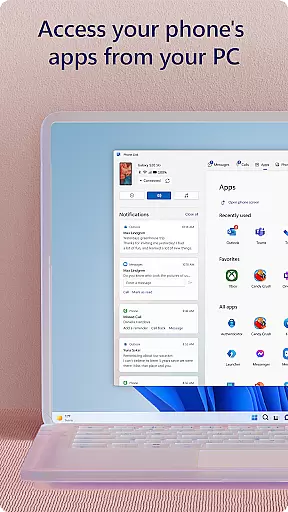
Additionally, Link to Windows supports accessing mobile apps on your PC, allowing for an extended workspace where you can interact with your phone using the PCu2019s bigger screen, keyboard, mouse, and even touch screen if available. This feature significantly enhances productivity by streamlining how you interact with essential phone functions.
By centralizing these functionalities, Link to Windows ensures that users can maintain focus on their primary tasks without unnecessary interruptions, thus optimizing their overall productivity.
Cross-device synchronization is vital for maintaining workflow continuity, and Link to Windows offers reliable performance in this aspect. The app facilitates real-time updates between your Android phone and Windows PC, ensuring that any action taken on one device is accurately reflected on the other.
One standout feature is the ability to drag and drop files between your PC and phone, which requires a compatible Microsoft Duo, Samsung, or HONOR device. This functionality simplifies file management and sharing, eliminating the need for cumbersome emailing or cloud uploads.
Moreover, the copy and paste feature extends across devices, allowing users to transfer content effortlessly. Whether it's text, images, or URLs, this seamless integration ensures that information flows smoothly between platforms, enhancing both convenience and efficiency.
With these robust synchronization capabilities, Link to Windows provides a dependable solution for users seeking to bridge their mobile and desktop environments effectively.
Seamless cross-device integration
Enhanced productivity tools
User-friendly interface
Exclusive features for select devices
Robust accessibility options
Limited to specific devices
Requires Windows 10 or later
Some features need Android 11
Bluetooth dependency for calls
Advanced functions demand high RAM

Secure, fast, open-source, VNC and SSH Remote Desktop for Windows, Linux and Mac
 4.70
4.70
Unlock AutoNotification
4.00
A simple, portable logger for POTA, SOTA, Field Day, and more
4.4
Mind Map and brainstorm, note taking and idea collection
4.80
App Lock with fingerprint, password: Lock apps & hide photos with lock screens
4.60
Stay on top of your to-dos with Google Tasks, part of Google Workspace.
4.60
Cloud storage, automatic phone backup, and more.
4.10
Best Tool for the professionals Electrician, Electrical contractors, etc.
4.90
This small app MUST BE INSTALLED after purchase, else license won't work
4.40
Simple notepad & memo. Take notes, to-do list, shopping list with reminders.
4.80
QuickBooks Workforce lets teams view pay info and track time in one place.
4.70
aCalendar+ makes your day, week and month
4.70
App lock - lock apps with fingerprint, password, pin or pattern, protect privacy
4.70
All document reader, all in one file viewer read PDF, DOCX, XLS, PPT, TXT files.
4.60
AI Chatbot and AI writing assistant powered by ChatGPT.
4.60
Create and edit presentations with Google Slides, part of Google Workspace.
4.00
Secure, open-source, SPICE and SSH Remote Desktop for QEMU KVM virtual machines
4.00
Find and delete junk files & block unwanted notifications & manage files
3.70
Make your handwriting beautiful, even more than pen on paper.
3.60


User Reviews