
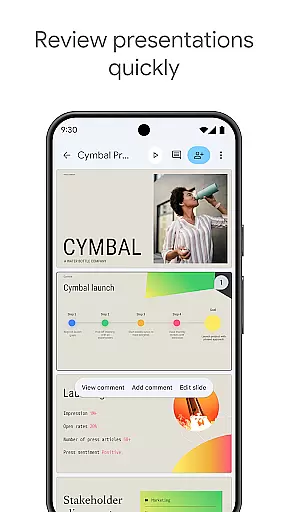
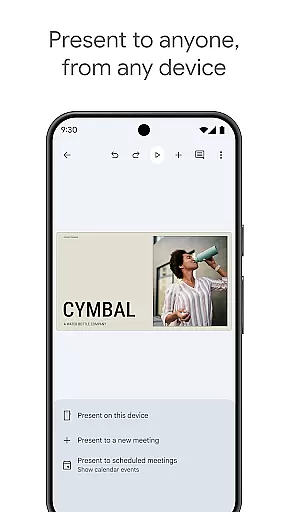
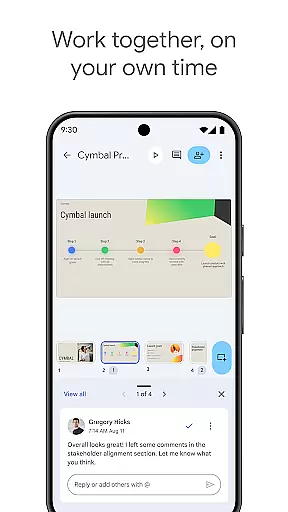
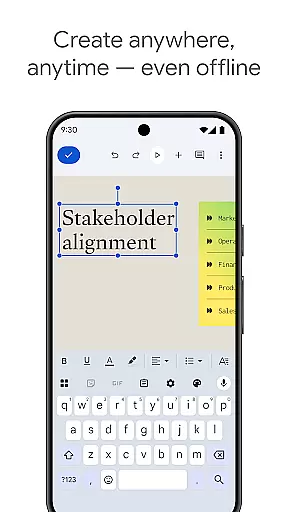
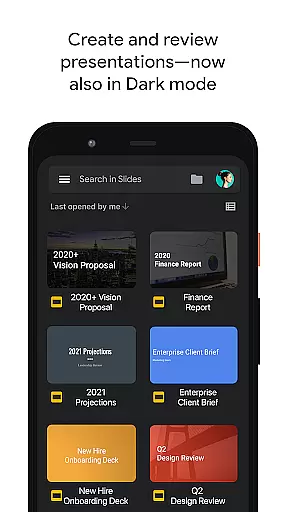
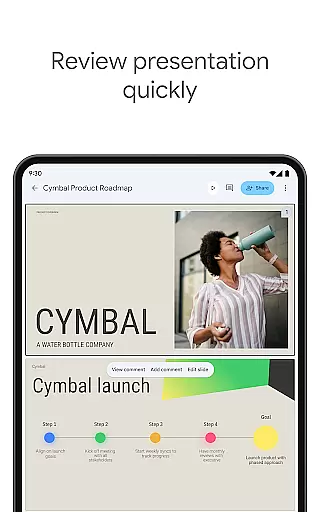
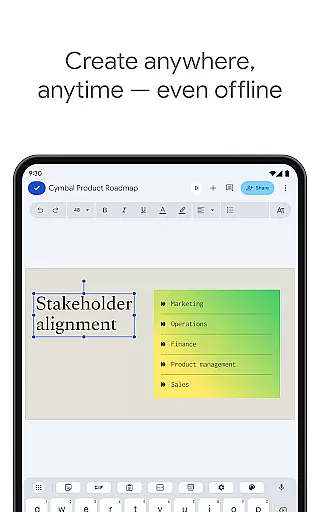
Google Slides is a powerful productivity application that allows users to create, edit, and collaborate on presentations directly from their Android devices. The app offers a comprehensive set of features including real-time collaboration, offline access, and automatic saving. Users can add and respond to comments, format text and shapes, and even present slides directly from their mobile device.
The application is particularly useful for professionals who need to work on presentations while on the go. With smart suggestions for beautiful slides and seamless integration with Google Workspace, it ensures that teams can efficiently collaborate and produce high-quality presentations. Additionally, its compatibility with PowerPoint files makes it versatile for various business needs.
Google Slides stands out with its robust feature set tailored for productivity. It enables real-time collaboration, allowing multiple users to work on the same presentation simultaneously. This is complemented by automatic saving, ensuring that no work is lost. The app also supports offline access, enabling users to work anytime, anywhere.
Further enhancing its utility, Google Slides provides smart suggestions for designing slides and allows users to add multimedia elements such as videos and images. Its seamless integration with Google Workspace offers additional functionalities like video call presentations and advanced permission settings. These features collectively make Google Slides an indispensable tool for creating dynamic and professional presentations.
Google Slides excels in core task management by offering a comprehensive suite of tools designed to streamline the presentation creation process. The app allows users to create new presentations or edit existing ones with ease, ensuring that every aspect of task management is covered.
One of the standout features is its real-time collaboration capability, which enables multiple users to work on the same presentation simultaneously. This functionality not only enhances productivity but also fosters a collaborative environment where ideas can be shared and refined instantly.
In addition to collaboration, Google Slides supports working offline, which means users can continue editing their presentations without an internet connection. This flexibility ensures that productivity is not hindered by connectivity issues, making it ideal for users who are always on the go.
The app automatically saves all changes, eliminating the risk of losing important work. With smart suggestions for creating beautiful slides and options to add and respond to comments, Google Slides provides a robust platform for managing all presentation-related tasks efficiently.
Cross-device synchronization is a critical feature of Google Slides, ensuring that users have a seamless experience across various devices. Whether you're using a PC, Mac, mobile phone, or tablet, Google Slides keeps your presentations up-to-date and accessible wherever you are.
This reliable synchronization allows users to start a presentation on one device and continue editing it on another without missing a beat. For instance, you can begin crafting your slides on a desktop computer and make final adjustments on your mobile device right before presenting.
Google Slides enhances this experience by providing high-quality video call integration, allowing users to present slides directly during virtual meetings. Scheduled meetings appear automatically, streamlining the process of sharing and discussing presentations with colleagues or clients.
Furthermore, compatibility with PowerPoint files ensures that users can open, edit, and save files from different formats, maintaining the integrity and formatting of their work across platforms. This level of synchronization reliability makes Google Slides an indispensable tool for modern professionals seeking efficiency and flexibility in their workflow.
User-friendly interface
Real-time collaboration
Automatic saving
Offline access
Smart design suggestions
Limited advanced features
Requires internet for full functionality
Fewer templates than competitors
Basic animation options
Dependent on Google ecosystem

Seamlessly integrate data and reports to build your presentation to impress
 4.80
4.80
When you Focus, so will your Bean in this cozy focus timer
4.30
Native client for Forgejo and Gitea
5.00
Mega cloud explorer plugin for Solid Explorer
3.80
Planet Free VPN - The best Fast Unlimited and Secure VPN Without Logs
4.50
App Lock with fingerprint, password: Lock apps & hide photos with lock screens
4.60
PDF scanner & converter for files, photos, lottery, QR codes. One swipe away!
4.50
Scientific calculator for Android - looks and operates like the real thing!
4.90
Access your phone's notifications, calls, apps, photos & texts on your PC
3.90
Understand anything with a personalized AI research assistant
4.80
Quickly and easily keep track of your work shifts
4.70
The Pro Version of Android's tiniest Notepad app. Just 0.3MB but feature-packed!
4.60
Translate text/voice/photos in 150+ languages. Offline & fast translator app.
4.50
A Pixel Art watchface inspired by other iconic 90s designs for Wear OS devices!
4.40
All in One PDF Reader: Manage, Read and Edit your Documents
4.20
Todo reminder
4.10
All in one sketching tool. Technical and General drawing. Online Maps support.
3.70
Make your handwriting beautiful, even more than pen on paper.
3.60
Easiest event planning, volunteer signups & parent teacher conference scheduling
2.20


User Reviews