
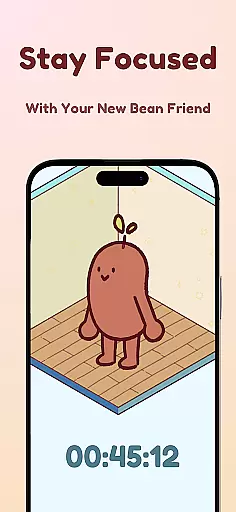
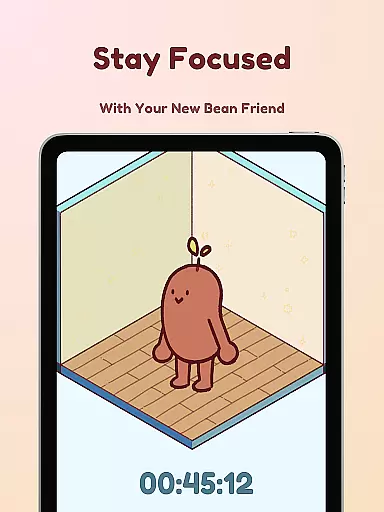
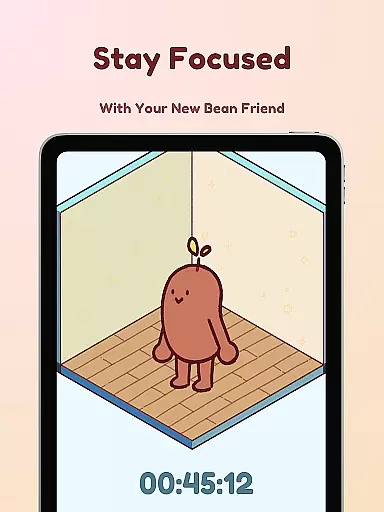
Focus Friend is a productivity app designed to help users maintain focus during tasks through gamification. Created by online educator Hank Green, this app features a unique Bean Friend character that mirrors the user's focus sessions. When you stay on task, your Bean Friend stays happy and focused too. If you interrupt the session, your Bean becomes sad, providing an emotional incentive to maintain concentration.
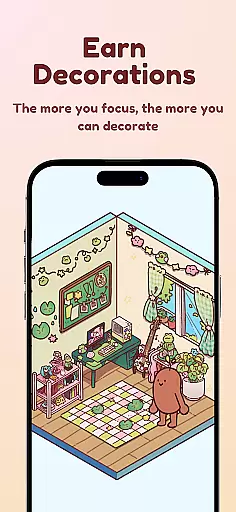
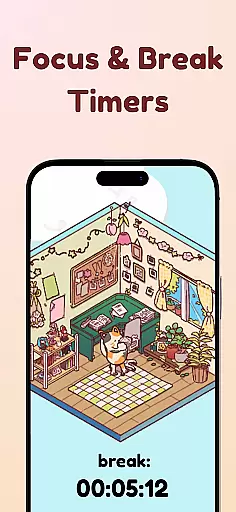
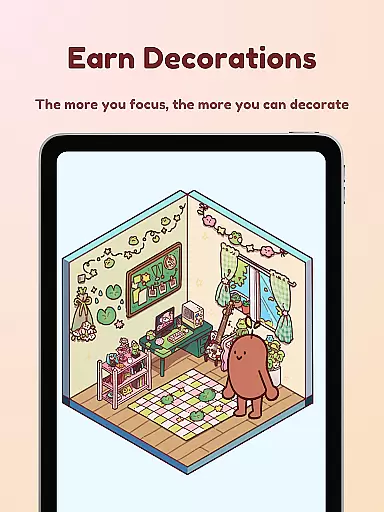
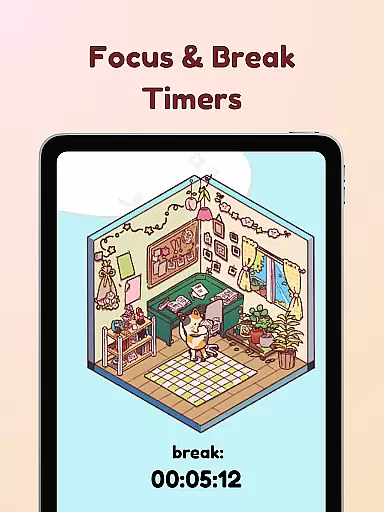
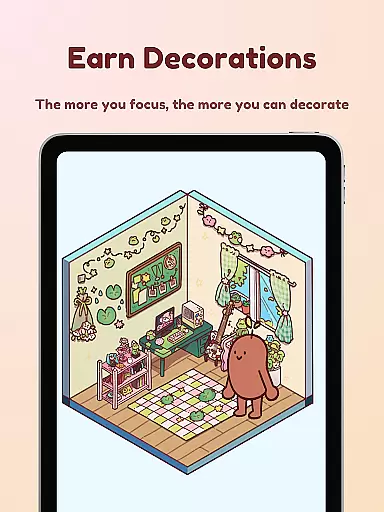
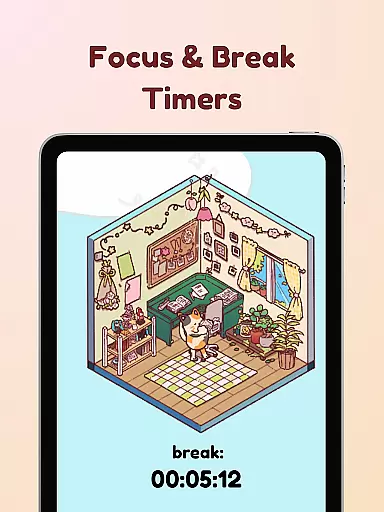
The app incorporates various productivity techniques such as the Pomodoro method, offering break timers for optimal work-rest cycles. Users can earn rewards to decorate their Bean Friend's room, with hundreds of customization options available. This makes Focus Friend not only a practical tool for improving concentration but also a fun and engaging experience. Perfect for students or anyone struggling with long focus sessions, the app helps users get into the flow of work, study, or even chores while staying motivated.
Focus Friend offers several innovative features that set it apart from other productivity apps. One standout feature is the Live Activity function, which allows users to track their timer progress even when their phone is locked. This ensures continuity in focus sessions without needing to unlock the device. The app also includes a Deep Focus Mode that locks distracting applications during focus periods, helping users maintain their concentration without interruptions.
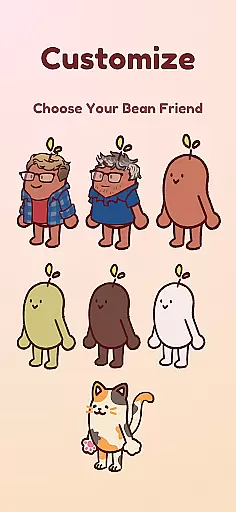
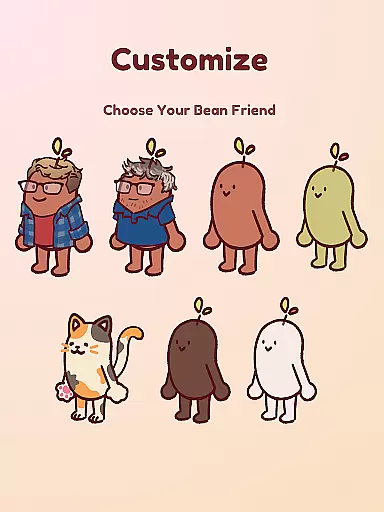
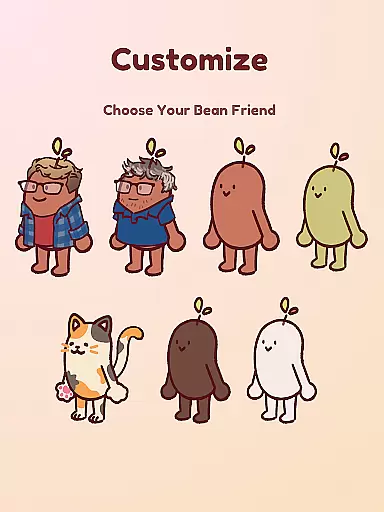
Another key feature is the ability to customize your Bean Friend and its environment. With hundreds of decorations and different Bean Skins to choose from, users can personalize their experience extensively. Options include various bean types like Coffee Bean, Edamame Bean, and even characters like Hank and John Green. These customization features not only make the app more engaging but also provide additional motivation to complete focus sessions and earn rewards.
Task management is at the heart of productivity applications, and Focus Friend excels in providing a unique approach to handling tasks. The app gamifies the process of focusing on tasks by introducing a virtual companion - your Bean Friend. This digital partner reacts to your focus sessions, encouraging you to complete tasks without interruptions.
Focus Friend offers features such as Live Activity, which allows users to track their timer progress even when their phone is locked. This feature ensures that users remain engaged with their tasks and can easily monitor their focus sessions. Additionally, the Deep Focus Mode helps eliminate distractions by locking apps that may interrupt your concentration, ensuring an uninterrupted workflow.
By completing focus sessions, users are rewarded with prizes that can be used to decorate their Bean Friend's room. This reward system not only motivates users to stay focused but also provides a fun way to manage tasks. With hundreds of decorations and various themes available, users can customize their experience while enhancing their productivity.
Cross-device synchronization is crucial for users who operate across multiple devices. Focus Friend ensures that your focus sessions and rewards are reliably synced, allowing for a seamless transition between devices. Whether you're using a smartphone, tablet, or any other compatible device, your progress is saved and accessible wherever you go.
The app supports the Pomodoro method of productivity, offering break timers that encourage users to take regular breaks and decorate their Bean Friend's room during these intervals. This method promotes a healthy balance between work and rest, improving overall efficiency. Users can also try on different Bean skins, adding a layer of personalization that syncs across all devices.
With Focus Friend, staying focused has never been more engaging. The reliable synchronization feature means that no matter where you are or what device you're using, your Bean Friend is there to support you. Stay hydrated, enjoy your tasks, and remember to be awesome with Focus Friend by your side.
User-friendly interface
Engaging gamification elements
Customizable Bean Friend
Effective focus tracking
Rewarding achievements system
Limited free decorations
Requires constant app usage
May distract some users
Premium features cost extra
Not suitable for all tasks

Secure, fast, open-source, VNC and SSH Remote Desktop for Windows, Linux and Mac
 4.70
4.70
The long-awaited modern gallery app for your Nextcloud server
4.70
Ads Free App! Editor, Hide File, Copy, Move, Delete and Rename.. all facility av
1.70
Remotely view listen control and record cameras.
3.70
Customizable calendar widget for seamless event sync, planning & scheduling.
4.00
Best Tool for the professionals Electrician, Electrical contractors, etc.
4.90
Use powerful, industry-leading AI tools to generate visual charts from any data
4.80
Understand anything with a personalized AI research assistant
4.80
AT&T Internet customers can use this app to personalize their Wi-Fi network.
4.40
aCalendar+ makes your day, week and month
4.70
Scan paperwork into PDF/JPG, generate your own e-signature and send fax or email
4.70
PDF scanner & converter for files, photos, lottery, QR codes. One swipe away!
4.50
Tally and goal counter for Wear OS & mobile
4.50
Enjoy classic gameplay with customizable features and retro-style graphics.
4.30
Pwnagotchi companion app
4.20
Font maker keyboard with your own handwriting
4.10
Experience real multitasking on your Android!
4.00
Simple and reliable communication between inmates, friends and family
3.20
Code on-the-go with VScode for Android. Edit,debug and collaborate from mobile!!
3.10


User Reviews