
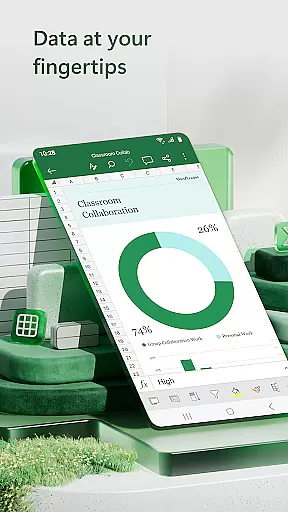
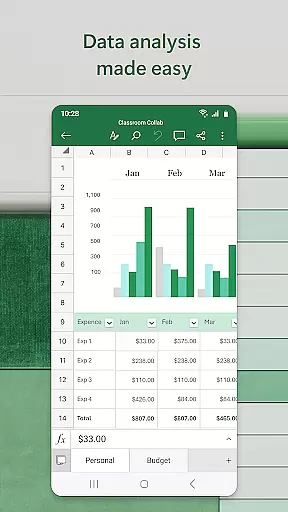

Microsoft Excel is the go-to productivity app for creating, editing, and managing spreadsheets, charts, and data analytics on mobile devices. With its robust set of features, users can perform budgeting, expense tracking, chart creation, and complex calculations with ease. The app offers seamless integration across devices, ensuring consistent functionality whether you're using a phone, tablet, or PC.
Excel's powerful tools allow users to build customized spreadsheets, analyze financial data, and collaborate with others in real-time. Its intuitive interface provides access to modern templates, pivot tables, and advanced formatting options, making it ideal for both personal and professional use. Whether you need to track expenses, create business reports, or manage large datasets, Excel delivers a comprehensive solution that boosts productivity and simplifies complex tasks.
Microsoft Excel stands out with its extensive range of features tailored for productivity. Users can leverage modern templates to create budgets, task lists, and financial analyses effortlessly. The app supports familiar formulas and calculation tools, enabling users to run complex computations and generate accurate results. Additionally, rich formatting options ensure that workbooks and charts remain visually appealing and easy to interpret.
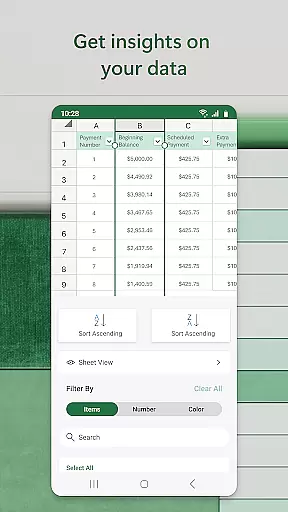
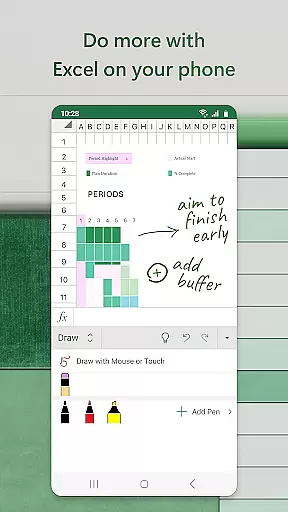
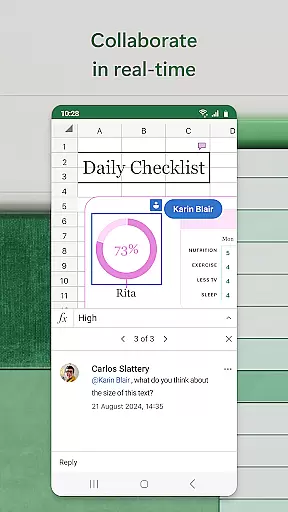
One of Excel's key strengths lies in its data analysis capabilities. The app includes built-in tools like pivot charts, sort-and-filter functions, and annotation features, which help users extract actionable insights from raw data. Collaboration is also a major focus, allowing multiple users to edit and comment on shared files simultaneously. These features make Excel an indispensable tool for anyone looking to streamline workflows and enhance their analytical abilities.
Task management is a cornerstone of productivity applications, and Microsoft Excel excels in this area. The app provides users with the ability to create, manage, and track various tasks through spreadsheets, templates, and charts.
Excel's modern templates allow for the creation of task lists, budgets, and financial analyses that are essential for personal and business use. With familiar formulas and data analysis tools, users can run calculations and manage workbooks efficiently, ensuring that all team members are on the same page.
The application offers features such as sort and filter columns, which aid in organizing tasks and prioritizing work. This ensures that users can focus on the most critical tasks first, enhancing overall productivity.
By integrating task management features with powerful spreadsheet capabilities, Excel allows users to not only keep track of their responsibilities but also analyze progress and outcomes, making it an indispensable tool for managing complex projects.
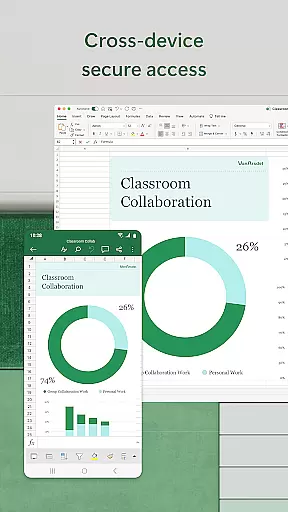
Cross-device synchronization is vital for users who operate in multi-device environments. Microsoft Excel addresses this need by providing reliable synchronization across smartphones, tablets, PCs, and Macs.
With a qualifying Microsoft 365 subscription, users can seamlessly access their files and collaborate with others regardless of the device they are using. This ensures that whether you're at your desk or on the go, your data is always up-to-date and accessible.
Excel's synchronization feature supports real-time collaboration, allowing multiple users to edit documents simultaneously. Changes are saved automatically and synced across all devices, ensuring that everyone has the latest version of the document.
This level of integration and reliability in cross-device synchronization empowers users to work efficiently from anywhere, at any time, without worrying about version control or data loss, thus significantly boosting productivity.
Robust feature set
Seamless cross-device sync
User-friendly interface
Advanced data analysis
Real-time collaboration
Requires subscription
Complex for beginners
Limited free version
High system requirements
Occasional lag

Take control of your clipboard with Clipper!
 3.90
3.90
Auto-shutoff Alarm with Sunrise, Sunset & Fixed Options.
3.50
Remotely view listen control and record cameras.
3.70
Make apps & sites with natural language prompts
4.10
Font maker keyboard with your own handwriting
4.10
Simple and reliable communication between inmates, friends and family
3.20
Translate text/voice/photos in 150+ languages. Offline & fast translator app.
4.50
Best Tool for the professionals Electrician, Electrical contractors, etc.
4.90
Browse and view your photos and videos from the phone with photo & video hide.
4.10
Client for Nextcloud Deck
4.60
Experience Reading - Night Mode for Documents
4.40
A lightweight JSON & XML files creator, editor and viewer (Premium Version)
4.40
A Pixel Art watchface inspired by other iconic 90s designs for Wear OS devices!
4.40
All in One PDF Reader: Manage, Read and Edit your Documents
4.20
Easily read and manage all your PDF files
4.10
⏰ Finally a timer app which can run multiple timers simultaneously on your watch
3.90
All in one sketching tool. Technical and General drawing. Online Maps support.
3.70
Ads Free App! Editor, Hide File, Copy, Move, Delete and Rename.. all facility av
1.70
AI Video AI Image Private LLM AI Browser Llama Gemma Ollama Connect LLM Studio
4.4


User Reviews