
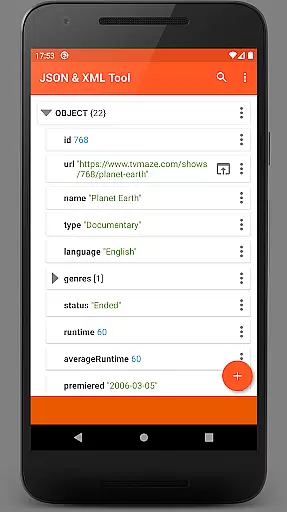
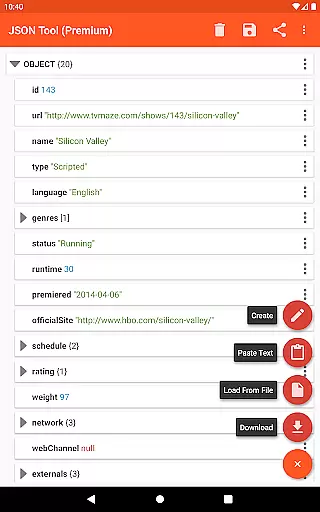
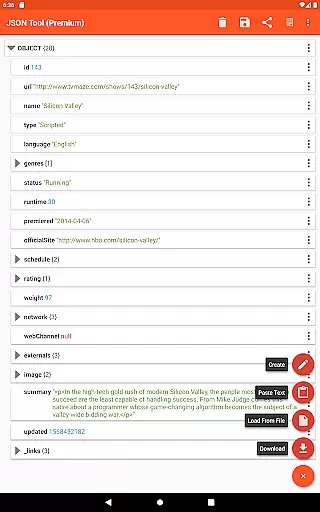
JSON & XML Tool Premium is a powerful productivity app designed for effortless creation, editing, and conversion of JSON and XML files. The app features an intuitive hierarchical view that simplifies file navigation and management, making it suitable for both beginners and advanced users. Its versatility allows users to edit game addons, convert between JSON and XML formats, and manage files directly from web sources or local storage.
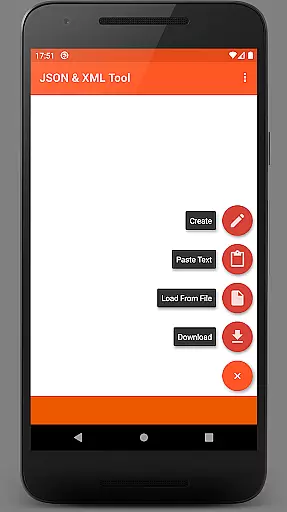
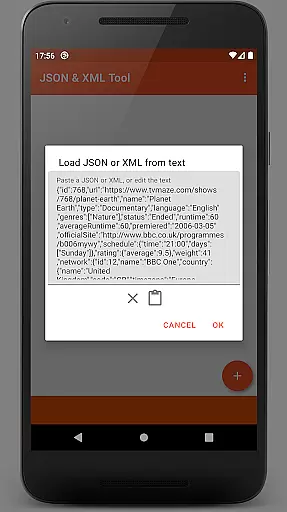
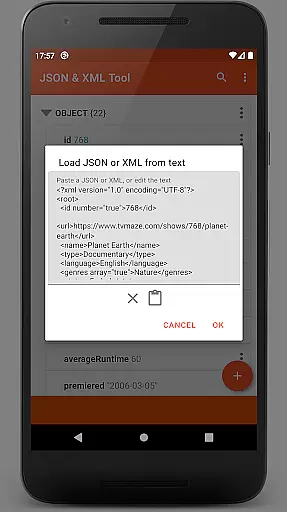
The app integrates seamlessly with Android's Storage Access Framework (SAF), eliminating the need for traditional storage permissions in most cases. It also supports multiple file loading methods, including internal SAF-based browsing, external file pickers, URL downloads, and text pasting. With additional capabilities like dark theme support, PDF exporting, and JMESPath query integration, this tool ensures a comprehensive and user-friendly experience for all productivity needs.
JSON & XML Tool Premium offers a robust set of features tailored for efficient file handling. Users can load files via the SAF-compliant internal picker, external file pickers, direct URL downloads, or even by pasting raw text. Editing capabilities include renaming nodes, modifying values, switching between data types (Boolean, Number, String), duplicating elements, and reordering array items. These functions ensure precise control over JSON and XML structures.
Beyond basic editing, the app provides advanced functionalities such as JMESPath queries for element extraction and transformation, formatted text output for readability, and sharing options through ACTION_SEND intents. Additional highlights include dark theme compatibility, PDF export functionality, and automatic registration as a JSON/XML handler upon installation. These features collectively enhance usability while catering to diverse professional requirements.
At the heart of the JSON & XML Tool Premium app lies its robust core task management system, designed to streamline the handling of JSON and XML files. This productivity tool offers a comprehensive suite of features that cater to various user needs, from viewing and creating to editing these file types with precision.
The app's interface presents a simple hierarchical view, making navigation intuitive and efficient. Users can seamlessly perform tasks such as renaming node elements, modifying values, switching between data types like Boolean, Number & String, adding or duplicating nodes, and reordering array elements.
With this level of control over their documents, users are empowered to manage complex datasets in both JSON and XML formats with ease. The ability to save work as new files or overwrite existing ones ensures that productivity is not hindered by cumbersome workflows.
While the JSON & XML Tool Premium app does not explicitly market itself as a cross-device synchronization tool, it provides reliable access to files across different devices through its integration with the Storage Access Framework (SAF). This framework allows for an internal file picker that supports cloud services, ensuring users can load their files from any location.
For scenarios where storage permissions are required, the app handles these requests gracefully, maintaining data integrity and security. By using SAF, the application ensures that all interactions with files are consistent and dependable, regardless of where the file is stored or which device it's accessed from.
Moreover, additional features such as sharing capabilities via ACTION_SEND, previewing as text, formatted output options, PDF exportation, and JMESPath query language support enhance the overall experience. These functionalities contribute to a reliable workflow that supports productivity on any device without compromising on quality or performance.
User-friendly interface
Advanced editing tools
Supports multiple file formats
Dark theme available
Efficient performance
Premium version only
No free trial offered
Limited offline help
Requires learning curve
Occasional permission prompts

Easily read and manage all your PDF files
 4.10
4.10
IP Camera Viewer - Android TV : RTSP Surveillance camera viewer for Android TV
4.1
Customizable calendar widget for seamless event sync, planning & scheduling.
4.00
All in One PDF Reader: Manage, Read and Edit your Documents
4.20
Functional QR scanner and barcode reader that requires little storage space.
4.60
The ultimate file manager for rooted devices. The original and still the best.
4.00
Simple notepad & memo. Take notes, to-do list, shopping list with reminders.
4.80
Put a lock on your cloud: Take the security of your data into your own hands
3.70
Discover Acode - a sleek, powerful IDE and code editor for Android.
4.30
Native client for Forgejo and Gitea
5.00
A beautiful digital clock with autostart and many other functions
4.70
Okta MFA
4.70
Access, manage and transfer files on Android, PC, Mac, NAS and cloud storages.
4.30
Secure, open-source, SPICE and SSH Remote Desktop for QEMU KVM virtual machines
4.00
⏰ Finally a timer app which can run multiple timers simultaneously on your watch
3.90
A Revolutionary All-in-One Artificial Intelligence Tools
3.80
All in one sketching tool. Technical and General drawing. Online Maps support.
3.70
Remotely view listen control and record cameras.
3.70
Simple and reliable communication between inmates, friends and family
3.20


User Reviews