
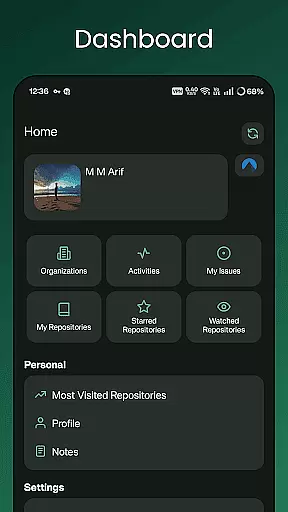
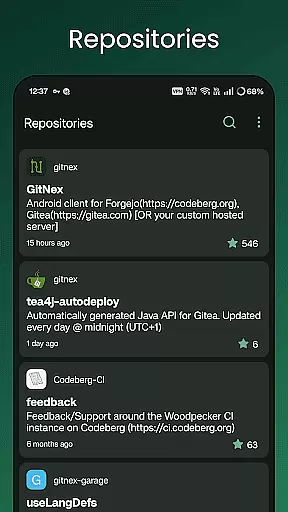
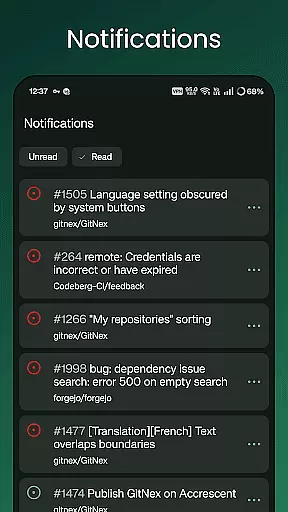
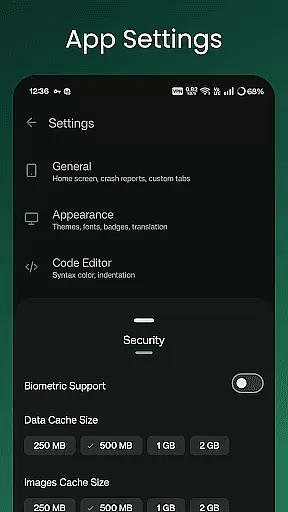
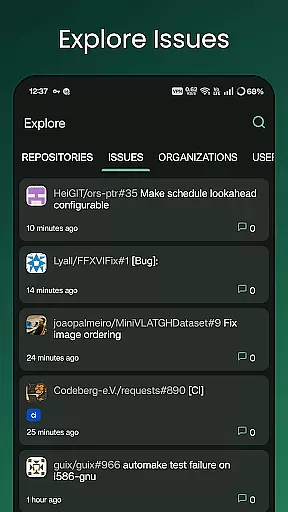
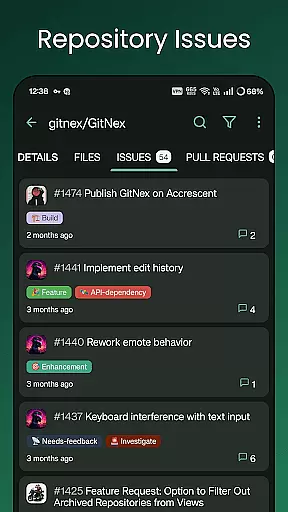
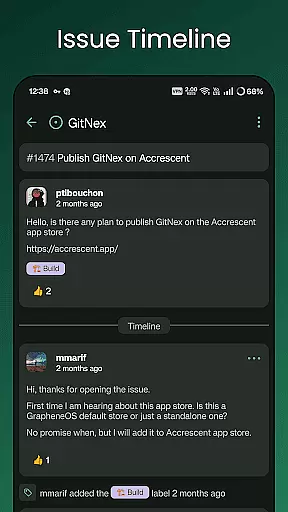
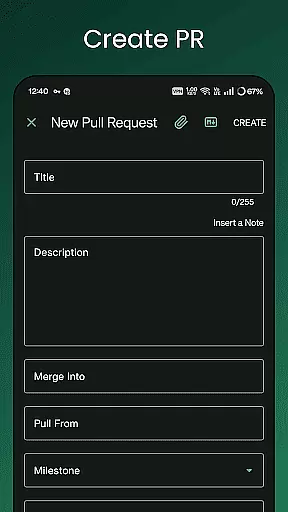
GitNex is a powerful open-source Android client designed for managing Git repositories on Forgejo and Gitea. This productivity-focused app allows users to efficiently handle multiple accounts, browse files and directories, and create various repository elements such as issues, pull requests, wikis, and more.
The app's comprehensive feature set includes an extensive file viewer, markdown and emoji support, themes, and self-signed certificate capabilities. Whether you're exploring repositories or handling notifications, GitNex provides a complete solution for developers seeking efficient repository management on the go.
With its intuitive interface and robust functionality, GitNex is ideal for software teams and individual developers who need seamless access to their Git repositories directly from their mobile devices.
GitNex offers an impressive range of features tailored for productivity enthusiasts. The app supports multiple accounts, enabling users to manage different profiles effortlessly. Its built-in file and directory browser allows easy navigation through repository structures, while the integrated file viewer ensures quick access to file contents.
One of GitNex's standout capabilities is its support for creating essential repository components including files, issues, pull requests, wikis, milestones, releases, and labels. The app also provides detailed lists for pull requests, repositories, organizations, issues, labels, milestones, and releases, making project tracking straightforward.
Additional notable features include markdown support, emoji integration, extensive settings options, notification management, commit tracking, theme customization, and self-signed certificate support. These functionalities ensure that users have all the tools they need for effective repository management.
Task management is a critical aspect of productivity applications like GitNex for Forgejo and Gitea. This feature allows users to efficiently handle multiple tasks within their repositories, ensuring smooth project progression.
GitNex provides an extensive suite of task management tools including issue tracking, pull request lists, milestone creation, and label management. These features are seamlessly integrated into the app's interface, allowing users to manage their projects without switching contexts or platforms.
The benefit to users is significant; with these capabilities at their fingertips, they can easily prioritize work, track progress, and collaborate with team members. The ability to create and manage issues directly from a mobile device enhances workflow flexibility and responsiveness.
What sets GitNex apart is its comprehensive approach to task management while maintaining a user-friendly mobile experience. Users can expect professional-grade tools that adapt well to on-the-go project management needs.
Cross-device synchronization is vital for users who need consistent access to their repository data across different devices. For GitNex, this means providing reliable and real-time updates regardless of where the user logs in.
The application supports synchronization of accounts, settings, and repository information across devices. Whether you're managing files, issues, or pull requests, changes made on one device will reflect accurately on others. This ensures that all collaborators have up-to-date information at all times.
Users benefit greatly from this seamless integration as it allows them to transition between work environments effortlessly. They can start a task on their mobile device during commute and continue working on it from a desktop later without missing a beat.
GitNex stands out by offering dependable synchronization mechanisms that enhance productivity without compromising data integrity or speed. This reliability fosters trust among its users, making it an indispensable tool for distributed teams.
User-friendly interface
Multiple account support
Comprehensive feature set
Open-source development
Active community support
Limited to Android
No iOS version
Complex for beginners
Occasional bugs
Requires technical knowledge

Unlock AutoNotification
 4.00
4.00
8 custom complications. Custom Time Fonts. Beautiful color schemes. A++ Design.
5.00
App Lock with fingerprint, password: Lock apps & hide photos with lock screens
4.60
Font maker keyboard with your own handwriting
4.10
Enjoy classic gameplay with customizable features and retro-style graphics.
4.30
Calendar 2023 widget for Android. Appointment scheduler, planner, and reminder
4.60
* block pre-roll ads, pop-up and forced redirect ads * Samsung certification app
4.00
Great calculator for Android named one of USA TODAY's "25 Essential Apps".
4.90
QuickEdit is a fast, stable and full featured text and code editor.
4.20
Simple notepad & memo. Take notes, to-do list, shopping list with reminders.
4.80
Stay on top of your to-dos with Google Tasks, part of Google Workspace.
4.60
Planet Free VPN - The best Fast Unlimited and Secure VPN Without Logs
4.50
Experience Reading - Night Mode for Documents
4.40
CalenGoo is a very flexible and feature-rich calendar app
4.40
Intelligent AI Assistant
4.10
Customizable calendar widget for seamless event sync, planning & scheduling.
4.00
Find and delete junk files & block unwanted notifications & manage files
3.70
Make your handwriting beautiful, even more than pen on paper.
3.60
Ads Free App! Editor, Hide File, Copy, Move, Delete and Rename.. all facility av
1.70


User Reviews