
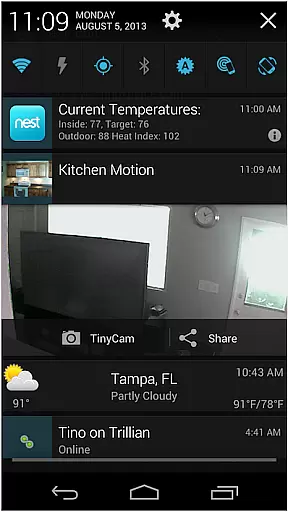
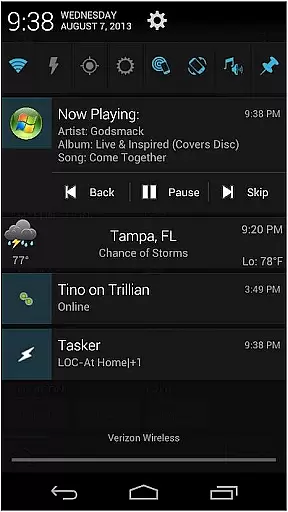
AutoNotification Unlock Key is a productivity-enhancing application that unlocks the full potential of AutoNotification. This app allows users to fully utilize advanced notification features on their Android devices, enabling seamless interaction with notifications through automation.
The core functionality includes unlocking additional features such as custom vibration patterns, LED colors, and sound settings. It also supports wearable technology integration, making it an ideal tool for power users who need extensive control over their device notifications in various contexts.
Whether you're a tech enthusiast or a professional seeking to optimize your workflow, this app provides the tools needed to tailor your notification experience exactly to your requirements, enhancing both personal and professional communication efficiency.
This productivity app stands out due to its comprehensive feature set designed to give users unparalleled control over their notifications. One key feature is the ability to create custom notification actions, allowing users to interact with apps directly from the notification shade.
Additionally, AutoNotification Unlock Key enables users to send notifications to other devices, including smartwatches, and even web browsers. The app also supports variables and conditions, which means users can set up complex rules for when and how notifications are displayed, ensuring minimal distraction while maintaining necessary alerts.
These capabilities make it an indispensable tool for users who require granular control over their digital environment, significantly boosting productivity by streamlining notification management.
Task management is a cornerstone of productivity applications, and AutoNotification Unlock Key excels in this area by providing users with advanced tools to manage notifications and tasks efficiently. This feature allows users to automate responses, create custom notification actions, and integrate seamlessly with other applications.
The app's ability to unlock the full potential of AutoNotification means that users can set up complex workflows without needing to constantly interact with their device. For instance, it can automatically respond to messages based on predefined conditions or trigger actions in other apps when specific notifications are received.
By utilizing this unlock key, users benefit from enhanced control over their digital environment, ensuring they never miss an important alert while also maintaining focus on their primary tasks. The result is a streamlined workflow that boosts overall productivity and helps maintain organization across multiple platforms and devices.
Cross-device synchronization is vital for users who operate across multiple platforms and need consistent access to their data and settings. AutoNotification Unlock Key ensures reliable synchronization of notification preferences and automated actions across all linked devices, enhancing user experience and continuity.
This reliability stems from robust backend processes that keep all devices updated in real-time. Whether switching between a smartphone, tablet, or desktop, users can trust that their configurations will remain consistent, allowing them to pick up right where they left off without missing a beat.
Ultimately, this feature provides peace of mind, knowing that regardless of the device being used, the same level of automation and customization is available. It supports a seamless transition between devices, which is crucial for professionals and individuals alike who demand high performance and dependability from their productivity tools.
Unlocks full features
Extensive customization
Wearable integration
Advanced automation
Enhanced productivity
Requires base app
Paid unlock key
Complex setup
Android only
Learning curve

Experience real multitasking on your Android!
 4.00
4.00
All in one sketching tool. Technical and General drawing. Online Maps support.
3.70
Direct Chat without saving contacts & Dual WA Account on Single Device
4.70
The upgraded version of Name Wheel with AI and the power to add your own wheels.
4.5
Scientific calculator for Android - looks and operates like the real thing!
4.90
Daily processing of PDF documents.
4.40
Set up, print, and get support—in one place
4.20
Browse and view your photos and videos from the phone with photo & video hide.
4.10
2026 USPS Alpha/Color coded calendar Sunday/Rotating day off schedules
4.3
8 custom complications. Custom Time Fonts. Beautiful color schemes. A++ Design.
5.00
Multilingual translator for text, voice, and image translation!
4.90
Understand anything with a personalized AI research assistant
4.80
Scan paperwork into PDF/JPG, generate your own e-signature and send fax or email
4.70
PDF scanner & converter for files, photos, lottery, QR codes. One swipe away!
4.50
Translate text/voice/photos in 150+ languages. Offline & fast translator app.
4.50
Send files, sync SMS, notifications & clipboard across devices via local network
4.40
Enjoy classic gameplay with customizable features and retro-style graphics.
4.30
Pwnagotchi companion app
4.20
The ultimate file manager for rooted devices. The original and still the best.
4.00


User Reviews