
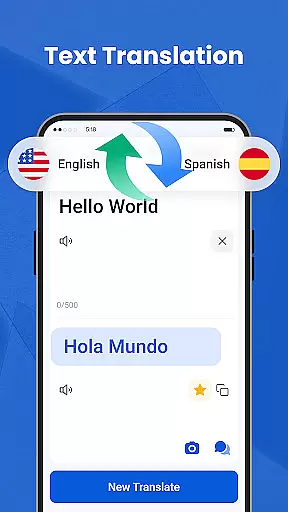
We Translate is a powerful productivity app designed to break language barriers and facilitate seamless global communication. With its comprehensive suite of translation tools, the app supports text, voice, image, and document translation across multiple languages.
Key features include real-time conversation translation, photo translation for signs and documents, and support for common file formats like PDF and Word. The app also offers personalized settings, translation history, and favorites functionality, making it an essential tool for travelers, students, and professionals.
Whether you're traveling abroad, working on international projects, or learning new languages, We Translate provides accurate and efficient solutions to all your translation needs while ensuring user privacy and data security.
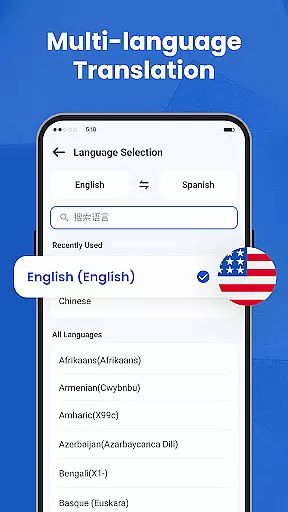
We Translate stands out with its diverse range of innovative features tailored to enhance multilingual communication. The app's text translation function delivers instant results for typed content, supporting over 100 languages for various use cases such as travel, education, and business.
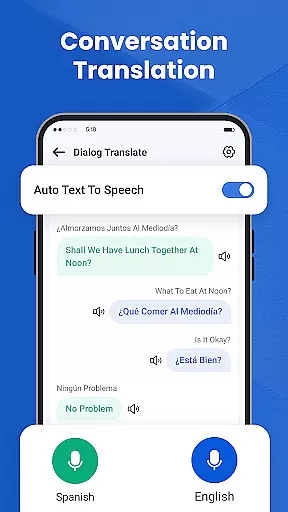
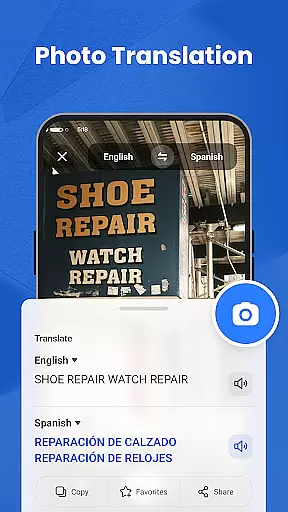
For real-world interactions, the conversation translation feature enables real-time speech translation during face-to-face or phone conversations. Additionally, the photo translation tool allows users to snap pictures of menus, posters, or documents and receive immediate translations without manual input.
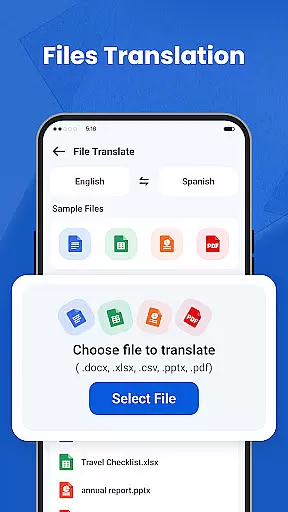
Advanced capabilities include one-tap document translation for files in PDF, Word, and Excel formats, along with customizable settings for voice speed and language preferences. These robust features make We Translate an indispensable companion for modern communication needs.
In the realm of productivity, managing tasks efficiently is paramount. We Translate excels in organizing and handling translation tasks with precision.
The app offers features like Multi-Language Text Translation, Conversation Translation, and Photo Translation, ensuring that every type of translation need is met seamlessly. These tools are designed to help users manage their daily communication challenges effectively.
Users benefit from an intuitive interface where they can save translation histories and mark favorites for quick access. This functionality aids in streamlining repetitive tasks, thus enhancing productivity.
By integrating personalized settings such as customizable voice reading speed and multiple language options, We Translate provides a tailored experience that aligns with individual task management styles, making it an indispensable tool for anyone looking to break language barriers efficiently.
Cross-device synchronization is crucial for users who operate on multiple platforms. We Translate ensures reliable and consistent translation services across different devices.
With cloud-based technology, users can start a translation task on one device and continue on another without losing progress. This seamless transition is supported by automatic syncing of translation histories and favorite entries.
The app's compatibility with various document formats like PDF, Word, and Excel further enhances its cross-device utility. Users can translate documents on the go, regardless of the device they are using, and expect uniform performance and accuracy.
We Translateu2019s dedication to accessibility services also means that text translations can be retrieved from any app, providing a cohesive experience across the digital ecosystem. This reliability in synchronization empowers users to stay productive and connected, no matter where they are or what device they use.
Accurate translations
User-friendly interface
Multi-language support
Real-time voice translation
Photo translation feature
Limited free usage
Occasional inaccuracies
Premium subscription cost
Requires internet connection
Ads in free version

Client for Nextcloud Deck
 4.60
4.60
All in one sketching tool. Technical and General drawing. Online Maps support.
3.70
Easiest event planning, volunteer signups & parent teacher conference scheduling
2.20
PDF scanner & converter for files, photos, lottery, QR codes. One swipe away!
4.50
Cloud storage, automatic phone backup, and more.
4.10
Enjoy classic gameplay with customizable features and retro-style graphics.
4.30
Translate text/voice/photos in 150+ languages. Offline & fast translator app.
4.50
The ultimate file manager for rooted devices. The original and still the best.
4.00
AT&T Internet customers can use this app to personalize their Wi-Fi network.
4.40
Native client for Forgejo and Gitea
5.00
Best Tool for the professionals Electrician, Electrical contractors, etc.
4.90
aCalendar+ makes your day, week and month
4.70
The Pro Version of Android's tiniest Notepad app. Just 0.3MB but feature-packed!
4.60
Functional QR scanner and barcode reader that requires little storage space.
4.60
Subscribe to Webcal & .ics calendars and keep them up-to-date!
4.50
Total remote control for your Android device, PC and cloud services (IFTTT)!
4.20
Font maker keyboard with your own handwriting
4.10
Activate Two Factor Authentication (2FA or Multi OTP), Password manager and more
4.10
Remotely view listen control and record cameras.
3.70


User Reviews