

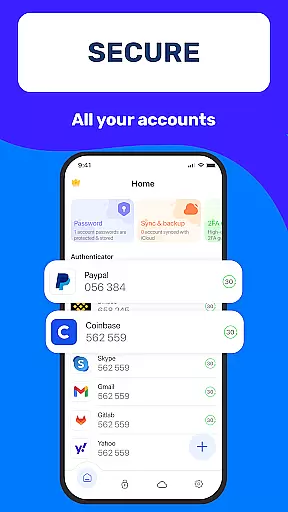
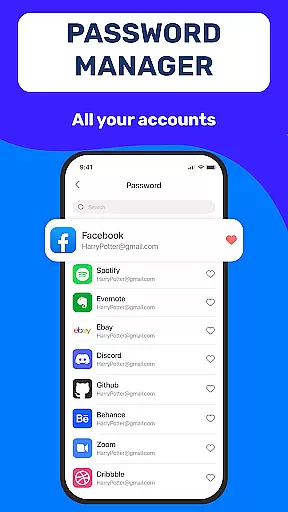
Authenticator App 2FA - Password Manager is a comprehensive productivity tool designed to enhance both security and convenience in managing digital accounts. This multifunctional application combines two-factor authentication (2FA) with advanced password management capabilities, making it an essential utility for modern device users.
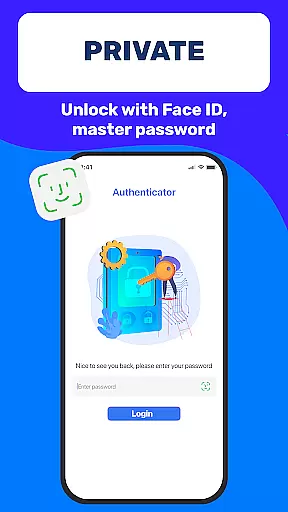
The app's core functionality revolves around its robust security features including QR code scanning for 2FA, secure password storage with autofill capabilities, and multiple authentication methods such as Master Password and biometric Touch ID. These features work together to create a seamless and protected user experience across various digital platforms.
Particularly useful for professionals and frequent online users, Authenticator App provides peace of mind when accessing sensitive information or managing multiple accounts. Its cloud-based data storage ensures that users can maintain continuous access to their critical information even when switching devices or facing unexpected technical issues.
Authenticator App distinguishes itself through its comprehensive feature set tailored for enhanced productivity and security. The application's most notable capability is its integrated approach to account protection, combining traditional password management with modern two-factor authentication methods.
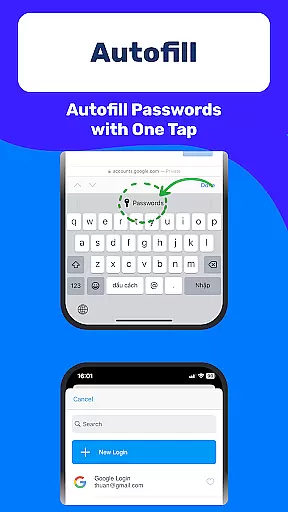
One of the standout features is the seamless integration between different security layers. Users can utilize the Scan QR 2FA function for quick and secure logins while maintaining a comprehensive password database. The Backup & Sync functionality ensures data integrity across devices, while the Autofill system streamlines website interactions by automatically populating login credentials.
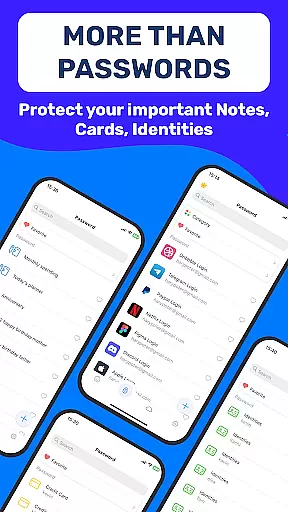
Additional productivity-enhancing features include Dark Mode for comfortable usage in various lighting conditions, secure storage for sensitive documents like credit cards and identification, and flexible data import/export options. These elements collectively contribute to a more efficient and secure digital workflow.
Task management is a cornerstone of productivity applications, and Authenticator App 2FA - Password Manager excels in this area by offering a comprehensive suite of features designed to streamline your digital life. The app consolidates essential functions such as two-factor authentication (2FA), password management, and secure data storage into one intuitive platform.
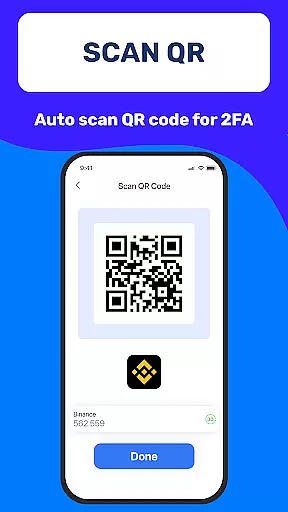
The Scan QR 2FA feature simplifies the process of logging into accounts, enhancing both security and convenience. By scanning a QR code, users can quickly enable 2FA for their accounts, ensuring an added layer of protection against unauthorized access. This seamless integration of 2FA not only fortifies account security but also makes it easier for users to manage multiple accounts without compromising on safety.
In addition to 2FA, the app's Password Manager and Autofill functionalities are instrumental in efficient task management. These features store login credentials securely and automatically populate login fields on websites, significantly reducing the time and effort required for manual entry. This automation minimizes errors and enhances the overall user experience by making account access swift and hassle-free.
Furthermore, the Backup & Sync feature ensures that users' data remains intact when switching devices or reinstalling the app. This reliability is crucial for maintaining productivity, as it prevents data loss and allows for uninterrupted access to important information. With these robust task management capabilities, Authenticator App 2FA - Password Manager empowers users to take control of their digital identities with confidence and ease.
Cross-device synchronization is a vital feature for any productivity tool, and Authenticator App 2FA - Password Manager delivers exceptional reliability in this domain. The ability to seamlessly sync data across multiple devices ensures that users have consistent and up-to-date access to their critical information, regardless of the device they are using.
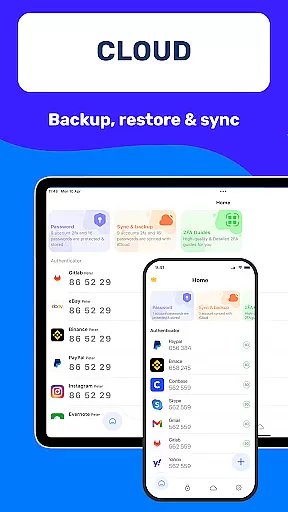
The Backup & Sync functionality is designed to safeguard users' data during device changes or app reinstalls. This means that whether you're upgrading your smartphone or reinstalling the application after a system reset, your data remains secure and fully synchronized. Such reliability is indispensable for maintaining productivity and peace of mind, as it eliminates the risk of losing valuable information.
Moreover, the Import and Export Data feature complements the synchronization process by allowing users to transfer data between devices easily. This flexibility is particularly beneficial for those who use multiple devices for different tasks or need to switch between them frequently. By facilitating smooth data migration, Authenticator App 2FA - Password Manager ensures that users can manage their accounts effectively without being tethered to a single device.
The app's Cloud-based Data Storage further enhances cross-device synchronization by providing a secure repository for sensitive information. This feature guarantees that even if a user loses their device, their data remains safe and accessible from other devices. With these reliable synchronization capabilities, Authenticator App 2FA - Password Manager offers a dependable solution for managing digital identities across various platforms, ensuring users stay productive and secure at all times.
Comprehensive security
User-friendly interface
Seamless device sync
Efficient autofill
Cloud backup
Premium features locked
Occasional sync delays
Limited free storage
Resource intensive
Complex setup

When you Focus, so will your Bean in this cozy focus timer
 4.30
4.30
Smart PDF reader & editor to view, organize and manage PDF documents easily.
3.70
Secure, fast, open-source, Remote Desktop Client for Windows and Linux with SSH
4.60
Simple and reliable communication between inmates, friends and family
3.20
Find and delete junk files & block unwanted notifications & manage files
3.70
Functional QR scanner and barcode reader that requires little storage space.
4.60
Code on-the-go with VScode for Android. Edit,debug and collaborate from mobile!!
3.10
Daily processing of PDF documents.
4.40
Discover Acode - a sleek, powerful IDE and code editor for Android.
4.30
Native client for Forgejo and Gitea
5.00
Seamlessly integrate data and reports to build your presentation to impress
4.80
Scan paperwork into PDF/JPG, generate your own e-signature and send fax or email
4.70
The Pro Version of Android's tiniest Notepad app. Just 0.3MB but feature-packed!
4.60
Planet Free VPN - The best Fast Unlimited and Secure VPN Without Logs
4.50
Secure your apps with lock screens, use custom themes and different features.
4.40
Share files & memories safely. Keep your photos and videos secure.
4.40
Make apps & sites with natural language prompts
4.10
⏰ Finally a timer app which can run multiple timers simultaneously on your watch
3.90
ID.me Authenticator is a simple and free Two Factor Authentication solution
3.50


User Reviews