
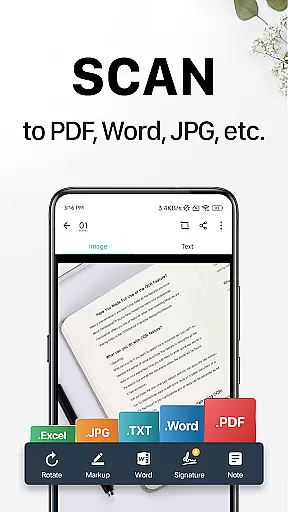
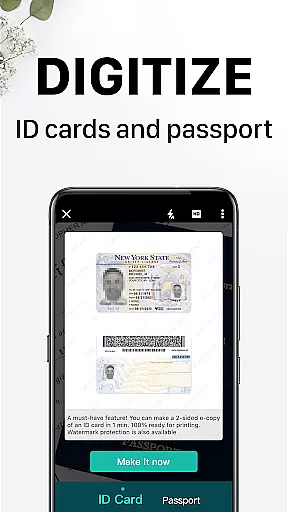
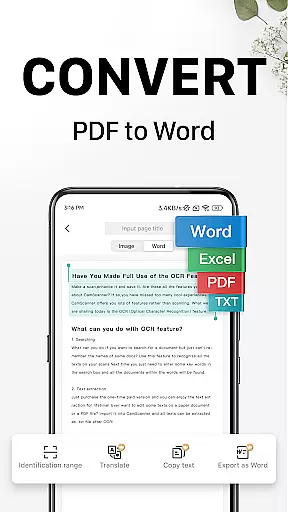
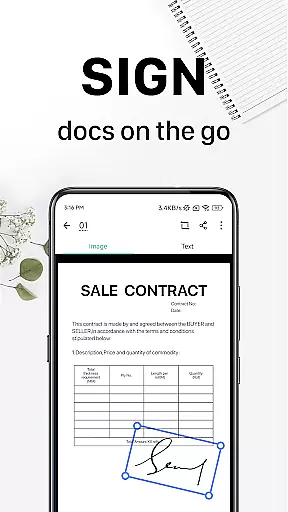
CamScanner is a versatile productivity app that transforms your mobile device into a powerful portable scanner. With advanced OCR technology, it allows users to digitize various documents such as receipts, notes, and business cards with remarkable clarity. The app optimizes scan quality through smart cropping and auto-enhancement features, ensuring professional-grade results every time.
Beyond basic scanning, CamScanner offers comprehensive document management capabilities. Users can extract text from images, annotate documents, add watermarks, and organize files through tagging. The app supports wireless printing and remote faxing to over 30 countries, making it an essential tool for both personal and professional use. Its cross-platform synchronization ensures seamless access across multiple devices.
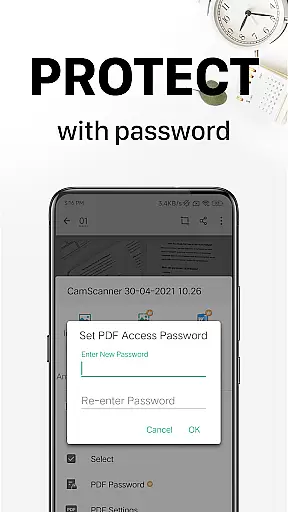
The application's value extends to its secure document handling and flexible sharing options. Users can protect sensitive information with password protection while enjoying multiple sharing methods including email, social media, and download links. Whether you're a student, professional, or small business owner, CamScanner streamlines document management while saving valuable time and resources.
CamScanner distinguishes itself through its robust feature set designed to enhance productivity. The app's quick document digitization capability supports various document types including receipts, invoices, and whiteboard notes. Its intelligent cropping algorithm automatically detects document boundaries while the auto-enhancement feature optimizes color and resolution for professional-quality scans.
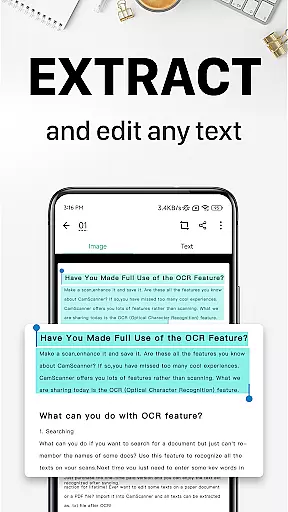
Advanced functionality includes optical character recognition (OCR) that enables text extraction from images and PDFs, facilitating easy searching and editing. The app provides comprehensive document editing tools, allowing users to annotate files and add customized watermarks. Its wireless printing capability works seamlessly with nearby printers without requiring additional drivers or software installation.
Additional notable features include secure document management through password protection, cross-platform synchronization across devices, and multiple sharing options. The quick search function utilizes tags and OCR content recognition to help users efficiently locate specific documents. These features collectively create a comprehensive document management solution suitable for various professional environments.
CamScanner excels in core task management by offering a comprehensive suite of tools designed to streamline document handling. This productivity app allows users to quickly digitize receipts, notes, invoices, and more, transforming them into high-quality scans.
The app's intelligent cropping and auto-enhancement features ensure that every scan is optimized for clarity and sharpness. With optical character recognition (OCR), CamScanner extracts text from images or PDFs, making it searchable, editable, and easy to manage.
Users benefit from advanced document editing options, including annotations and customized watermarks, which add a professional touch to their work. These features collectively enhance productivity by saving time and ensuring documents are both functional and secure.
Cross-device synchronization is a standout feature of CamScanner, ensuring reliable access to documents across all user devices. By signing up for an account, users can sync their scanned documents on smartphones, tablets, or computers via the CamScanner website.
This seamless integration allows users to view, edit, and share documents from anywhere, providing flexibility and convenience. Whether at home, in the office, or on the go, CamScanner ensures that important files are always accessible.
The app also supports wireless printing and remote faxing to over 30 countries, further enhancing its utility. With CamScanner, users experience uninterrupted workflow and peace of mind knowing their documents are securely synchronized and readily available.
User-friendly interface
Accurate OCR technology
Cross-platform sync
Secure document sharing
Wireless printing
Premium features locked
Subscription required
Basic ads present
File size limit
Occasional bugs

Create study competitions, track your hours, and stay consistent with friends
 4.3
4.3
Protect and view your important info on your phone and tablet with eWallet®
4.80
⏰ Finally a timer app which can run multiple timers simultaneously on your watch
3.90
IP Camera Viewer - Android TV : RTSP Surveillance camera viewer for Android TV
4.3
The ultimate file manager for rooted devices. The original and still the best.
4.00
This small app MUST BE INSTALLED after purchase, else license won't work
4.40
Simple notepad & memo. Take notes, to-do list, shopping list with reminders.
4.80
Seamlessly read, manage, and organize all your PDF files solution in one place
4.40
Browse and view your photos and videos from the phone with photo & video hide.
4.10
Seamlessly integrate data and reports to build your presentation to impress
4.80
Secure, fast, open-source, VNC and SSH Remote Desktop for Windows, Linux and Mac
4.70
Functional QR scanner and barcode reader that requires little storage space.
4.60
Planet Free VPN - The best Fast Unlimited and Secure VPN Without Logs
4.50
Pwnagotchi companion app
4.20
Todo reminder
4.10
Wake up & get tasks done! Add alarms & reminders on the Clock Launcher.
4.00
Auto-shutoff Alarm with Sunrise, Sunset & Fixed Options.
3.50
Experience and share your SolidWorks designs on your Android® phone and tablet.
2.50
A simple, portable logger for POTA, SOTA, Field Day, and more
4.0


User Reviews