
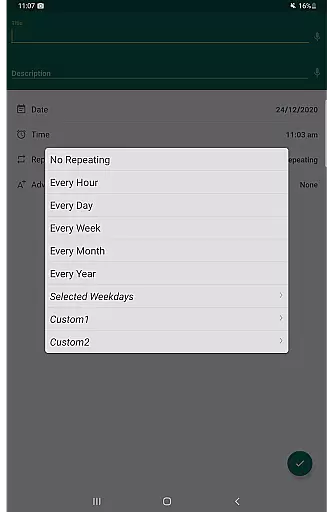
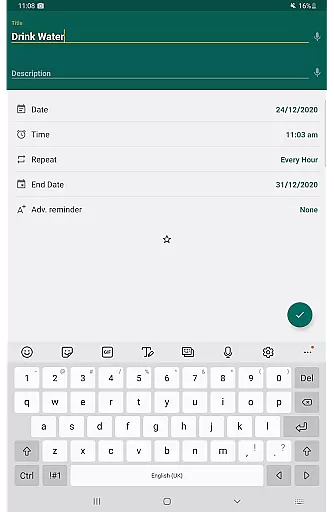
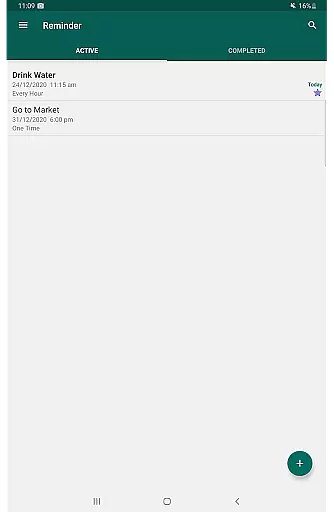
Reminder Pro is a versatile productivity tool designed to help users organize their daily lives through customizable reminders. This app allows you to set one-time and recurring notifications for various tasks, ensuring you never miss an important deadline or event.
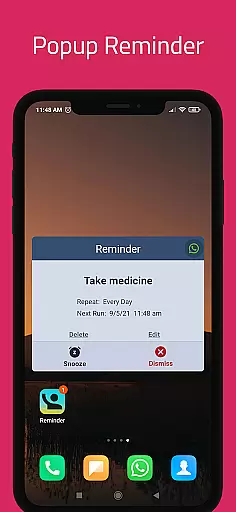
The application's core functionality lies in its ability to create pop-up reminders for diverse needs, from medication schedules to work meetings. Its user-friendly interface enables quick setup of notifications, while advanced features like quiet hours settings and multiple view options provide enhanced customization.
Whether you need to remember birthdays, appointments, or bill payments, Reminder Pro offers a comprehensive solution that can significantly improve your time management skills. The app's versatility makes it suitable for both personal and professional use, helping users maintain better control over their schedules.
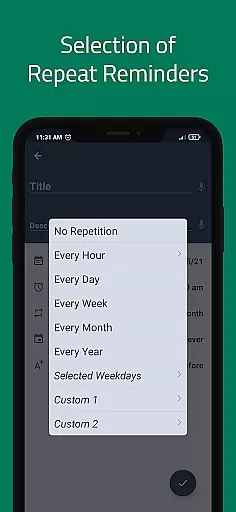
Reminder Pro stands out with its extensive feature set tailored for productivity enthusiasts. The app provides custom recurring reminders that can be configured according to specific days, weeks, or months, allowing for precise scheduling of regular tasks.
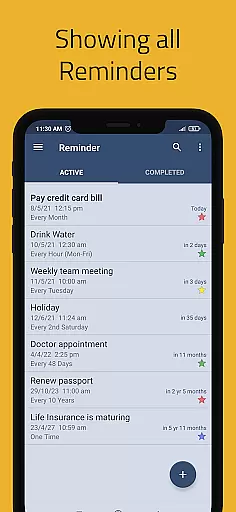
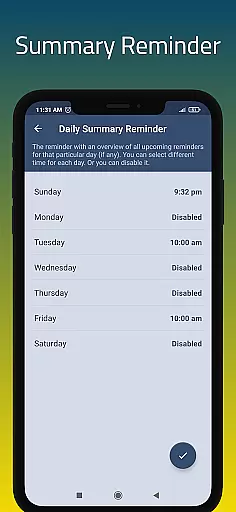
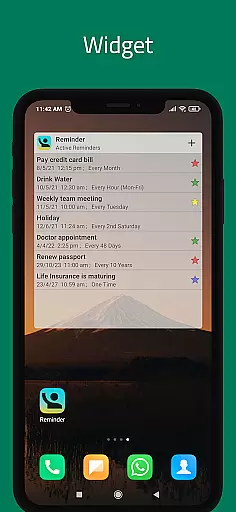
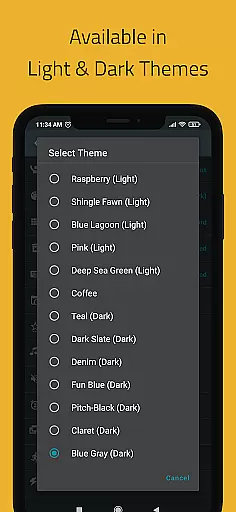
Advanced notification options include popup alerts, snooze functionality, and daily summary reminders. Users can personalize their experience through multiple themes, categories with distinct colors, and different grouping views for their reminder lists. The widget feature enables quick access to frequently used functions.
Additional capabilities such as quiet hours settings, advance reminders, and auto/manual backup options demonstrate the app's commitment to user convenience. These features collectively ensure that users can tailor their reminder system to fit their unique lifestyle and preferences while maintaining complete control over their notification settings.
Task management is a cornerstone of productivity applications, and Reminder Pro excels in this area. The app allows users to create both one-time and recurring reminders, ensuring that no important task is overlooked. Whether it's for work deadlines, personal appointments, or daily chores, the ability to set precise notifications transforms how users manage their time.
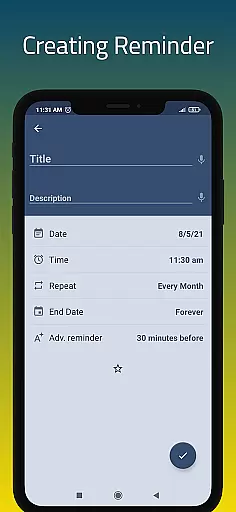
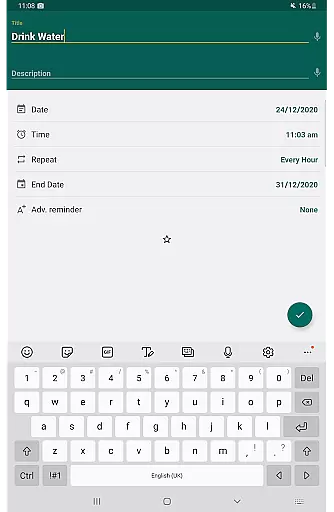
The app's interface simplifies the process of adding reminders. With just a few taps, users can input detailed information about each task, including due dates and times. This ease of use encourages consistent utilization, helping users build a habit of organizing their responsibilities effectively. Additionally, features like categories with different colors and settings allow for customized task management that fits various lifestyles and preferences.
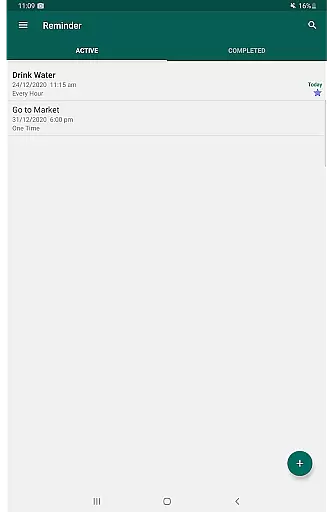
Reminder Pro also offers advanced functionalities such as quiet hours settings and multiple view options for listing reminders. These features ensure that users receive notifications at appropriate times and can view their tasks in ways that best suit their organizational style. Such comprehensive task management capabilities not only boost productivity but also provide peace of mind, knowing that all important tasks are systematically tracked and timely reminders are guaranteed.
In today's interconnected world, cross-device synchronization is vital for maintaining consistency across multiple platforms. Reminder Pro addresses this need by providing reliable synchronization that ensures users have access to their reminders regardless of the device they are using. This feature is particularly beneficial for individuals who switch between smartphones, tablets, and computers throughout their day.
The app employs robust data backup solutions, offering both auto and manual backup options. This dual approach safeguards against data loss and allows users to restore their reminders easily if needed. Furthermore, the synchronization process operates seamlessly in the background, updating reminders in real-time without requiring user intervention. As a result, users can trust that their task lists are always current and accessible.
By prioritizing synchronization reliability, Reminder Pro enhances its overall utility as a productivity tool. Users can depend on the app to maintain accurate and up-to-date information across all their devices, streamlining their task management process. This reliability fosters confidence in the app's performance, encouraging regular use and ultimately leading to more effective personal and professional organization.
User-friendly interface
Customizable notifications
Comprehensive feature set
Multiple view options
Auto backup functionality
Limited free version
Occasional bugs reported
No cross-platform sync
Premium subscription required
Complex settings for beginners

Client for Nextcloud Deck
 4.60
4.60
Unlock AutoNotification
4.00
Mega cloud explorer plugin for Solid Explorer
3.80
Easily read and manage all your PDF files
4.10
Make apps & sites with natural language prompts
4.10
Find and delete junk files & block unwanted notifications & manage files
3.70
Create and edit presentations with Google Slides, part of Google Workspace.
4.00
Docker, Kubernetes management over Portainer Mobile
4.40
Okta MFA
4.70
Native client for Forgejo and Gitea
5.00
Scientific calculator for Android - looks and operates like the real thing!
4.90
App lock - lock apps with fingerprint, password, pin or pattern, protect privacy
4.70
Secure, fast, open-source, Remote Desktop Client for Windows and Linux with SSH
4.60
Secure your apps with lock screens, use custom themes and different features.
4.40
Intelligent AI Assistant
4.10
Wake up & get tasks done! Add alarms & reminders on the Clock Launcher.
4.00
* block pre-roll ads, pop-up and forced redirect ads * Samsung certification app
4.00
The ultimate file manager for rooted devices. The original and still the best.
4.00
⏰ Finally a timer app which can run multiple timers simultaneously on your watch
3.90


User Reviews