
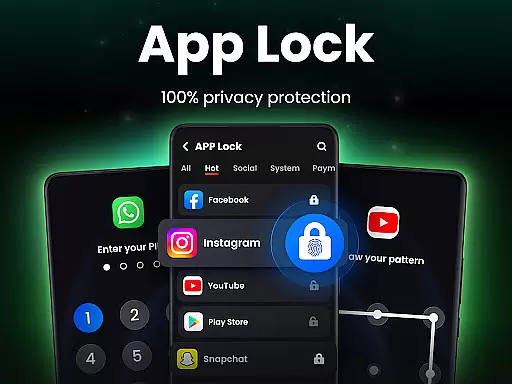
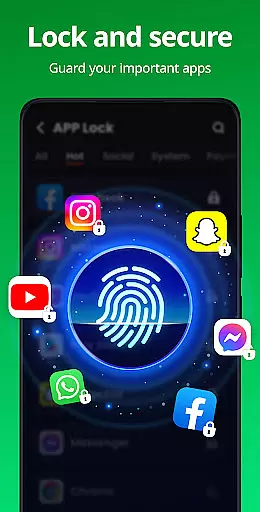
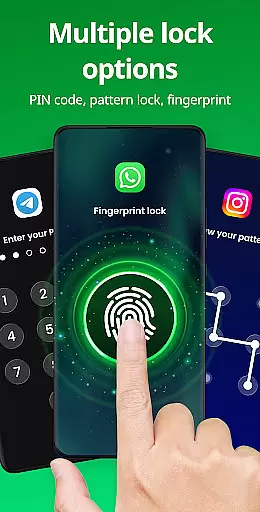
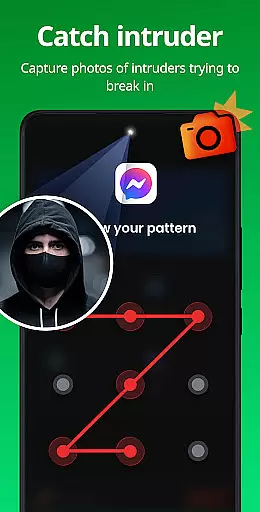
App Lock is a powerful productivity tool designed to help users secure their private data with ease. This app allows you to lock various applications on your device using PIN, pattern, or fingerprint authentication. With its comprehensive security features, App Lock ensures that your personal information such as chats, photos, and videos remain confidential.
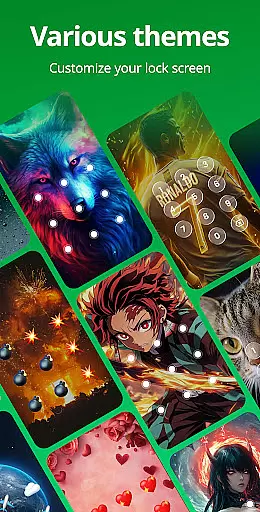
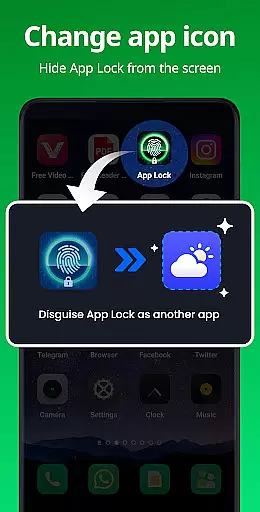
Beyond just locking apps, it offers additional functionalities like Safe Vault for hiding private media, Intruder Selfie to capture unauthorized access attempts, and Disguise App to mask its presence. The app also provides customization options with multiple themes and advanced settings like random keyboard and relock preferences. Suitable for anyone looking to enhance their device's security, App Lock delivers both privacy and peace of mind.
App Lock stands out with its diverse range of features tailored to maximize user privacy and convenience. One of the key highlights is the ability to lock apps in multiple ways including PIN, pattern, or fingerprint, providing flexible security options. It fully protects sensitive areas of your phone such as Gallery, Contacts, and Messages, ensuring no one can snoop without a password.
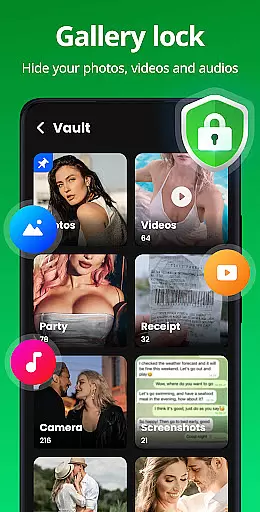
In addition to locking apps, it includes a Safe Vault feature to hide private photos and videos from the gallery, visible only through the app itself. The Intruder Selfie function automatically takes a picture of anyone attempting unauthorized access. Advanced features like customizable themes, random keyboard, and uninstall protection further enhance its utility. These robust capabilities make App Lock an indispensable tool for safeguarding personal data effectively.
Task management is a critical aspect of productivity applications, ensuring users can efficiently organize and secure their digital activities. App Lock excels in this area by providing robust features to manage app access and protect sensitive information.
The application allows users to lock specific apps using various security methods such as PIN, pattern, or fingerprint. This flexibility ensures that personal data within social media apps like WhatsApp and Instagram remains private and secure from unauthorized access.
Beyond basic locking, App Lock offers advanced functionalities including Safe Vault for hiding private photos and videos, Intruder Selfie to capture unauthorized access attempts, and Disguise App to mask the app's presence on the device. These features collectively enhance the user's ability to manage and safeguard their digital environment effectively.
By integrating these comprehensive task management capabilities, App Lock empowers users with peace of mind, knowing their private data is protected against accidental exposure or malicious intent.
Cross-device synchronization is essential for maintaining consistency and accessibility across multiple devices. While App Lock primarily focuses on securing individual devices, its reliable synchronization features ensure a seamless user experience when managing app locks and security settings.
Users can configure their security preferences on one device and expect those settings to be accurately reflected across other devices where App Lock is installed. This includes consistent enforcement of PIN, pattern, or fingerprint protections, ensuring uniform security protocols regardless of the access point.
In addition to security settings, App Lock supports features like Uninstall Protection and Cloud Backup (coming soon), which further enhance data integrity and availability. These tools prevent accidental loss of hidden files and enable users to restore their configurations effortlessly.
While direct cross-device syncing might not be explicitly highlighted, the underlying architecture of App Lock ensures that users enjoy reliable and predictable behavior across all their devices, reinforcing the application's commitment to robust productivity solutions.
Easy to use
Multiple lock methods
Enhanced privacy protection
Customizable themes
Intruder detection
Requires permissions
May slow device
Occasional bugs
Limited free features
Ads in free version

Client for Nextcloud Deck
 4.60
4.60
8 custom complications. Custom Time Fonts. Beautiful color schemes. A++ Design.
5.00
IP Camera Viewer - Android TV : RTSP Surveillance camera viewer for Android TV
4.0
Pwnagotchi companion app
4.20
aCalendar+ makes your day, week and month
4.70
App Lock with fingerprint, password: Lock apps & hide photos with lock screens
4.60
Make apps & sites with natural language prompts
4.10
Share files & memories safely. Keep your photos and videos secure.
4.40
Scan paperwork into PDF/JPG, generate your own e-signature and send fax or email
4.70
Mind Map and brainstorm, note taking and idea collection
4.80
Seamlessly integrate data and reports to build your presentation to impress
4.80
QuickBooks Workforce lets teams view pay info and track time in one place.
4.70
Subscribe to Webcal & .ics calendars and keep them up-to-date!
4.50
Experience Reading - Night Mode for Documents
4.40
Secure your apps with lock screens, use custom themes and different features.
4.40
Device's storage information in a simple and clear graphical form (infographics)
4.10
Experience real multitasking on your Android!
4.00
Wake up & get tasks done! Add alarms & reminders on the Clock Launcher.
4.00
A Revolutionary All-in-One Artificial Intelligence Tools
3.80


User Reviews