
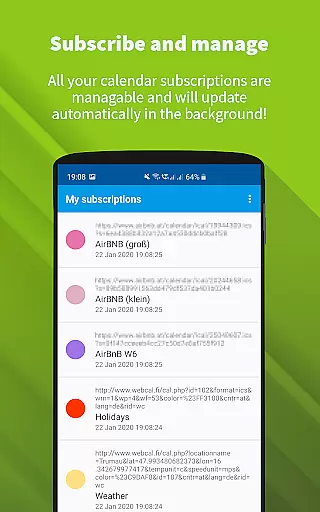
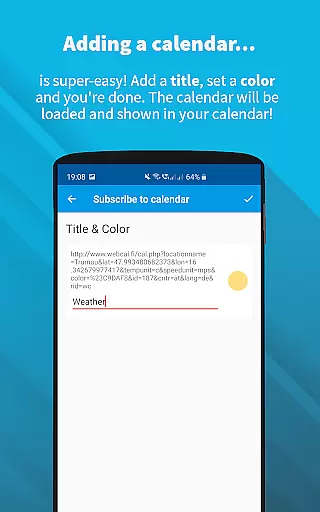
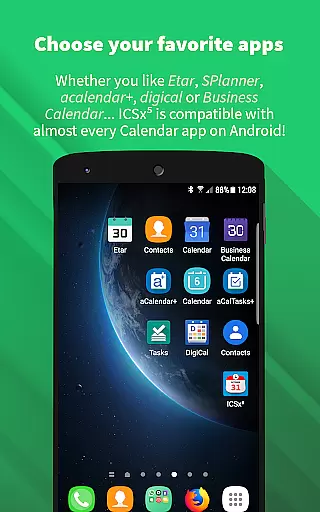
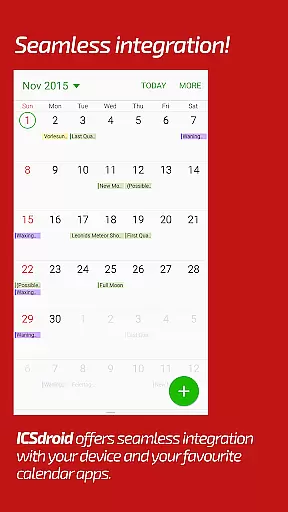
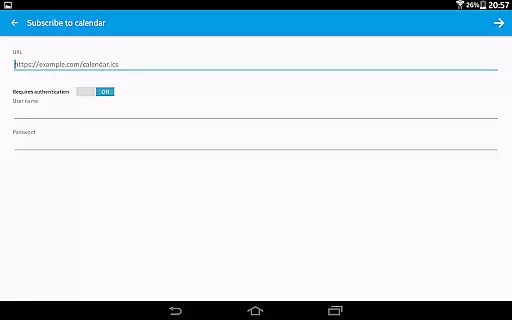
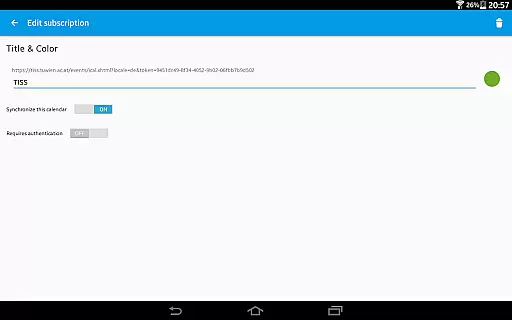
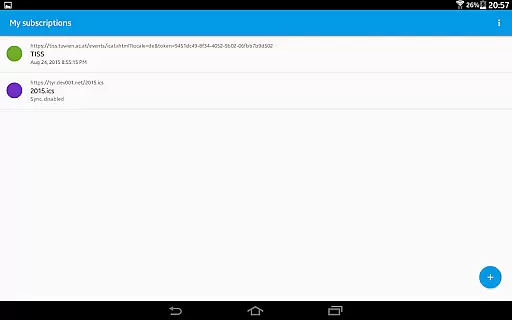
ICSx⁵ is a powerful productivity tool designed for managing external calendar files on Android devices. This app specializes in subscribing to and synchronizing Webcal iCalendar/.ics files, ensuring users always have the latest calendar events at their fingertips. With seamless integration into your device's existing calendar system, ICSx⁵ allows you to effortlessly stay updated with important schedules.
The app supports various calendar sources, including iCloud shared calendars, local .ics files, and webcal URLs. It offers advanced features like intelligent update checking and authentication support, all while maintaining top-notch privacy standards. Whether you need to track holidays, sports events, or academic timetables, ICSx⁵ delivers a reliable and secure solution for all your calendar management needs.
ICSx⁵ stands out with its comprehensive feature set tailored for efficient calendar management. The app supports one-way synchronization of Webcal feeds, allowing users to subscribe to shared calendars from platforms like iCloud. It also enables importing events from local .ics files, making it versatile for different user needs.
Security and privacy are prioritized, as ICSx⁵ operates completely offline without transferring any data to external servers. The app includes an intelligent update checker to minimize bandwidth usage and supports HTTPS and authentication protocols. Additionally, its open-source nature ensures transparency and continuous improvement, making it a trustworthy choice for productivity-focused users.
ICSxu2075 excels in core task management by enabling users to subscribe and manage external iCalendar/.ics files on their Android devices. This functionality allows for the seamless integration of various calendar events into the user's preferred calendar app.
The app supports one-way synchronization, ensuring that all subscribed calendars are up-to-date. Users can add a wide range of events, from holidays and sports team schedules to academic timetables, directly enhancing productivity by centralizing information.
With features like intelligent update checking and support for authentication and HTTPS, ICSxu2075 ensures efficient and secure updates. This means users always have access to the latest version of their calendar data without unnecessary bandwidth consumption.
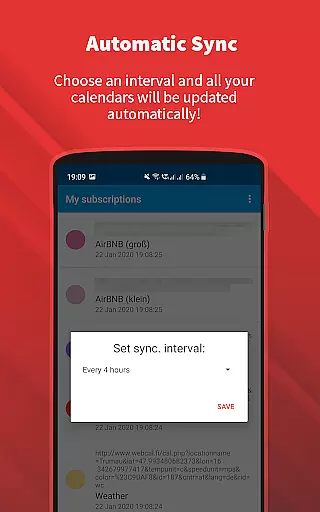
Cross-device synchronization reliability is a cornerstone of ICSxu2075, providing consistent and dependable updates across all user devices. By subscribing to Webcal feeds, users can synchronize shared calendars at regular intervals, ensuring uniformity and accuracy.
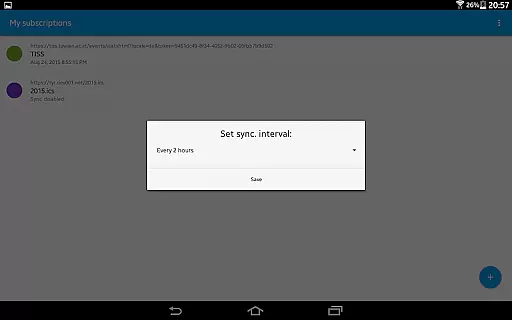
ICSxu2075 allows users to set a sync schedule, which enhances the reliability of updates across devices. This feature guarantees that whether you're viewing your calendar on your phone or tablet, the information remains current and consistent.
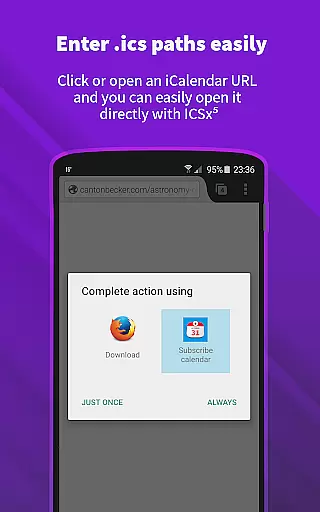
Furthermore, the appu2019s ability to open webcal:// and webcals:// URLs within an Android web browser extends its synchronization capabilities. This comprehensive approach ensures that no matter where or how calendar data is accessed, it remains synchronized and reliable across all platforms.
User-friendly interface
Seamless calendar integration
Advanced sync options
Strong privacy protection
Open-source reliability
Limited to Android
No iOS compatibility
One-way sync only
Requires manual setup
Advanced features may overwhelm beginners

Experience Reading - Night Mode for Documents
 4.40
4.40
Find and delete junk files & block unwanted notifications & manage files
3.70
Translate text/voice/photos in 150+ languages. Offline & fast translator app.
4.50
Create and edit presentations with Google Slides, part of Google Workspace.
4.00
Docker, Kubernetes management over Portainer Mobile
4.40
Ultimate Virtual AI Character for immersive Roleplay Chat. Perfect Companion
3.90
Use powerful, industry-leading AI tools to generate visual charts from any data
4.80
AT&T Internet customers can use this app to personalize their Wi-Fi network.
4.40
Discover Acode - a sleek, powerful IDE and code editor for Android.
4.30
Protect and view your important info on your phone and tablet with eWallet®
4.80
Scan paperwork into PDF/JPG, generate your own e-signature and send fax or email
4.70
A simple Whisper AI keyboard for reliable speech transcription and rewording
4.60
Send files, sync SMS, notifications & clipboard across devices via local network
4.40
A lightweight JSON & XML files creator, editor and viewer (Premium Version)
4.40
Font maker keyboard with your own handwriting
4.10
Cloud storage, automatic phone backup, and more.
4.10
* block pre-roll ads, pop-up and forced redirect ads * Samsung certification app
4.00
Code on-the-go with VScode for Android. Edit,debug and collaborate from mobile!!
3.10
The upgraded version of Name Wheel with AI and the power to add your own wheels.
4.1


User Reviews