
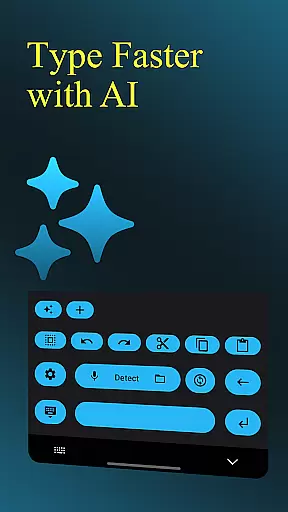
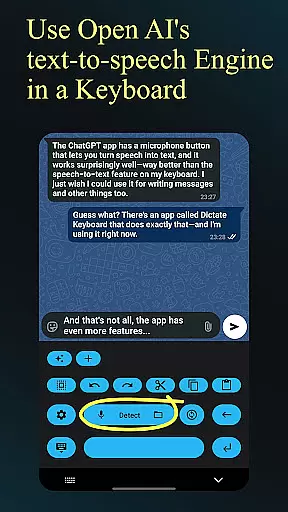
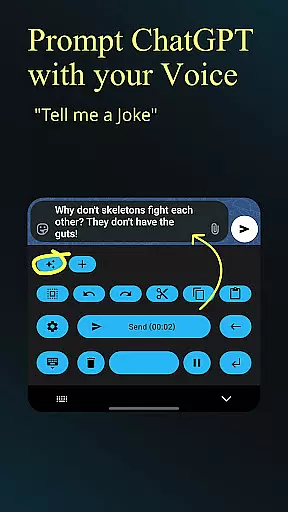
Dictate Keyboard is a revolutionary productivity tool that transforms spoken language into text with remarkable accuracy. This powerful keyboard utilizes advanced speech recognition AI, supporting all major languages and automatically adding punctuation. The app goes beyond basic transcription by enabling users to sing in text while maintaining correct recognition.
What sets Dictate apart is its comprehensive feature set for professional use. Users can implement custom rewording instructions through GPT-5 integration, switch between different transcription models, and format spoken commands effectively. The application supports both voice and audio/video file transcription, making it indispensable for various work scenarios.
This productivity tool proves especially valuable in fast-paced office environments where hands-free operation is crucial. Its ability to handle complex transcription tasks while offering customization options makes it suitable for journalists, writers, and business professionals who need efficient text conversion solutions.
Dictate Keyboard distinguishes itself through innovative features that enhance productivity. The app's core functionality lies in its sophisticated speech recognition engine powered by Whisper technology, which seamlessly transcribes spoken words while intelligently adding punctuation marks without user intervention.
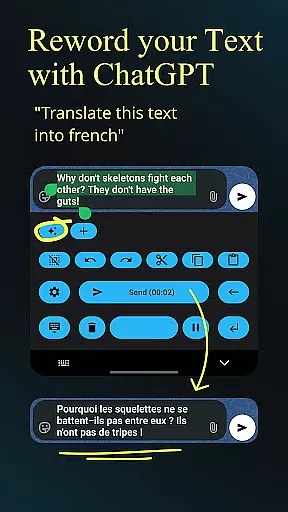
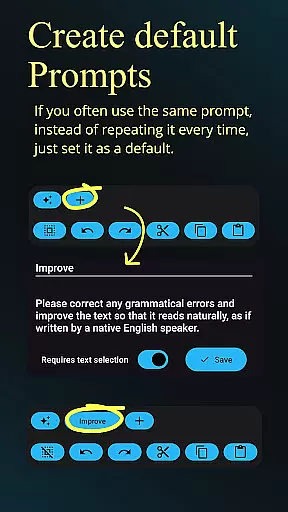
Advanced users will appreciate the customizable rewording capabilities using GPT-5 and other models, allowing for translation, summarization, and style modification. The keyboard supports multiple transcription models including Whisper and GPT-4o-transcribe, with options to choose providers like OpenAI or Groq. Professional features extend to system prompt settings, API server customization, and proxy support.
The application's versatility shines through its additional tools such as dark-mode and light-mode options, haptic feedback, and quick switching to standard keyboard. These features, combined with easy emoji insertion and number formatting, create a comprehensive solution for users seeking an efficient text input method across various devices and platforms.
Dictate Keyboard revolutionizes core task management by integrating advanced speech recognition technology into a user-friendly keyboard interface. This innovative approach allows users to convert spoken language into text with remarkable accuracy, supporting all common national languages.
The app's AI-driven transcription system goes beyond basic dictation by intelligently adding punctuation and formatting commands automatically. Users can create new paragraphs, insert specific phrases, and even dictate complex instructions without manual editing.
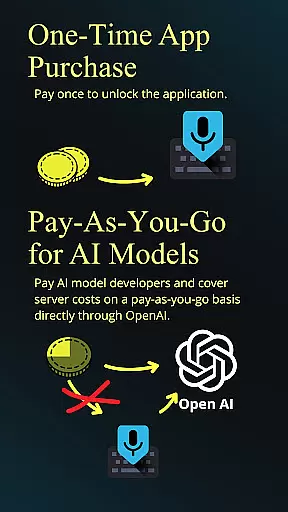
What sets Dictate apart in task management is its seamless integration with various transcription models and providers, including OpenAI and Groq. This flexibility enables users to choose the most suitable processing method for their tasks while maintaining high accuracy and efficiency.
The application's comprehensive feature set includes custom rewording instructions, system prompt settings for consistent style, and easy switching between different transcription models, making it an invaluable tool for productivity-focused users who need to manage multiple tasks through voice commands.
Dictate Keyboard ensures reliable cross-device synchronization through its sophisticated cloud-based architecture and API integration system. When users create their initial API key with OpenAI or Groq, they establish a secure connection that maintains consistency across all their devices.
The application's synchronization capabilities extend beyond basic text input. It reliably transfers custom settings, including rewording instructions, formatting preferences, and system prompts, ensuring a uniform user experience regardless of the device being used.
With its open-source nature and GitHub repository, Dictate provides transparent and trustworthy synchronization mechanisms. Users can review the source code and understand how their data is managed across devices, enhancing confidence in the application's reliability.
Additional synchronization features include seamless theme settings transfer between devices, consistent API server configurations, and synchronized prompt libraries, enabling users to maintain their productivity workflows without interruption when switching between devices.
Highly accurate transcription
Multi-language support
Customizable rewording
Open-source platform
User-friendly interface
Requires API setup
Incurs usage fees
Complex configuration
Limited free features
Internet dependency

Experience Reading - Night Mode for Documents
 4.40
4.40
The long-awaited modern gallery app for your Nextcloud server
4.70
Ads Free App! Editor, Hide File, Copy, Move, Delete and Rename.. all facility av
1.70
All in one sketching tool. Technical and General drawing. Online Maps support.
3.70
Automates browsing any website and notifies you of important changes or events
4.30
Access, manage and transfer files on Android, PC, Mac, NAS and cloud storages.
4.30
Secure your apps with lock screens, use custom themes and different features.
4.40
Browse and view your photos and videos from the phone with photo & video hide.
4.10
Discover Acode - a sleek, powerful IDE and code editor for Android.
4.30
8 custom complications. Custom Time Fonts. Beautiful color schemes. A++ Design.
5.00
Understand anything with a personalized AI research assistant
4.80
App lock - lock apps with fingerprint, password, pin or pattern, protect privacy
4.70
Quickly and easily keep track of your work shifts
4.70
The AI assistant that thinks with you - write, code, and solve complex tasks
4.60
Send files, sync SMS, notifications & clipboard across devices via local network
4.40
A Pixel Art watchface inspired by other iconic 90s designs for Wear OS devices!
4.40
Create and edit presentations with Google Slides, part of Google Workspace.
4.00
Secure, open-source, SPICE and SSH Remote Desktop for QEMU KVM virtual machines
4.00
Experience and share your SolidWorks designs on your Android® phone and tablet.
2.50


User Reviews