

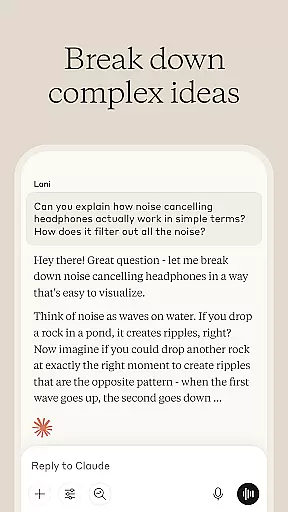
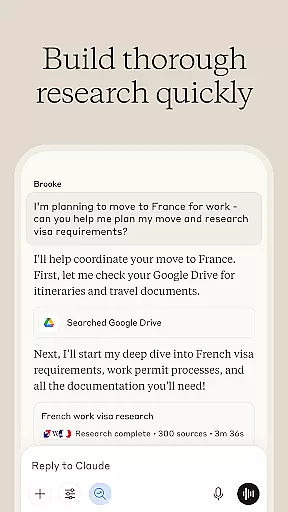
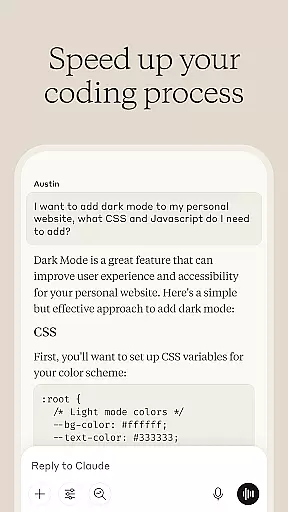
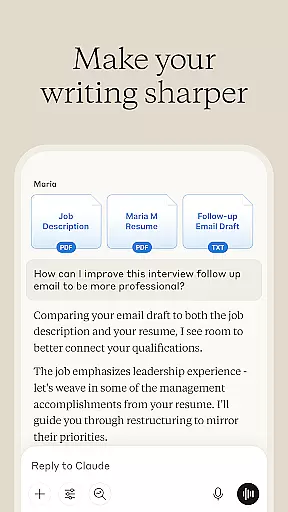
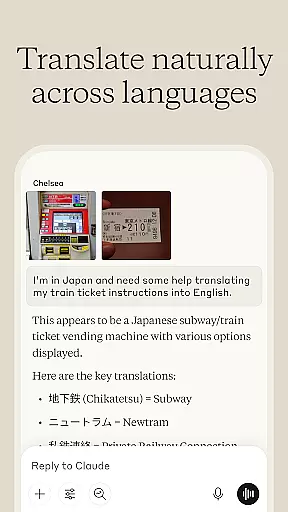

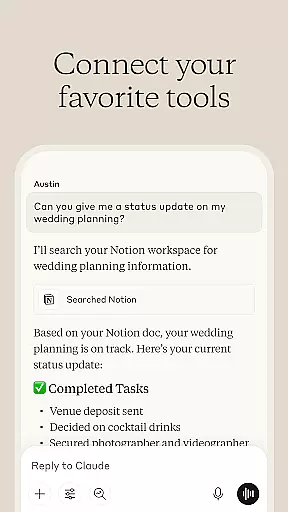
Claude by Anthropic is a cutting-edge AI productivity tool designed to enhance your problem-solving capabilities. This versatile application serves as both an AI writing assistant and a collaborative thinking partner, helping users tackle complex tasks across various domains. With specialized features for writing refinement, research assistance, coding support, and visual analysis, Claude adapts to multiple professional needs.
The application particularly shines in its ability to handle sophisticated projects through iterative collaboration. Whether you're crafting polished content, analyzing data, debugging code, or exploring visual materials, Claude provides depth and precision to your work. Its integration with common platforms and support for voice dictation make it an invaluable companion for professionals seeking to expand their capabilities.
Claude distinguishes itself through its comprehensive feature set tailored for productivity enthusiasts. The application's AI writing assistant helps transform rough drafts into refined content through collaborative iteration. It supports users in developing various types of written materials, from social media posts to complex reports, while maintaining proper tone and structure.
Beyond writing, Claude excels in research and coding assistance. The application can analyze data, compile findings, and provide meaningful insights while maintaining accurate citations. For developers, Claude serves as an AI coding partner that explains complex concepts, debugs code, and explores new programming languages. Its visual analysis capabilities allow users to extract information from images and PDFs, making it a well-rounded productivity tool.
Task management is a cornerstone of productivity applications, and Claude excels in this area by offering users advanced AI-driven tools to organize and prioritize their work effectively. The app provides an intuitive interface where users can create, categorize, and assign tasks with ease.
Claude's core task management feature leverages its AI capabilities to help users not only keep track of their to-do lists but also to intelligently suggest deadlines and provide reminders based on the user's habits and work patterns. This ensures that important tasks are completed on time and nothing falls through the cracks.
Users benefit from having a virtual assistant that understands the nuances of their workload, offering support in breaking down complex projects into manageable steps. With Claude, managing tasks becomes a seamless experience that adapts to individual workflows, enhancing overall productivity.
The true value of Claude's task management lies in its ability to integrate with various aspects of a user's digital life, pulling in relevant information from emails, calendars, and documents to provide a comprehensive view of what needs to be done. This holistic approach empowers users to focus on their work without getting bogged down by the details of task management.
In today's fast-paced world, having reliable cross-device synchronization is crucial for maintaining workflow continuity. Claude addresses this need by ensuring that all user data is consistently updated across devices, providing a seamless transition from desktop to mobile and vice versa.
The app employs state-of-the-art cloud technology to guarantee that whether you're working on your phone, tablet, or computer, your tasks, notes, and research are always up-to-date. This means you can start a project at the office and continue working on it during your commute without missing a beat.
For users, this translates into peace of mind knowing that their work is safely stored and accessible wherever they go. It eliminates the frustration of version conflicts and lost data, allowing for a more fluid and flexible work style.
Claude's commitment to synchronization reliability is evident in its robust infrastructure that supports real-time updates. This dedication ensures that teams collaborating remotely experience no lag in communication or project progress, making Claude an indispensable tool for modern professionals.
Advanced AI capabilities
Multi-domain functionality
Voice dictation support
Visual content analysis
Collaborative refinement tools
Requires internet connection
Premium features locked
Steep learning curve
Limited offline access
Subscription costs

Take control of your clipboard with Clipper!
 3.90
3.90
Planet Free VPN - The best Fast Unlimited and Secure VPN Without Logs
4.50
Secure, fast, open-source, Remote Desktop Client for Windows and Linux with SSH
4.60
IP Camera Viewer - Android TV : RTSP Surveillance camera viewer for Android TV
4.0
Stay on top of your to-dos with Google Tasks, part of Google Workspace.
4.60
ID.me Authenticator is a simple and free Two Factor Authentication solution
3.50
Calendar 2023 widget for Android. Appointment scheduler, planner, and reminder
4.60
Ultimate Virtual AI Character for immersive Roleplay Chat. Perfect Companion
3.90
Daily processing of PDF documents.
4.40
Use powerful, industry-leading AI tools to generate visual charts from any data
4.80
QuickBooks Workforce lets teams view pay info and track time in one place.
4.70
Okta MFA
4.70
Functional QR scanner and barcode reader that requires little storage space.
4.60
CalenGoo is a very flexible and feature-rich calendar app
4.40
A customizable calendar for your Wear OS watch
4.20
Professional calendar app for Google Calendar, MS Outlook & Exchange
4.20
Easily read and manage all your PDF files
4.10
The ultimate file manager for rooted devices. The original and still the best.
4.00
Experience and share your SolidWorks designs on your Android® phone and tablet.
2.50


User Reviews