
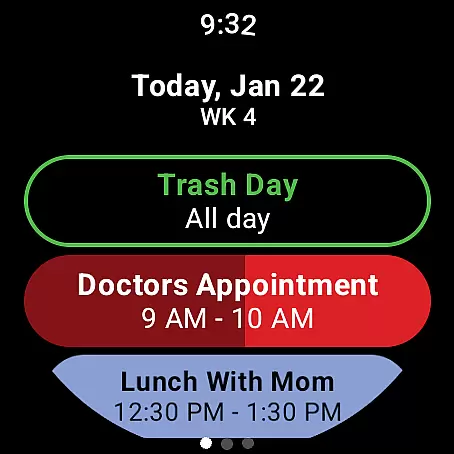
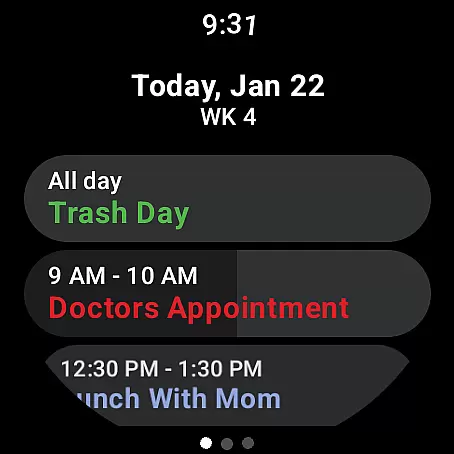
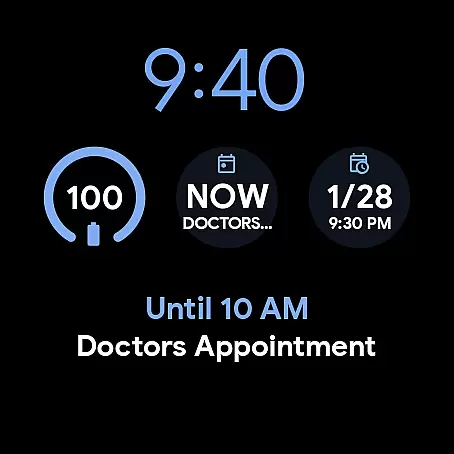
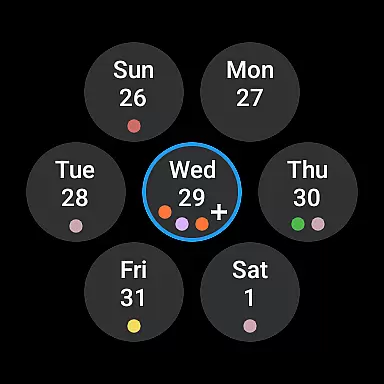
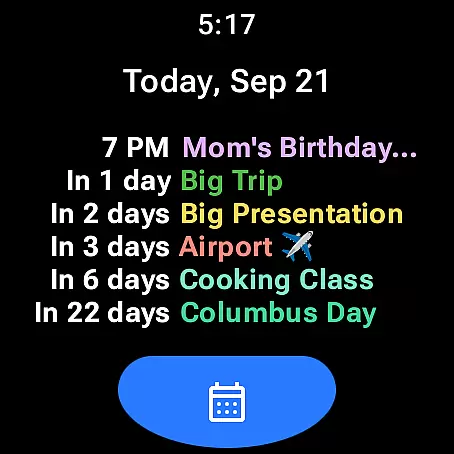
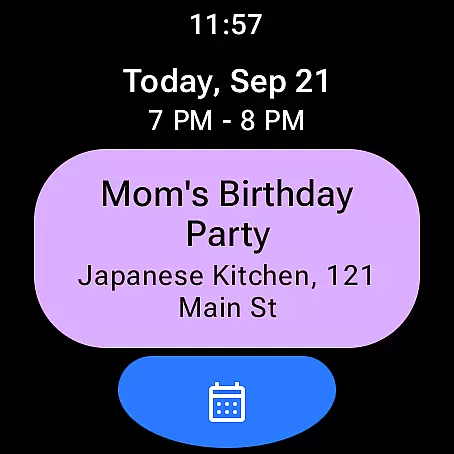
Calendar Pro for Wear OS is a comprehensive calendar solution designed specifically for wearable devices. This app seamlessly syncs all your phone calendars directly to your Wear OS smartwatch, ensuring you never miss an important event. With support for Google Calendar, Outlook, Samsung Calendar, and more, it offers unparalleled compatibility across calendar systems.
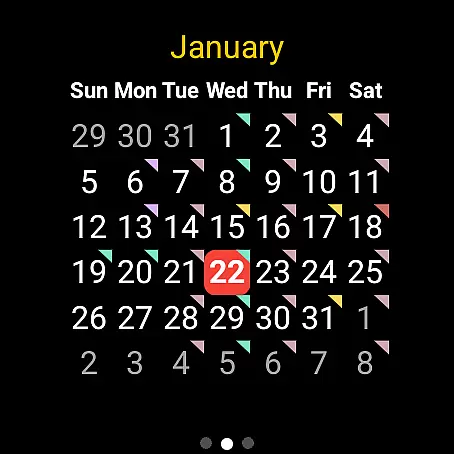
The app stands out with its extensive customization options. Users can personalize everything from month views to agenda layouts, choosing from multiple theme colors and layout styles. The inclusion of specialized watch complications and tiles - such as Month Calendar Tile, Agenda Tile, and Next Event indicators - provides quick access to essential information right from the watch face. Whether you need to view your schedule at a glance or manage events on the go, Calendar Pro streamlines productivity while maintaining wrist-level convenience.
Calendar Pro distinguishes itself through robust functionality tailored for wearable devices. The app's synchronization capabilities extend up to 12 months of events, while enabling full CRUD (Create, Read, Update, Delete) operations directly from the watch interface. This level of integration allows users to maintain complete control over their schedules without needing to reach for their phones.
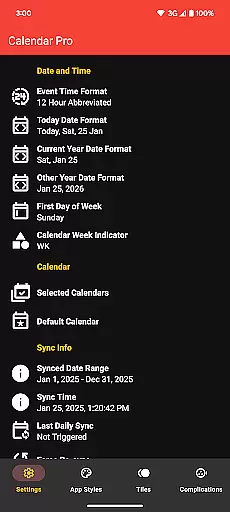
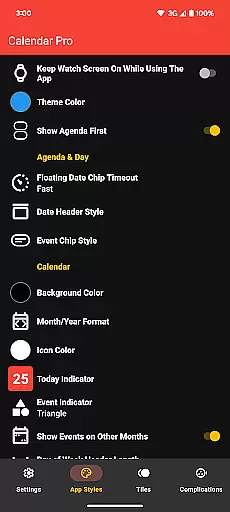
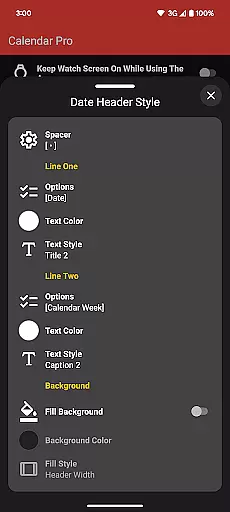
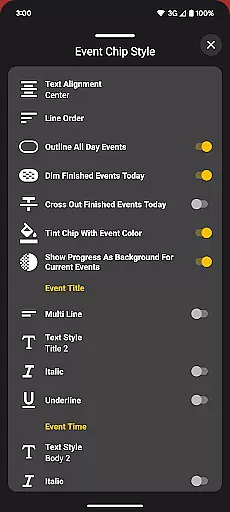
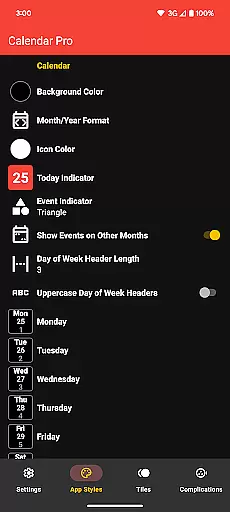
Customization is where Calendar Pro truly excels. The app offers granular control over visual elements including background colors, date formats, indicator shapes, and text styles. Advanced features like dimming finished events, showing progress for ongoing appointments, and outlining all-day events demonstrate attention to detail in user experience design. Furthermore, the implementation of various watch complications and tiles - each with their own configuration options - ensures users can create a personalized productivity setup that suits their specific needs and preferences.
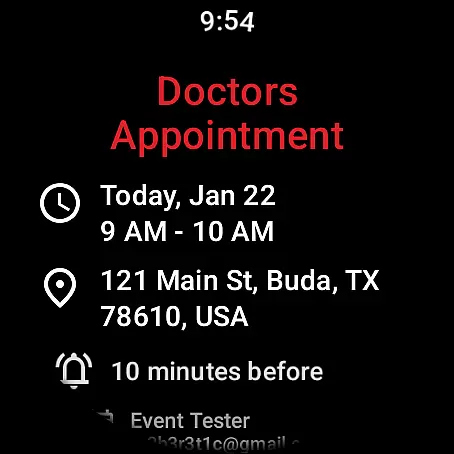
Calendar Pro for Wear OS excels in core task management by offering users the ability to add, edit, and delete events directly from their Wear OS watch. This seamless interaction ensures that managing your schedule is not just confined to your phone or computer but is accessible right from your wrist.
The app syncs the next 12 months of events to your watch, providing a forward-looking view that helps in planning and organizing tasks efficiently. With customizable month calendars and agenda views, users can tailor the interface to suit their preferences, ensuring they never miss an important event or meeting.
Furthermore, Calendar Pro supports a wide range of calendar services including Google Calendar, Outlook Calendar, and Samsung Calendar among others. This compatibility ensures that no matter which service you use, your tasks and events are always synced and up-to-date on your wearable device.
Cross-device synchronization is a cornerstone of Calendar Pro for Wear OS, ensuring that all your calendars from your phone are reliably synced to your Wear OS watch. This synchronization covers not only future events but also allows for real-time updates and modifications across devices.
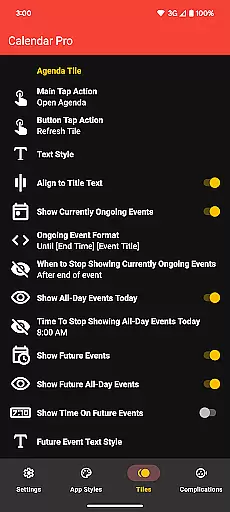
With dedicated tiles for month calendar, agenda, week view, and next event, users have quick access to their schedule without needing to interact with their phones. These tiles are customizable, allowing for personalization in how information is displayed and accessed on the wearable device.
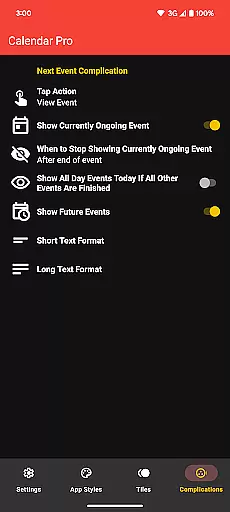
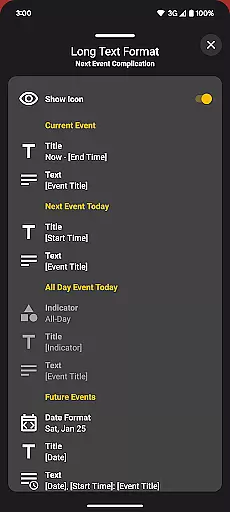
In addition to visual customizations, Calendar Pro offers functional reliability through its support for complications like the Next Event watch complication. Users can customize what information is shown and how interactions with these complications behave, making sure that the most relevant information is always at hand.
User-friendly interface
Extensive customization
Multi-calendar support
No subscription model
Offline functionality
Requires phone app
Complex setup process
Limited free features
Battery consumption
Learning curve

A Revolutionary All-in-One Artificial Intelligence Tools
 3.80
3.80
Experience Reading - Night Mode for Documents
4.40
Unlock AutoNotification
4.00
8 custom complications. Custom Time Fonts. Beautiful color schemes. A++ Design.
5.00
App Lock with fingerprint, password: Lock apps & hide photos with lock screens
4.60
Secure your apps with lock screens, use custom themes and different features.
4.40
Intelligent AI Assistant
4.10
Put a lock on your cloud: Take the security of your data into your own hands
3.70
Note taking, handwriting, record audio, PDF annotation, planner & journal
4.20
We're working to become the best machining app on the market! www.cncdirt.com
4.80
App lock - lock apps with fingerprint, password, pin or pattern, protect privacy
4.70
Okta MFA
4.70
Secure, fast, open-source, Remote Desktop Client for Windows and Linux with SSH
4.60
AI Chatbot and AI writing assistant powered by ChatGPT.
4.60
A lightweight JSON & XML files creator, editor and viewer (Premium Version)
4.40
CalenGoo is a very flexible and feature-rich calendar app
4.40
Todo reminder
4.10
Smart PDF reader & editor to view, organize and manage PDF documents easily.
3.70
Simple and reliable communication between inmates, friends and family
3.20


User Reviews