
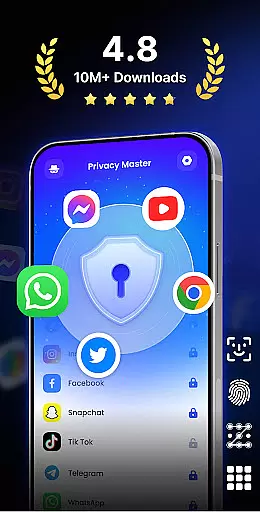
App Lock - Fingerprint Lock is a powerful productivity tool designed to secure your digital world. This app allows you to lock apps, hide photos, videos, and chats using password, pattern, or fingerprint authentication. Trusted by over 50 million users, it offers advanced privacy protection features such as intruder selfies, icon disguise, and custom lock themes.
The application is suitable for anyone looking to enhance their mobile privacy and keep sensitive information secure. Whether you want to protect private chats in WhatsApp or secure financial data in PayPal, App Lock provides complete peace of mind. With its user-friendly interface and robust security features, this app ensures that your personal data remains private and protected from unauthorized access.
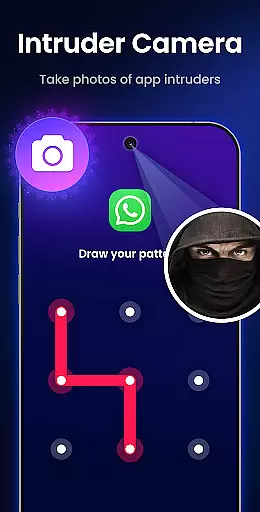
App Lock - Fingerprint Lock stands out with its comprehensive feature set tailored for privacy-conscious users. The app allows you to lock all your essential applications including WhatsApp, Messenger, Facebook, and Google Play. Its Intruder Camera feature captures photos of anyone attempting unauthorized access, sending instant alerts to the user.
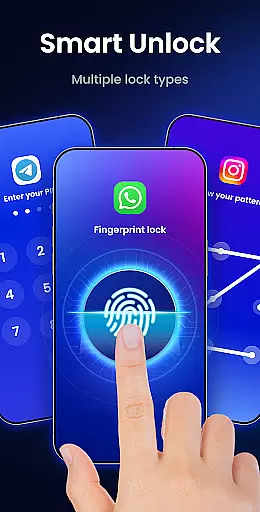
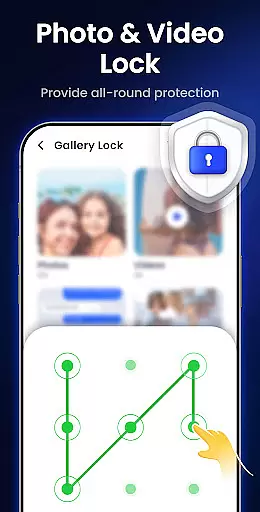
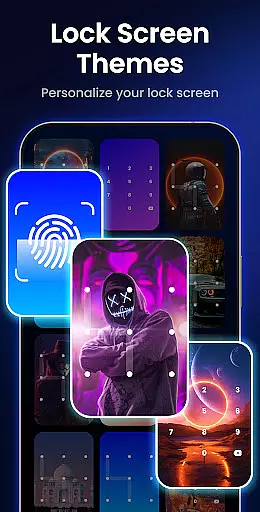
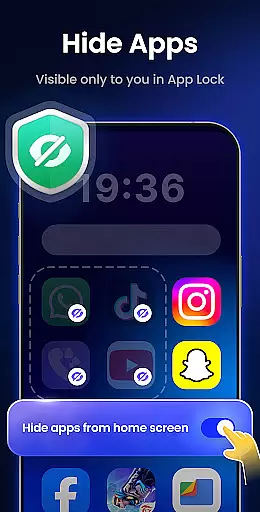
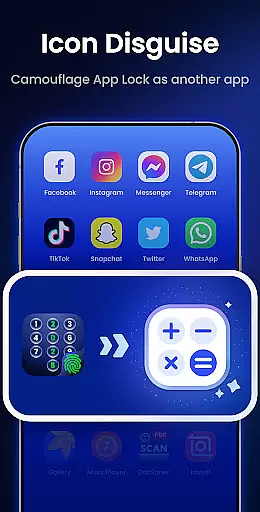
Additional functionalities include hiding notifications to prevent sensitive information from appearing on the lock screen, removing junk files to optimize device performance, and hiding private files within a secure gallery. Users can also benefit from multiple lock types (PIN, pattern, fingerprint), auto re-lock timers, and icon disguise options that mask the app behind innocuous icons like Calculator or Weather. Customizable themes further enhance the user experience by allowing personalized lock screens.
App Lock - Fingerprint Lock offers robust core task management features that ensure users can efficiently secure their digital world. The app allows you to lock all your essential applications such as WhatsApp, Messenger, and Facebook with a password, pattern, or fingerprint. This functionality is crucial for maintaining privacy and protecting sensitive information from unauthorized access.
The application provides smart features like intruder selfies, which capture photos of anyone attempting to access your device with incorrect credentials. Additionally, it sends real-time alerts so you are immediately aware of any security breaches. These features collectively enhance the overall task management experience by adding layers of protection beyond traditional locking mechanisms.
Users benefit significantly from App Lock's ability to hide notifications and private files, ensuring that personal data remains confidential. By disguising the app icon as something innocuous like a calculator or weather app, it further shields your privacy. Such comprehensive task management tools empower users to take full control over their digital security effortlessly.
Cross-device synchronization reliability is another standout feature of App Lock - Fingerprint Lock, allowing seamless integration across multiple devices. With over 50 million users trusting this app for powerful privacy protection, its synchronization capabilities ensure that your settings and preferences are consistently applied wherever you go.
The app supports various lock types including PIN, pattern, and fingerprint, providing flexibility and convenience. Whether you need to secure your phone or tablet, these options make it easy to maintain consistent security protocols without compromising usability. Furthermore, the auto re-lock feature lets you set custom timers, enhancing synchronization reliability by automatically re-locking apps after specified intervals.
Additional functionalities such as removing junk files and hiding private files contribute to a smoother cross-device experience. By cleaning up unnecessary data and safeguarding personal media, App Lock ensures your devices remain clutter-free and secure. This reliable synchronization not only boosts productivity but also gives users peace of mind knowing their digital world is protected regardless of the device they use.
Powerful privacy protection
User-friendly interface
Intruder detection system
Multiple locking methods
Customizable lock screen
Requires many permissions
May slow down older devices
Premium features are paid
Occasional bugs reported
Interface can feel cluttered

Total remote control for your Android device, PC and cloud services (IFTTT)!
 4.20
4.20
Mega cloud explorer plugin for Solid Explorer
3.80
Make your handwriting beautiful, even more than pen on paper.
3.60
CalenGoo is a very flexible and feature-rich calendar app
4.40
PDF scanner & converter for files, photos, lottery, QR codes. One swipe away!
4.50
Functional QR scanner and barcode reader that requires little storage space.
4.60
The ultimate file manager for rooted devices. The original and still the best.
4.00
Scan paperwork into PDF/JPG, generate your own e-signature and send fax or email
4.70
AT&T Internet customers can use this app to personalize their Wi-Fi network.
4.40
Simple notepad & memo. Take notes, to-do list, shopping list with reminders.
4.80
The long-awaited modern gallery app for your Nextcloud server
4.70
Direct Chat without saving contacts & Dual WA Account on Single Device
4.70
This small app MUST BE INSTALLED after purchase, else license won't work
4.40
Activate Two Factor Authentication (2FA or Multi OTP), Password manager and more
4.10
Secure, open-source, SPICE and SSH Remote Desktop for QEMU KVM virtual machines
4.00
Smart PDF reader & editor to view, organize and manage PDF documents easily.
3.70
Easiest event planning, volunteer signups & parent teacher conference scheduling
2.20
A simple, portable logger for POTA, SOTA, Field Day, and more
4.1
A comprehensive suite of tools designed specifically for Lactation Consultants
4.2


User Reviews