
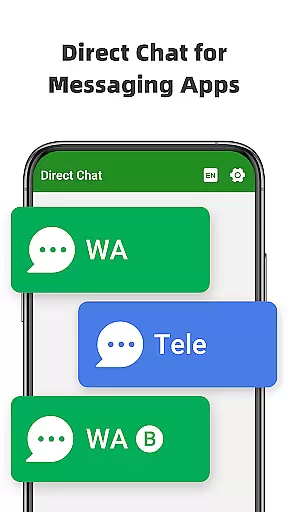
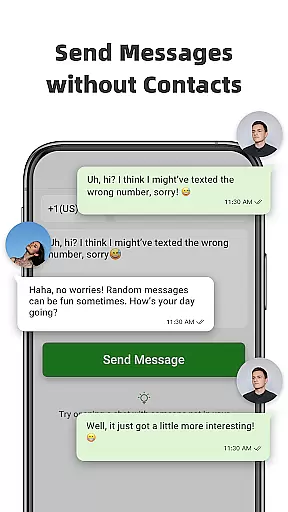
Direct Chat & Messaging is a productivity-focused application designed to streamline your communication process. The app allows users to send messages directly without saving contacts, making it ideal for quick business interactions or one-time communications. It supports multiple messaging platforms including WA, WA Business, and Tele Chatting App, providing versatility in communication.
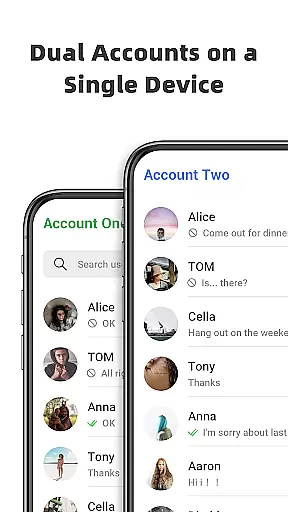
In addition to its Direct Chat feature, the app offers Dual App functionality, enabling users to manage two WA accounts on a single device or access the same account across multiple devices. This ensures seamless connectivity and efficient message management. With the added capability of recovering deleted messages and media, users can maintain privacy while ensuring no important information is lost. These features make the app particularly valuable for professionals who need reliable and flexible communication tools.
Direct Chat & Messaging stands out with its innovative features tailored for enhanced productivity. The Direct Chat functionality eliminates the need to save temporary contacts, allowing users to initiate conversations instantly. This is especially useful for WA, WA Business, and Tele Chatting App users who want to communicate without cluttering their contact lists.
The Dual App - Web Scan feature provides exceptional flexibility by supporting multiple WA accounts on one device or the same account across different devices. This ensures uninterrupted communication and efficient file management. Additionally, the Message Recovery feature offers peace of mind by allowing users to retrieve deleted messages and media, including photos and videos. By enabling notification access, the app detects and saves deleted content automatically, which can be accessed privately within the app.
Privacy is a top priority, and all recovered data is securely stored on the user's device without external collection or storage. These robust features collectively enhance the user's ability to manage communications effectively while maintaining privacy and security.
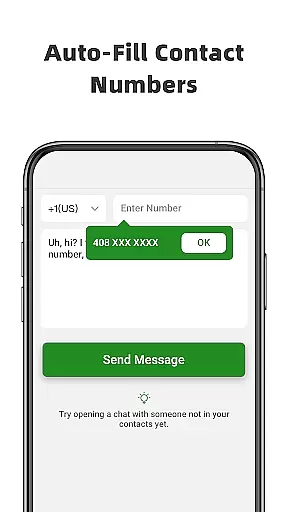
Direct Chat & Messaging offers a unique approach to managing communication tasks without the need to save contacts. This feature is particularly useful for professionals who need to interact with temporary clients or partners. The app allows users to enter a phone number, compose a message, and send it instantly, streamlining the process of task-oriented messaging.
The ability to handle multiple accounts enhances its task management capabilities. Users can access different WA accounts from one device, making it easier to separate personal and business communications. This dual functionality ensures that users can prioritize and manage their messaging tasks more effectively, without mixing different spheres of their lives.
Furthermore, the app's Recover Deleted Messages feature adds another layer of task management by allowing users to retrieve important information that might have been accidentally deleted. This means that critical data from conversations can be recovered, ensuring that no important details are lost in the communication process.
By integrating these features, Direct Chat & Messaging not only simplifies how users manage their messaging tasks but also provides tools that help maintain an organized and efficient workflow, which is essential in today's fast-paced business environment.
Cross-device synchronization is a pivotal feature of Direct Chat & Messaging, enabling users to maintain connectivity across multiple devices. Whether you're using WA on your primary phone or need to access your account from another device, this app ensures that all your messages are synced in real-time, providing a seamless experience.
The Dual App - Web Scan for WA functionality takes cross-device use to the next level. It allows users to operate the same WA account on different devices or manage two distinct accounts on a single device. This reliable synchronization means you're always connected, with continuous access to your messages and files without unexpected logouts or disruptions.
Moreover, the automatic syncing of all messages from cloned WA accounts ensures that users can read and reply to messages at their convenience, regardless of the device they are using. This feature is crucial for those who are often on the go and need to stay updated with their communications without being tied to one device.
With privacy protection measures in place, users can trust that their data remains secure during the synchronization process. All recovered content is saved directly on the user's device, affirming the app's commitment to security while offering reliable cross-device functionality.
User-friendly interface
Multi-platform support
Efficient message recovery
Secure data handling
Versatile account management
Limited to specific platforms
Requires notification access
Potential battery drain
Not affiliated with WA
Dependent on stable connection

AI Video AI Image Private LLM AI Browser Llama Gemma Ollama Connect LLM Studio
 4.0
4.0
All in one sketching tool. Technical and General drawing. Online Maps support.
3.70
IP Camera Viewer - Android TV : RTSP Surveillance camera viewer for Android TV
4.0
App Lock with fingerprint, password: Lock apps & hide photos with lock screens
4.60
Font maker keyboard with your own handwriting
4.10
Subscribe to Webcal & .ics calendars and keep them up-to-date!
4.50
Tally and goal counter for Wear OS & mobile
4.50
Quickly and easily keep track of your work shifts
4.70
Daily processing of PDF documents.
4.40
8 custom complications. Custom Time Fonts. Beautiful color schemes. A++ Design.
5.00
Seamlessly integrate data and reports to build your presentation to impress
4.80
QuickBooks Workforce lets teams view pay info and track time in one place.
4.70
The long-awaited modern gallery app for your Nextcloud server
4.70
Experience Reading - Night Mode for Documents
4.40
Docker, Kubernetes management over Portainer Mobile
4.40
Unlock AutoNotification
4.00
Customizable calendar widget for seamless event sync, planning & scheduling.
4.00
⏰ Finally a timer app which can run multiple timers simultaneously on your watch
3.90
Smart PDF reader & editor to view, organize and manage PDF documents easily.
3.70


User Reviews