
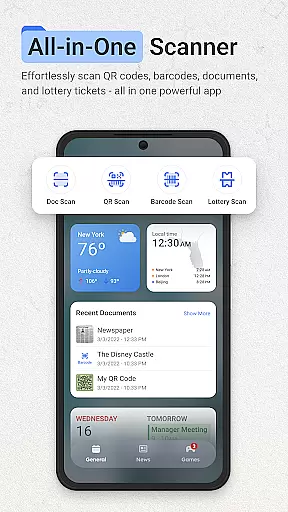
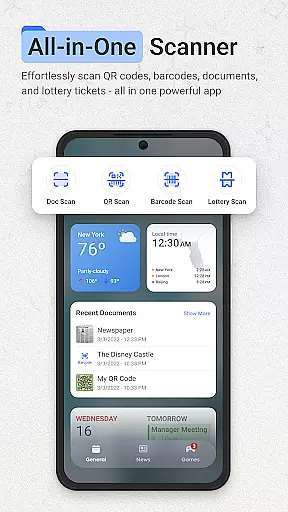
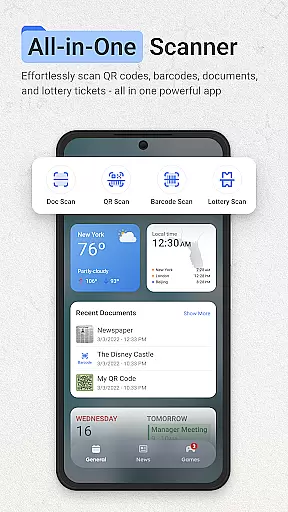
ScanNow Home revolutionizes productivity by integrating advanced scanning tools directly into your home screen experience. This innovative launcher combines essential document, barcode, and lottery ticket scanning with a clean, customizable interface.
The app's standout feature is its seamless integration of professional-grade scanning tools. Users can instantly capture documents with auto-edge detection, scan barcodes for price comparisons, and validate lottery tickets - all without opening separate apps. The launcher interface offers smart app categorization, adaptive icon support, and dark mode, making it both powerful and user-friendly.
Ideal for professionals and everyday users alike, ScanNow Home transforms your Android device into a multifunctional productivity tool. Whether you're digitizing important documents or managing your lottery tickets, this app streamlines essential tasks while maintaining a clean home screen experience.
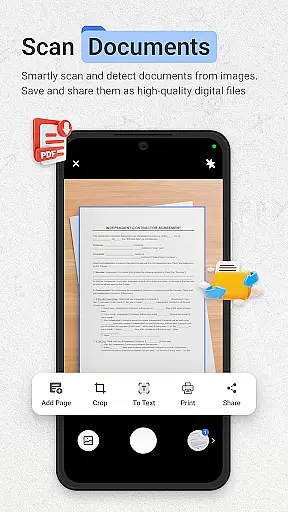
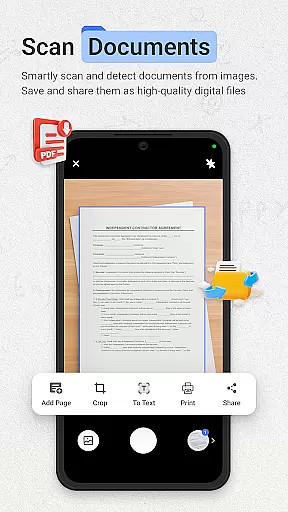
ScanNow Home distinguishes itself through its comprehensive feature set that combines productivity tools with launcher functionality. The document scanner offers advanced capabilities including perspective correction, batch scanning, and multiple export formats, while the image enhancement technology ensures professional-quality results.
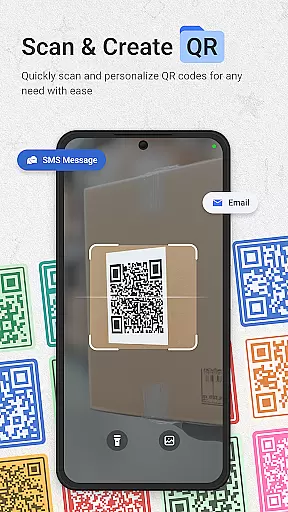
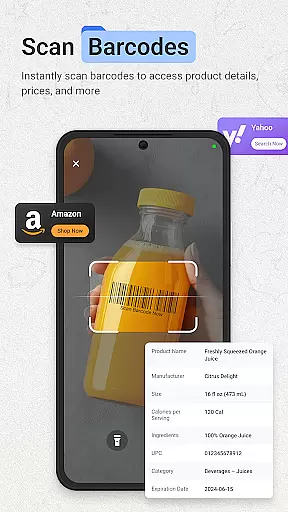
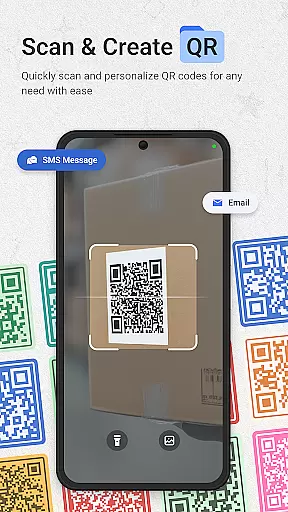
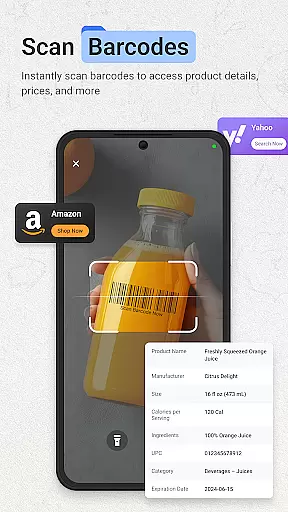
The integrated barcode and QR scanner supports all major formats, providing instant price comparisons and URL browsing. Its unique lottery ticket validator tracks playing history and offers winning notifications. These specialized tools are complemented by standard launcher features like adaptive icons and dark mode support, creating a versatile home screen solution.
What sets ScanNow Home apart is its optimization for efficiency. The app's improved scanning accuracy and low-light performance ensure reliable results in various conditions, while battery optimization features maintain device performance. This combination of specialized tools and thoughtful design makes it an invaluable productivity companion.
ScanNow Home revolutionizes productivity by integrating essential scanning tools directly into your home screen experience, making task management seamless and efficient. The app provides instant access to powerful document, barcode, and lottery ticket scanning features, allowing users to digitize important information quickly.
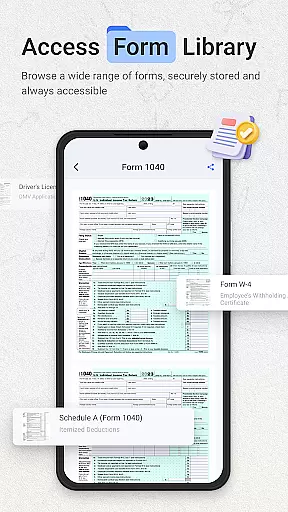
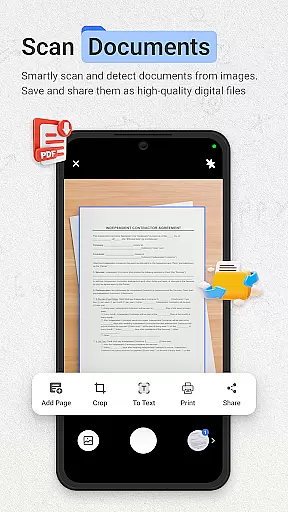
The document scanner offers auto-edge detection, perspective correction, and advanced image enhancement, ensuring crystal-clear results for all scanned materials. With support for batch scanning and multi-page exports to PDF or JPG formats, users can efficiently manage large volumes of documents without hassle.
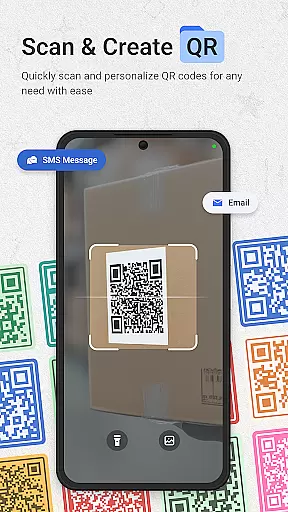
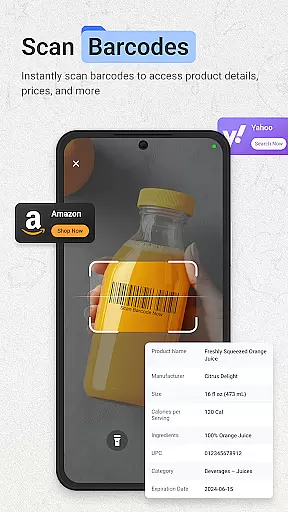
For barcode and QR code scanning, the app delivers lightning-fast performance across all major formats. Users can compare product prices, browse URLs, and maintain a comprehensive scan history with search functionality. This feature streamlines inventory management and simplifies information retrieval.
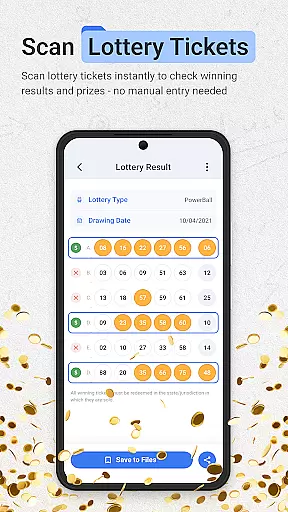
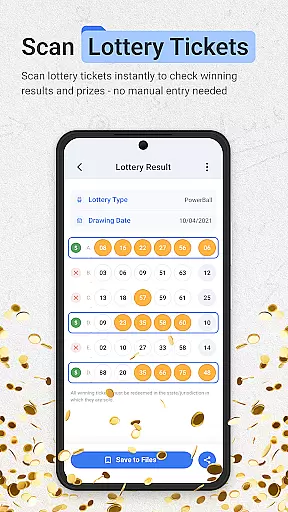
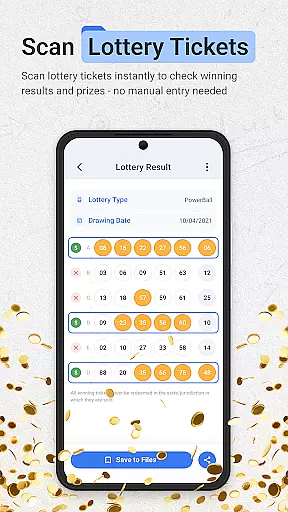
Additionally, the lottery ticket validator supports major games and scratch cards, offering quick result checks against the latest drawings. Users can save tickets, track playing history, and receive winning notifications, adding an extra layer of convenience to their productivity toolkit.
ScanNow Home ensures reliable cross-device synchronization, enabling users to access their scanned documents, barcodes, and lottery tickets from multiple devices seamlessly. This feature is crucial for individuals who rely on consistent data availability across smartphones, tablets, and computers.
The app's smart categorization and adaptive icon support contribute to a clean, material design interface that enhances user experience. With dark mode support, ScanNow Home adapts to various lighting conditions, ensuring optimal visibility and comfort during extended use.
By setting Yahoo Search as the default search provider, ScanNow Home integrates a robust search functionality that complements its scanning capabilities. Users benefit from updated search settings and an enhanced homescreen search experience, which aligns with the app's commitment to productivity and efficiency.
Permissions for camera access and storage are thoughtfully managed to support the app's core functionalities while maintaining user privacy. Regular updates, including improved scanning accuracy, better low-light performance, and battery optimization, ensure that ScanNow Home remains a reliable tool for managing tasks across different devices.
Instant access to scanning tools
Clean customizable interface
Advanced document processing
Comprehensive barcode support
Unique lottery features
Some features require purchase
Specific to Android 8+
Requires Yahoo search
Needs camera access
Storage permissions needed

Total remote control for your Android device, PC and cloud services (IFTTT)!
 4.20
4.20
aCalendar+ makes your day, week and month
4.70
Todo reminder
4.10
All in One PDF Reader: Manage, Read and Edit your Documents
4.20
Cloud storage, automatic phone backup, and more.
4.10
Create and edit presentations with Google Slides, part of Google Workspace.
4.00
Best Tool for the professionals Electrician, Electrical contractors, etc.
4.90
Quickly and easily keep track of your work shifts
4.70
Understand anything with a personalized AI research assistant
4.80
Mind Map and brainstorm, note taking and idea collection
4.80
Protect and view your important info on your phone and tablet with eWallet®
4.80
Secure, fast, open-source, VNC and SSH Remote Desktop for Windows, Linux and Mac
4.70
Calendar 2023 widget for Android. Appointment scheduler, planner, and reminder
4.60
To do list widget with a notebook organizer, checklist, simple shopping list
4.60
Experience Reading - Night Mode for Documents
4.40
Send files, sync SMS, notifications & clipboard across devices via local network
4.40
Docker, Kubernetes management over Portainer Mobile
4.40
Easily read and manage all your PDF files
4.10
Easiest event planning, volunteer signups & parent teacher conference scheduling
2.20


User Reviews