
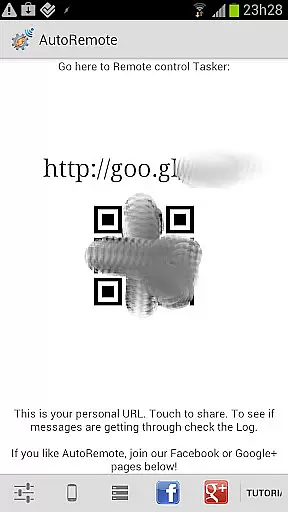
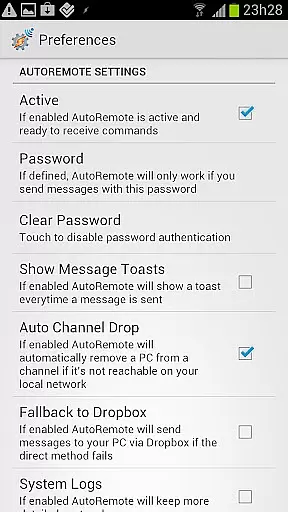
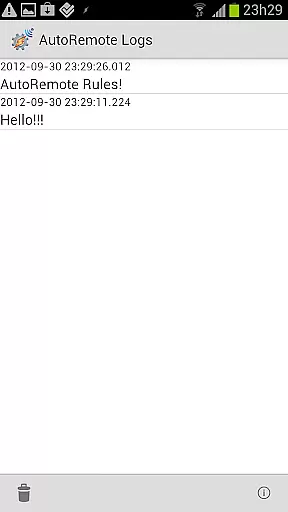
AutoRemote is a powerful productivity tool that allows users to remotely control their devices, including phones, PCs, and web services. With its seamless integration with Tasker and standalone apps, it enables users to send push notifications and execute commands across platforms.
The app's flexibility extends to controlling Android devices from web services like Facebook or Twitter, managing Linux PCs remotely, and even sharing links or text between devices through the Android Share menu. AutoRemote also supports advanced matching options and flexible command systems, making it an ideal solution for automating workflows and personalizing device interactions.
Whether you're looking to locate a lost phone, manage shopping lists, or trigger location-based alerts, AutoRemote provides endless possibilities for customization and control, empowering users to define how their devices interact remotely.
AutoRemote stands out with its robust feature set tailored for productivity enthusiasts. One of its core capabilities is bi-directional messaging, which allows users to send and receive messages between devices, enabling actions such as requesting a phone's location and viewing it on another device.
The app integrates seamlessly with Tasker, offering advanced automation possibilities. For instance, users can create custom commands like 'Where are you?' to trigger repetitive responses or set up time-based conditions to receive spoken reminders. Additionally, AutoRemote's support for IFTTT enhances its utility by connecting to hundreds of web services, while its flexible command system ensures precise message handling.
Other notable features include device-to-device messaging, direct sharing via Android's Share menu, and URL-based triggers. These functionalities make AutoRemote a versatile tool for automating tasks, enhancing remote communication, and streamlining workflows across multiple platforms.
At the heart of AutoRemote lies its ability to manage tasks and automate processes across multiple devices. This feature is crucial for users who need to maintain productivity while switching between their phone, PC, or other smart devices.
The app achieves this by enabling users to send push notifications that trigger specific actions in Tasker or standalone AutoRemote apps. These actions can range from simple commands like sending a location to complex workflows involving multiple steps and conditions.
For instance, users can set up profiles in Tasker that react to incoming messages, allowing them to perform tasks such as retrieving a forgotten phone's location or receiving spoken reminders based on time-sensitive triggers.
This level of control not only enhances productivity but also streamlines daily routines, making it easier for users to focus on what truly matters without being bogged down by repetitive tasks.
AutoRemote excels in providing reliable cross-device synchronization, ensuring that your commands and data are accurately transmitted between devices regardless of their location.
This reliability stems from the app's robust architecture, which supports messaging between various platforms including Android, PC, and web services. Whether you're controlling your home computer from your phone or vice versa, AutoRemote guarantees that your instructions will be executed as intended.
Moreover, the integration with Tasker allows for bi-directional communication, meaning that devices can both send and receive commands seamlessly. For example, you could request your phone's location from your tablet and have it displayed instantly on a map.
Such dependable synchronization empowers users to create intricate automation setups, knowing that each component will work together harmoniously, thus maximizing efficiency and convenience.
User-friendly interface
Highly customizable
Cross-platform support
IFTTT integration
Advanced automation
Requires technical knowledge
Complex setup process
Limited beginner guidance
Premium features locked
Occasional bugs

Mega cloud explorer plugin for Solid Explorer
 3.80
3.80
Automates browsing any website and notifies you of important changes or events
4.30
The upgraded version of Name Wheel with AI and the power to add your own wheels.
4.2
A lightweight JSON & XML files creator, editor and viewer (Premium Version)
4.40
A simple, portable logger for POTA, SOTA, Field Day, and more
4.4
Make apps & sites with natural language prompts
4.10
Cloud storage, automatic phone backup, and more.
4.10
A Pixel Art watchface inspired by other iconic 90s designs for Wear OS devices!
4.40
The ultimate file manager for rooted devices. The original and still the best.
4.00
Scientific calculator for Android - looks and operates like the real thing!
4.90
Android Wallet Password Manager
4.80
Scan paperwork into PDF/JPG, generate your own e-signature and send fax or email
4.70
Subscribe to Webcal & .ics calendars and keep them up-to-date!
4.50
Experience Reading - Night Mode for Documents
4.40
Secure your apps with lock screens, use custom themes and different features.
4.40
When you Focus, so will your Bean in this cozy focus timer
4.30
Customizable calendar widget for seamless event sync, planning & scheduling.
4.00
Experience and share your SolidWorks designs on your Android® phone and tablet.
2.50
A comprehensive suite of tools designed specifically for Lactation Consultants
4.1


User Reviews