
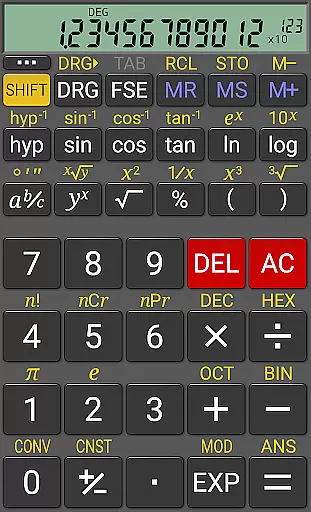
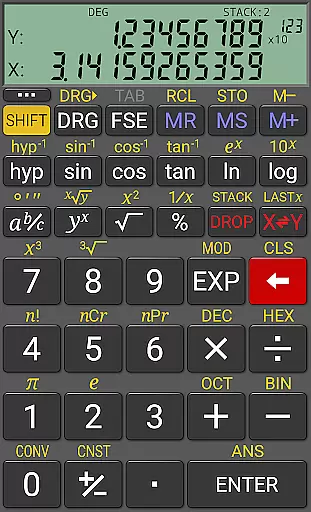
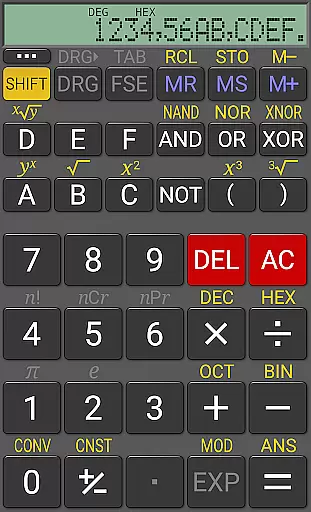
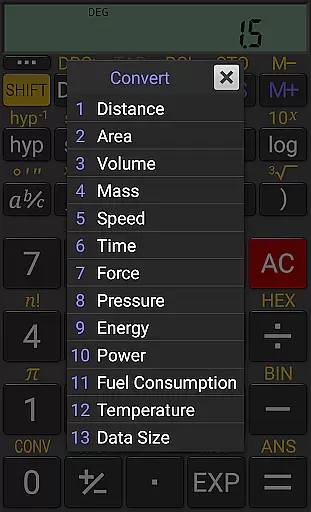
RealCalc Plus is the advanced version of RealCalc, a leading scientific calculator on Android. It mirrors the functionality of a real hand-held calculator with added features such as fraction calculations, degrees/minutes/seconds conversions, and history tracking. The app also offers customizable unit conversions, constants, and supports binary, octal, and hexadecimal calculations. With an optional RPN mode and multiple display styles, it caters to both simplicity and customization needs.
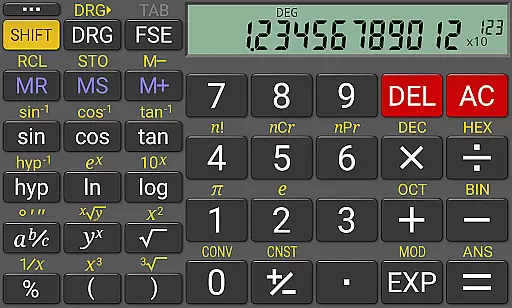
The calculator provides a 12-digit display with 32-digit internal precision, ensuring accuracy in complex computations. Its user-friendly interface includes traditional algebraic or RPN operation modes, trigonometric functions in degrees, radians, or grads, and various display formats like scientific and engineering modes. RealCalc Plus is ideal for students, engineers, and professionals who require precise calculations in their work or study.
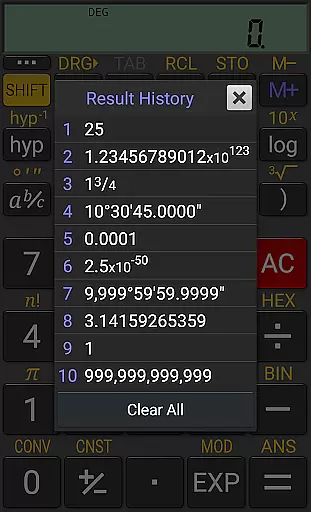
RealCalc Plus stands out with its comprehensive set of features tailored for diverse calculation needs. It supports fraction calculations, conversion between decimal and degrees/minutes/seconds, and has a result history function that helps users track previous operations. The inclusion of 10 memories allows storage of intermediate results, enhancing workflow efficiency.
Customization is at the heart of RealCalc Plus, offering user-defined unit conversions and constants. Users can choose from different RPN styles, including direct-entry, buffered-entry, or XYZT rolling stack modes. Additional functionalities include multi-window support with drag & drop, external keyboard compatibility, and configurable digit grouping. These features make RealCalc Plus a versatile tool suitable for technical and non-technical users alike.
RealCalc Plus excels in core task management by offering a comprehensive suite of scientific and mathematical functions. This includes traditional algebraic or RPN operation, enabling users to choose their preferred method of calculation.
The calculator supports fraction calculations, conversion to and from decimal, as well as degrees/minutes/seconds calculations and conversion, catering to a wide range of computational needs.
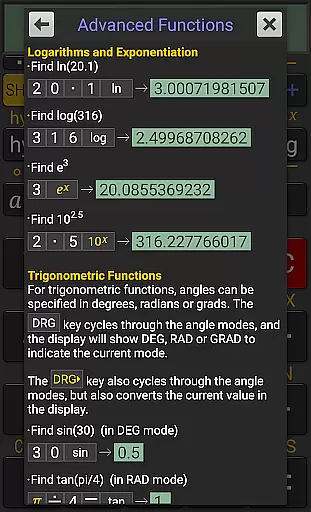
With features like 12-digit display, extended internal precision (32-digit), and trigonometric functions in degrees, radians, or grads, RealCalc Plus ensures accuracy and flexibility in handling complex tasks.
Users can also benefit from the result history and 10 memories, which facilitate efficient task management by allowing quick access to previous calculations and storing important values for future use.
Cross-device synchronization is not a primary feature of RealCalc Plus, as its functionalities are mainly confined within individual sessions on a single device. However, it offers a consistent experience across installations on different devices through uniform features and interface design.
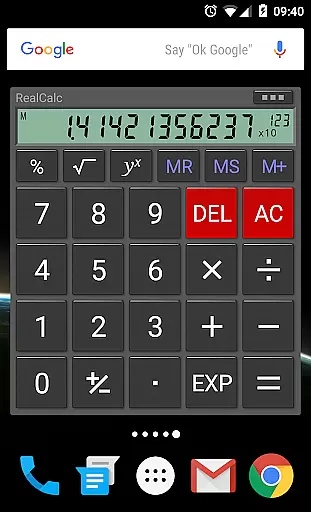
While RealCalc Plus does not support real-time data syncing between devices, it provides a homescreen widget with RPN support and multi-window capabilities, enhancing productivity on the go.
External keyboard support and configurable digit grouping and decimal point further ensure that users can tailor their experience consistently across various devices, although actual data synchronization is not present.
Despite the lack of direct cross-device sync, the full built-in help and customizable settings allow users to maintain a reliable and personalized calculator setup on each of their devices independently.
User-friendly interface
Highly customizable settings
Supports RPN mode
Accurate and reliable calculations
Comprehensive help documentation
Paid version only
No graphing capabilities
Limited visual themes
Advanced features may overwhelm beginners
Interface design could be outdated for some users

8 custom complications. Custom Time Fonts. Beautiful color schemes. A++ Design.
 5.00
5.00
⏰ Finally a timer app which can run multiple timers simultaneously on your watch
3.90
IP Camera Viewer - Android TV : RTSP Surveillance camera viewer for Android TV
4.2
Make apps & sites with natural language prompts
4.10
All document reader, all in one file viewer read PDF, DOCX, XLS, PPT, TXT files.
4.60
The ultimate file manager for rooted devices. The original and still the best.
4.00
Daily processing of PDF documents.
4.40
Seamlessly read, manage, and organize all your PDF files solution in one place
4.40
Set up, print, and get support—in one place
4.20
Seamlessly integrate data and reports to build your presentation to impress
4.80
Stay on top of your to-dos with Google Tasks, part of Google Workspace.
4.60
A simple Whisper AI keyboard for reliable speech transcription and rewording
4.60
Lightweight PDF, Word, Excel reader.
4.60
AI Chatbot and AI writing assistant powered by ChatGPT.
4.60
CalenGoo is a very flexible and feature-rich calendar app
4.40
Secure your apps with lock screens, use custom themes and different features.
4.40
Activate Two Factor Authentication (2FA or Multi OTP), Password manager and more
4.10
Ads Free App! Editor, Hide File, Copy, Move, Delete and Rename.. all facility av
1.70
A comprehensive suite of tools designed specifically for Lactation Consultants
4.0


User Reviews